用text设置 h1、h2、h3、h4 元素的文本修饰:text-decoration
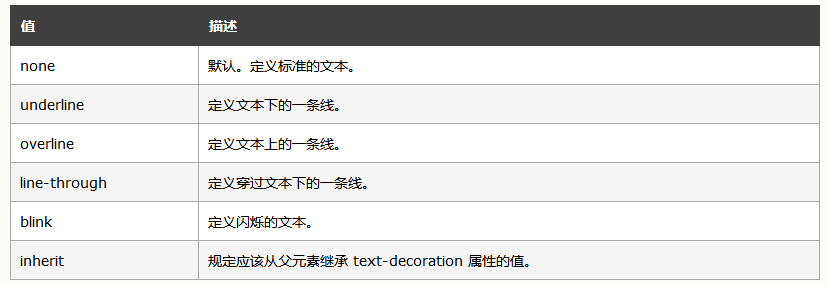
可以选用的值
<html>
<meta charset="UTF-8">
<head>
<style type="text/css">
h1 {text-decoration: overline}
h2 {text-decoration: line-through}
h3 {text-decoration: underline}
h4 {text-decoration:blink}
a {text-decoration: none}
</style>
</head>

<body>
<h1>这是标题 1</h1>
<h2>这是标题 2</h2>
<h3>这是标题 3</h3>
<h4>这是标题 4</h4>
<p><a href="http://www.w3school.com.cn/index.html">这是一个链接</a></p>
</body>

</html>
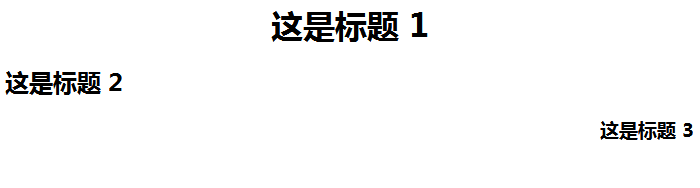
text-align 属性规定元素中的文本的水平对齐方式。
该属性通过指定行框与哪个点对齐,从而设置块级元素内文本的水平对齐方式。通过允许用户代理调整行内容中字母和字之间的间隔,可以支持值 justify;不同用户代理可能会得到不同的结果
<html>
    <meta charset="UTF-8">
<head>
<style type="text/css">
h1 {text-align: center}
h2 {text-align: left}
h3 {text-align: right}
</style>
</head>

<body>
<h1>这是标题 1</h1>
<h2>这是标题 2</h2>
<h3>这是标题 3</h3>
</body>

</html>