SSH为Secure Shell的缩写,SSH为建立在应用层基础上的安全协议。SSH是目前较可靠,专为远程登录会话和其他网络服务提供安全性的协议。利用SSH协议可以有效防止远程管理过程中的信息泄露问题。
Kali linux默认的安装是没开启ssh,而Kali官网提供的vmware镜像则是开启了ssh。
------------
1、查看ssh状态
/etc/init.d/ssh status

显示active则代表运行着

显示inactive则代表关闭着
2、重启、开启、关闭ssh
重启ssh
/etc/init.d/ssh restart
开启ssh
/etc/init.d/ssh start
关闭ssh
/etc/init.d/ssh stop
3、开机自启动ssh
update-rc.d ssh enable
重启后会生效,如要关闭自启动
update-rc.d ssh disable
4、使用xshell连接kali
获取Kali的ip
ifconfig

得到ip为192.168.61.128
修改sshd的设置,让其允许root用户用密码远程登录(否则当Xshell连接Kali时,会提示:SSH服务器拒绝了密码。)
vi /etc/ssh/sshd_config
找到(如果找到的PermitRootLogin已被注释的就取消其注释)
# Authentication:
LoginGraceTime 120
PermitRootLogin without passwd (或者是PermitRootLogin prohibit-password)
StrictModes yes
修改为
# Authentication:
LoginGraceTime 120
PermitRootLogin yes
StrictModes yes
保存后退出,重启一下ssh
/etc/init.d/ssh restart
再打开Xshell进行连接
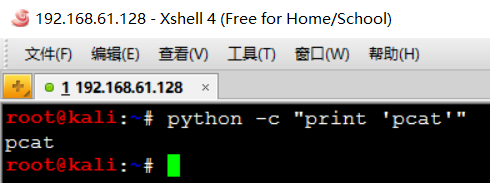
ok :)