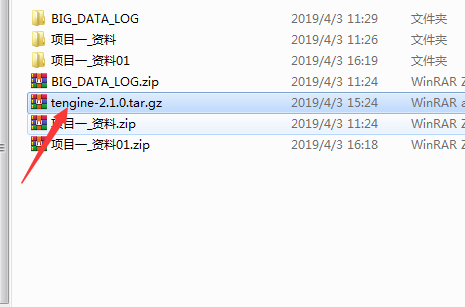
上面是下载的包下载地址 http://tengine.taobao.org/download_cn.html
nginx官网http://nginx.org/

下一步

下一步
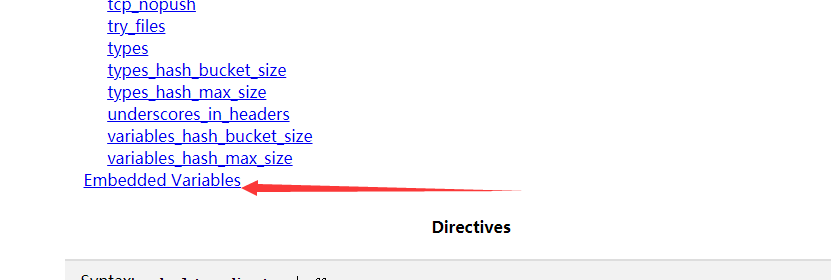
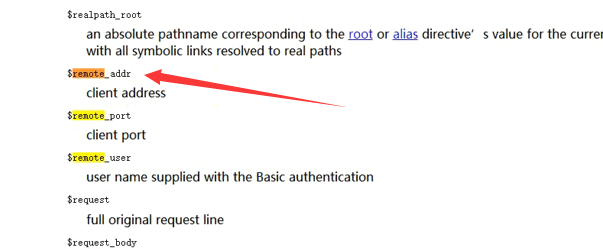
其中remote为重要属性
以前配置apache在配置ganglia的时候

查看状态

配置apache自动删除,删除干净

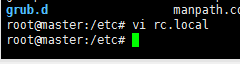
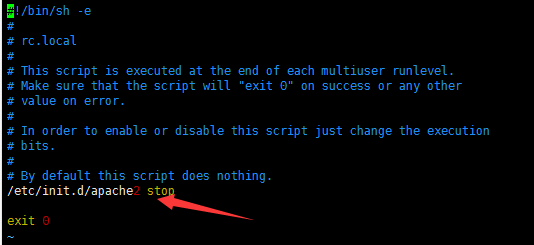
或者停止Apache2

以及在下面配置开机启动配置,启动即关闭Apache2
https://www.cnblogs.com/ssooking/p/6094740.html


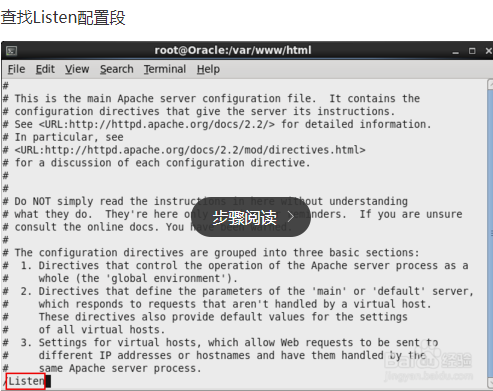
或者修改Apache的端口号
https://www.cnblogs.com/lauren1003/p/5994124.html

或者下面这种(因为是在配置ganglia时候配置的,不是httpd下的)

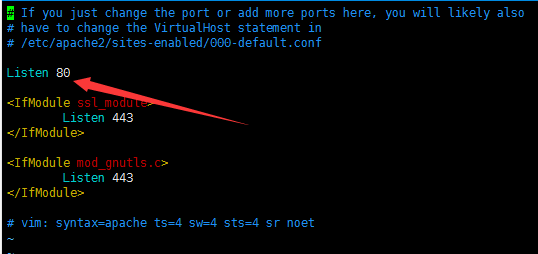
修改即可
然后
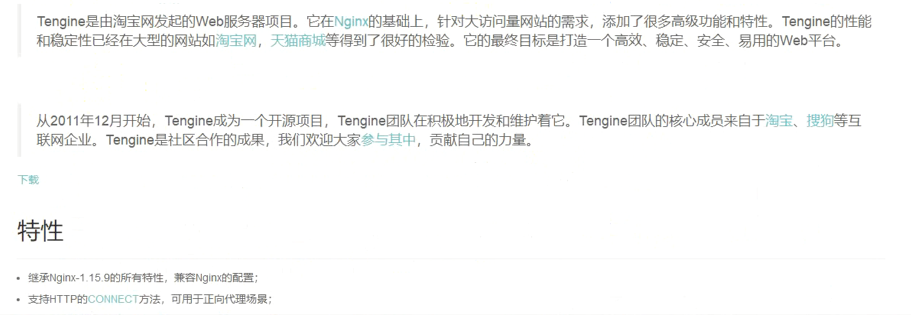
安装tenginx
http://tengine.taobao.org/
apt-get install libpcre3 libpcre3-dev
apt-get install openssl libssl-dev

上面截图apt-get是管理apt-get软件包的
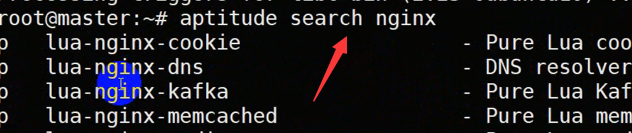

公版的,不支持淘宝,但是如果看中文的话,用淘宝的就行,不需要这个公版的
apt-get install gcc g++ make
然后上传tengine源代码
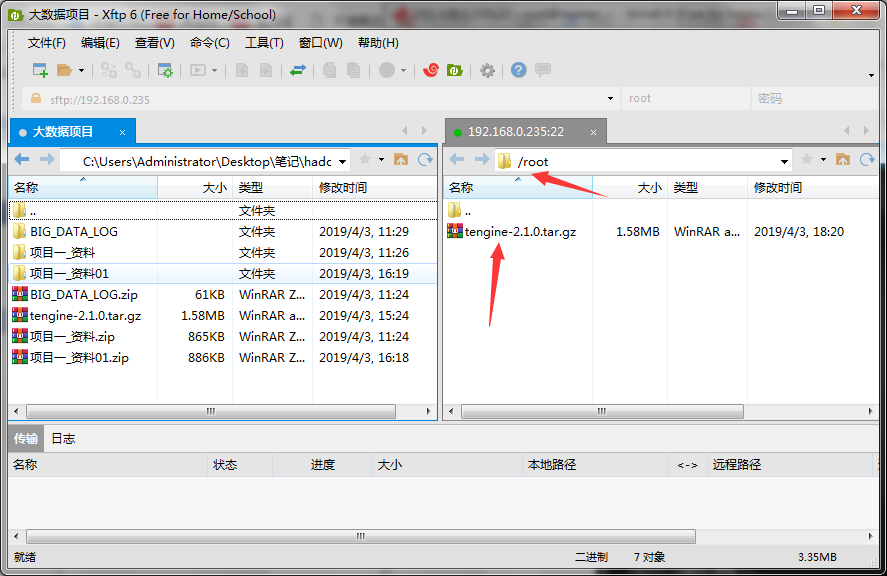
然后
cd tengine-2.1.0/
执行
./configure
配置好后默认路径如下

然后运行
make -j
make install
sudo ln -s /usr/local/nginx/sbin/nginx /usr/bin/nginx
vim /etc/init.d/nginx
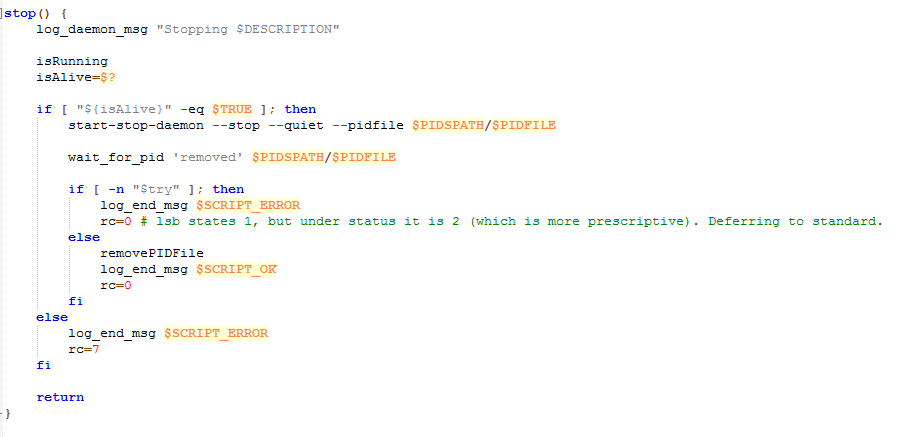
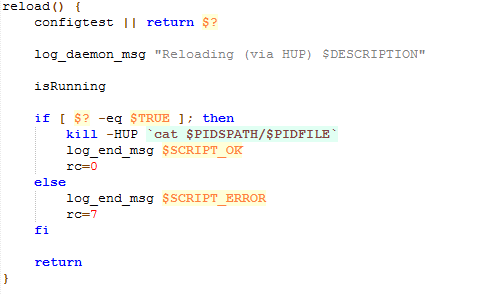
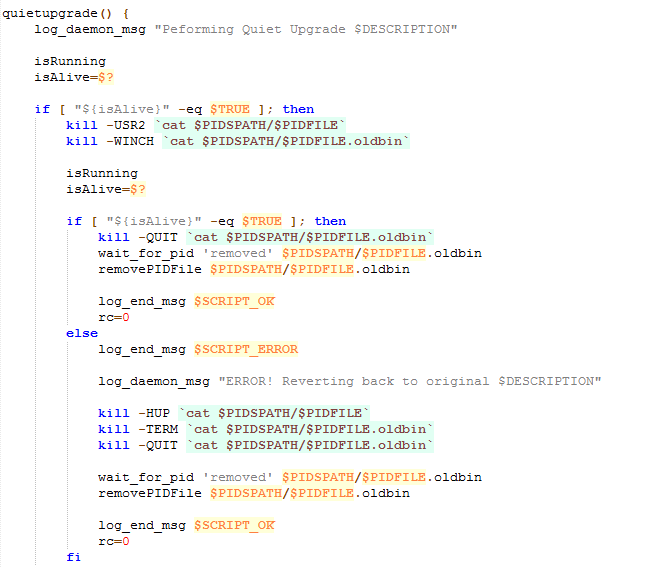
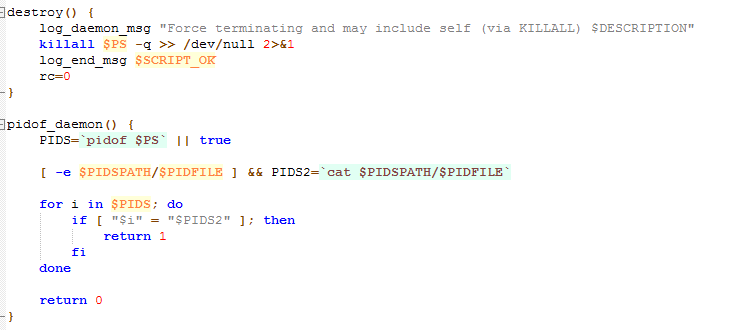
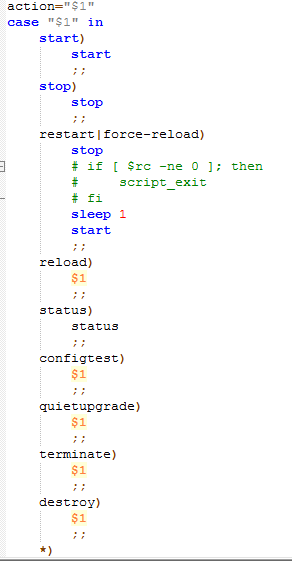
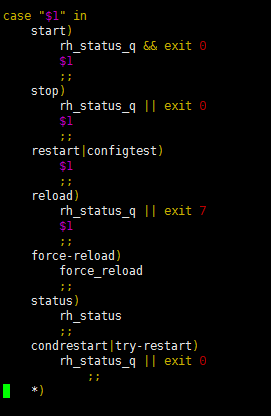
这个是我们自己创建的,添加的内容参考本标签最后(倒数第二的文件内容会报下面的一些错,最后的文件内容为正确)
Ubuntu_nginx.txt
#设置服务脚本有执行权限
sudo chmod +x /etc/init.d/nginx
#注册服务
cd /etc/init.d/
update-rc.d nginx defaults
出现警告

暂时不需理会
然后查看

默认安装时Nginx的安装路径和配置文件路径
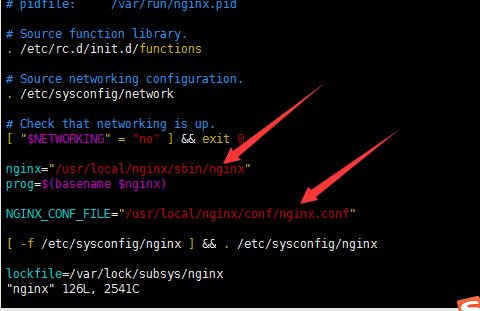
操作代码
然后启动Nginx

报错
发现问题为文件内容有问题
把
用下面这种执行


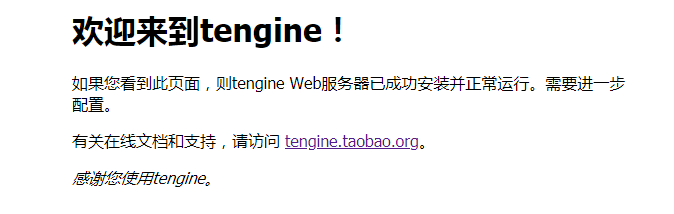
然后就可以去网页查看
master:80
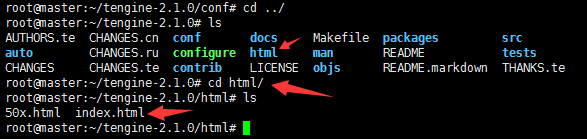
html中存在地方为(index.xml)
配置执行收集日志(代码在前面的随笔)
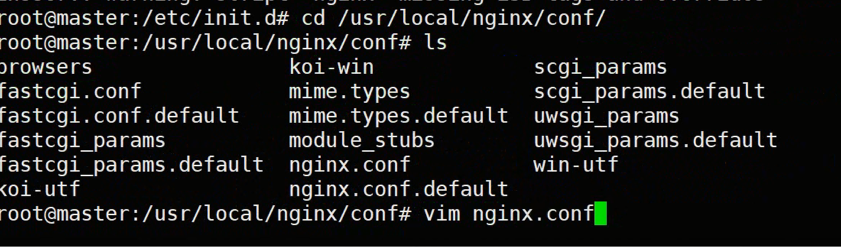
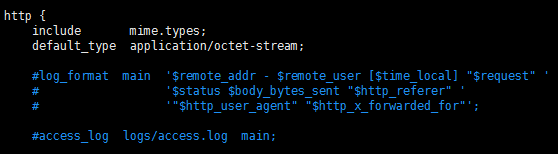
上面是日志的格式转化规则,以及access_log扫描路径在/user/local/nginx/logs/access.log
下面是端口,可以和Apache一样进行修改,默认80
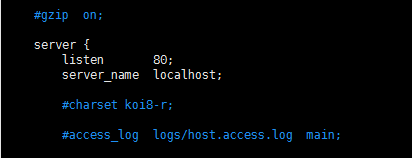
可以追踪日志(通过刷新web页面)

在/user/local/nginx/conf下面的nginx.conf中修改内容(输出格式)
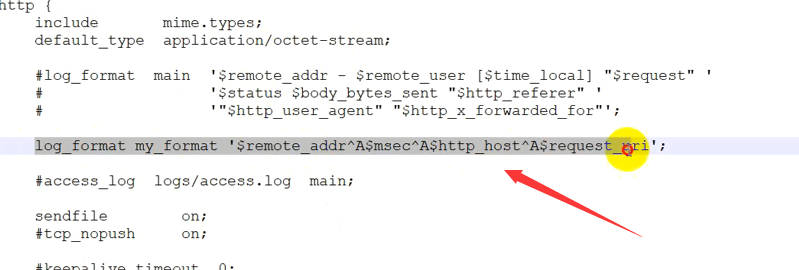
以及页面显示的location内容
这里改为log.gif后,后面访问master:80时,会跳到此gif上,(基于tcp协议三次握手,如果idea中js或者java没有回应的函数调用,则不会显示)输出格式为上面自定义的
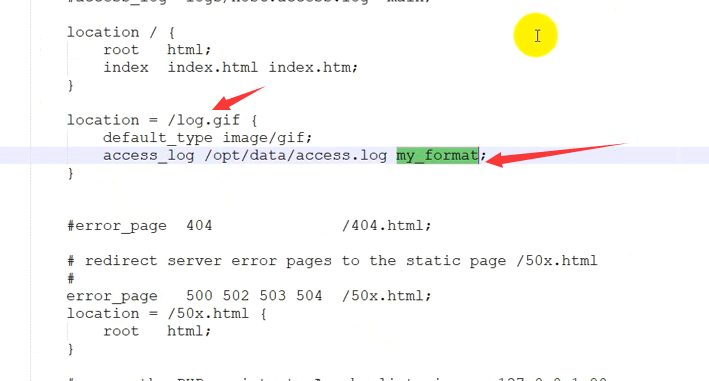
html存放位置为(路径是以/usr/local/nginx/htm为起始绝对路径,)

配置好之后重启
在sbin下面
nginx –s reload
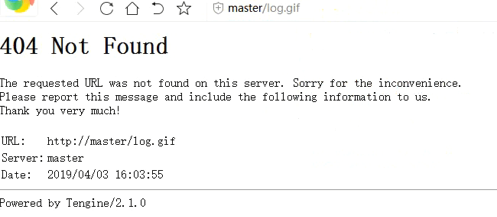
如果你没有给/usr/local/nginx/html下的log.gif下添加任何东西就会出现下列界面,但不是错误,可以
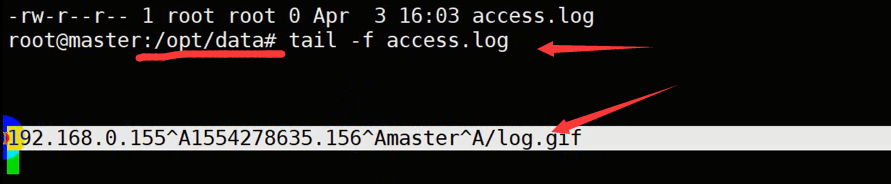
提前在上面配置的如下路径下进行追踪日志

cd /opt/data 然后 tail -f access.log
在access.log追踪的日志里就会出现如下
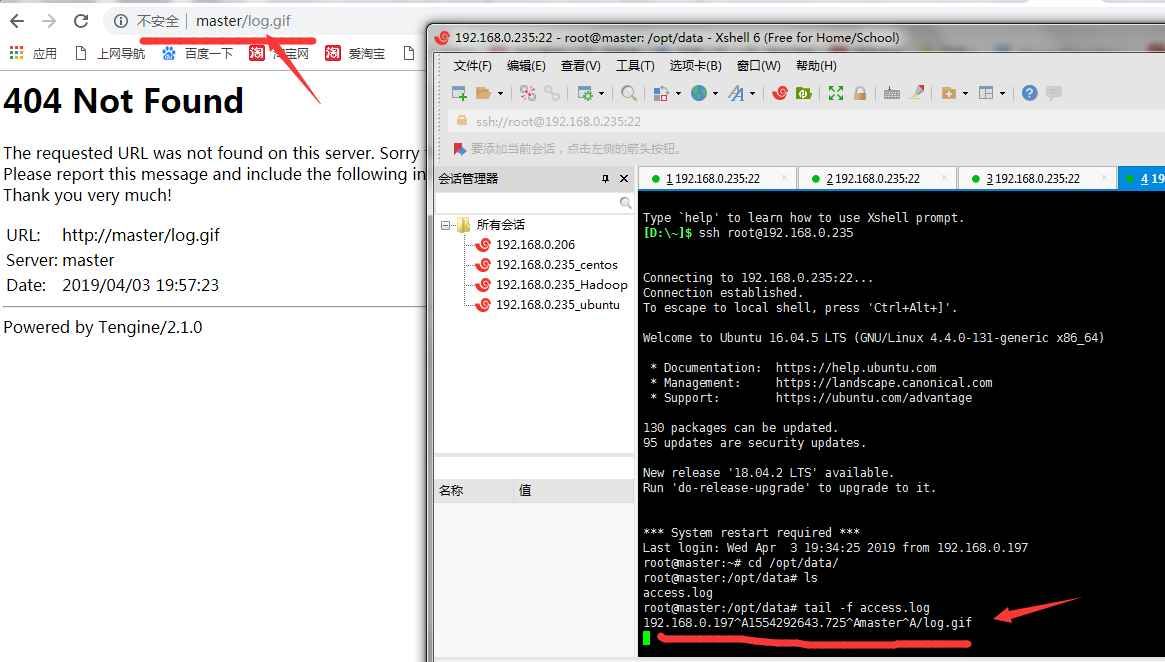
想要显示内容,可以修改一个想要显示的照片修改为log.gif后上传到对应的html文件夹下面,如下
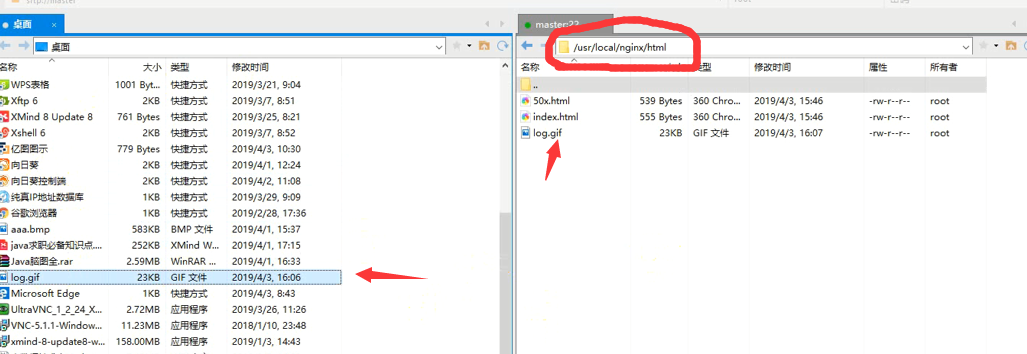
再刷新页面即可,日志也会显示
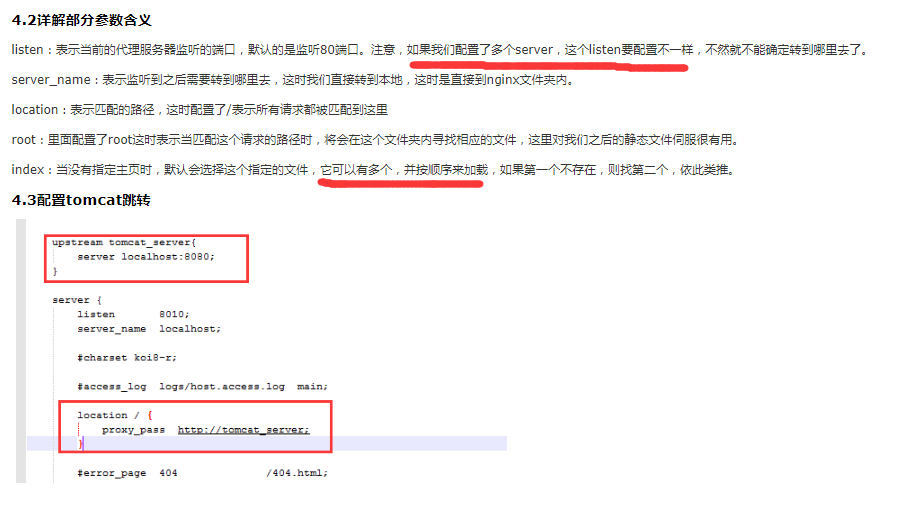
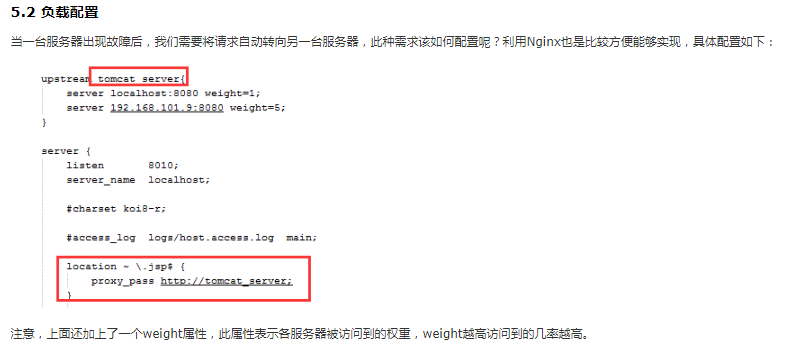
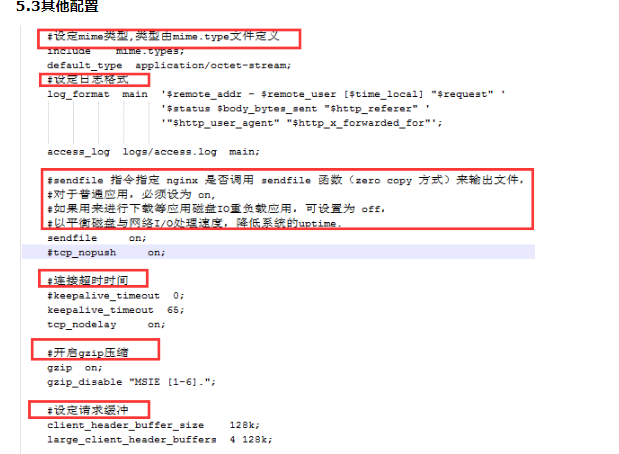

去idea里启动java或者js配置在上一个随笔里
启动刷新后,启动js的追踪日志为

java启动的追踪日志为
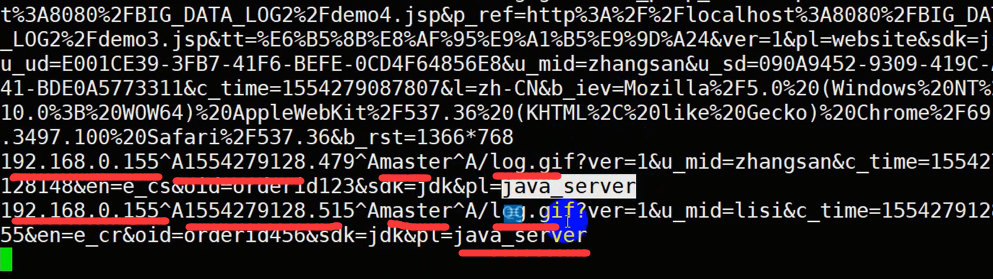
#!/bin/sh
#
# nginx - this script starts and stops the nginx daemon
#
# chkconfig: - 85 15
# description: Nginx is an HTTP(S) server, HTTP(S) reverse
# proxy and IMAP/POP3 proxy server
# processname: nginx
# config: /etc/nginx/nginx.conf
# config: /etc/sysconfig/nginx
# pidfile: /var/run/nginx.pid
# Source function library.
. /etc/rc.d/init.d/functions
# Source networking configuration.
. /etc/sysconfig/network
# Check that networking is up.
[ "$NETWORKING" = "no" ] && exit 0
nginx="/usr/local/nginx/sbin/nginx"
prog=$(basename $nginx)
NGINX_CONF_FILE="/usr/local/nginx/conf/nginx.conf"
[ -f /etc/sysconfig/nginx ] && . /etc/sysconfig/nginx
lockfile=/var/lock/subsys/nginx
make_dirs() {
# make required directories
user=`nginx -V 2>&1 | grep "configure arguments:" | sed 's/[^*]*--user=([^ ]*).*/1/g' -`
options=`$nginx -V 2>&1 | grep 'configure arguments:'`
for opt in $options; do
if [ `echo $opt | grep '.*-temp-path'` ]; then
value=`echo $opt | cut -d "=" -f 2`
if [ ! -d "$value" ]; then
# echo "creating" $value
mkdir -p $value && chown -R $user $value
fi
fi
done
}
start() {
[ -x $nginx ] || exit 5
[ -f $NGINX_CONF_FILE ] || exit 6
make_dirs
echo -n $"Starting $prog: "
daemon $nginx -c $NGINX_CONF_FILE
retval=$?
echo
[ $retval -eq 0 ] && touch $lockfile
return $retval
}
stop() {
echo -n $"Stopping $prog: "
killproc $prog -QUIT
retval=$?
echo
[ $retval -eq 0 ] && rm -f $lockfile
return $retval
}
restart() {
configtest || return $?
stop
sleep 1
start
}
reload() {
configtest || return $?
echo -n $"Reloading $prog: "
killproc $nginx -HUP
RETVAL=$?
echo
}
force_reload() {
restart
}
configtest() {
$nginx -t -c $NGINX_CONF_FILE
}
rh_status() {
status $prog
}
rh_status_q() {
rh_status >/dev/null 2>&1
}
case "$1" in
start)
rh_status_q && exit 0
$1
;;
stop)
rh_status_q || exit 0
$1
;;
restart|configtest)
$1
;;
reload)
rh_status_q || exit 7
$1
;;
force-reload)
force_reload
;;
status)
rh_status
;;
condrestart|try-restart)
rh_status_q || exit 0
;;
*)
echo $"Usage: $0 {start|stop|status|restart|condrestart|try-restart|reload|force-reload|configtest}"
exit 2
esac
经过查找上面的内容是不行的,测试失败的
用下面的内容
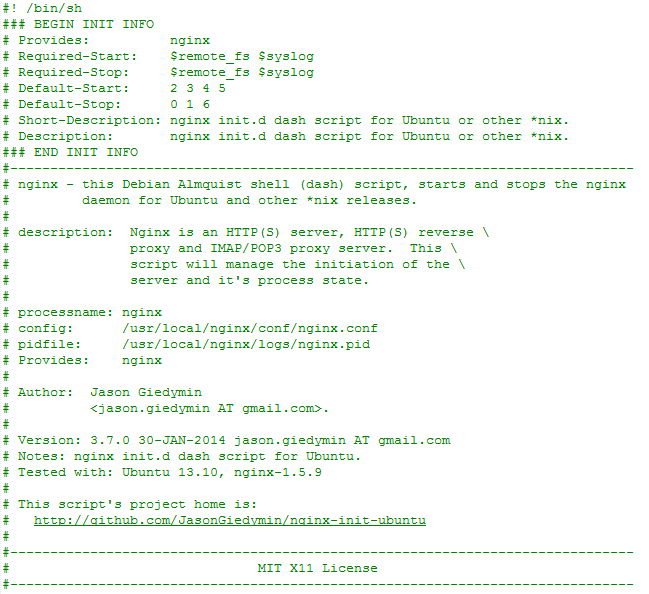
#! /bin/sh
### BEGIN INIT INFO
# Provides: nginx
# Required-Start: $remote_fs $syslog
# Required-Stop: $remote_fs $syslog
# Default-Start: 2 3 4 5
# Default-Stop: 0 1 6
# Short-Description: nginx init.d dash script for Ubuntu or other *nix.
# Description: nginx init.d dash script for Ubuntu or other *nix.
### END INIT INFO
#------------------------------------------------------------------------------
# nginx - this Debian Almquist shell (dash) script, starts and stops the nginx
# daemon for Ubuntu and other *nix releases.
#
# description: Nginx is an HTTP(S) server, HTTP(S) reverse
# proxy and IMAP/POP3 proxy server. This
# script will manage the initiation of the
# server and it's process state.
#
# processname: nginx
# config: /usr/local/nginx/conf/nginx.conf
# pidfile: /usr/local/nginx/logs/nginx.pid
# Provides: nginx
#
# Author: Jason Giedymin
# <jason.giedymin AT gmail.com>.
#
# Version: 3.7.0 30-JAN-2014 jason.giedymin AT gmail.com
# Notes: nginx init.d dash script for Ubuntu.
# Tested with: Ubuntu 13.10, nginx-1.5.9
#
# This script's project home is:
# http://github.com/JasonGiedymin/nginx-init-ubuntu
#
#------------------------------------------------------------------------------
# MIT X11 License
#------------------------------------------------------------------------------
#
# Copyright (c) 2008-2013 Jason Giedymin, http://jasongiedymin.com
#
# Permission is hereby granted, free of charge, to any person obtaining
# a copy of this software and associated documentation files (the
# "Software"), to deal in the Software without restriction, including
# without limitation the rights to use, copy, modify, merge, publish,
# distribute, sublicense, and/or sell copies of the Software, and to
# permit persons to whom the Software is furnished to do so, subject to
# the following conditions:
#
# The above copyright notice and this permission notice shall be
# included in all copies or substantial portions of the Software.
#
# THE SOFTWARE IS PROVIDED "AS IS", WITHOUT WARRANTY OF ANY KIND,
# EXPRESS OR IMPLIED, INCLUDING BUT NOT LIMITED TO THE WARRANTIES OF
# MERCHANTABILITY, FITNESS FOR A PARTICULAR PURPOSE AND
# NONINFRINGEMENT. IN NO EVENT SHALL THE AUTHORS OR COPYRIGHT HOLDERS BE
# LIABLE FOR ANY CLAIM, DAMAGES OR OTHER LIABILITY, WHETHER IN AN ACTION
# OF CONTRACT, TORT OR OTHERWISE, ARISING FROM, OUT OF OR IN CONNECTION
# WITH THE SOFTWARE OR THE USE OR OTHER DEALINGS IN THE SOFTWARE.
#------------------------------------------------------------------------------
#------------------------------------------------------------------------------
# Functions
#------------------------------------------------------------------------------
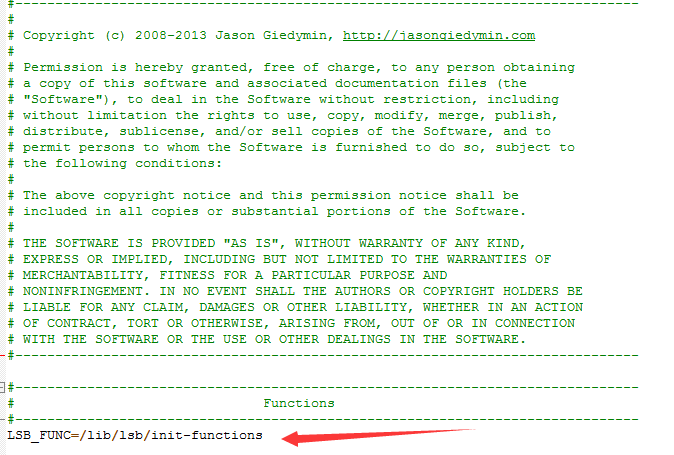
LSB_FUNC=/lib/lsb/init-functions
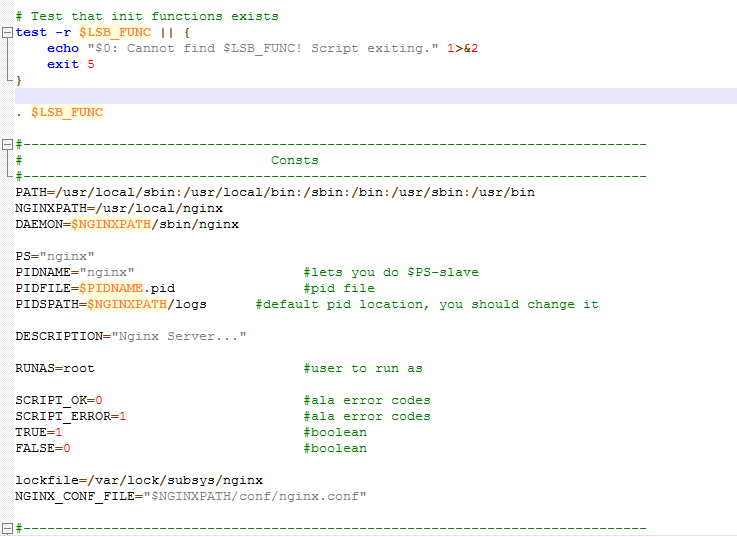
# Test that init functions exists
test -r $LSB_FUNC || {
echo "$0: Cannot find $LSB_FUNC! Script exiting." 1>&2
exit 5
}
. $LSB_FUNC
#------------------------------------------------------------------------------
# Consts
#------------------------------------------------------------------------------
PATH=/usr/local/sbin:/usr/local/bin:/sbin:/bin:/usr/sbin:/usr/bin
NGINXPATH=/usr/local/nginx
DAEMON=$NGINXPATH/sbin/nginx
PS="nginx"
PIDNAME="nginx" #lets you do $PS-slave
PIDFILE=$PIDNAME.pid #pid file
PIDSPATH=$NGINXPATH/logs #default pid location, you should change it
DESCRIPTION="Nginx Server..."
RUNAS=root #user to run as
SCRIPT_OK=0 #ala error codes
SCRIPT_ERROR=1 #ala error codes
TRUE=1 #boolean
FALSE=0 #boolean
lockfile=/var/lock/subsys/nginx
NGINX_CONF_FILE="$NGINXPATH/conf/nginx.conf"
#------------------------------------------------------------------------------
# Simple Tests
#------------------------------------------------------------------------------
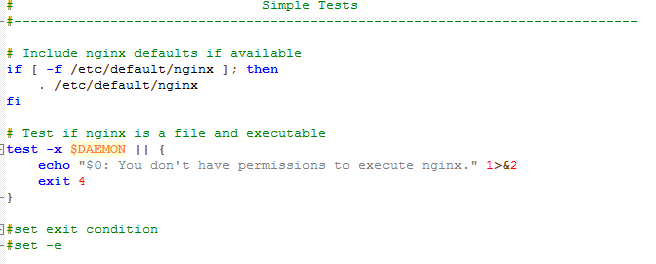
# Include nginx defaults if available
if [ -f /etc/default/nginx ]; then
. /etc/default/nginx
fi
# Test if nginx is a file and executable
test -x $DAEMON || {
echo "$0: You don't have permissions to execute nginx." 1>&2
exit 4
}
#set exit condition
#set -e
#------------------------------------------------------------------------------
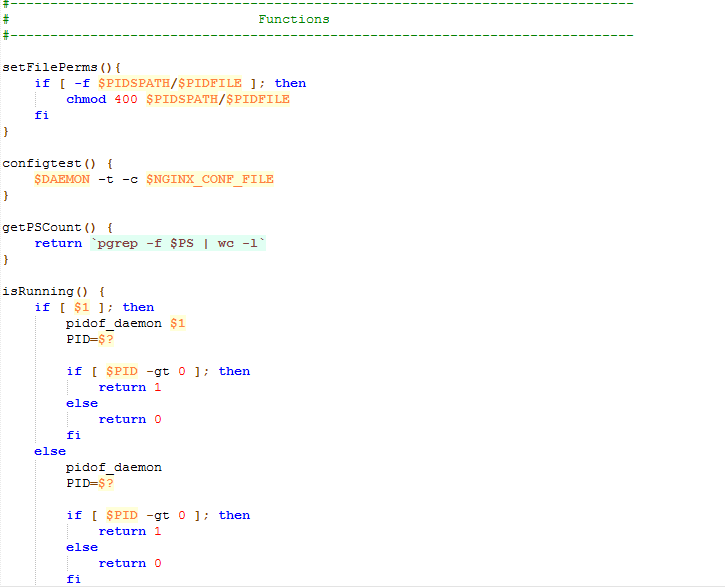
# Functions
#------------------------------------------------------------------------------
setFilePerms(){
if [ -f $PIDSPATH/$PIDFILE ]; then
chmod 400 $PIDSPATH/$PIDFILE
fi
}
configtest() {
$DAEMON -t -c $NGINX_CONF_FILE
}
getPSCount() {
return `pgrep -f $PS | wc -l`
}
isRunning() {
if [ $1 ]; then
pidof_daemon $1
PID=$?
if [ $PID -gt 0 ]; then
return 1
else
return 0
fi
else
pidof_daemon
PID=$?
if [ $PID -gt 0 ]; then
return 1
else
return 0
fi
fi
}
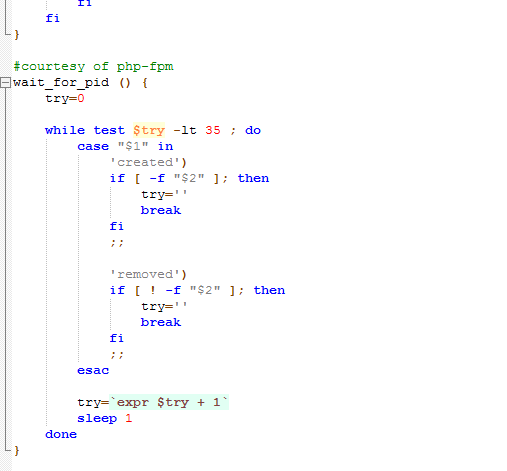
#courtesy of php-fpm
wait_for_pid () {
try=0
while test $try -lt 35 ; do
case "$1" in
'created')
if [ -f "$2" ]; then
try=''
break
fi
;;
'removed')
if [ ! -f "$2" ]; then
try=''
break
fi
;;
esac
try=`expr $try + 1`
sleep 1
done
}
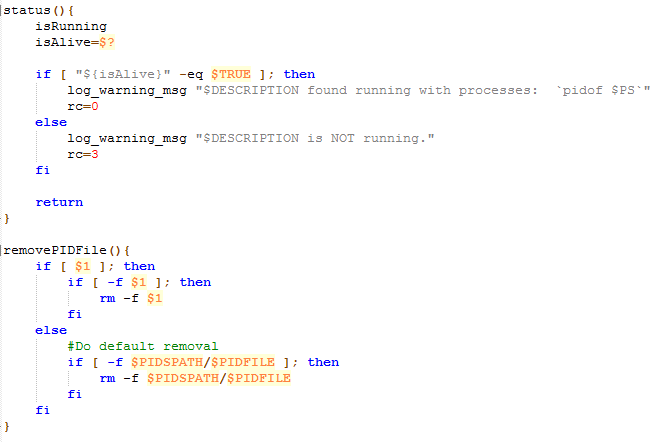
status(){
isRunning
isAlive=$?
if [ "${isAlive}" -eq $TRUE ]; then
log_warning_msg "$DESCRIPTION found running with processes: `pidof $PS`"
rc=0
else
log_warning_msg "$DESCRIPTION is NOT running."
rc=3
fi
return
}
removePIDFile(){
if [ $1 ]; then
if [ -f $1 ]; then
rm -f $1
fi
else
#Do default removal
if [ -f $PIDSPATH/$PIDFILE ]; then
rm -f $PIDSPATH/$PIDFILE
fi
fi
}
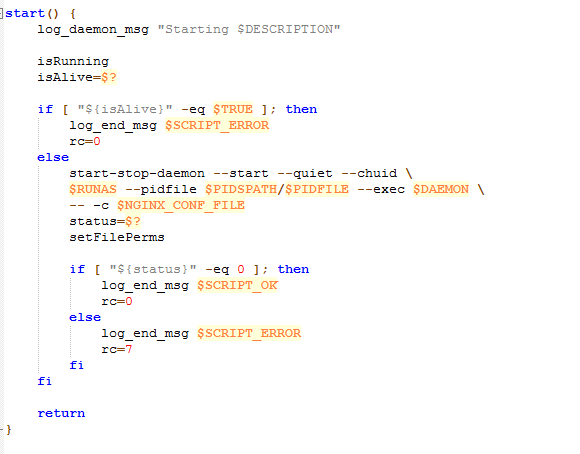
start() {
log_daemon_msg "Starting $DESCRIPTION"
isRunning
isAlive=$?
if [ "${isAlive}" -eq $TRUE ]; then
log_end_msg $SCRIPT_ERROR
rc=0
else
start-stop-daemon --start --quiet --chuid
$RUNAS --pidfile $PIDSPATH/$PIDFILE --exec $DAEMON
-- -c $NGINX_CONF_FILE
status=$?
setFilePerms
if [ "${status}" -eq 0 ]; then
log_end_msg $SCRIPT_OK
rc=0
else
log_end_msg $SCRIPT_ERROR
rc=7
fi
fi
return
}
stop() {
log_daemon_msg "Stopping $DESCRIPTION"
isRunning
isAlive=$?
if [ "${isAlive}" -eq $TRUE ]; then
start-stop-daemon --stop --quiet --pidfile $PIDSPATH/$PIDFILE
wait_for_pid 'removed' $PIDSPATH/$PIDFILE
if [ -n "$try" ]; then
log_end_msg $SCRIPT_ERROR
rc=0 # lsb states 1, but under status it is 2 (which is more prescriptive). Deferring to standard.
else
removePIDFile
log_end_msg $SCRIPT_OK
rc=0
fi
else
log_end_msg $SCRIPT_ERROR
rc=7
fi
return
}
reload() {
configtest || return $?
log_daemon_msg "Reloading (via HUP) $DESCRIPTION"
isRunning
if [ $? -eq $TRUE ]; then
kill -HUP `cat $PIDSPATH/$PIDFILE`
log_end_msg $SCRIPT_OK
rc=0
else
log_end_msg $SCRIPT_ERROR
rc=7
fi
return
}
quietupgrade() {
log_daemon_msg "Peforming Quiet Upgrade $DESCRIPTION"
isRunning
isAlive=$?
if [ "${isAlive}" -eq $TRUE ]; then
kill -USR2 `cat $PIDSPATH/$PIDFILE`
kill -WINCH `cat $PIDSPATH/$PIDFILE.oldbin`
isRunning
isAlive=$?
if [ "${isAlive}" -eq $TRUE ]; then
kill -QUIT `cat $PIDSPATH/$PIDFILE.oldbin`
wait_for_pid 'removed' $PIDSPATH/$PIDFILE.oldbin
removePIDFile $PIDSPATH/$PIDFILE.oldbin
log_end_msg $SCRIPT_OK
rc=0
else
log_end_msg $SCRIPT_ERROR
log_daemon_msg "ERROR! Reverting back to original $DESCRIPTION"
kill -HUP `cat $PIDSPATH/$PIDFILE`
kill -TERM `cat $PIDSPATH/$PIDFILE.oldbin`
kill -QUIT `cat $PIDSPATH/$PIDFILE.oldbin`
wait_for_pid 'removed' $PIDSPATH/$PIDFILE.oldbin
removePIDFile $PIDSPATH/$PIDFILE.oldbin
log_end_msg $SCRIPT_OK
rc=0
fi
else
log_end_msg $SCRIPT_ERROR
rc=7
fi
return
}
terminate() {
log_daemon_msg "Force terminating (via KILL) $DESCRIPTION"
PIDS=`pidof $PS` || true
[ -e $PIDSPATH/$PIDFILE ] && PIDS2=`cat $PIDSPATH/$PIDFILE`
for i in $PIDS; do
if [ "$i" = "$PIDS2" ]; then
kill $i
wait_for_pid 'removed' $PIDSPATH/$PIDFILE
removePIDFile
fi
done
log_end_msg $SCRIPT_OK
rc=0
}
destroy() {
log_daemon_msg "Force terminating and may include self (via KILLALL) $DESCRIPTION"
killall $PS -q >> /dev/null 2>&1
log_end_msg $SCRIPT_OK
rc=0
}
pidof_daemon() {
PIDS=`pidof $PS` || true
[ -e $PIDSPATH/$PIDFILE ] && PIDS2=`cat $PIDSPATH/$PIDFILE`
for i in $PIDS; do
if [ "$i" = "$PIDS2" ]; then
return 1
fi
done
return 0
}
action="$1"
case "$1" in
start)
start
;;
stop)
stop
;;
restart|force-reload)
stop
# if [ $rc -ne 0 ]; then
# script_exit
# fi
sleep 1
start
;;
reload)
$1
;;
status)
status
;;
configtest)
$1
;;
quietupgrade)
$1
;;
terminate)
$1
;;
destroy)
$1
;;
*)
FULLPATH=/etc/init.d/$PS
echo "Usage: $FULLPATH {start|stop|restart|force-reload|reload|status|configtest|quietupgrade|terminate|destroy}"
echo " The 'destroy' command should only be used as a last resort."
exit 3
;;
esac
exit $rc