最新博文地址:https://segmentfault.com/a/1190000012904543
发客户端一定要做的就是自动更新模块,否则每次版本升级都是一个头疼的事。
下面是Electron应用使用electron-builder配合electron-updater实现自动更新的解决方案。
1.安装 electron-updater 包模块
npm install electron-updater --save
2.配置package.json文件
为了打包时生成latest.yml文件,需要在 build 参数中添加 publish 配置。
"build": {
    "productName": "***",//隐藏软件名称
    "appId": "**",//隐藏appid
    "directories": {
      "output": "build"
    },
    "publish": [
      {
        "provider": "generic",
        "url": "http://**.**.**.**:3002/download/",//隐藏版本服务器地址
      }
    ],
    "files": [
      "dist/electron/**/*"
    ],
    "dmg": {
      "contents": [
        {
          "x": 410,
          "y": 150,
          "type": "link",
          "path": "/Applications"
        },
        {
          "x": 130,
          "y": 150,
          "type": "file"
        }
      ]
    },
    "mac": {
      "icon": "build/icons/icon.icns",
      "artifactName": "${productName}_setup_${version}.${ext}"
    },
    "win": {
      "icon": "build/icons/icon.ico",
      "artifactName": "${productName}_setup_${version}.${ext}"
    },
    "linux": {
      "icon": "build/icons",
      "artifactName": "${productName}_setup_${version}.${ext}"
    }
  }
注意:配置了publish才会生成latest.yml文件,用于自动更新的配置信息;
3.配置主进程main.js文件(或主进程main中的index.js文件),引入 electron-updater 文件,添加自动更新检测和事件监听:
注意:一定要是主进程main.js文件(或主进程main中的index.js文件),否则会报错。
import { app, BrowserWindow, ipcMain } from 'electron'

// 注意这个autoUpdater不是electron中的autoUpdater
import { autoUpdater } from "electron-updater"
import {uploadUrl} from "../renderer/config/config";

// 检测更新,在你想要检查更新的时候执行,renderer事件触发后的操作自行编写
function updateHandle() {
  let message = {
    error: '检查更新出错',
    checking: '正在检查更新……',
    updateAva: '检测到新版本,正在下载……',
    updateNotAva: '现在使用的就是最新版本,不用更新',
  };
  const os = require('os');

  autoUpdater.setFeedURL(uploadUrl);
  autoUpdater.on('error', function (error) {
    sendUpdateMessage(message.error)
  });
  autoUpdater.on('checking-for-update', function () {
    sendUpdateMessage(message.checking)
  });
  autoUpdater.on('update-available', function (info) {
    sendUpdateMessage(message.updateAva)
  });
  autoUpdater.on('update-not-available', function (info) {
    sendUpdateMessage(message.updateNotAva)
  });

  // 更新下载进度事件
  autoUpdater.on('download-progress', function (progressObj) {
    mainWindow.webContents.send('downloadProgress', progressObj)
  })
  autoUpdater.on('update-downloaded', function (event, releaseNotes, releaseName, releaseDate, updateUrl, quitAndUpdate) {

    ipcMain.on('isUpdateNow', (e, arg) => {
      console.log(arguments);
      console.log("开始更新");
      //some code here to handle event
      autoUpdater.quitAndInstall();
    });

    mainWindow.webContents.send('isUpdateNow')
  });

  ipcMain.on("checkForUpdate",()=>{
      //执行自动更新检查
      autoUpdater.checkForUpdates();
  })
}

// 通过main进程发送事件给renderer进程,提示更新信息
function sendUpdateMessage(text) {
  mainWindow.webContents.send('message', text)
}
4.在视图层中触发自动更新,并添加自动更新事件的监听。
触发自动更新:
ipcRenderer.send("checkForUpdate");
监听自动更新事件:
 import { ipcRenderer } from "electron";
  ipcRenderer.on("message", (event, text) => {
            console.log(arguments);
            this.tips = text;
        });
        ipcRenderer.on("downloadProgress", (event, progressObj)=> {
            console.log(progressObj);
            this.downloadPercent = progressObj.percent || 0;
        });
        ipcRenderer.on("isUpdateNow", () => {
            ipcRenderer.send("isUpdateNow");
        });
为避免多次切换页面造成监听的滥用,切换页面前必须移除监听事件:
//组件销毁前移除所有事件监听channel
        ipcRenderer.removeAll(["message", "downloadProgress", "isUpdateNow"]);//remove只能移除单个事件,单独封装removeAll移除所有事件
5.项目打包
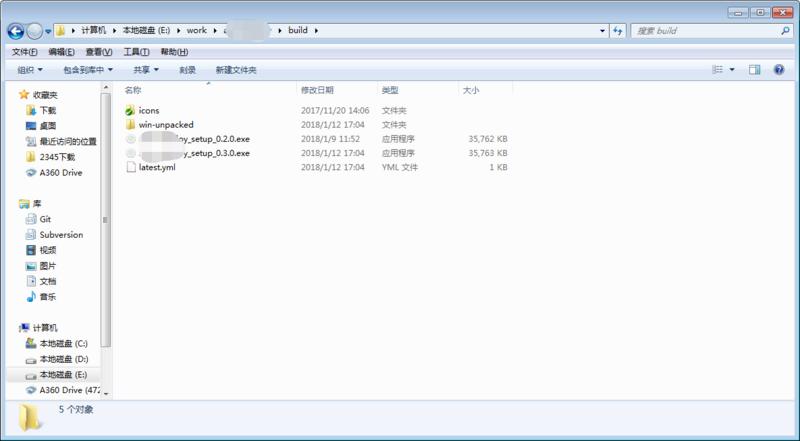
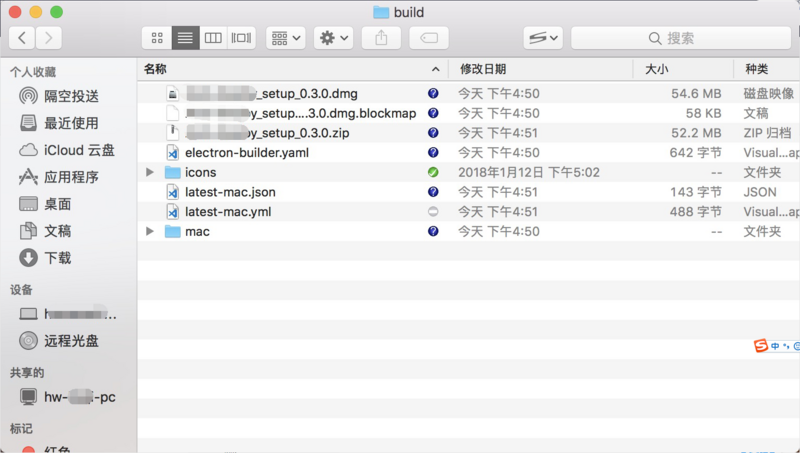
执行electron-builder进行打包,windows下会生成安装包exe和latest.yml等文件,执行exe安装软件;Mac下会生成安装包dmg和latest-mac.yml文件,执行dmg安装软件。
windows打包生成文件:
Mac打包生成文件:
6.软件升级版本,修改package.json中的version属性,例如:改为 version: “1.1.0” (之前为1.0.0);
7.再次执行electron-builder打包,将新版本latest.yml文件和exe文件放到package.json中build -> publish中的url对应的地址下;
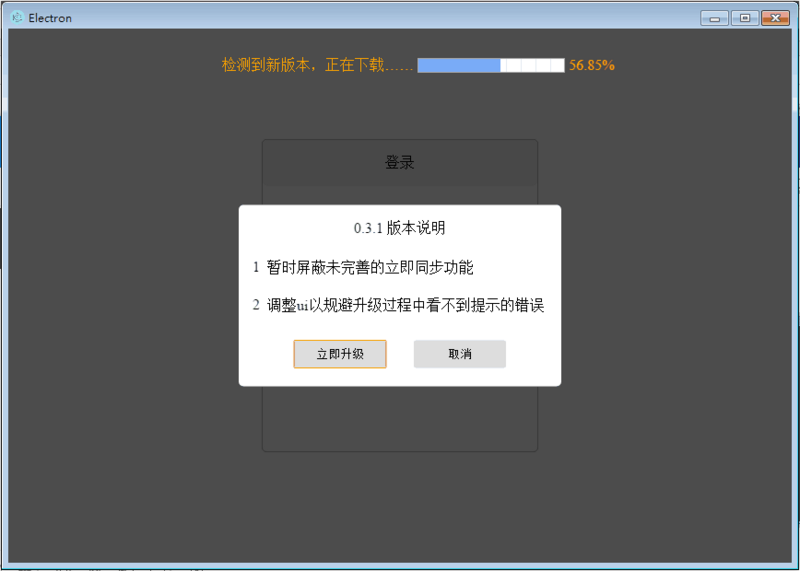
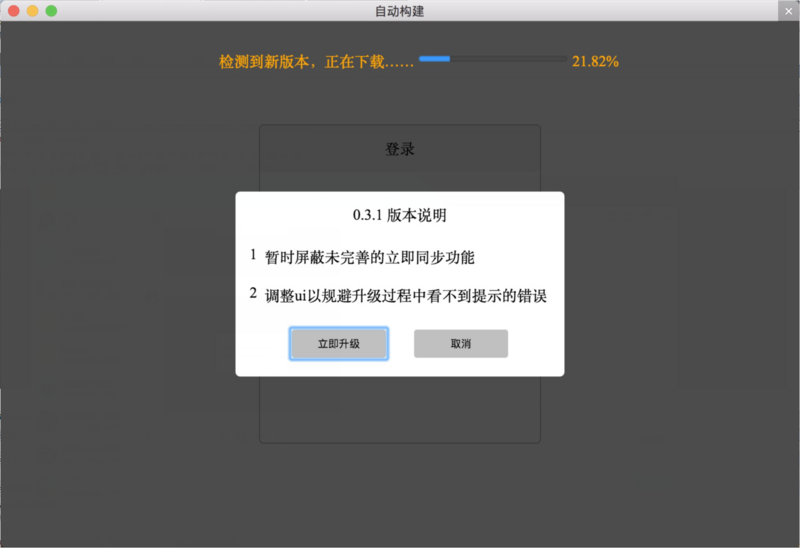
8.在应用中触发更新检查,electron-updater自动会通过对应url下的yml文件检查更新;
windows上自动更新示例:

mac上自动更新示例:

如果这篇文章对你的工作或者学习有帮助的话,请收藏或点个赞。如果对其中有什么不明白的或者报错,可以留言或者加QQ群140455228交流。