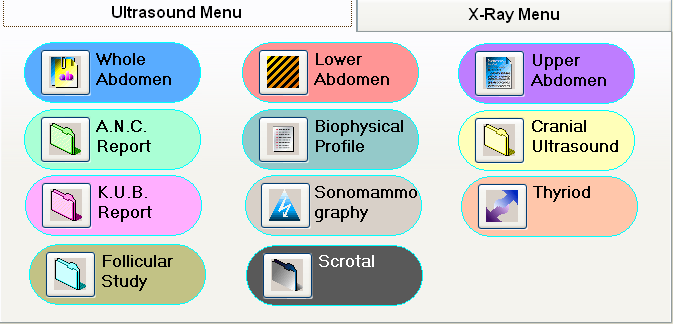
Set Icon_File property in When-Mouse-Enter trigger
Suppose you are creating icon based menu system in Oracle Forms 6i and you want to change icon when mouse over on any push button.You can accomplish this task by writing form level trigger when-mouse-enter and when-mouse-leave, here is the example:
Create a block, design accordingly and place push buttons as per the requirement and set iconic property to yes and specify default icon file.
Then write when-mouse-enter trigger Form Level, this trigger will fire when-ever mouse enter over on any item.
Declare
vMousetime varchar2(100) := lower(:system.mouse_item);
Begin
-- check for your button and specify the new icon
if vMouseitem = 'yourblock.urbutton1' then
set_item_property(vmouseitem, icon_file, 'onhover1');
elsif vmouseitem = 'yourblock.urbutton2' then
set_item_property(vmouseitem, icon_file, 'onhover2');
-- and so on for your all buttons
end if;
End;
Write when-mouse-leave trigger Form Level, this trigger will fire when-ever mouse leave any item.
Declare
vMousetime varchar2(100) := lower(:system.mouse_item);
Begin
-- check for your button and restore the default icon
if vMouseitem = 'yourblock.urbutton1' then
set_item_property(vmouseitem, icon_file, 'default1');
elsif vmouseitem = 'yourblock.urbutton2' then
set_item_property(vmouseitem, icon_file, 'default2');
-- and so on for your all buttons
end if;
End;
Now you can test your menu.