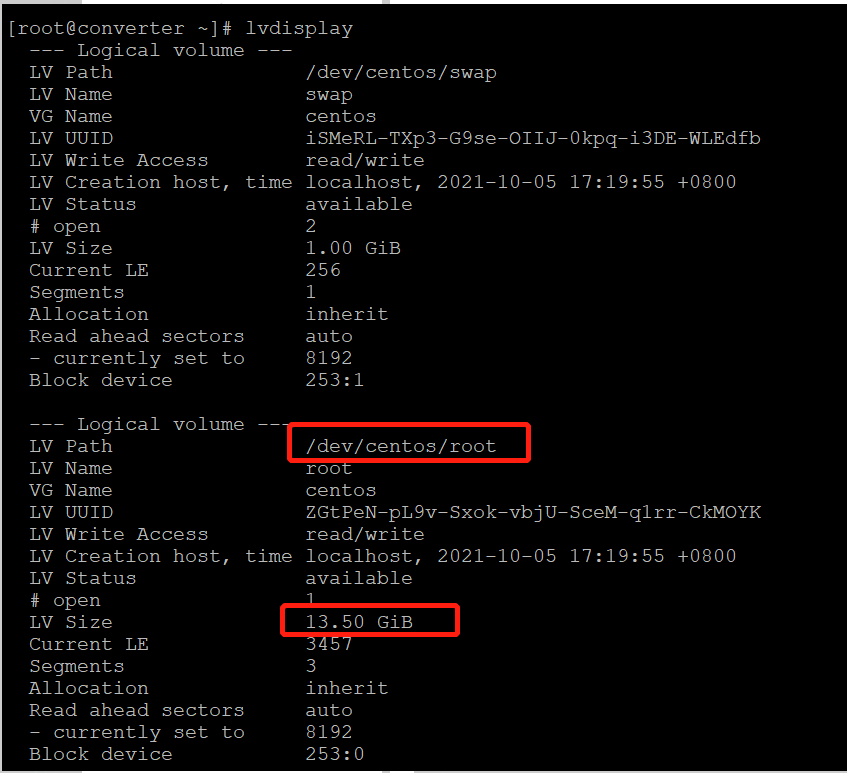
扩展前该lvm分区为14GB

关闭系统,给sdb硬盘扩展6GB,然后重新进入CentOS。(或者是原有磁盘还有剩余未使用的空间)
对sdb进行分区:
[root@converter ~]# fdisk /dev/sdb
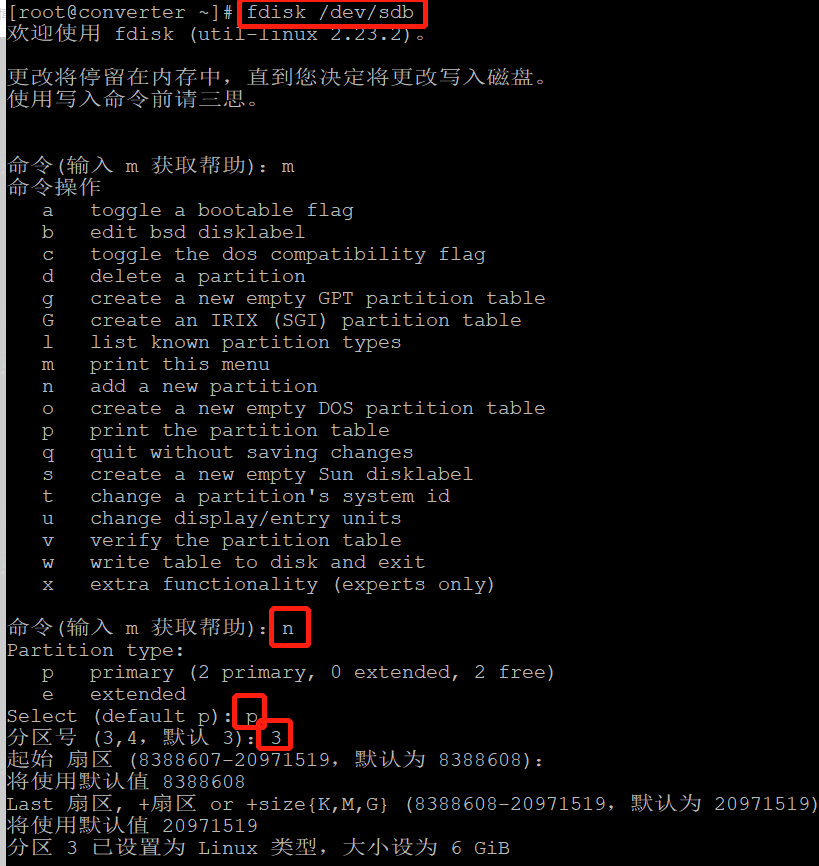
更改分区格式为lvm,并保存退出。

读取分区:
[root@converter ~]# partprobe
创建物理卷:
[root@converter ~]# pvcreate /dev/sdb3
  Physical volume "/dev/sdb3" successfully created
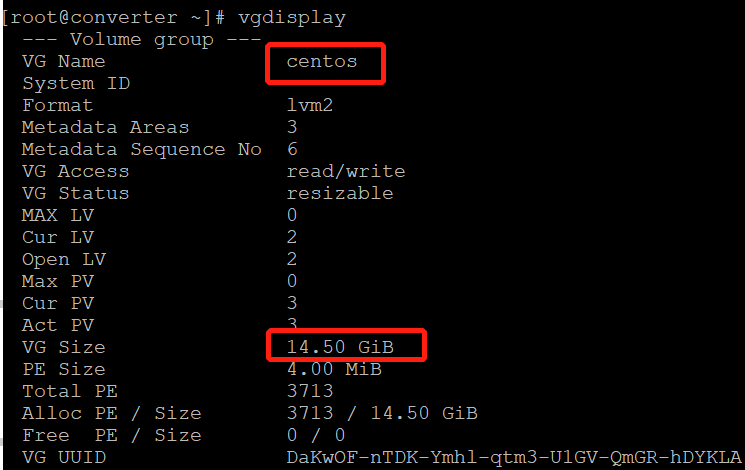
查看卷组:现卷组是14.5GB
[root@converter ~]# vgdisplay
进行卷组扩展:
[root@converter ~]# vgextend centos /dev/sdb3 ## 将物理卷加入到卷组“centos”中
现在看卷组centos

查看当前逻辑卷
[root@converter ~]# lvdisplay
将将剩余百分百空间都添加到逻辑卷/dev/centos/root中
[root@converter ~]# lvextend -l +100%FREE /dev/centos/root
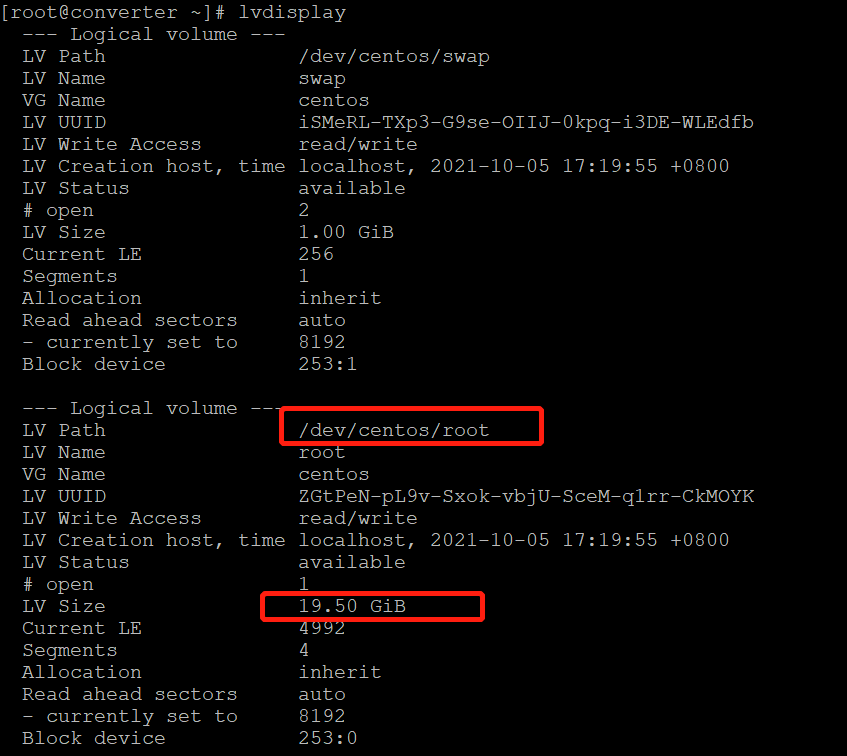
再次查看逻辑卷,/dev/centos/root增加到了19.5GB
[root@converter ~]# xfs_growfs /dev/centos/root    #重新识别一下分区大小
或xfs_growfs /
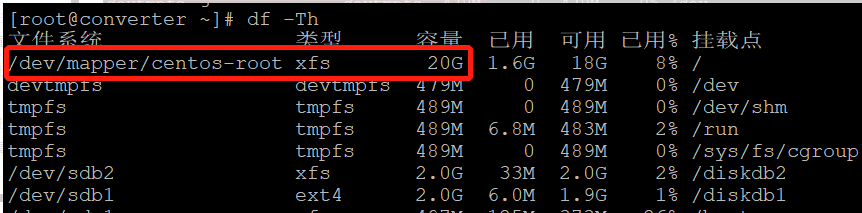
不用重启,lvm扩展完毕。
附lvm逻辑卷扩展的相关命令。
| 物理卷 | 卷组管理 | 逻辑卷管理 |
|---|---|---|
| pvscan | vgscan | lvscan |
| pvcreate | vgcreate | lvcreate |
| pvdisplay | vgdisplay | lvdisplay |
| pvremove | vgremove | lvremove |
| vgextend | lvextend |