简易的命令行入门教程:
注意:git上传文件push时,不能上传超个100M的单个大文件(码云和github有限制)
Git 全局设置:
git config --global user.name "xxx"
git config --global user.email "xxxx"
创建 git 仓库:
mkdir jz0001
cd jz0001
git init
touch README.md
git add README.md
git commit -m "first commit"
git remote add origin https://gitee.com/xxx/xxx.git
git push -u origin master
已有仓库?
cd existing_git_repo
git remote add origin https://gitee.com/xxx/xxx.git
git push -u origin master
二、如果报错
1、报错如下:
error: failed to push some refs to 'https://gitee.com/xxx/xxx.git'
hint: Updates were rejected because the remote contains work that you do
hint: not have locally. This is usually caused by another repository pushing
hint: to the same ref. You may want to first integrate the remote changes
hint: (e.g., 'git pull ...') before pushing again.
hint: See the 'Note about fast-forwards' in 'git push --help' for details.
解决办法:亲测有效,借鉴博客:https://blog.csdn.net/zhao_xin_peng/article/details/79378895
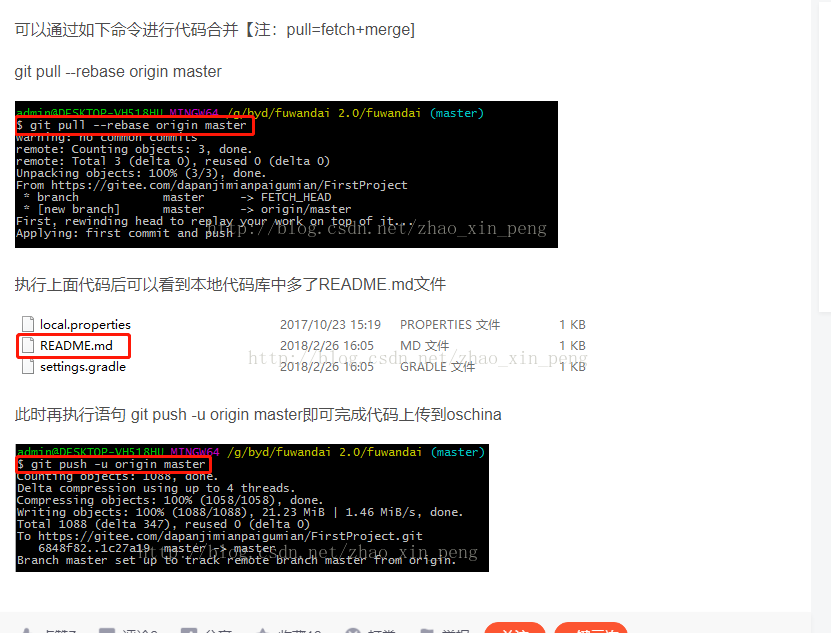
git pull --rebase origin master


此时再执行语句 git push -u origin master即可完成代码上传到oschina
。。。