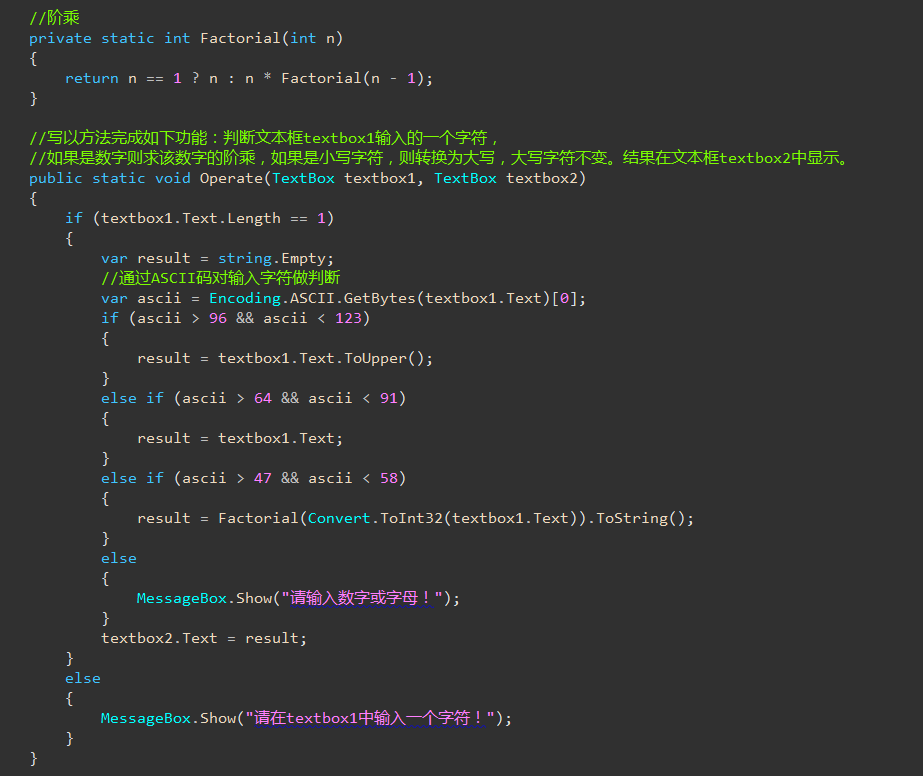
窗体设计:
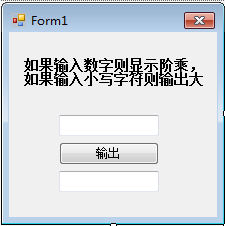
代码:
 1 using System;
 2 using System.Collections.Generic;
 3 using System.ComponentModel;
 4 using System.Data;
 5 using System.Drawing;
 6 using System.Linq;
 7 using System.Text;
 8 using System.Threading.Tasks;
 9 using System.Windows.Forms;
10
11 namespace WindowsFormsApplication6
12 {
13     public partial class Form1 : Form
14     {
15         //写一个方法完成如下功能,判断从文本框textbox1输入的一个字符,
16         //如果是数字则求该数字的阶乘,如果是小写字条,则转换为大写,大写字符不变,
17         //结果在文本框textbox2中显示
18         public Form1()
19         {
20             InitializeComponent();
21         }
22
23         private void button1_Click(object sender, EventArgs e)
24         {
25             string curStr = textBox1.Text;
26             if (curStr.Length == 1)//如果文本框textbox1的字符串长度为1
27             {
28                 Char a = curStr[0];//把文本框textbox1的字符串的第一个字符转为Char类型
29                 int b = Convert.ToInt32(a);//ASCII值
30                 long product = 1;//乘积
31                 //如果输入的是数字,输出A
32                 if (b >= 48 && b <= 57)
33                 {
34                     int c = Convert.ToInt32(curStr);//把文本框textbox1的值转为int类型
35                     //输出ASCII值
36                     //textBox2.Text = b.ToString();
37                     //输出阶乘
38                     //零的阶乘为1
39                     for (int i = 1; i <= c; i++)
40                     {
41                         product = product * i;//乘积
42
43                     }
44                     textBox2.Text = product.ToString();
45                 }
46                 //如果输入的是小写字符
47                 else if (b >= 97 && b <= 122)
48                 {
49                     textBox2.Text = curStr.ToUpper();
50                 }
51                 //如果输入的是大写字符
52                 else
53                 {
54                     textBox2.Text = textBox1.Text;
55                 }
56             }
57             else//如果输入的并不止一个字符
58             {
59                 MessageBox.Show("请只输入一个字符");
60             }
61         }
62     }
63 }
网络提供方法(未知方法):