web项目有目录结构要求
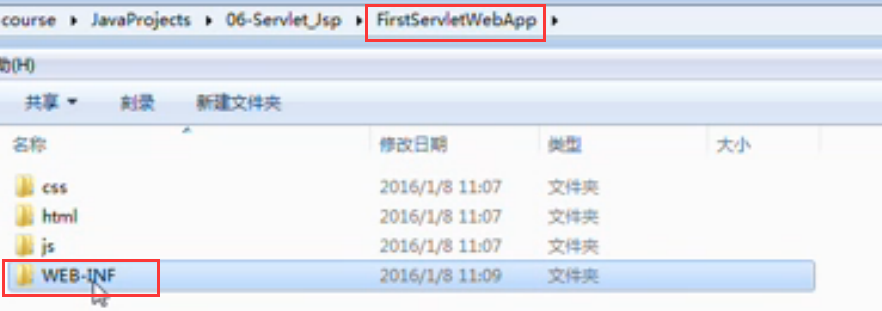
WEB-INFO 文件夹 是一个Servlet规范,必须要这么命名,在换个文件夹里面如果创建一个jsp文件是不能直接访问的,在WEB-INfO文件夹之外创建的jsp可以直接访问
WEB-INFO下也有目录结构要求,如下图
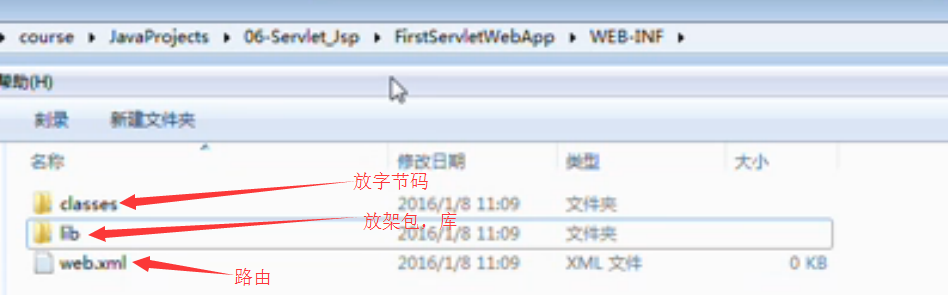
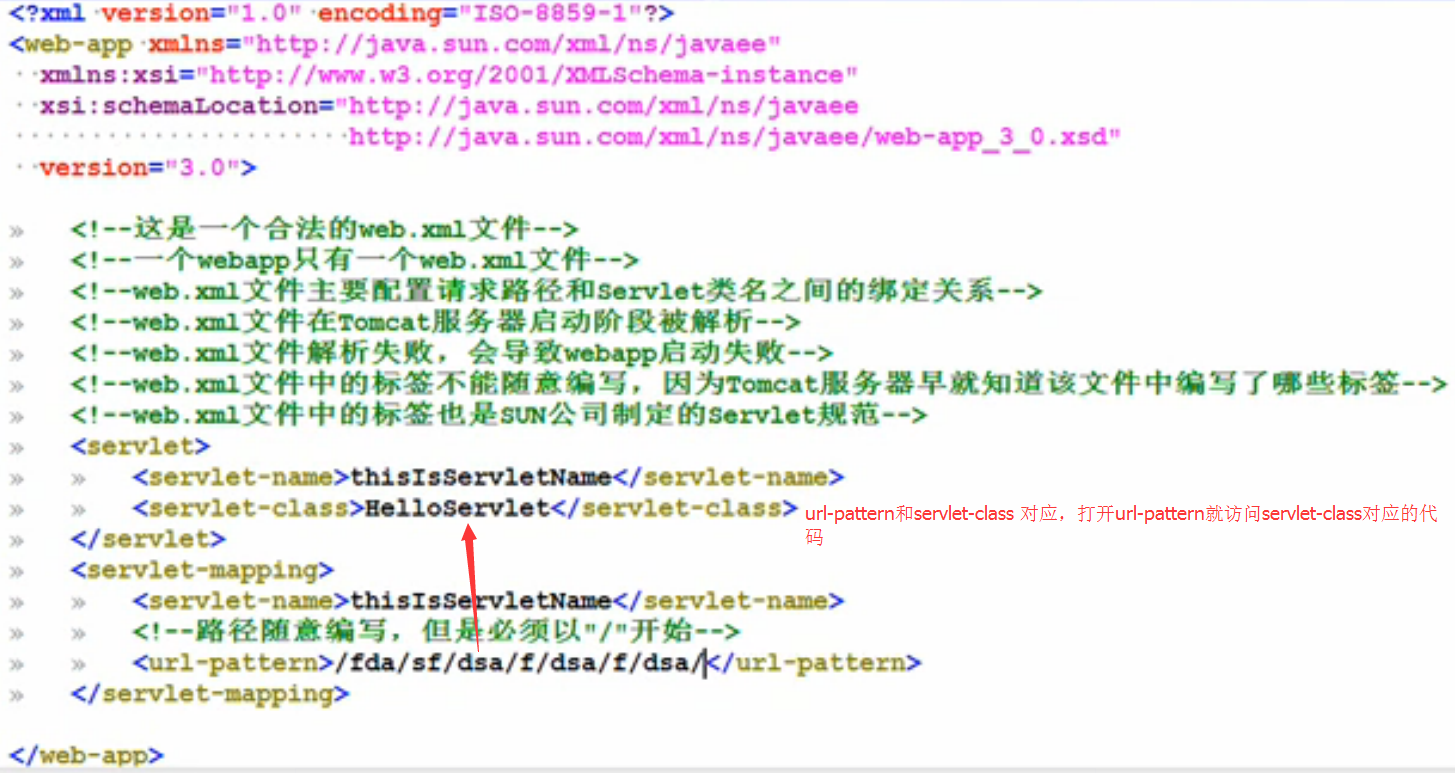
web.xml
Servlet是个接口,接口有5个必须实现的方法
想实现java web 必须实现这5个方法destroy() getServletConfig() getServletInfo() init(ServletConfig config) service(ServletRequest req,ServletResponse res)
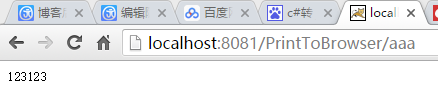
以下为输出到浏览器窗口的代码
 1 import javax.servlet.Servlet;
 2 import javax.servlet.ServletConfig;
 3 import javax.servlet.ServletException;
 4 import javax.servlet.ServletRequest;
 5 import javax.servlet.ServletResponse;
 6 import java.io.IOException;
 7 import java.io.PrintWriter;
 8
 9 public class WelcomeServlet implements Servlet
10 {
11     public void init(ServletConfig config) throws ServletException
12       {
13
14     }
15
16     public void service(ServletRequest request,ServletResponse response) throws ServletException,IOException
17     {
18
19         PrintWriter out=response.getWriter();
20         out.print("123123");
21     }
22
23     public void destroy(){}
24     public String getServletInfo(){return null;}
25     public ServletConfig getServletConfig(){return null;}
26
27 }
配置xml
 1 <?xml version="1.0" encoding="ISO-8859-1"?>
 2 <web-app xmlns="http://xmlns.jcp.org/xml/ns/javaee"
 3   xmlns:xsi="http://www.w3.org/2001/XMLSchema-instance"
 4   xsi:schemaLocation="http://xmlns.jcp.org/xml/ns/javaee
 5                       http://xmlns.jcp.org/xml/ns/javaee/web-app_3_1.xsd"
 6   version="3.1">
 7
 8 <servlet>
 9 <servlet-name>thisIsServletName</servlet-name>
10 <servlet-class>WelcomeServlet</servlet-class>
11 </servlet>
12
13 <servlet-mapping>
14 <servlet-name>thisIsServletName</servlet-name>
15 <url-pattern>/aaa</url-pattern>
16 </servlet-mapping>
17
18 </web-app>