- 查询所有
sql: select * from table_name
mongodb: db.getCollection('期刊论文').find({})
如上图所示,获取期刊论文collection 下的所有 数据
-
条件查询
2. volume<495:
注意: 请注意选择列的数据类型
1. journal _title = ' Nature'
sql: select * from table_name where journal_title = 'Nature'
mongodb: db.getCollection('期刊论文').find({"journal_title": "Nature"})
sql: select * from table_name where volume< 495;
mongodb: db.getCollection('期刊论文').find({"volume":{$lt:"495"}}).pretty()
3. volume <= 495
sql: select * from table_name where volume<= 495;
mongodb: db.getCollection('期刊论文').find({"volume":{$lte:"495"}}).pretty()
4. volume >495
sql: select * from table_name where volume> 495;
mongodb: db.getCollection('期刊论文').find({"volume":{$gt:"495"}}).pretty()
5. volume !=495
sql: select * from table_name where volume!= 495;
mongodb: db.getCollection('期刊论文').find({"volume":{$ne:"495"}}).pretty()and, or 查询
6. and 查询:
sql: select * from table_name where journal_title = 'Nature' and vulome> 495;
mongodb: db.getCollection('期刊论文').find({"journal_title":"Nature","volume":{$gt:"495"}}).pretty()
7. or 查询:
sql: select * from table_name where journal_title = 'Nature' or vulome> 495;
mongodb: db.getCollection('期刊论文').find({$or: [ {"journal_title":"Nature"},{"volume":{$gt:"495"}}]}).pretty()
8. and 和 or 联合查询:
sql: select * from table_name where volume>52 and journal_title = 'Nature' or journal_title = 'Meccanica';
mongodb: db.getCollection('期刊论文').find({"volume":{$gt:'52'},$or: [ {"journal_title":"Nature"},{"journal_title":"Meccanica"}]}).pretty()
-
获取数据数量
sql: select count(*) from table_name
mongodb: db.getCollection('期刊论文').count()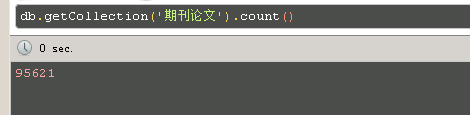
- 分组查询
sql: select journal_title, count(*) from table_name group by journal_title
mongodb: db.getCollection('期刊论文').aggregate([{$group :{_id:"$journal_title", num_tutorial : {$sum:1}}}])
- 查询指定列
sql: sellect title from table
Mongo:db.getCollection('coll').find({},{"title":1})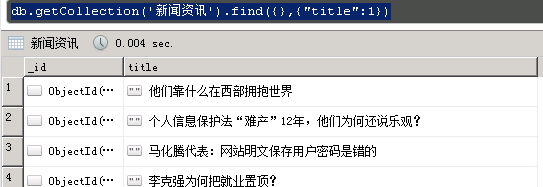
db.getCollection('新闻资讯').aggregate([{$match:{'language':'英文',"title":{$regex:"[u4e00-u9fa5]"}}},{$group :{_id:"$domain", num_tutorial : {$sum:1}}}])
- 查询存在指定列的数据
db.getCollection('新闻资讯').find({"date":{$exists: true }})
pymongo : collection.find({"zh_name":{ "$exists": True }}) - 导出数据到csv
mongoexport -h data ip -d dataname -c collection_name --csv -f field1,field2,…… -o d:mongodbenergy.csv - 排序
在MongoDB中使用使用sort()方法对数据进行排序,sort()方法可以通过参数指定排序的字段,并使用 1 和 -1 来指定排序的方式,其中 1 为升序排列,而-1是用于降序排列