【Light Probe】
Light Probes provide a way to capture and use information about light that is passing through the empty space in your scene.
Similar to lightmaps, light probes store “baked” information about lighting in your scene. The difference is that while lightmaps store lighting information about light hitting the surfaces in your scene, light probes store information about light passing through empty space in your scene.
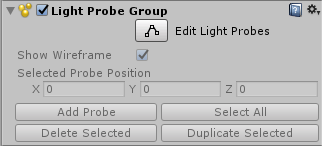
To place Light Probes in your scene, you must use a GameObject with a Light Probe Group component attached.
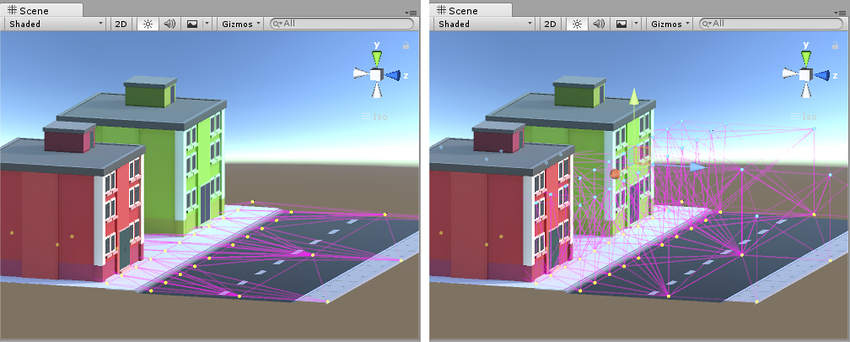
Light Probe网络必须形成3D空间。平面网络是无效的。如下左图基本是无效的,右图才是有效的。
Unity’s realtime GI allows moving lights to cast dynamic bounced light against your static scenery. However, you can also receive dynamic bounced light from moving lights on moving GameObjects when you are using llight probes.
Realtime GI允许动态光源投影反射光到静态场景上。Light Probe允许动态动态光源投影反射光到动态场景上。
Light Probes therefore perform two very similar but distinct functions - they store static baked light, and at runtime they represent sampling points for dynamic realtime global illumination (GI, or bounced light) to affect the lighting on moving objects.
可以通过代码来添加LightProbe.
  LightProbeGroup lightProbeGroup = GetComponent<LightProbeGroup> ();
  List<Vector3> positions = new List<Vector3> ();
  lightProbeGroup.probePositions = positions.ToArray ();
Lightmapping adds greatly to the realism of a scene by capturing realistic bounced light as textures which are “baked” onto the surface of static objects. However, due to the nature of lightmapping, it can only be applied to non-moving objects marked asLightmap Static.
While realtime and mixed mode lights can cast direct light on moving objects, moving objects do not receive bounced light from your static environment unless you use light probes.
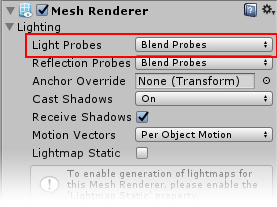
To use Light Probes on your moving GameObjects, the Mesh Renderer component on the moving GameObject must set correctly.