打开一个 文件 如果想 编写 和读取文件 必须 赋值给一个参数
如文件 8.txt
c = open('8.txt') ## 文件打开后面不加参数就是 只读。
c = open('8.txt','w') ## 文件编写 这种编写是会替换掉源文件,如源文件不存在的话会自动创建
c = open('8.txt','a') ## 在源文件的基础上追加编写
readline() 读取一行
ReadLines() 读取所有行
c = open('666.txt','r')
for index,i in enumerate (c.readlines()):
    if index == 6:
        print('我的分割线'.center(30,'-'))
        continue
    print(i.strip())
###通过下标给 文本做序号
结果如下
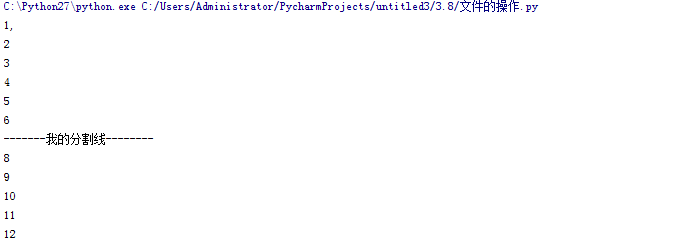
### readline() 只适合读取小文件。 首先它需要从硬件读取然后传给内存 当大容量文件就无法行得通 了 以上方法很Los....
c = open('666.txt','r')
count = 0
for i  in c:
    print(i.strip() )
    count += 1
    if count == 6:
        print('我是分隔符'.center(50,'-'))
 ###高效率方法 迭代