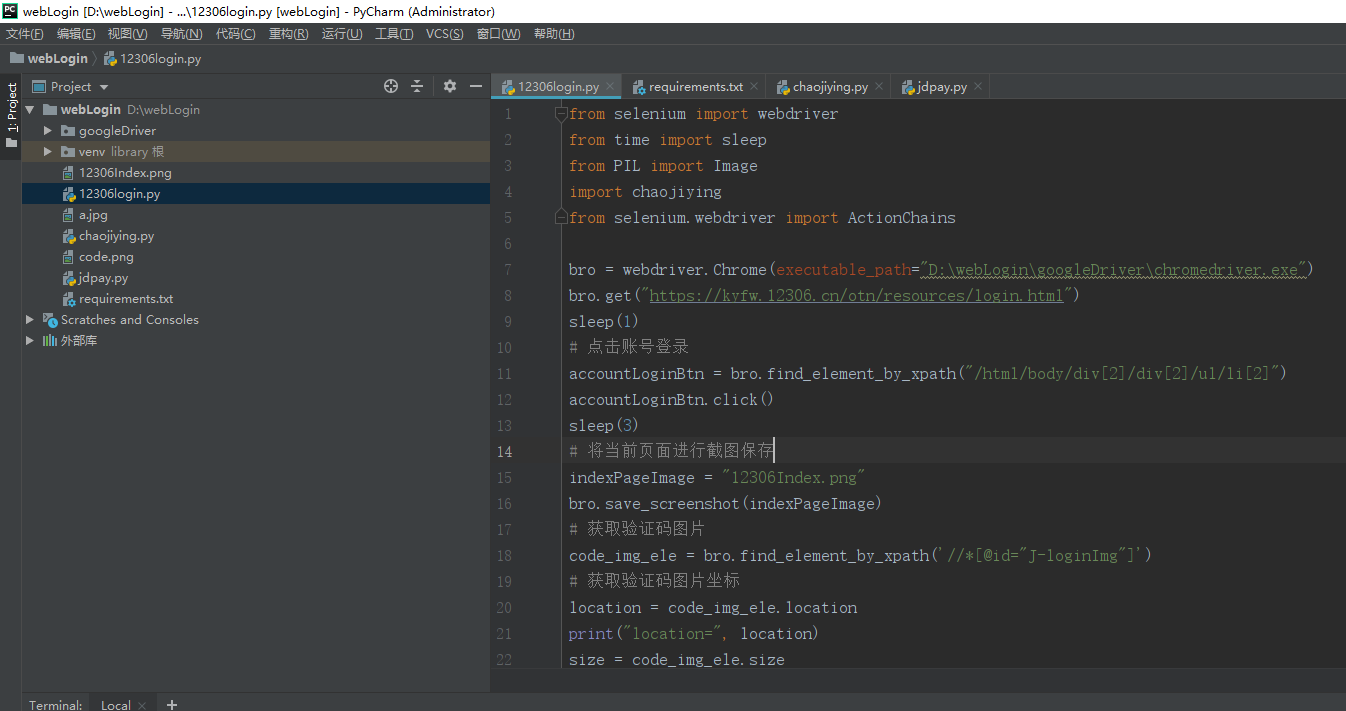
使用selenium 完成12306自动登录
运行环境
python3.7
pycharm 需要安装以下包
pip install -r requirements.txt
certifi==2020.4.5.1
chardet==3.0.4
idna==2.9
Pillow==7.1.2
requests==2.23.0
selenium==3.141.0
urllib3==1.25.9
谷歌驱动下载地址:http://chromedriver.storage.googleapis.com/index.html
建议下载新版2.39 或以上驱动
http://chromedriver.storage.googleapis.com/index.html?path=2.39/
from selenium import webdriver
from time import sleep
from PIL import Image
import chaojiying
from selenium.webdriver import ActionChains

bro = webdriver.Chrome(executable_path="D:webLogingoogleDriverchromedriver.exe")
bro.get("https://kyfw.12306.cn/otn/resources/login.html")
sleep(1)
# 点击账号登录
accountLoginBtn = bro.find_element_by_xpath("/html/body/div[2]/div[2]/ul/li[2]")
accountLoginBtn.click()
sleep(3)
# 将当前页面进行截图保存
indexPageImage = "12306Index.png"
bro.save_screenshot(indexPageImage)
# 获取验证码图片
code_img_ele = bro.find_element_by_xpath('//*[@id="J-loginImg"]')
# 获取验证码图片坐标
location = code_img_ele.location
print("location=", location)
size = code_img_ele.size
print("size=", size)
# 验证码图片左上角右下角坐标
rangeLocation = (int(location['x']),
         int(location['y']),
         int(location['x'] + size['width']),
         int(location['y'] + size['height'])
         )

i = Image.open(indexPageImage)
code_img_name = 'code.png'
frame = i.crop(rangeLocation)
frame.save(code_img_name)

chaojiying = chaojiying.Chaojiying_Client('超级鹰用户名', '超级鹰用户名的密码', '96001')  # 用户中心>>软件ID 生成一个替换 96001
im = open(code_img_name, 'rb').read()  # 本地图片文件路径 来替换 a.jpg 有时WIN系统须要//
result = chaojiying.PostPic(im, 9004)
print(result)

# 使用动作链点击登录
all_list = []
result = result['pic_str']
if '|' in result:
    list_1 = result.split('|')
    count_1 = len(list_1)
    for i in range(count_1):
        xy_list = []
        x = int(list_1[i].split(',')[0])
        y = int(list_1[i].split(',')[1])
        xy_list.append(x)
        xy_list.append(y)
        all_list.append(xy_list)
else:
    x = int(result.split(',')[0])
    y = int(result.split(',')[1])
    xy_list = []
    xy_list.append(x)
    xy_list.append(y)
    all_list.append(xy_list)

print(all_list)

# 实现点击操作
for l in all_list:
    x = l[0]
    y = l[1]
    ActionChains(bro).move_to_element_with_offset(code_img_ele, x, y).click().perform()
    sleep(2)

bro.find_element_by_id("J-userName").send_keys('12306账号')
bro.find_element_by_id("J-password").send_keys('12306密码')
bro.find_element_by_id("J-login").click()
sleep(10)
bro.quit()
超级鹰识别验证码
#!/usr/bin/env python
# coding:utf-8

import requests
from hashlib import md5

class Chaojiying_Client(object):

    def __init__(self, username, password, soft_id):
        self.username = username
        password =  password.encode('utf8')
        self.password = md5(password).hexdigest()
        self.soft_id = soft_id
        self.base_params = {
            'user': self.username,
            'pass2': self.password,
            'softid': self.soft_id,
        }
        self.headers = {
            'Connection': 'Keep-Alive',
            'User-Agent': 'Mozilla/4.0 (compatible; MSIE 8.0; Windows NT 5.1; Trident/4.0)',
        }

    def PostPic(self, im, codetype):
        """
        im: 图片字节
        codetype: 题目类型 参考 http://www.chaojiying.com/price.html
        """
        params = {
            'codetype': codetype,
        }
        params.update(self.base_params)
        files = {'userfile': ('ccc.jpg', im)}
        r = requests.post('http://upload.chaojiying.net/Upload/Processing.php', data=params, files=files, headers=self.headers)
        return r.json()

    def ReportError(self, im_id):
        """
        im_id:报错题目的图片ID
        """
        params = {
            'id': im_id,
        }
        params.update(self.base_params)
        r = requests.post('http://upload.chaojiying.net/Upload/ReportError.php', data=params, headers=self.headers)
        return r.json()


if __name__ == '__main__':
    chaojiying = Chaojiying_Client('超级鹰用户名', '超级鹰用户名的密码', '96001')    #用户中心>>软件ID 生成一个替换 96001
    im = open('a.jpg', 'rb').read()                                                    #本地图片文件路径 来替换 a.jpg 有时WIN系统须要//
    print chaojiying.PostPic(im, 1902)                                                #1902 验证码类型  官方网站>>价格体系 3.4+版 print 后要加()
项目完整目录结构