-
工具:
- memcached-1.2.6-win32-bin.zip MemCached服务端程序(for win)
- Memcached Manager win下的MemCached管理工具
- Memcached .NET client Library C#/.NET memcached 客户端dll
-
安装配置MemCached服务端
- 下载memcached-1.2.6-win32-bin.zip ,解压后得到memcached.exe,就是memcached的主程序了。比如我们放到MemCached服务器下的C:\Program Files\MemCacheD下
-
下载安装Memcached Manager ,通过这个来管理memcached的服务端。
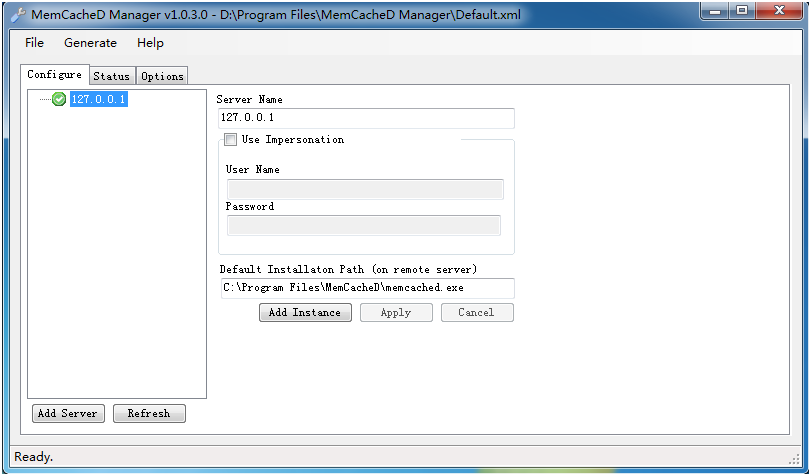
打开MemCacheD Manager,点击 add Server,填写服务器信息。我这里直接在本地安装了memcached。如图,填完后点击apply,成功的话右侧会出现服务器。
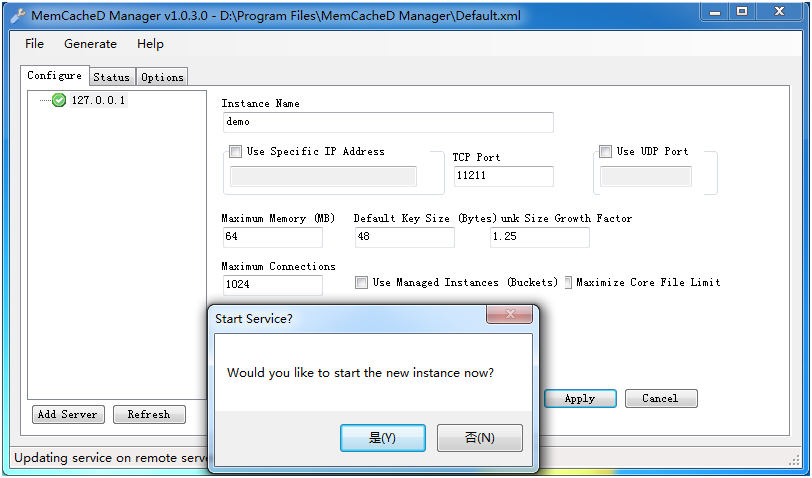
点击Add Instance添加memcached实例。这里有一些配置信息。Ip,端口,内存等等,不解释了。点击apply后会提示你是否现在启动,我们这里选是
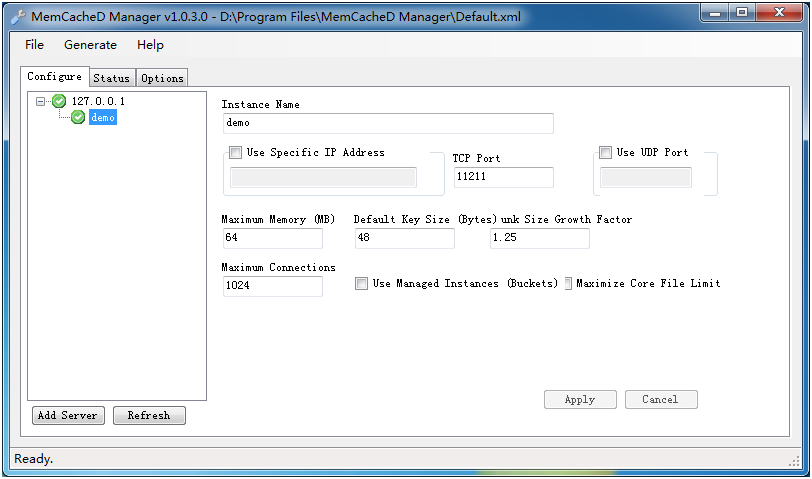
成功后发现右侧已经有实例了,到此服务端配置完毕。
-
客户端调用
- 首先需要下载Memcached .NET client Library 客户端类库,解压得到一个memcacheddotnet目录,一堆文件。
为测试MemCached,我们建立一个web项目。引用Memcached.ClientLibrary.dll,这个dll在memcacheddotnet\trunk\clientlib\src\clientlib\bin\2.0\Release
-
使用比较简单,1个存 ,1个取。我们简单弄两页面。
加上using
using Memcached.ClientLibrary;
存:
代码:
protected void Page_Load(object sender, EventArgs e)
{
if (!IsPostBack)
{
string[] serverlist = { server.Text };
SockIOPool pool = SockIOPool.GetInstance();
pool.SetServers(serverlist);
pool.InitConnections = 3;
pool.MinConnections = 3;
pool.MaxConnections = 5;
pool.SocketConnectTimeout = 1000;
pool.SocketTimeout = 3000;
pool.MaintenanceSleep = 30;
pool.Failover = true;
pool.Nagle = false;
pool.Initialize();
}
}
protected void SetValue_Click(object sender, EventArgs e)
{
MemcachedClient mc = new MemcachedClient();
mc.EnableCompression = false;
mc.Set(Key.Text, Value.Text);
Response.Write("<script>alert('ok')</script>");
}
取:
代码:
protected void GetValue_Click(object sender, EventArgs e)
{
string[] serverlist = { server.Text };
SockIOPool pool = SockIOPool.GetInstance();
pool.SetServers(serverlist);
pool.InitConnections = 3;
pool.MinConnections = 3;
pool.MaxConnections = 5;
pool.SocketConnectTimeout = 1000;
pool.SocketTimeout = 3000;
pool.MaintenanceSleep = 30;
pool.Failover = true;
pool.Nagle = false;
pool.Initialize();
MemcachedClient mc = new MemcachedClient();
mc.EnableCompression = false;
string value = (string)mc.Get(Key.Text);
Value.Text = value;
}
看看效果:
点add存到memcached
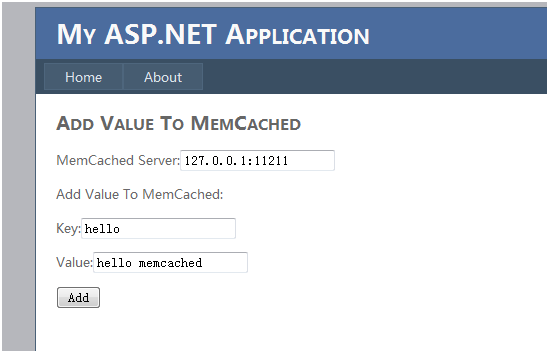
点get。得到结果啦。
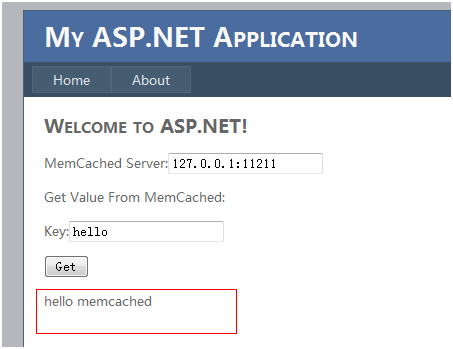
Ok,完毕。你也可以把客户端的代码再封装一下,让调用来的更简单。