zabbix是一款开源的监控软件,下面来一起学习一下zabbix监控的部署吧
环境:
| 主机名 | 地址 | 系统 | 角色 |
| tiandong | 192.168.209.3 | centos6.5 | 服务端 |
| winter | 192.168.209.4 | centos6.5 | 客户端 |
zabbix部署是基于lnmp环境部署的,所以提前准备好lnmp环境。可以参考博主之前的博客
[root@tiandong ~]# mysql -uroot -p123456
mysql> create database zabbix;
Query OK, 1 row affected (0.09 sec)
mysql>
mysql> grant all on zabbix.* to zabbix@localhost identified by 'zabbix';
Query OK, 0 rows affected (0.14 sec)
mysql> flush privileges;
Query OK, 0 rows affected (0.06 sec)
mysql>
[root@tiandong ~]# tar zxvf zabbix-3.0.5.tar.gz -C /usr/local/src/
[root@tiandong ~]# cd /usr/local/src/zabbix-3.0.5/
[root@tiandong zabbix-3.0.5]# ll database/
total 40
drwxr-xr-x 2 1000 1000 4096 Sep 30 2016 ibm_db2
-rw-r--r-- 1 1000 1000 392 Sep 30 2016 Makefile.am
-rw-r--r-- 1 1000 1000 14489 Sep 30 2016 Makefile.in
drwxr-xr-x 2 1000 1000 4096 Sep 30 2016 mysql
drwxr-xr-x 2 1000 1000 4096 Sep 30 2016 oracle
drwxr-xr-x 2 1000 1000 4096 Sep 30 2016 postgresql
drwxr-xr-x 2 1000 1000 4096 Sep 30 2016 sqlite3
[root@tiandong zabbix-3.0.5]# mysql -uzabbix -pzabbix zabbix < database/mysql/schema.sql
Warning: Using a password on the command line interface can be insecure.
[root@tiandong zabbix-3.0.5]# mysql -uzabbix -pzabbix zabbix < database/mysql/images.sql
Warning: Using a password on the command line interface can be insecure.
[root@tiandong zabbix-3.0.5]# mysql -uzabbix -pzabbix zabbix < database/mysql/data.sql
Warning: Using a password on the command line interface can be insecure.
[root@tiandong zabbix-3.0.5]# yum install net-snmp-devel -y
[root@tiandong zabbix-3.0.5]# ./configure --prefix=/usr/local/zabbix --enable-server --enable-agent --with-mysql=/usr/local/mysql/bin/mysql_config --with-net-snmp --with-libcurl
[root@tiandong zabbix-3.0.5]# make install
[root@tiandong zabbix-3.0.5]# vim /usr/local/zabbix/etc/zabbix_server.conf
77 DBHost=localhost 去掉注释
111 DBPassword=zabbix 去掉注释
[root@tiandong zabbix-3.0.5]# vim /usr/local/zabbix/etc/zabbix_agentd.conf
278 UnsafeUserParameters=1
[root@tiandong zabbix-3.0.5]# useradd -M -s /sbin/nologin zabbix
[root@tiandong zabbix-3.0.5]# /usr/local/zabbix/sbin/zabbix_server #启动服务
[root@tiandong zabbix-3.0.5]# echo /usr/local/zabbix/sbin/zabbix_server >> /etc/rc.local #开机自启
[root@tiandong zabbix-3.0.5]# netstat -antup|grep zabbix
tcp 0 0 0.0.0.0:10051 0.0.0.0:* LISTEN 44456/zabbix_server
[root@tiandong ~]# cd /usr/local/nginx/html/
[root@tiandong html]# ll
total 12
-rw-r--r-- 1 root root 537 Jun 19 23:10 50x.html
-rw-r--r-- 1 root root 612 Jun 19 23:10 index.html
-rw-r--r-- 1 root root 20 Jun 20 00:38 index.php
[root@tiandong html]# rm -rf *
[root@tiandong ~]# cd /usr/local/src/zabbix-3.0.5/frontends/php/
[root@tiandong php]# cp -R * /usr/local/nginx/html/
[root@tiandong ~]# /usr/local/nginx/sbin/nginx -s reload #重启nginx服务
然后在浏览器中访问:
按照步骤操作:

有好多fail的地方,需要修改配置文件。
[root@tiandong ~]# vim /usr/local/php/php.ini 修改参数
需要增加一个模块
[root@tiandong ~]# cd /usr/local/src/php-5.6.13/ext/gettext/
[root@tiandong gettext]# ls
config.m4 config.w32 CREDITS gettext.c gettext.dsp php_gettext.h tests
[root@tiandong gettext]# /usr/local/php/bin/phpize
Configuring for:
PHP Api Version: 20131106
Zend Module Api No: 20131226
Zend Extension Api No: 220131226
[root@tiandong gettext]# ls
acinclude.m4 build config.m4 configure.in gettext.c ltmain.sh mkinstalldirs tests
aclocal.m4 config.guess config.sub config.w32 gettext.dsp Makefile.global php_gettext.h
autom4te.cache config.h.in configure CREDITS install-sh missing run-tests.php
[root@tiandong gettext]# ./configure --with-php-config=/usr/local/php/bin/php-config
[root@tiandong gettext]# make && make install
[root@tiandong gettext]# vim /usr/local/php/php.ini
902 extension="gettext.so" 加上这一句
[root@tiandong gettext]# /etc/init.d/php-fpm reload 重新加载
此时刷新页面就没有什么报错了。
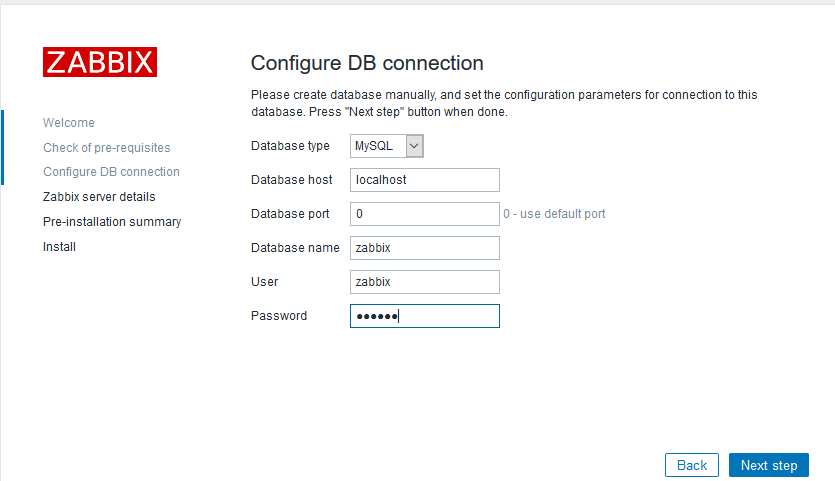

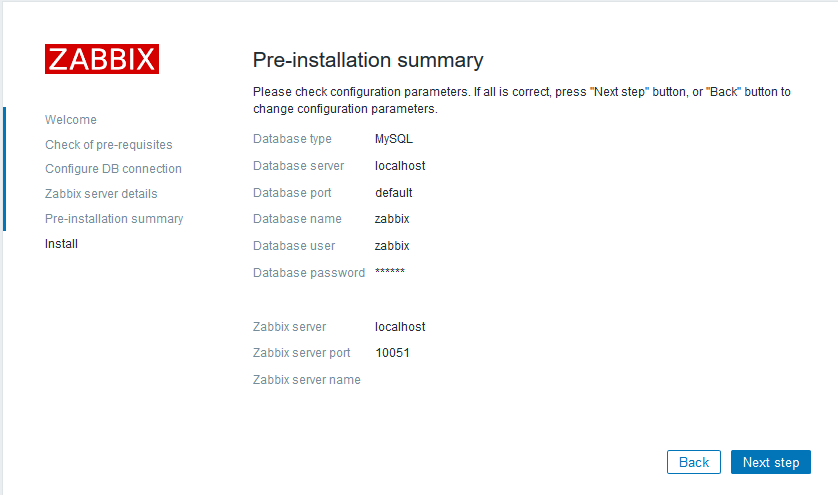

把文件下载下来上传到nginx的文件下

 用户名:admin,密码:zabbix
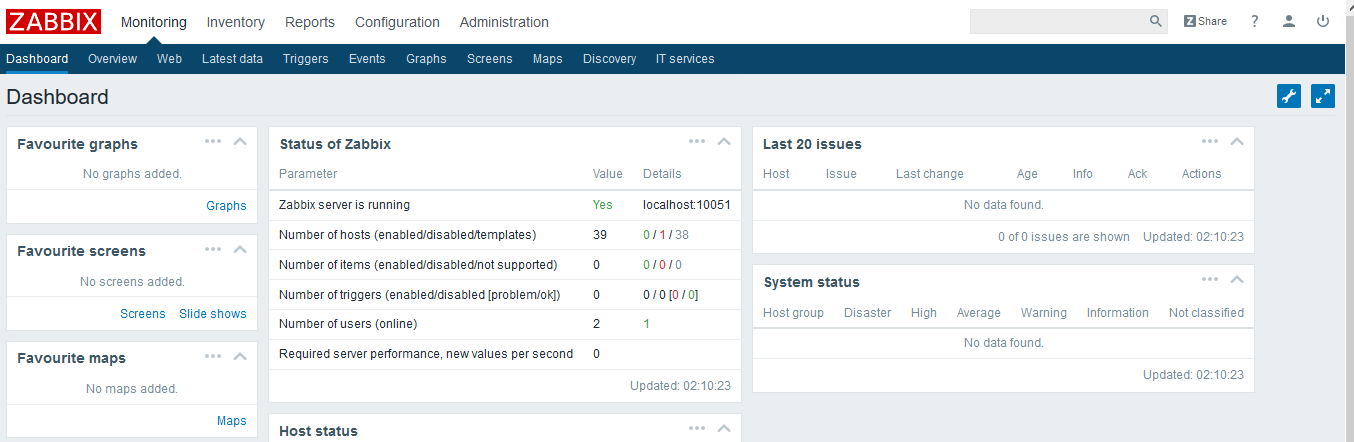
到这里zabbix就部署完了。
界面是可以修改的,可以修成成中文。

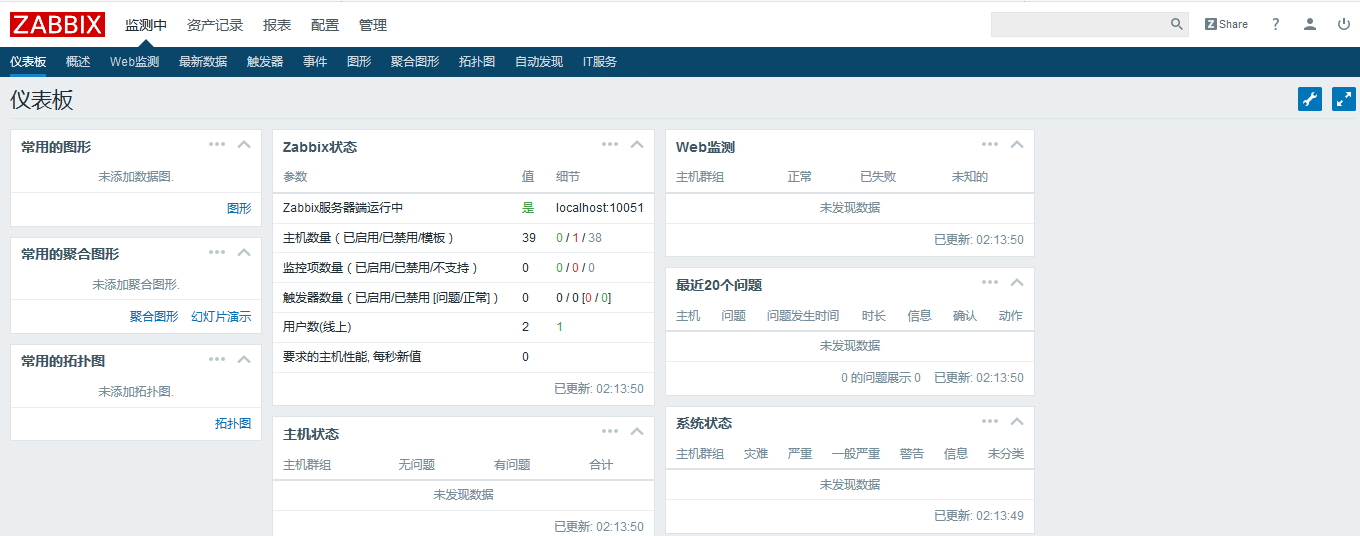
这样是不是好看一点啊。
显示乱码的问题:
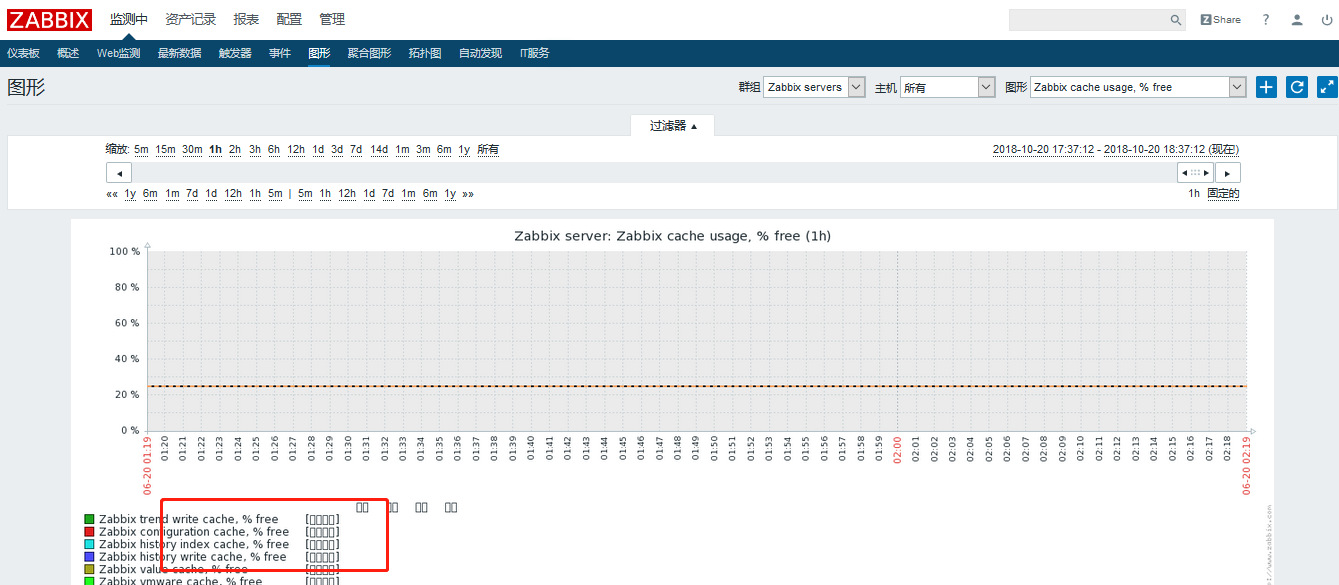
找一个Windows上的字符集放到配置文件中即可。
[root@tiandong ~]# cd /usr/local/nginx/html/fonts/ 把字符集文件上传到这里
字符就可以恢复正常,(但是的把文件名和之前的文件名改为一致)