一:安装CAS
下载cas:https://github.com/apereo/cas
1.1 将cas并打成war包。放入一个干净的tomcat中,启动tomcat测试: http://localhost:8080/cas/login
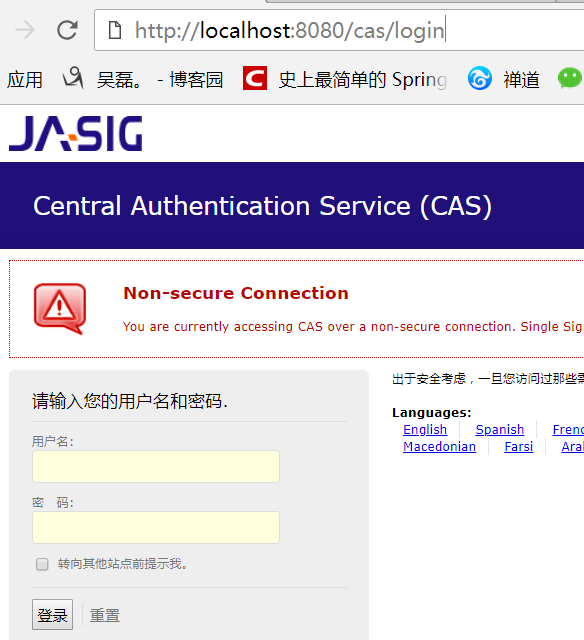
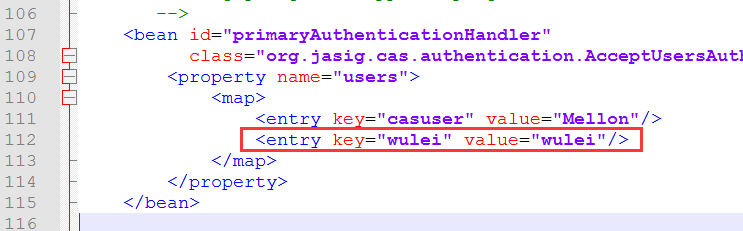
1.2 默认账号密码:casuser Mellon 我们可以在tomcatwebappscasWEB-INFdeployerConfigContext.xml文件添加一个账号密码
1.3 修改tomcat端口为9080, 并将tomcatwebappscasWEB-INFcas.properties的server.name改为http://localhost:9080
1.4 去除https认证:
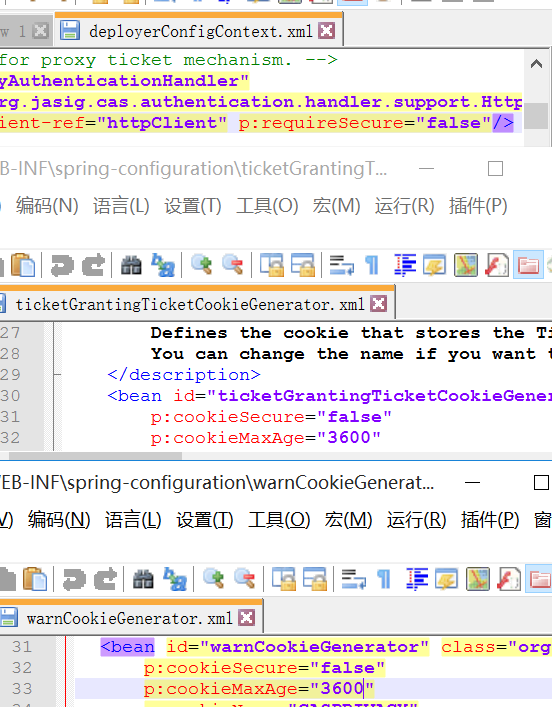
1.4.1 在tomcatwebappscasWEB-INFdeployerConfigContext.xml文件
      的p:httpClient-ref="httpClient"后面添加p:requireSecure="false"
1.4.2 把tomcatwebappscasWEB-INFspring-configuration的
      ticketGrantingTicketCookieGenerator.xml文件里面把p:cookieSecure="true"改为false;
      p:cookieMaxAge="-1"改为3600(-1是不保存cookie,3600秒是一个小时,保存登录信息)
1.4.3 把tomcatwebappscasWEB-INFspring-configuration的
      warnCookieGenerator.xml的p:cookieSecure="true"改为false
      p:cookieMaxAge="-1"改为3600
1.5 配置单点登出: 将tomcatwebappscasWEB-INFcas-servlet.xml中${cas.logout.followServiceRedirects:false}括号里的值改为true
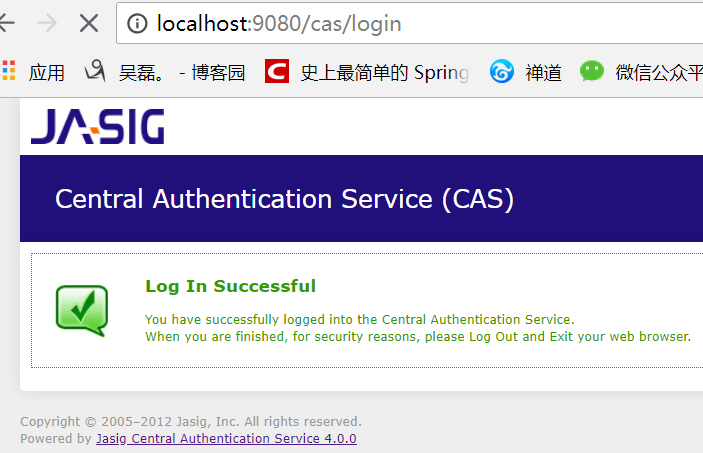
1.6 启动测试: 输入刚才配置的账号密码 wulei / wulei
二:配置数据源(CAS对接数据库)
2.1 在tomcatwebappscasWEB-INFlib里添加 c3p0连接池 mysql驱动 cas的jdbc支持包
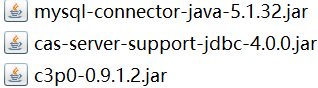
2.2 修改tomcatwebappscasWEB-INFdeployerConfigContext.xml文件
2.2.1 注释掉<entry key-ref="primaryAuthenticationHandler" value-ref="primaryPrincipalResolver" />;添加<entry key-ref="dbAuthHandler" value-ref="primaryPrincipalResolver"/>

2.2.2 添加数据源 <bean id="dataSource" 添加加密方式 <bean id="passwordEncoder" 添加sql语句 <bean id="dbAuthHandler"
    <!-- 第一个bean -->
    <bean id="dataSource" class="com.mchange.v2.c3p0.ComboPooledDataSource"
              p:driverClass="com.mysql.jdbc.Driver"
              p:jdbcUrl="jdbc:mysql://127.0.0.1:3306/youfanshop?characterEncoding=utf8"
              p:user="root"
              p:password="root" />
    <!-- 第二个bean
    <bean id="passwordEncoder"
              class="org.jasig.cas.authentication.handler.DefaultPasswordEncoder"
              c:encodingAlgorithm="MD5"
              p:characterEncoding="UTF-8" /> -->
    <!-- 第三个bean
    <bean id="dbAuthHandler"
          class="org.jasig.cas.adaptors.jdbc.QueryDatabaseAuthenticationHandler"
          p:dataSource-ref="dataSource"
          p:sql="select passwordencrypt from user where name  = ?"
          我们密码用明文, 所以把加密方式注释掉,
          p:passwordEncoder-ref="passwordEncoder"
          />  -->
    <bean id="dbAuthHandler"
          class="org.jasig.cas.adaptors.jdbc.QueryDatabaseAuthenticationHandler"
          p:dataSource-ref="dataSource"
          p:sql="select passwordencrypt from user where name  = ?" />
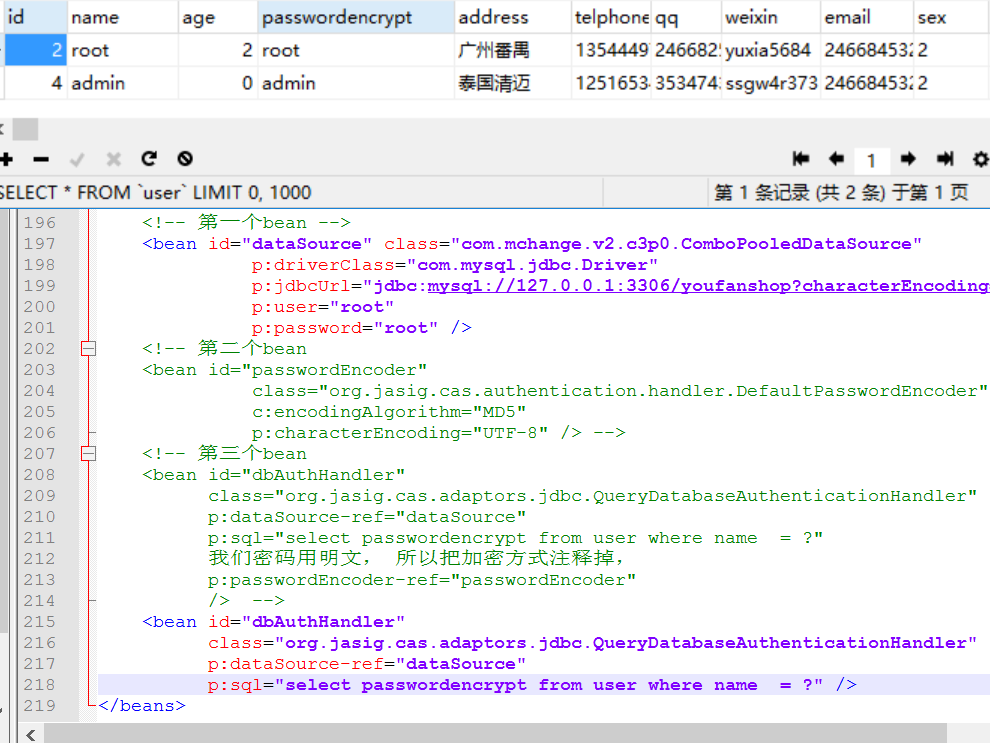
2.3 重启测试(此时就能用数据库的账号密码登录了)
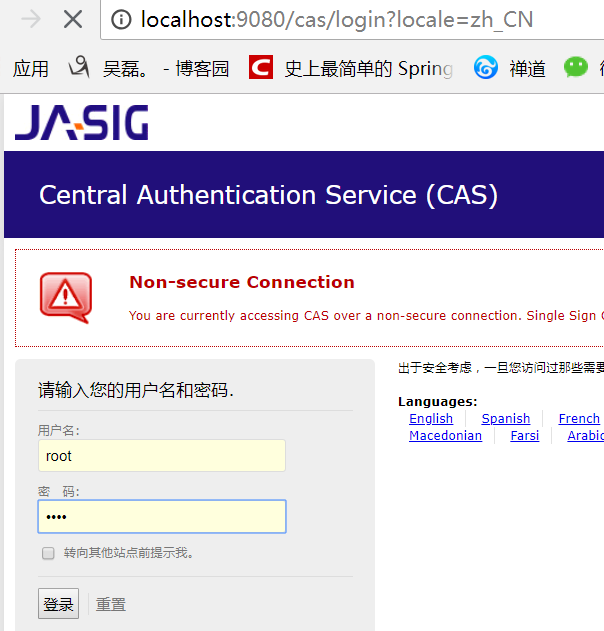
三:springBoot客户端
3.1 导包
    <parent>
        <groupId>org.springframework.boot</groupId>
        <artifactId>spring-boot-starter-parent</artifactId>
        <version>1.5.13.RELEASE</version>
        <relativePath/> <!-- lookup parent from repository -->
    </parent>
    <properties>
        <project.build.sourceEncoding>UTF-8</project.build.sourceEncoding>
        <project.reporting.outputEncoding>UTF-8</project.reporting.outputEncoding>
        <java.version>1.8</java.version>
    </properties>

    <dependencies>
        <!--web场景启动器,包含 Tomcat 和 spring-mvc restful  aop jackjson支持。 -->
        <dependency>
            <groupId>org.springframework.boot</groupId>
            <artifactId>spring-boot-starter-web</artifactId>
        </dependency>
        <!-- CAS依赖包 -->
        <dependency>
            <groupId>net.unicon.cas</groupId>
            <artifactId>cas-client-autoconfig-support</artifactId>
            <version>1.5.0-GA</version>
        </dependency>
    </dependencies>
3.2 application.properties
server.port=8081

cas.server-url-prefix=http://127.0.0.1:9080/cas
cas.server-login-url=http://127.0.0.1:9080/cas/login
cas.client-host-url=http://127.0.0.1:8081
cas.validation-type=CAS
3.3 配置类
import net.unicon.cas.client.configuration.CasClientConfigurerAdapter;
import net.unicon.cas.client.configuration.EnableCasClient;
import org.springframework.boot.web.servlet.FilterRegistrationBean;
import org.springframework.context.annotation.Configuration;

@Configuration
@EnableCasClient
public class CasConfigure extends CasClientConfigurerAdapter {
@Override
public void configureAuthenticationFilter(FilterRegistrationBean authenticationFilter) {
    super.configureAuthenticationFilter(authenticationFilter);
        authenticationFilter.getInitParameters().put("authenticationRedirectStrategyClass","com.patterncat.CustomAuthRedirectStrategy");
    }
}
3.4 控制器
@RestController
public class IndexController {

    @RequestMapping("/login")
    public String auth() {
        return "login success";
    }
}
3.5 主函数
@SpringBootApplication
public class Application {

     private static Logger log = Logger.getLogger(Application.class);

     public static void main(String[] args) {
            SpringApplication.run(Application.class, args);
            log.info("SpringBoot Start Success");
        }
}
测试: 浏览器输入 127.0.0.1:8081/login之前会先跳转到CAS的登陆页面,登录成功之后才会进入Controller。