SpringSecurity(2)
好久没有写了,之前只写了一半,我是一边开发一边写Blog一边上班,所以真心没有那么多时间来维护Blog,项目已经开发到编写逻辑及页面部分了,框架基本上已经搭建好不会再修改了,数据库也扩充了好多了。目前前端的技术框架使用的是BootStrap,集成了几个不错的插件这边列举一下,给大家做一个参考:
- select2:一个下拉框的优化组件,支持多级,支持模糊匹配等等,而且也非常美观,与Bootstrap其他控件可完美兼容;
- iCheck:一个checkBox和radios的优化组件,支持各种事件回调多种配色方案,与Bootstrap其他控件完美兼容;
- artTemplate:这个是腾讯的模板渲染框架,好用,语法简单,类似JSTL,我表示非常推荐;
- krpano:这是一个付费的插件,用于制作并可在web上显示720全景照片以及VR模式;【付费插件,价格不菲,不是打广告,我也是找不到更好的才用它,我自己也没有去买正版,不是做上线网站,所以也没打算买。】
好了,现在还要继续讲解Security的集成工作。
SpringSecurity配置文件
目录:resource/config/spring,文件名:applicationContext-security.xml
<sec:logout invalidate-session="true" logout-url="/logout.do" logout-success-url="/"/>
继续上一篇文章,接下来要讲的就是这个登出的配置了。
- invalidate-session:这个配置的意思是,当用户登出后,是否将session失效;
- logout-url:这个自然是登出的url地址了。
- logout-success-url:当顺利登出后,浏览器跳转的地址,我这样设置是跳转到首页。
 1    <!--session管理及单点登录-->
 2     <sec:session-management session-authentication-strategy-ref="concurrentSessionControlStrategy"/>
 3    <!--session管理器 start-->
 4     <bean id="concurrencyFilter" class="org.springframework.security.web.session.ConcurrentSessionFilter">
 5         <constructor-arg name="sessionRegistry" ref="sessionRegistry"/>
 6         <constructor-arg name="expiredUrl" value="/user/timeout"/>
 7     </bean>
 8
 9     <bean id="concurrentSessionControlStrategy"
10           class="org.springframework.security.web.authentication.session.ConcurrentSessionControlAuthenticationStrategy">
11         <constructor-arg name="sessionRegistry" ref="sessionRegistry"/>
12         <property name="maximumSessions" value="1"/>
13     </bean>
14
15     <bean id="sessionRegistry" class="org.springframework.security.core.session.SessionRegistryImpl"/>
16     <!--session管理器 end-->
这个是单点登录的管理配置,这个简单说一下吧,expiredUrl这个参数呢,是当session失效之后,页面的跳转地址。maximunSessions指的是最大的session数,如果是限制账号只能单点登录的话,自然要配置为“1”。而sessionRegistry这个是Spring自带实现,我就不多解释了,大家可以自己去看SessionRegistryImpl这个实现类。
 1  <!--资源拦截器配置-->
 2         <sec:custom-filter ref="filterSecurityInterceptor" before="FILTER_SECURITY_INTERCEPTOR"/>
 3         <sec:custom-filter ref="concurrencyFilter" position="CONCURRENT_SESSION_FILTER"/>
 4
 5  <!--资源拦截器 start-->
 6       <bean id="filterSecurityInterceptor"
 7             class="org.springframework.security.web.access.intercept.FilterSecurityInterceptor">
 8           <property name="accessDecisionManager" ref="accessDecisionManager"/>
 9           <property name="authenticationManager" ref="myAuthenticationManager"/>
10           <property name="securityMetadataSource" ref="resourceSecurityMetadataSource"/>
11       </bean>
第一个是资源拦截器,可以看得见,这是一个Filter。第二个是刚才设置的单点登录Filter。顺带讲一下,我不知道是为什么,配置的第一个Filter点击ref名字的时候,可以自动链接跳转,但是后面添加的Filter都统统会提示找不到,但实际上是生效的就是了。
然后来讲讲资源拦截器中的三个属性:
- accessDecisionManager:决策管理器,这个上节有讲过,此处略过;
- authenticationManager:认证管理器,主要用于验证用户密码的。这个有专门的配置,一会儿说。
- securityMetadataSource:权限验证资源,主要是从数据库中读取资源和权限的对应关系。咱们这个类主要是用于记录“资源访问权限”,还有关于方法的访问权限,就是后面的methodSecurityMetadataSource.方法的访问权限主要是以Spring的AOP模式去做的。
然后来说说,认证管理器的配置:
 <!--认证管理器-->
    <sec:authentication-manager alias="myAuthenticationManager">
        <sec:authentication-provider ref="daoAuthenticationProvider"/>
    </sec:authentication-manager>


   <bean id="daoAuthenticationProvider"
          class="org.springframework.security.authentication.dao.DaoAuthenticationProvider">
        <property name="messageSource" ref="messageSource"/>
        <property name="passwordEncoder" ref="messageDigestPasswordEncoder"/>
        <property name="userDetailsService" ref="cachingUserDetailsService"/>
        <property name="saltSource" ref="saltSource"/>
        <property name="hideUserNotFoundExceptions" value="false"/>
    </bean>


 <!--认证处理服务-->
    <bean id="cachingUserDetailsService"
          class="org.springframework.security.config.authentication.CachingUserDetailsService">
        <constructor-arg name="delegate" ref="webUserDetailsService"/>
        <property name="userCache">
            <bean class="org.springframework.security.core.userdetails.cache.EhCacheBasedUserCache">
                <property name="cache" ref="userEhCacheFactory"/>
            </bean>
        </property>
    </bean>
这个是认证管理器的配置,其中daoAuthenticationProvider主要用作与认证时查询数据库获取数据库存储的认证信息,比如用户名对应的密码。
messageSource是用于国际化的,这个你们看着配,非必要功能。
passwordEncoder,主要是用于密码加密的,
userDetailsService,这个是用于查找用户信息的类,
saltSource,这个是加密盐值,这个情况是这样子,我们存在数据库中的密码,向来不是明文,都是密文存储,所以在访问密码的时候,都是将用户的密码进一步的加密后再跟系统数据库中的值进行比较,盐值的概念,我不知道怎么解释,给我的理解就是有它进行加密的话会更安全。
hideUserNotFoundException,这个就跟字面意思一样,因此找不到用户的异常,实际上这个异常不应该被隐藏,而是需要抛出,然后错误信息直接反馈到前端页面上,提示用户找不到用户名。
接下来我们来讲解一下这几个属性对应的类,然而要涉及到另一个配置文件,因为这些东西,不仅仅属于SpringSecurity,而更广泛的适用于整个框架中,作为一种Service的角色来使用。
SpringService配置文件
目录:resource/config/spring,文件名:applicationContext-service.xml
 1 <?xml version="1.0" encoding="UTF-8"?>
 2 <beans xmlns="http://www.springframework.org/schema/beans"
 3        xmlns:xsi="http://www.w3.org/2001/XMLSchema-instance"
 4        xmlns:context="http://www.springframework.org/schema/context"
 5        xsi:schemaLocation="http://www.springframework.org/schema/beans http://www.springframework.org/schema/beans/spring-beans.xsd http://www.springframework.org/schema/context http://www.springframework.org/schema/context/spring-context.xsd">
 6
 7     <!--扫描service-->
 8     <context:component-scan base-package="com.magic.rent.service"/>
 9     <!--注册统一异常控制-->
10     <bean id="exception" class="com.magic.rent.exception.exhandler.CustomExceptionHandler"/>
11    <!--MD5加密-->
12     <bean id="messageDigestPasswordEncoder"
13           class="org.springframework.security.authentication.encoding.MessageDigestPasswordEncoder">
14         <constructor-arg name="algorithm" value="MD5"/>
15     </bean>
16     <!--国际化配置-->
17     <bean id="messageSource"
18           class="org.springframework.context.support.ResourceBundleMessageSource">
19         <property name="basename" value="messages"/>
20     </bean>
21     <bean id="messageSourceAccessor" class="org.springframework.context.support.MessageSourceAccessor">
22         <constructor-arg ref="messageSource"/>
23     </bean>
24 </beans>
- 第一行配置自然是扫描Service组件,这个我就不说了,Spring的基本配置常识。
- 统一异常控制,这个呢就是前面第三篇文章中所提到的统一异常控制的类,可以用注解去注册,也可以像我这样用配置文件的方式,这个到没有什么区别,我之所以没有用注解,而是单独写一行配置,是因为我把Exception跟Service包区分开了,看我之前的目录结构就知道,这样比较方便我维护自定义异常种类而已。
- MD5加密,这就是我们SpringSecurity的密码加密类,用于加密密码的,其中可以看到我们在属性algorithm中,使用MD5加密。
- messageSource这个就是我说的国际化配置,其中basename指向的就是国际化配置的资源文件,如下图:

所有的中文,都要转换成UTF-8的编码,这个文件,在SpringSecurity中又自带的,可以直接拿来用,地址是:
org/springframework/security/spring-security-core/4.1.3.RELEASE/spring-security-core-4.1.3.RELEASE.jar!/org/springframework/security/messages_zh_CN.properties
然后这边我写了一个转换的工具类:
package com.magic.rent.util;

import java.io.BufferedReader;
import java.io.IOException;
import java.io.InputStreamReader;

/**
 * 创建者: wuxinzhe   创建时间: 16/10/6
 * 类说明: UTF-8的中文转换类
 */
public class UTF8Util {
    /**
     * "/"分隔符
     *
     * @param str
     * @return
     */
    public static String GBK2Unicode(String str) {
        StringBuffer result = new StringBuffer();
        for (int i = 0; i < str.length(); i++) {
            char chr = str.charAt(i);
            if (!isNeedConvert(chr)) {
                result.append(chr);
                continue;
            }
            result.append("\u" + Integer.toHexString((int) chr));
        }
        return result.toString();
    }

    public static boolean isNeedConvert(char para) {
        return ((para & (0x00FF)) != para);
    }

    /**
     * &#分隔符
     *
     * @param str
     * @return
     */
    public static String GBK2Unicode2(String str) {
        StringBuffer result = new StringBuffer();
        for (int i = 0; i < str.length(); i++) {
            char chr = str.charAt(i);
            result.append("&#" + Integer.toString((int) chr) + ";");
        }
        return result.toString();
    }


    public static void main(String[] args) throws IOException {
        BufferedReader br = new BufferedReader(new InputStreamReader(System.in));
        String str = br.readLine();
        System.out.println("UTF-8:" + GBK2Unicode(str));
        System.out.println("UTF-82:" + GBK2Unicode2(str));
    }
}
运行后在控制台输入你要转换的中文或英文或标点,然后回车后会自动转换成两种不同格式的UTF-8编码。还算挺方便的。
然后大家还能看到我配置了一个MessageSourceAccess,这个是做什么的呢?这是一个国际化的工具类,非常好用,我随便拿我项目中的一个例子给大家演示:

可以看到,这个对象有两个参数(这个对象我是写在BaseController当中,通过继承获取,因为这个算是通用的属性。),第一个参数就是像message的配置文件中查找,看是否有配置这个对应的文字,如果没有的话,就采用第二个参数中的值,即默认值,进行返回。到此,我们再回到SpringSecurity的配置文件中,继续讲解:
1     <!--MD5加密盐值-->
2     <bean id="saltSource" class="org.springframework.security.authentication.dao.ReflectionSaltSource">
3         <property name="userPropertyToUse" value="username"/>
4     </bean>
这就是盐值的配置了,这个配置的意思,就是说,将用户的用户名,作为加密时的混入MD5的加密中,增强密码的加密强度。当然你也可以不一定用用户名而是其他的什么值。
然后贴出这个securityMetadataSource的类代码,这个没有什么特殊的,就从数据库中获取数据而已,我留了一个手动刷新的方法,主要是用于后续如果有更新权限的情况下,不需要重启服务器,就可以刷新权限列表,因为我们再启动项目的时候,将数据库中的权限数据一次性加载到内存中,而后续对比权限的时候,实际上只跟内存中的数据对比相当于一个缓存的作用。
package com.magic.rent.service.security;

import com.magic.rent.mapper.SysResourcesMapper;
import org.slf4j.Logger;
import org.slf4j.LoggerFactory;
import org.springframework.beans.factory.InitializingBean;
import org.springframework.beans.factory.annotation.Autowired;
import org.springframework.security.access.ConfigAttribute;
import org.springframework.security.access.SecurityConfig;
import org.springframework.security.web.FilterInvocation;
import org.springframework.security.web.access.intercept.FilterInvocationSecurityMetadataSource;
import org.springframework.security.web.util.matcher.AntPathRequestMatcher;
import org.springframework.security.web.util.matcher.RequestMatcher;
import org.springframework.stereotype.Service;

import javax.servlet.http.HttpServletRequest;
import java.util.*;


@Service
public class ResourceSecurityMetadataSource implements FilterInvocationSecurityMetadataSource, InitializingBean {

    private final static List<ConfigAttribute> NULL_CONFIG_ATTRIBUTE = Collections.emptyList();

    //权限集合
    private Map<RequestMatcher, Collection<ConfigAttribute>> requestMap;

    private static Logger logger = LoggerFactory.getLogger(ResourceSecurityMetadataSource.class);

    @Autowired
    private SysResourcesMapper sysResourcesMapper;


    public Collection<ConfigAttribute> getAttributes(Object object)
            throws IllegalArgumentException {
        final HttpServletRequest request = ((FilterInvocation) object).getRequest();

        Collection<ConfigAttribute> attrs = NULL_CONFIG_ATTRIBUTE;

        for (Map.Entry<RequestMatcher, Collection<ConfigAttribute>> entry : requestMap.entrySet()) {
            if (entry.getKey().matches(request)) {
                attrs = entry.getValue();
                break;
            }
        }

        logger.info("请求资源->资源:[{}]->[{}]", request.getRequestURI(), attrs);
        return attrs;
    }

    public Collection<ConfigAttribute> getAllConfigAttributes() {
        Set<ConfigAttribute> allAttributes = new HashSet<ConfigAttribute>();

        for (Map.Entry<RequestMatcher, Collection<ConfigAttribute>> entry : requestMap.entrySet()) {
            allAttributes.addAll(entry.getValue());
        }

        return allAttributes;
    }

    public boolean supports(Class<?> clazz) {
        return FilterInvocation.class.isAssignableFrom(clazz);
    }

    private Map<String, String> loadResource() {
        Map<String, String> resourceLinkMap = new LinkedHashMap<String, String>();

        List<Map<String, String>> resourceList = sysResourcesMapper.getURLResourceMapping();

        for (Map<String, String> resourceMap : resourceList) {
            String resourcePath = resourceMap.get("resourcePath");
            String authorityMark = resourceMap.get("authorityMark");
            if (resourceLinkMap.containsKey(resourcePath)) {
                String mark = resourceLinkMap.get("resourcePath");
                resourceLinkMap.put(resourcePath, mark + "," + authorityMark);
            } else {
                resourceLinkMap.put(resourcePath, authorityMark);
            }
        }

        return resourceLinkMap;
    }

    protected Map<RequestMatcher, Collection<ConfigAttribute>> bindRequestMap() {
        Map<RequestMatcher, Collection<ConfigAttribute>> map =
                new LinkedHashMap<RequestMatcher, Collection<ConfigAttribute>>();
        Map<String, String> resMap = this.loadResource();
        for (Map.Entry<String, String> entry : resMap.entrySet()) {
            String key = entry.getKey();
            map.put(new AntPathRequestMatcher(key), SecurityConfig.createListFromCommaDelimitedString(entry.getValue()));
        }
        return map;
    }

    public void afterPropertiesSet() throws Exception {
        this.requestMap = this.bindRequestMap();
        logger.info("资源文件权限参数初始化:资源列表[{}]", requestMap);
    }

    /**
     * 手动刷新资源
     */
    public void refreshResuorceMap() {
        this.requestMap = this.bindRequestMap();
    }

}
接着来讲一讲cachingUserDetailsService:认证处理服务,这个服务看它的名字就知道,它涉及到了缓存,所以我们加入了缓存的功能,因为登录这种操作,一般情况下肯定不会只登录一次就在不登录了,甚至一天可能会登录好几次,那用缓存的方式,减少数据库的访问,能提高每次验证速度。
我们可以看到有一个userCache的属性,这个属性就直接连接着userEhCacheFactory这个对象,我们的缓存,用的是EhCache。缓存的配置部分,我还没讲到,下一篇将会作出说明,简单地说,就是通过这个userEhCacheFactory工厂对象,来获取缓存对象。
另外可以看到构造器中还有一个参数是:delegate,指向的是一个WebUserDetailService,这个类是要自己自定义的:
 1 package com.magic.rent.service.security;
 2
 3 /**
 4  *
 5  * 创建者: wu   创建时间: 16/9/23
 6  * 类说明: 用于获取用户角色下的所有权限
 7  */
 8
 9 import com.magic.rent.mapper.SysAuthoritiesMapper;
10 import com.magic.rent.mapper.SysRolesMapper;
11 import com.magic.rent.mapper.SysUsersMapper;
12 import com.magic.rent.pojo.SysAuthorities;
13 import com.magic.rent.pojo.SysRoles;
14 import com.magic.rent.pojo.SysUsers;
15 import org.slf4j.Logger;
16 import org.slf4j.LoggerFactory;
17 import org.springframework.beans.factory.annotation.Autowired;
18 import org.springframework.context.MessageSource;
19 import org.springframework.context.support.MessageSourceAccessor;
20 import org.springframework.security.core.GrantedAuthority;
21 import org.springframework.security.core.authority.SimpleGrantedAuthority;
22 import org.springframework.security.core.userdetails.*;
23 import org.springframework.stereotype.Service;
24
25 import java.util.*;
26
27 @Service
28 public class WebUserDetailsService implements UserDetailsService {
29
30     @Autowired
31     private SysUsersMapper sysUsersMapper;
32
33     @Autowired
34     private SysRolesMapper sysRolesMapper;
35
36     @Autowired
37     private SysAuthoritiesMapper sysAuthoritiesMapper;
38
39     @Autowired
40     private MessageSourceAccessor messageSourceAccessor;
41
42
43     private static Logger logger = LoggerFactory.getLogger(WebUserDetailsService.class);
44
45
46     public UserDetails loadUserByUsername(String s) throws UsernameNotFoundException {
47         SysUsers sysUsers = null;
48         try {
49             //从数据中查找数据
50             sysUsers = sysUsersMapper.selectByUserName(s);
51         } catch (Exception e) {
52             e.printStackTrace();
53         }
54         //如果查找不到用户信息,则抛出异常
55         if (sysUsers == null) {
56             throw new UsernameNotFoundException(
57                     messageSourceAccessor.getMessage("UserDetailsService.userNotFount", "用户未找到!"));
58         }
59         //查询用户角色
60         sysUsers.setSysRoles(sysRolesMapper.selectRolesByUserId(sysUsers.getUserId()));
61
62         //查询并封装该用户具有什么权限
63         Set<GrantedAuthority> authorities = new HashSet<GrantedAuthority>();
64         //用于过滤重复的权限
65         List<String> preAuthorityMarks = new ArrayList<String>();
66         if (sysUsers.getSysRoles() != null && !sysUsers.getSysRoles().isEmpty()) {
67             //遍历用户所具有的所有角色
68             for (SysRoles role : sysUsers.getSysRoles()) {
69                 //根据角色查询单独角色所具有的权限
70                 List<SysAuthorities> sysAuthoritiesList = sysAuthoritiesMapper.selectByRole(role);
71                 //将权限封装用于后续做判断
72                 for (SysAuthorities sysAuthority : sysAuthoritiesList) {
73                     //过滤已经存在的权限
74                     if (preAuthorityMarks.contains(sysAuthority.getAuthorityMark())) {
75                         //过滤
76                         continue;
77                     } else {
78                         //加入用于过滤的集合中
79                         preAuthorityMarks.add(sysAuthority.getAuthorityMark());
80                         //封装如权限集合中
81                         GrantedAuthority ga = new CustomGrantedAuthority(sysAuthority.getAuthorityMark());
82                         authorities.add(ga);
83                     }
84                 }
85
86             }
87         }
88         //装载权限列表
89         sysUsers.setAuthorities(authorities);
90         logger.info("读取用户角色:账户名[{}]-权限[{}]", s, sysUsers.getAuthorities().toString());
91         //拼装SysUserLoginDetails对象
92         return sysUsers;
93     }
94 }
其中,我们有涉及到另一个类,就是CustomGrantedAuthority,而这个类也是自定义的,可以这样写的:
 1 package com.magic.rent.service.security;
 2
 3 import org.springframework.security.core.GrantedAuthority;
 4 import org.springframework.stereotype.Service;
 5 import org.springframework.util.Assert;
 6
 7 import java.io.Serializable;
 8
 9 /**
10  *
11  * 创建者: wuxinzhe   创建时间: 16/10/6
12  * 类说明:用于封装权限对象
13  */
14 public class CustomGrantedAuthority implements GrantedAuthority, Serializable {
15
16     private static final long serialVersionUID = 9188347583387457302L;
17
18     private final String authority;
19
20     public CustomGrantedAuthority(String role) {
21         Assert.hasText(role, "A granted authority textual representation is required");
22         this.authority = role;
23     }
24
25     public String getAuthority() {
26         return authority;
27     }
28
29     public boolean equals(Object obj) {
30         if (this == obj) {
31             return true;
32         }
33
34         if (obj instanceof CustomGrantedAuthority) {
35             return authority.equals(((CustomGrantedAuthority) obj).authority);
36         }
37
38         return false;
39     }
40
41     public int hashCode() {
42         return this.authority.hashCode();
43     }
44
45     public String toString() {
46         return this.authority;
47     }
48 }
接着我们讲最后一部分,就是方法拦截器的配置了。
  <!--方法拦截器 start-->
    <bean id="methodSecurityInterceptor"
          class="org.springframework.security.access.intercept.aopalliance.MethodSecurityInterceptor">
        <property name="accessDecisionManager" ref="accessDecisionManager"/>
        <property name="authenticationManager" ref="myAuthenticationManager"/>
        <property name="securityMetadataSource" ref="methodSecurityMetadataSource"/>
    </bean>
    <aop:config>
        <aop:advisor advice-ref="methodSecurityInterceptor" pointcut="execution(* com.magic.rent.service.*.*(..))"
                     order="1"/>
    </aop:config>
    <!--方法拦截器 end-->
基本属性我就不再阐述了。
正如前面所说,方法层级的权限验证,主要是通过AOP的方式来实现的,所以有了关于AOP的配置。
主要不同在于methodSecurityMetadataSource这个类:
package com.magic.rent.service.security;

import com.magic.rent.mapper.SysResourcesMapper;
import com.magic.rent.pojo.MethodKey;
import org.slf4j.Logger;
import org.slf4j.LoggerFactory;
import org.springframework.beans.factory.InitializingBean;
import org.springframework.beans.factory.annotation.Autowired;
import org.springframework.security.access.ConfigAttribute;
import org.springframework.security.access.SecurityConfig;
import org.springframework.security.access.method.AbstractMethodSecurityMetadataSource;
import org.springframework.stereotype.Service;

import java.lang.reflect.Method;
import java.util.*;

/**
 * Created by wuxinzhe on 16/9/25.
 */
@Service
public class MethodSecurityMetadataSource extends AbstractMethodSecurityMetadataSource implements InitializingBean {
    private final static List<ConfigAttribute> NULL_CONFIG_ATTRIBUTE = Collections.emptyList();

    private final static String RES_KEY = "resourcePath";
    private final static String AUTH_KEY = "authorityMark";

    private Map<MethodKey, Collection<ConfigAttribute>> requestMap;

    private static Logger logger = LoggerFactory.getLogger(MethodSecurityMetadataSource.class);

    @Autowired
    private SysResourcesMapper sysResourcesMapper;

    /**
     * 根据方法获取到访问方法所需要的权限
     *
     * @param method      访问的方法
     * @param targetClass 方法所属的类
     */

    public Collection<ConfigAttribute> getAttributes(Method method,
                                                     Class<?> targetClass) {
        MethodKey key = new MethodKey(method);
        Collection<ConfigAttribute> attrs = NULL_CONFIG_ATTRIBUTE;

        for (Map.Entry<MethodKey, Collection<ConfigAttribute>> entry : requestMap.entrySet()) {
            if (entry.getKey().equals(key)) {
                attrs = entry.getValue();
                break;
            }
        }
        logger.info("获取Method-资源:[{}]->[{}]", key.getFullMethodName(), attrs);
        return attrs;
    }

    /**
     * 获取到所有方法对应的权限集合
     */
    public Collection<ConfigAttribute> getAllConfigAttributes() {
        Set<ConfigAttribute> allAttributes = new HashSet<ConfigAttribute>();

        for (Map.Entry<MethodKey, Collection<ConfigAttribute>> entry : requestMap.entrySet()) {
            allAttributes.addAll(entry.getValue());
        }

        return allAttributes;
    }

    /**
     * 初始化方法权限对应集合,绑定方法权限集合
     */
    public void afterPropertiesSet() throws Exception {
        this.requestMap = this.bindRequestMap();
    }

    /**
     * 从数据库中获取方法及权限对应信息
     *
     * @return
     */
    private Map<String, String> loadMethod() {
        Map<String, String> resMap = new LinkedHashMap<String, String>();
        List<Map<String, String>> list = this.sysResourcesMapper.getMethodResourceMapping();

        for (Map<String, String> map : list) {
            String resourcePath = map.get(RES_KEY);
            String authorityMark = map.get(AUTH_KEY);

            if (resMap.containsKey(resourcePath)) {
                String mark = resMap.get(resourcePath);
                resMap.put(resourcePath, mark + "," + authorityMark);
            } else {
                resMap.put(resourcePath, authorityMark);
            }
        }

        return resMap;
    }

    /**
     * 封装从数据库中获取的方法权限集合
     *
     * @return
     */
    public Map<MethodKey, Collection<ConfigAttribute>> bindRequestMap() {
        Map<MethodKey, Collection<ConfigAttribute>> resMap =
                new LinkedHashMap<MethodKey, Collection<ConfigAttribute>>();

        Map<String, String> map = this.loadMethod();
        for (Map.Entry<String, String> entry : map.entrySet()) {
            MethodKey key = new MethodKey(entry.getKey());
            resMap.put(key, SecurityConfig.createListFromCommaDelimitedString(entry.getValue()));
        }

        return resMap;
    }

}
这个类暂时忘记了增加手动刷新内存中权限列表的方法,以后再弄吧,反正现在还没有开发管理页面,写法跟上面资源权限列表的那个类是一样的。
好啦,到此,万恶的SpringSecurity就配置完了。
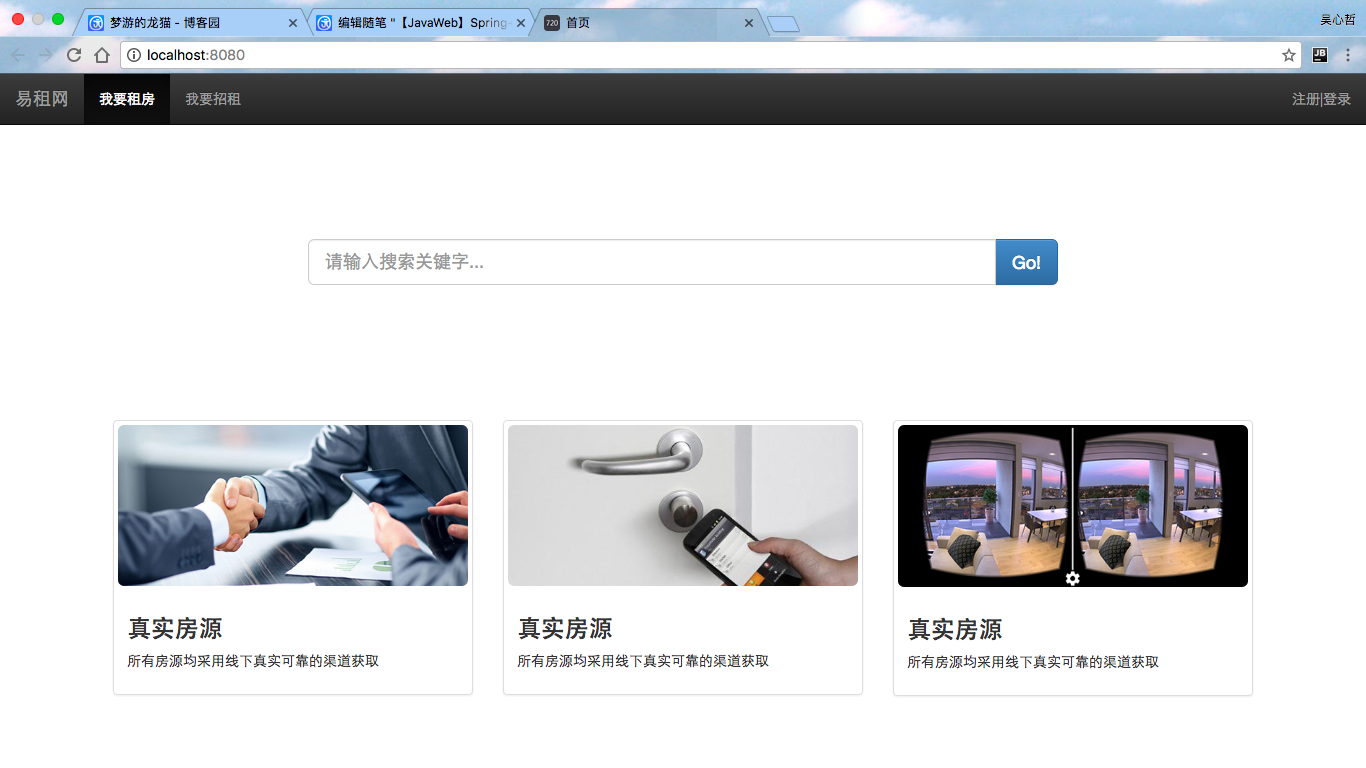
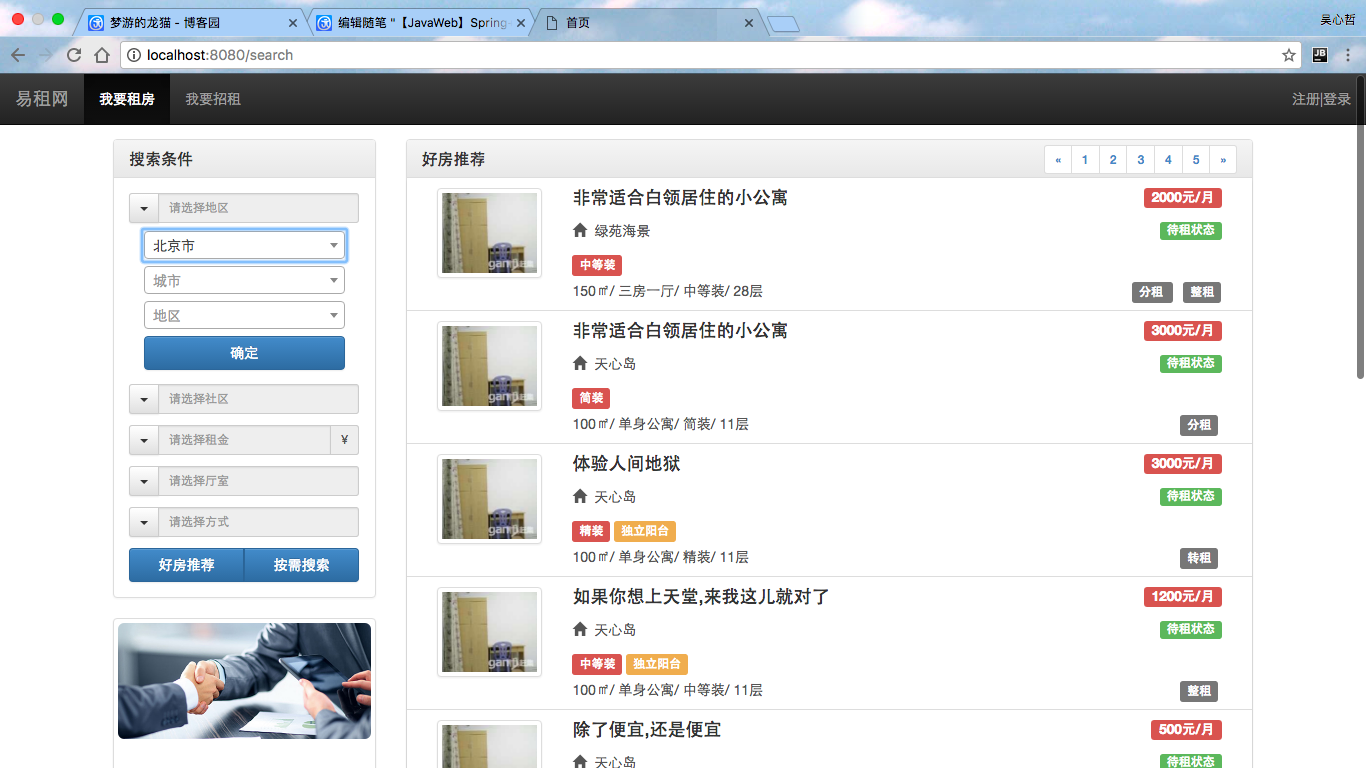
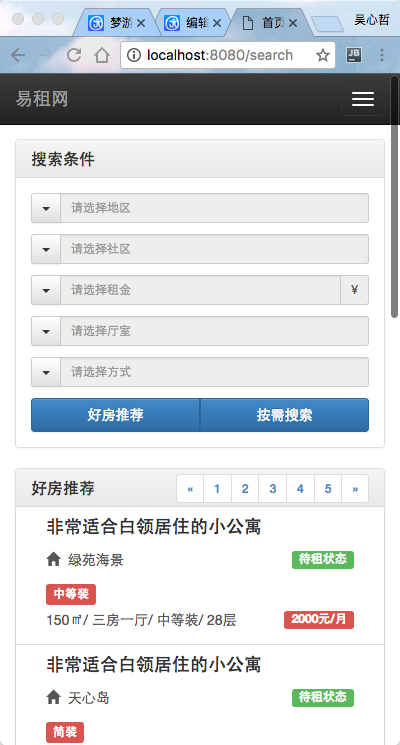
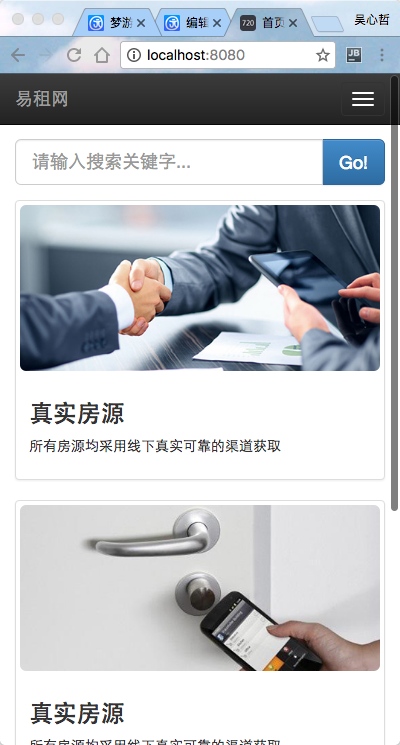
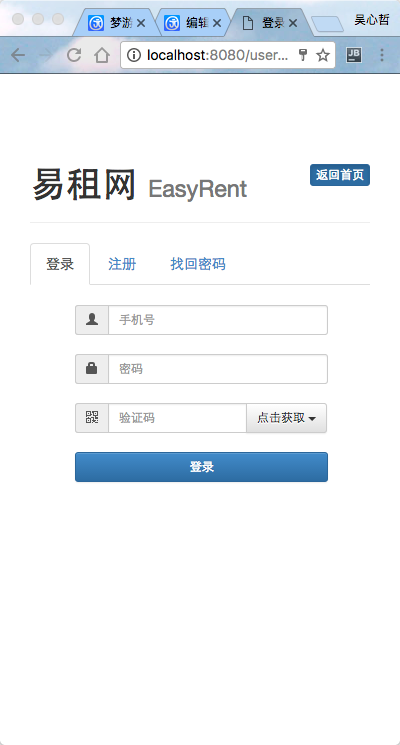
顺带的,贴几张,前端截图,嘻嘻嘻,做网站吗,忙活了半天,肯定要看到一个直观的结果撒~