安装:
 1 C:Usersxiongjiawei>pip install selenium==2.48.0
 2 Collecting selenium==2.48.0
 3   Retrying (Retry(total=4, connect=None, read=None, redirect=None)) after connection broken by 'ReadTimeoutError("HTTPSConnectionPool(host='pypi.python.org', port=443): Read timed out. (read timeout=15)",)': /simple/selenium/
 4   Retrying (Retry(total=3, connect=None, read=None, redirect=None)) after connection broken by 'ReadTimeoutError("HTTPSConnectionPool(host='pypi.python.org', port=443): Read timed out. (read timeout=15)",)': /simple/selenium/
 5   Downloading selenium-2.48.0.tar.gz (805kB)
 6     100% |████████████████████████████████| 806kB 37kB/s
 7 Installing collected packages: selenium
 8   Running setup.py install for selenium
 9 Successfully installed selenium-2.48.0
10
11 C:Usersxiongjiawei>
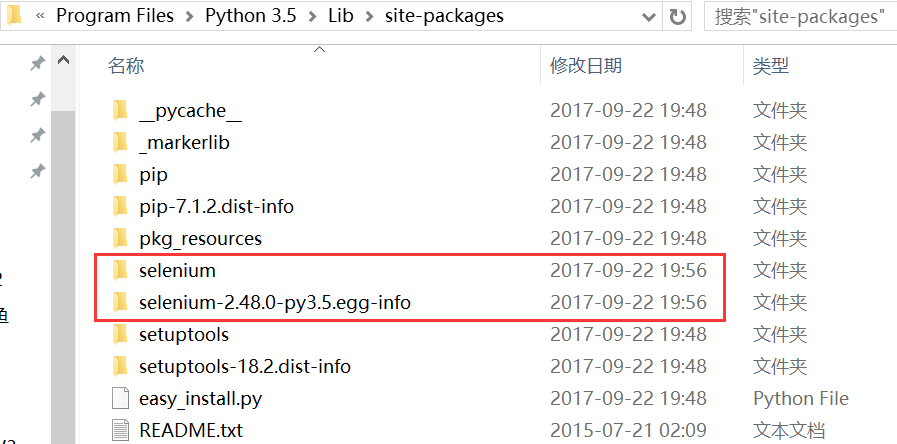
安装成功后在此路径查看:D:Program FilesPython 3.5Libsite-packages
安装或升级:pip install -U selenium

卸载:
pip uninstall selenium
查看版本号:pip show selenium
浏览器驱动下载:http://www.seleniumhq.org/download/