一、简介
上文我们实践了cloud的注册中心的单服务于多节点的搭建,房子造好了得有人来住不是,这篇我们实践下服务提供者于调用者的案例,也就是服务端和客户端的调用。
本文会设计三个module:注册中心(eureka),服务提供方(server),服务调用方(client)。其中注册中心,我们就用上文搞的,不能重复造轮子啊~~
简单说下项目执行及调用过程:首先启动注册中心,然后在启动服务端和客户端,服务端会注册到注册中心,
二、实践演练
服务提供方
我们在服务端创建一个接口可接收字符串参数,然后拼接这个参数输出("hello " + 参数 + ",this is first messge,我是8079服务哦")
1、老生常谈,先上pom依赖
<dependencies>
        <dependency>
            <groupId>org.springframework.boot</groupId>
            <artifactId>spring-boot-starter</artifactId>
        </dependency>
        <dependency>
            <groupId>org.springframework.boot</groupId>
            <artifactId>spring-boot-starter-test</artifactId>
            <scope>test</scope>
        </dependency>
        <dependency>
            <groupId>org.springframework.cloud</groupId>
            <artifactId>spring-cloud-starter-netflix-eureka-client</artifactId>
        </dependency>
    </dependencies>
2、配置文件走起
spring:
  application:
    name: spring-cloud-eureka-producer
server:
  port: 8079
eureka:
  client:
    serviceUrl:
      defaultZone: http://xjy1:8097/eureka/
参数之前都结实过啦,这里不再赘述
3、启动类添加注解@EnableDiscoveryClient
package com.oldmonk.cloud;

import org.springframework.boot.SpringApplication;
import org.springframework.boot.autoconfigure.SpringBootApplication;
import org.springframework.cloud.client.discovery.EnableDiscoveryClient;

/**
 * @program: cloud
 * @description: 启动类
 * @author: xujingyang
 * @create: 2019-10-09 12:06
 **/
@SpringBootApplication
@EnableDiscoveryClient
public class ErkaProducerApplication {
    public static void main(String[] args) {
        SpringApplication.run(ErkaProducerApplication.class);
    }
}
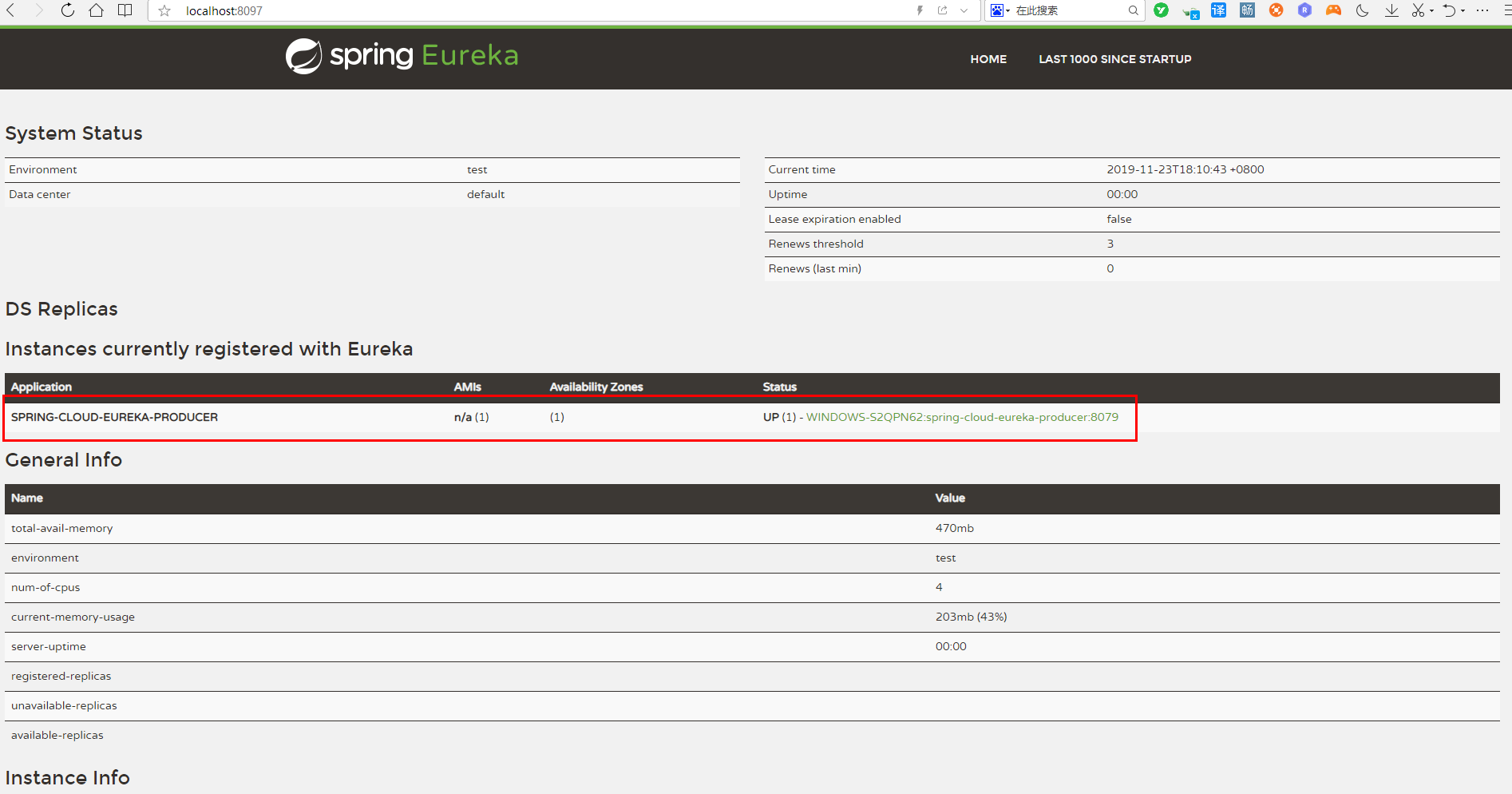
添加@EnableDiscoveryClient注解后,项目就具有了服务注册的功能。启动工程后,就可以在注册中心的页面看到SPRING-CLOUD-PRODUCER服务。
4、提供的接口服务
package com.oldmonk.cloud.controller;

import org.springframework.web.bind.annotation.RequestMapping;
import org.springframework.web.bind.annotation.RestController;

/**
 * @program: cloud
 * @description: 测试接口
 * @author: xujingyang
 * @create: 2019-10-08 14:45
 **/
@RestController
public class Hello {


    @RequestMapping("/hello")
    public String index(String name) {
        return "hello " + name + ",this is first messge,我是8079服务哦";
    }

}
5、启动注册中心,然后启动服务提供方,得下图
至此服务提供方就配置完成了!
服务调用方
1、老生常谈,先上pom依赖 ,与提供方是一样的
<dependencies>
        <dependency>
            <groupId>org.springframework.boot</groupId>
            <artifactId>spring-boot-starter</artifactId>
        </dependency>
        <dependency>
            <groupId>org.springframework.boot</groupId>
            <artifactId>spring-boot-starter-test</artifactId>
            <scope>test</scope>
        </dependency>
        <dependency>
            <groupId>org.springframework.cloud</groupId>
            <artifactId>spring-cloud-starter-netflix-eureka-client</artifactId>
        </dependency>
    </dependencies>
2、配置文件走起
spring:
  application:
    name: spring-cloud-eureka-consumer
server:
 port: 9009
eureka:
  client:
    serviceUrl:
      defaultZone: http://xjy1:8097/eureka/
3、启动类添加注解
package com.oldmonk.cloud;

import org.springframework.boot.SpringApplication;
import org.springframework.boot.autoconfigure.SpringBootApplication;
import org.springframework.cloud.client.discovery.EnableDiscoveryClient;
import org.springframework.cloud.openfeign.EnableFeignClients;

/**
 * @program: cloud
 * @description: 启动类
 * @author: xujingyang
 * @create: 2019-10-09 12:06
 **/
@SpringBootApplication
@EnableDiscoveryClient
@EnableFeignClients
public class ErkaConsumerApplication {
    public static void main(String[] args) {
        SpringApplication.run(ErkaConsumerApplication.class);
    }
}
@EnableDiscoveryClient:启用服务注册与发现@EnableFeignClients:启用feign进行远程调用
Feign是一个声明式Web Service客户端。使用Feign能让编写Web Service客户端更加简单, 它的使用方法是定义一个接口,然后在上面添加注解,同时也支持JAX-RS标准的注解。Feign也支持可拔插式的编码器和解码器。Spring Cloud对Feign进行了封装,使其支持了Spring MVC标准注解和HttpMessageConverters。Feign可以与Eureka和Ribbon组合使用以支持负载均衡。
4、客户端接口
package com.oldmonk.cloud.controller;

import com.oldmonk.cloud.service.remote.HelloRemote;
import org.springframework.beans.factory.annotation.Autowired;
import org.springframework.web.bind.annotation.PathVariable;
import org.springframework.web.bind.annotation.RequestMapping;
import org.springframework.web.bind.annotation.RestController;

/**
 * @program: cloud
 * @description: 测试接口
 * @author: xujingyang
 * @create: 2019-10-08 14:45
 **/
@RestController
public class HelloController {

    @Autowired
    HelloRemote remote;

    @RequestMapping("/hi/{name}")
    public String index(@PathVariable("name") String name) {
        return remote.hello(name);
    }

}
5、feign调用
package com.oldmonk.cloud.service.remote;

import org.springframework.cloud.openfeign.FeignClient;
import org.springframework.web.bind.annotation.RequestMapping;
import org.springframework.web.bind.annotation.RequestParam;

/**
 * @program: cloud-lx
 * @description: 远程服务调用
 * @author: xujingyang
 * @create: 2019-10-09 13:07
 **/
@FeignClient(name = "spring-cloud-eureka-producer")
public interface HelloRemote {

    @RequestMapping("/hello")
    String hello(@RequestParam("name") String name);
}
参数必须保持一致与服务提供方的接口
6、启动

至此,服务调用方配置完成
测试
简单调用
1、先输入:http://localhost:8079/hello?name=xjy检查服务提供方服务是否正常
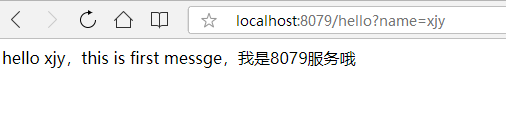
说服务提供方正常启动,提供的服务也正常。
2、浏览器中输入:http://localhost:9009/hi/xjy

说明客户端已经成功的通过feign调用了远程服务hello,并且将结果返回到了浏览器。
多节点负载均衡
1、把生产者配置文件做下改动
---
spring:
  application:
    name: spring-cloud-eureka-producer
  profiles:
    active: xjy1
server:
  port: 8079
eureka:
  client:
    serviceUrl:
      defaultZone: http://xjy1:8097/eureka/

---
spring:
  application:
    name: spring-cloud-eureka-producer
  profiles:
    active: xjy2
server:
  port: 8078
eureka:
  client:
    serviceUrl:
      defaultZone: http://xjy1:8097/eureka/
2、controller也要修改下
package com.oldmonk.cloud.controller;

import org.springframework.beans.factory.annotation.Value;
import org.springframework.web.bind.annotation.RequestMapping;
import org.springframework.web.bind.annotation.RestController;

/**
 * @program: cloud
 * @description: 测试接口
 * @author: xujingyang
 * @create: 2019-10-08 14:45
 **/
@RestController
public class Hello {

    @Value("${spring.profiles}")
    private String profile;

    @RequestMapping("/hello")
    public String index(String name) {
        return "hello " + name + ",this is first messge,我是【" + profile + "】服务哦";
    }

}
2、打包,按照之前说的方式启动两次
启动2个服务形成集群注册中心,启动命令:
java -jar eureka-producer-cluster-0.0.1-SNAPSHOT.jar --spring.profiles.active=xjy1
java -jar eureka-producer-cluster-0.0.1-SNAPSHOT.jar --spring.profiles.active=xjy2
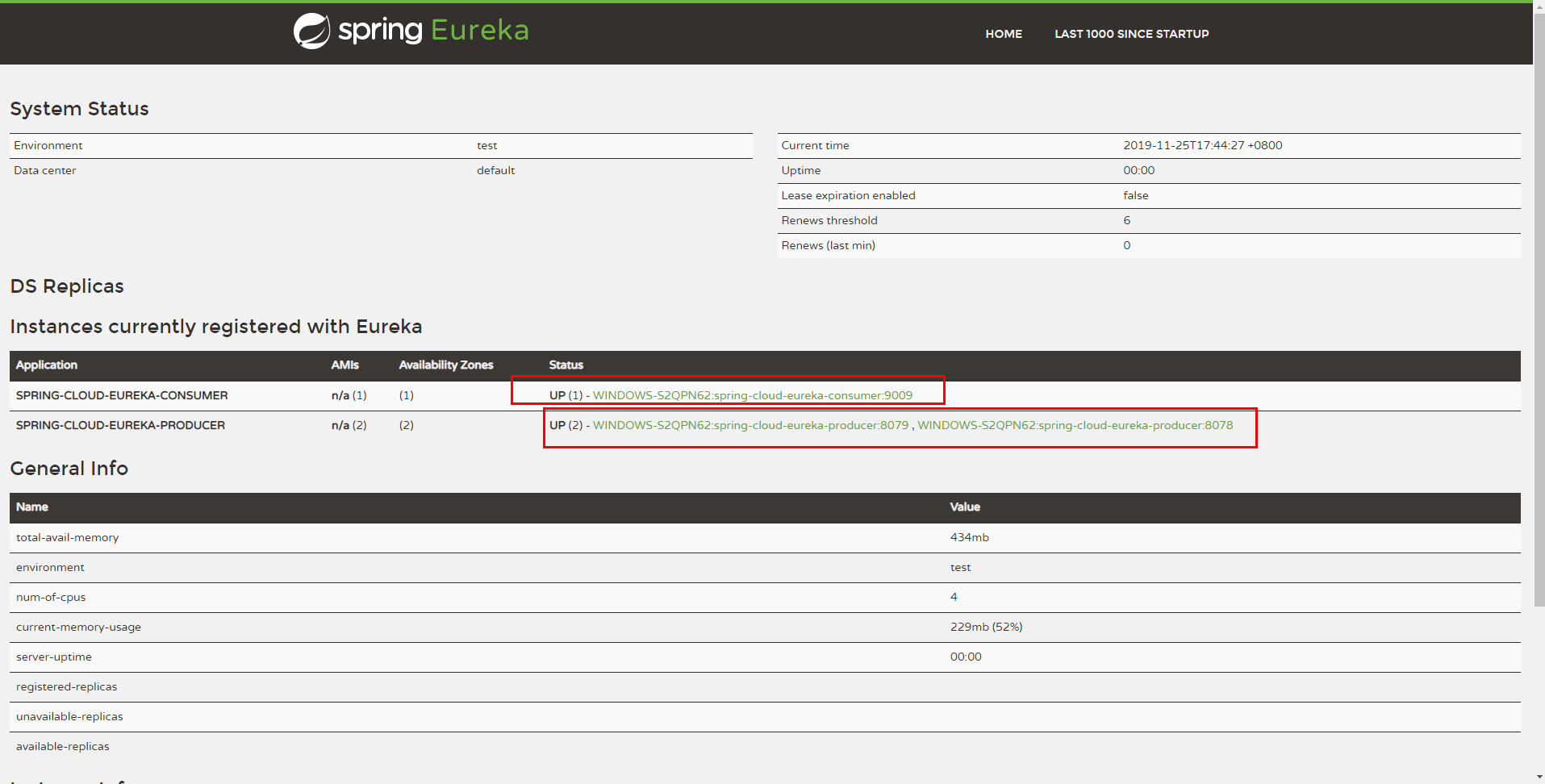
3、然后看到注册中心两个服务都注册进来了,加上消费方一共三个服务
4、然后在浏览器再次输入:http://localhost:9009/hi/xjy 进行测试:
第一次返回结果:hello xjy,this is first messge,我是【xjy1】服务哦
第二次返回结果:hello xjy,this is first messge,我是【xjy2】服务哦
不断的进行测试下去会发现两种结果交替出现,说明两个服务中心自动提供了服务均衡负载的功能。
如果我们将服务提供者的数量在提高为N个,测试结果一样,请求会自动轮询到每个服务端来处理。
三、案例源码
连接点不动时请复制粘贴此链接:https://github.com/oIdmonk/springcloud-xjy
代码基于boot2.1.9.RELEASE版本,cloudGreenwich.SR3版本