有话要说:
本篇主要总结了简单的Android与js互相调用的方法。
在开发过程中遇到了需要在安卓中调用js方法的需求,于是将具体的实现过程总结成这篇博客。
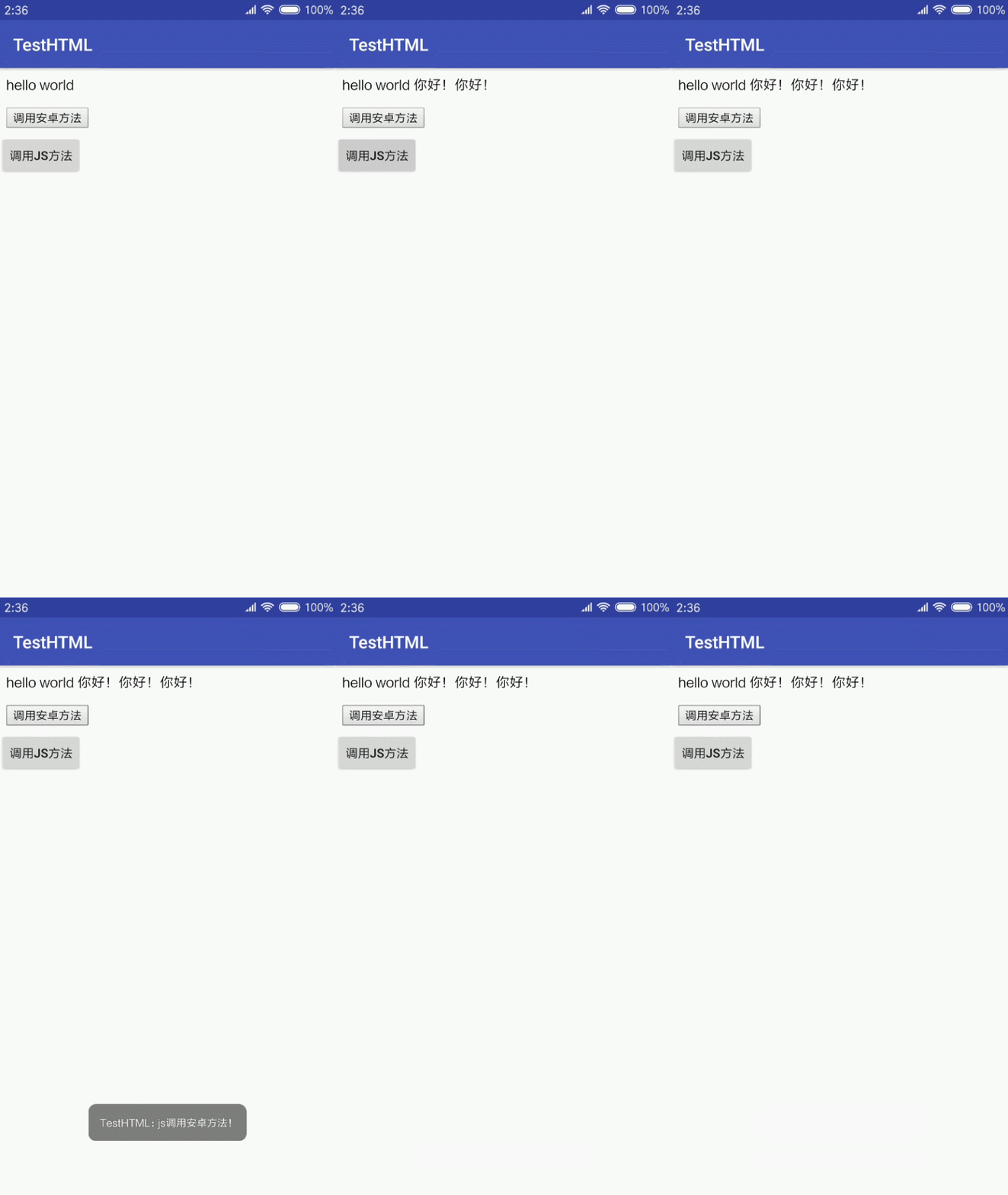
效果:
其中“调用安卓方法”按钮是html中的按钮;“调用JS方法”按钮是app中的按钮。
本地HTML:
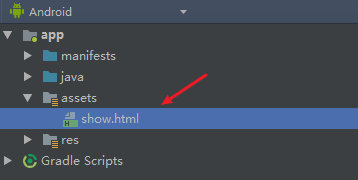
首先,在app根目录新建一个assets文件夹,并在文件夹内新建一个本地html文件,如下图
接着编写一个简单的html文件:
<html lang="zh-CN">
<p id='p'>hello world</p>

<script>
        function test(){
            document.getElementById("p").innerHTML += " 你好!"
        }
</script>

<button onclick="justTest.hello('js调用安卓方法!')">调用安卓方法</button>

</html>
Android布局文件:
<?xml version="1.0" encoding="utf-8"?>
<LinearLayout xmlns:android="http://schemas.android.com/apk/res/android"
    xmlns:tools="http://schemas.android.com/tools"
    android:layout_width="match_parent"
    android:layout_height="match_parent"
    android:orientation="vertical"
    tools:context=".MainActivity">

    <WebView
        android:id="@+id/webview"
        android:layout_width="wrap_content"
        android:layout_height="wrap_content" />

    <Button
        android:id="@+id/btn"
        android:layout_width="wrap_content"
        android:layout_height="wrap_content"
        android:text="调用js方法" />

</LinearLayout>
安卓调用js方法:
可以看到,在本地html中已经有了一个test函数,下面来在安卓中调用这个test函数。
加载本地html文件:
 webView = findViewById(R.id.webview);
 webView.getSettings().setJavaScriptEnabled(true);
 webView.loadUrl("file:///android_asset/show.html");
定义按钮的点击事件:
Button btn = findViewById(R.id.btn);

btn.setOnClickListener(new View.OnClickListener() {
    @Override
    public void onClick(View v) {
        testJS();
    }
});
其中testJS代码为:
 @SuppressLint("SetJavaScriptEnabled")
 public void testJS() {
     webView.loadUrl("javascript:test()");
 }
据此,就实现了安卓调用js方法。
js调用安卓方法:
首先,需要在activity中定义被调用的方法:
@JavascriptInterface
 public void hello(String msg) {
     Toast.makeText(this, msg, Toast.LENGTH_SHORT).show();
 }
并且需要给webview绑定上java对象:
webView.addJavascriptInterface(this, "justTest");
最后,在js中调用该方法:
<button onclick="justTest.hello('js调用安卓方法!')">调用安卓方法</button>
这样就实现了在js中调用安卓方法。
总结:
由于工作繁忙,好久没写博客了。
以后会抽出时间多多总结自己在工作中所学习的内容的。
这篇博客写了一个很简单的一个demo,但是安卓和js互相调用在实际开发中很有用,特地做一个总结。
大家如果有什么疑问或者建议可以通过评论,欢迎大家的评论~