1. 什么是分支Branch?
我初步的理解为:GitHub仓库默认有一个master的分支,当我们在master分支开发过程中接到一个新的功能需求,我们就可以新建一个分支同步开发而互不影响,开发完成后,在合并merge到主分支master上。
2.分支操作
现在我们需要合并两个分支:"master" 和 "gh-pages",合并之前,我们先了解几个基本的git命令
①. 打开 Git Shell
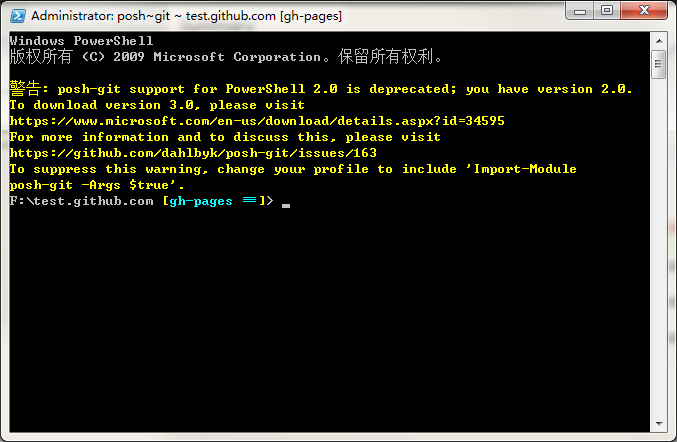
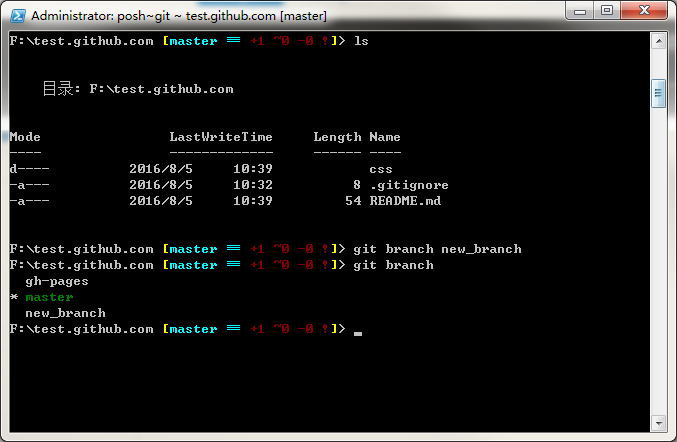
②. 输入命令 git branch,我们可以看到我们目前的两个分支

③. 输入命令git branch new_branch,创建一个新的分支 new_branch
④. 输入命令 git chekedout gh-pages,我们可以切换分支

or : 新建一个分支并且立即切换到新建的分支上,输入命令 git checkout -b new_branch_ha

⑤. 合并分支,输入命令git merge gh-pages 报错! fatal:refusing to merge unrelated histories.

Google一下,找到如下解释
* "git merge" used to allow merging two branches that have no common base by default, which led to a brand new history of an existing project created and then get pulled by an unsuspecting maintainer, which allowed an unnecessary parallel history merged into the existing project. The command has been taught not to allow this by default, with an escape hatch "--allow-unrelated-histories" option to be used in a rare event that merges histories of two projects that started their lives independently.
* "git pull" has been taught to pass the "--allow-unrelated-histories" option to underlying "git merge".
解决方法:
在命令后面加上一句“--allow-unrelated-histories”,即完整的命令为“git merge gh-pages --allow-unrelated-histories”,可以看到 gh-pages分支上的文件全部合并到了 master分支上
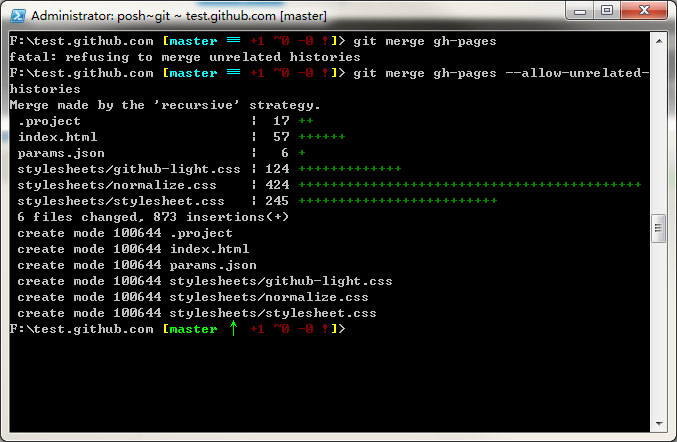
接下来,我们需要输入命令“git push”,可以看到我们的代码已经同步到仓库 test.github.com 上啦

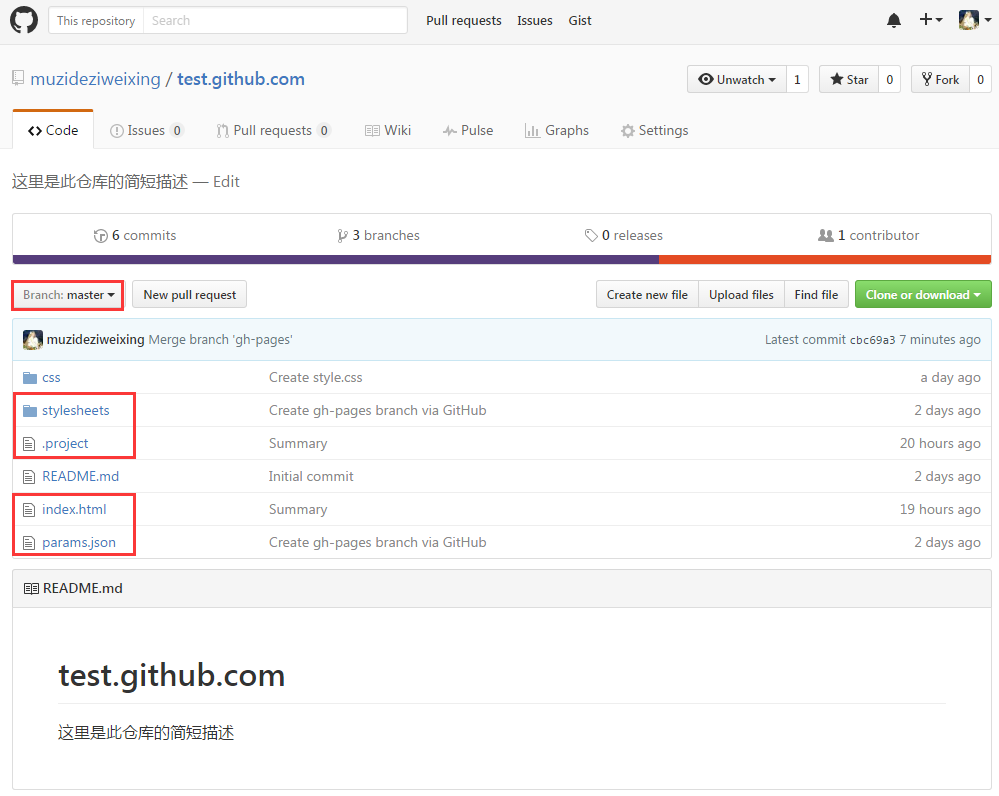
打开github主页,进入我们的仓库 test.github.com ,就可以看到分支 gh-pages 上的文件都已经同步过来啦
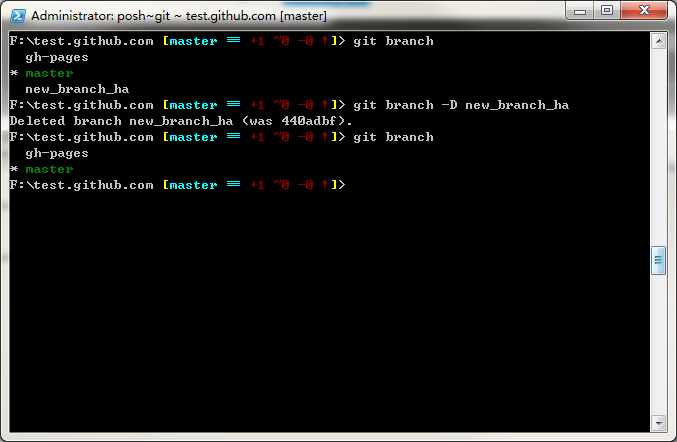
⑥. 删除分支,刚刚我们在第4步新建了一个多余的分支“new_branch_ha”需要删掉,我们首先输入命令“git branch”查看当前的分支有哪些,然后输入命令“git branch -D new_branch_ha”删除分支“new_branch_ha”,最后我们输入命令“git branch”查看分支已经被我们成功删除。
(本文原创,转载请注明出处!!)