Spring Cloud Gateway 介绍
特点:
-
限流
-
路径重写
-
动态路由
-
集成 Spring Cloud DiscoveryClient
-
集成 Hystrix 断路器
和 zuul 对比:
-
zuul 是 Netflix 公司的开源产品,Spring Cloud Gateway 是 Spring 家族中的产品,可以和 Spring 家族中其他组件更好的融合。
-
zuul1 不支持长连接,例如 websocket
-
Spring Cloud Gateway 支持限流
-
Spring Cloud Gateway 基于 Netty 来开发,实现了异步和非阻塞,占用资源更小,性能强于 zuul。
Spring Cloud Gateway 的基本用法
Spring Cloud Gateway 支持两种不同的用法:
-
编码式
-
properties / yml 配置
编码式
首先创建一个 Spring Boot 项目,仅添加 Spring Cloud Gateway 模块:
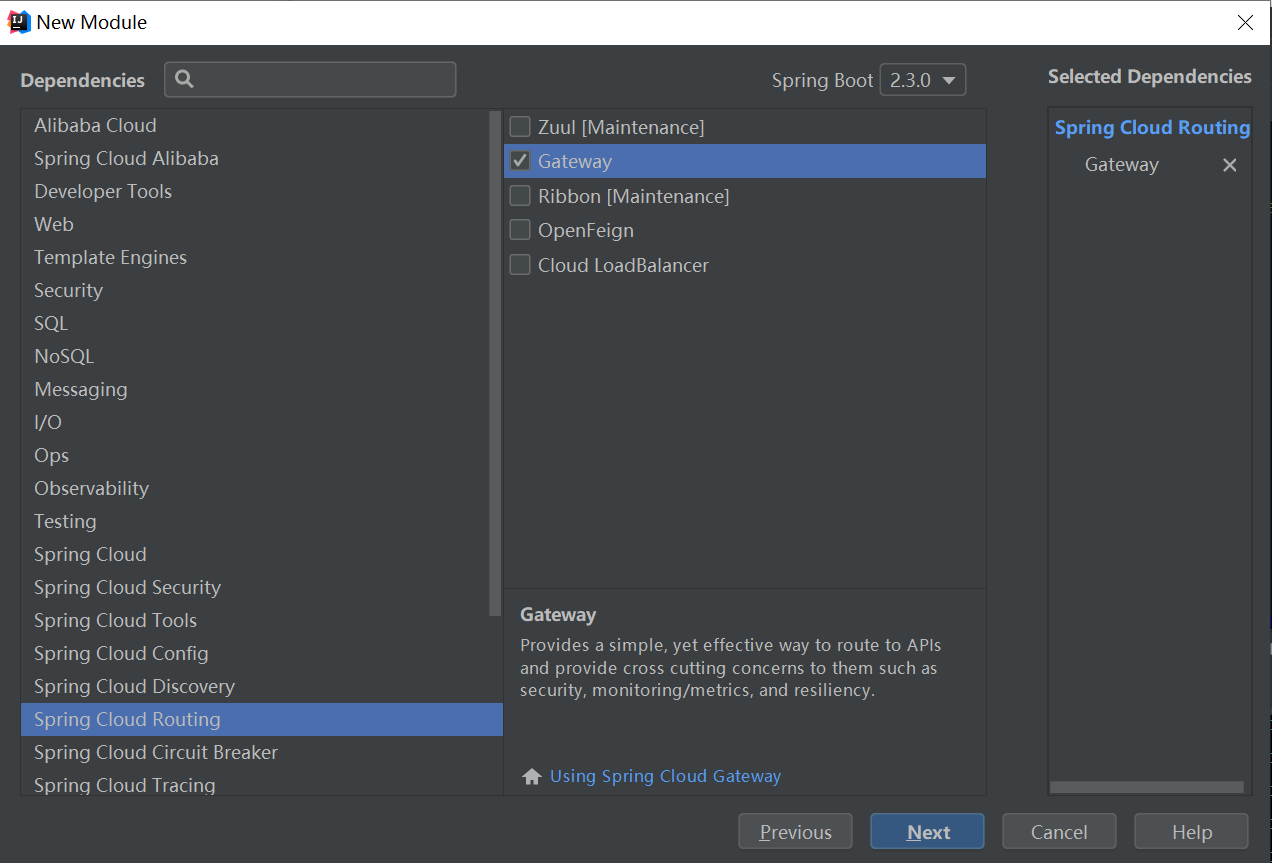
项目创建成功后,在项目启动类上配置一个 RouteLocator 这样一个 Bean ,就可以实现请求转发:
@SpringBootApplication
public class GatewayApplication {

    public static void main(String[] args) {
        SpringApplication.run(GatewayApplication.class, args);
    }

    @Bean
    RouteLocator routeLocator(RouteLocatorBuilder builder){
        return builder.routes()
                .route("you", r ->
                        r.path("/get").uri("http://httpbin.org"))
                .build();
    }
}
这里利用了一个现成的接口 http://httpbin.org, 直接将 get 请求转发到这上面去。
运行 gateway 项目。
访问 http://localhost:8080/get, 如下图:
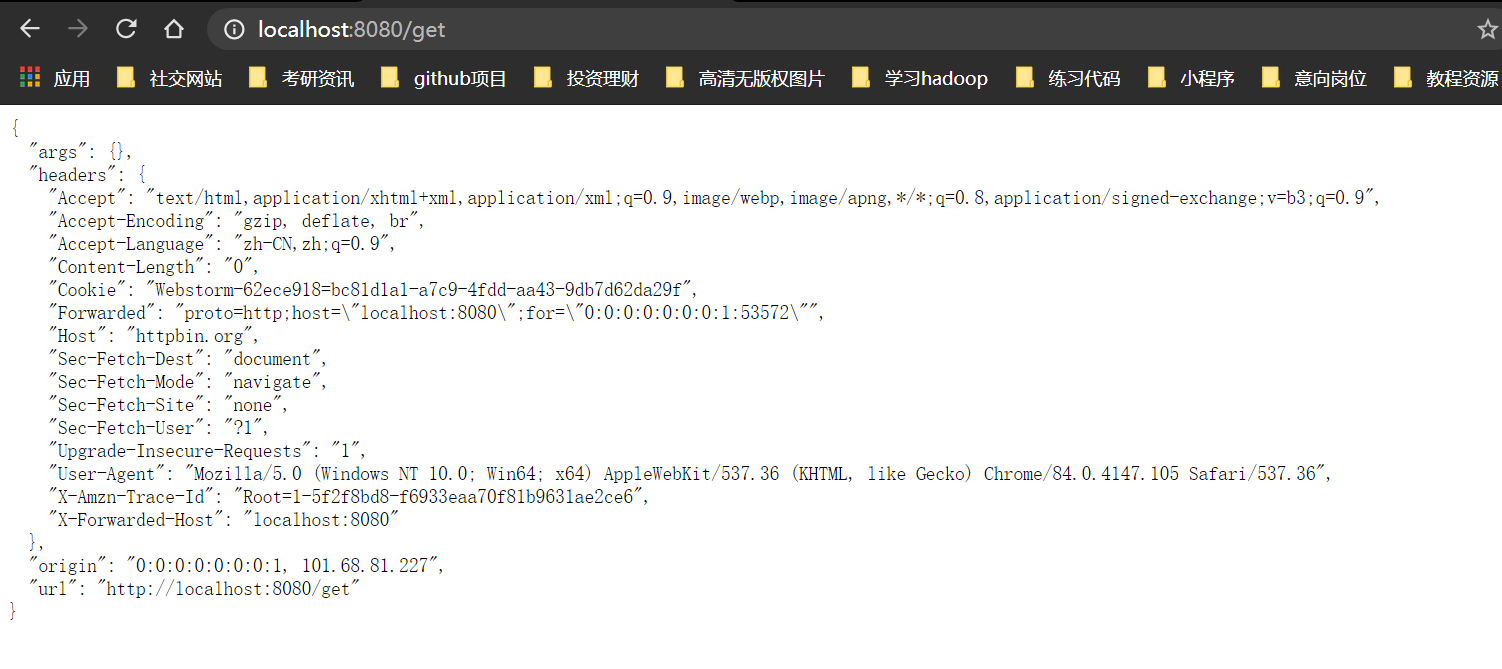
如上,实现了请求转发。
properties 配置
注释掉启动类中的 Bean ,在 properties 配置如下:
spring.cloud.gateway.routes[0].id=you
spring.cloud.gateway.routes[0].uri=http://httpbin.org
spring.cloud.gateway.routes[0].predicates[0]=Path=/get
启动 gateway,访问http://localhost:8080/get,效果和上面一样。
yml 配置
在 resources 目录下, 新建 application.yml 文件,写入下面配置:
spring:
  cloud:
    gateway:
      routes:
        - id: you
          uri: http://httpbin.org
          predicates:
            - Path=/get
删除原有配置文件 application.properties ,重启项目,访问 http://localhost:8080/get, 效果和上面一样。
Spring Cloud Gateway 结合微服务
首先给 gateway 添加依赖, 将之注册到 eureka 上。
加依赖:
<dependency>
            <groupId>org.springframework.cloud</groupId>
            <artifactId>spring-cloud-starter-netflix-eureka-client</artifactId>
</dependency>
加配置
spring:
  cloud:
    gateway:
      discovery:
        locator:
          enabled: true # 开启自动代理
  application:
    name: gateway
eureka:
  client:
    service-url:
      defaultZone: http://localhost:1111/eureka
logging:
  level:
    org.springframework.cloud.gateway: debug
接下来,就可以通过 gateway 访问到其他注册到 eureka 上的服务了,访问方式和 zuul 一样。
先打开 eureka 后台 http://localhost:1111/,查看服务注册情况:
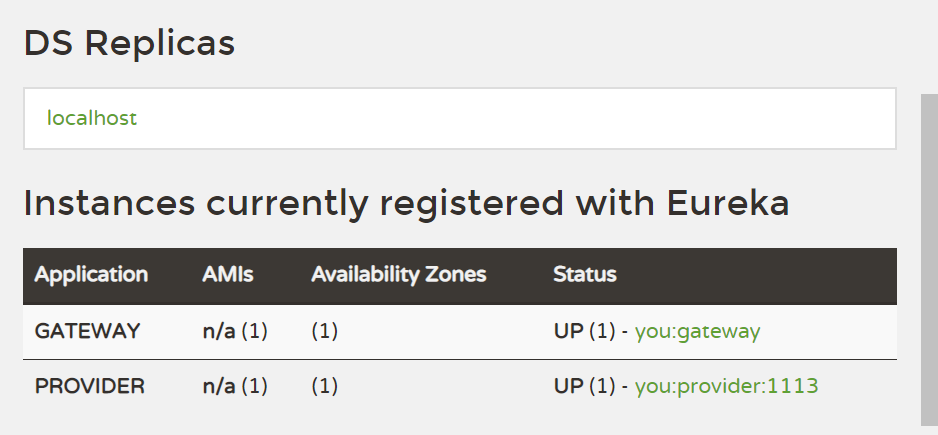
再访问http://localhost:8080/PROVIDER/hello, 效果如下:
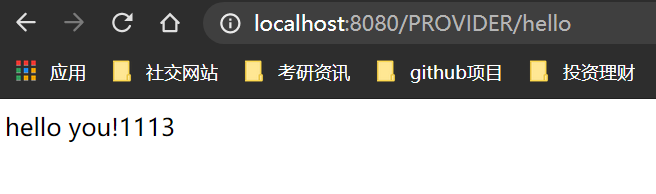
注意:eureka 服务是区分大小写的,记得使用 PROVIDER 而不是 provider。
Predicate
用来声明匹配规则。
通过时间匹配:
spring:
  cloud:
    gateway:
      routes:
        - id: you
          uri: http://httpbin.org
          predicates:
            - After=2021-01-01T01:01:01+08:00[Asia/Shanghai]
这个配置,表示,请求时间在 2021-01-01T01:01:01+08:00[Asia/Shanghai] 时间之后,才会被路由。
除了 After 之外,还有两个关键字:
-
Before: 表示在某个时间点之前进行请求转发
-
Between:表示在两个时间点之间进行请求转发,两个时间点用 , 隔开
也可以通过请求方式匹配,就是请求方法:
spring:
  cloud:
    gateway:
      routes:
        - id: you
          uri: http://httpbin.org
          predicates:
            - Method=GET
这个配置,表示只给 GET 请求进行路由。访问http://localhost:8080/get,如下图:

通过请求路径匹配:
spring:
  cloud:
    gateway:
      routes:
        - id: you
          uri: http://httpbin.org
          predicates:
            - Path=/get
这个配置表示,路径满足 /get 这个规则,就会进行转发,如http://localhost:8080/get
通过参数进行匹配:
spring:
  cloud:
    gateway:
      routes:
        - id: you
          uri: http://httpbin.org
          predicates:
            - Query=name
表示,请求中一定要有 name 参数才会进行转发,否则不会进行转发。
也可以指定参数和参数的值。
例如,参数的 key 为 name ,value 必须要以 java 开始:
spring:
  cloud:
    gateway:
      routes:
        - id: you
          uri: http://httpbin.org
          predicates:
            - Query=name,java.*
多种匹配方式可以组合使用:
spring:
  cloud:
    gateway:
      routes:
        - id: you
          uri: http://httpbin.org
          predicates:
            - Query=name,java.*
            - Method=GET
            - After=2021-01-01T01:01:01+08:00[Asia/Shanghai]
Filter
Spring Cloud Gateway 中的过滤器分为两大类:
-
GatewayFilter: 局部路由
-
GlobalFilter: 全局路由
如,AddRequestParameter 过滤器的使用:
spring:
  cloud:
    gateway:
      routes:
        - id: you
          uri: lb://provider
          filters:
            - AddRequestParameter=name,you
          predicates:
            - Method=GET
这个过滤器就是在请求转发路由的时候,自动额外添加参数。
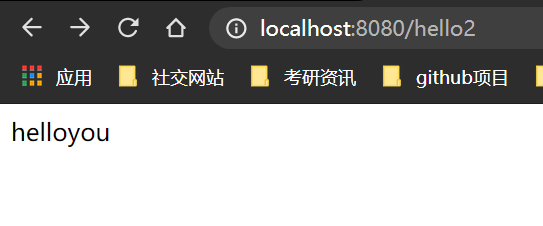
访问http://localhost:8080/hello2,效果如下:
每天学习一点点,每天进步一点点。