1. LoadHTMLGlob()/LoadHTMLFiles()
package main

import (
	"github.com/gin-gonic/gin"
	"net/http"
)

func main() {
	router := gin.Default()
	// 模板解析
	router.LoadHTMLGlob("test/static/*")
	//router.LoadHTMLFiles("templates/template1.html", "templates/template2.html")
	router.GET("/index", func(c *gin.Context) {
		// 模板渲染
		c.HTML(http.StatusOK, "index.tmpl", gin.H{
			// 模板文件中的 {{ .title }} .的前面不知道是什么变量,不写了
			"title": "Main website",
		})
	})
	router.Run(":8080")
}
tmpl
<html>
	<h1>
		{{ .title }}
	</h1>
</html>
2. 在不同目录中使用具有相同名称的模板
func main() {
	router := gin.Default()
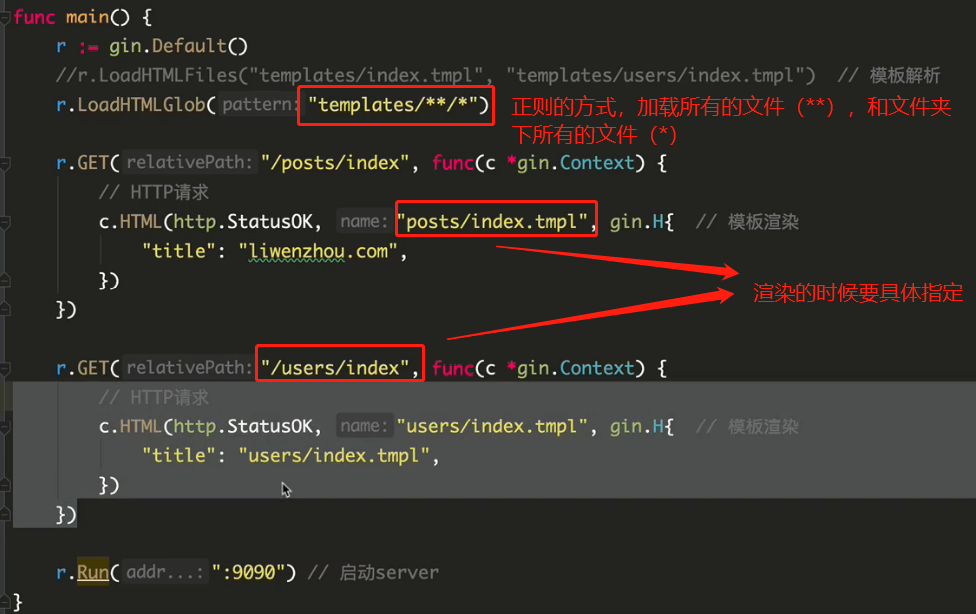
	// 加载所有文件夹(**),和所有文件夹下的所有文件(*)
	router.LoadHTMLGlob("templates/**/*")
	router.GET("/posts/index", func(c *gin.Context) {
		c.HTML(http.StatusOK, "posts/index.tmpl", gin.H{
			"title": "Posts",
		})
	})
	router.GET("/users/index", func(c *gin.Context) {
		c.HTML(http.StatusOK, "users/index.tmpl", gin.H{
			"title": "Users",
		})
	})
	router.Run(":8080")
}
templates/posts/index.tmpl
{{ define "posts/index.tmpl" }}
<html><h1>
	{{ .title }}
</h1>
<p>Using posts/index.tmpl</p>
</html>
{{ end }}
templates/users/index.tmpl
{{ define "users/index.tmpl" }}
<html><h1>
	{{ .title }}
</h1>
<p>Using users/index.tmpl</p>
</html>
{{ end }}
接下来我们来看看具体的语法:
- 使用
{{ define "layout" }}{{ end }}来定义一个块,这个块的名字就是 “layout”,如果不使用define,那么名字就是文件名 - 使用
{{ block "template filename" . }} {{ end }}来调用一个模板,就像上面的例子中,调用一个函数那样,其中.也可以是变量名等等,就是引用变量的上下文,如果我们传入.,那么子模板里可以访问的变量就和当前可以访问的上下文一样 {{ range $i := .items }} {{ end }}相当于Go语言里的for i := range items{{ if .items }}相当于Go语言里的if items,完整的是{{if pipeline}} T1 {{else if pipeline}} T0 {{end}}{{ .variable }}渲染variable的值{{/* a comment */}}是注释{{- /* a comment with white space trimmed from preceding and following text */ -}}可以跨行的注释
当然,还有个比较坑的地方在于,Go会自动把输出进行转义,渲染的时候如果想要不转义,就使用 template.HTML("blablabla"),这里的 template 就是导入的包 html/template。
3. 加载所有模板
4. safe
