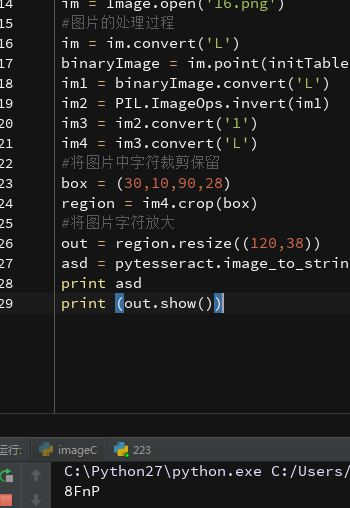
1、验证码的识别是有针对性的,不同的系统、应用的验证码区别有大有小,只要处理好图片,利用好pytesseract,一般的验证码都可以识别
2、我在识别验证码的路上走了很多弯路,重点应该放在怎么把图片处理成这个样子,方便pytesseract的识别,以提高成功率
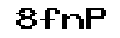
3、原图为:
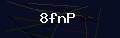
思想过程:
①不要盲目的去直接用代码识别,识别不出来就怀疑代码有问题或者pytesseract不好用:
先将验证码用图片处理工具处理,一步步得到理想图片,记住处理过程,将处理后的图片直接用pytesseract识别,代码如下:
# -*- coding: UTF-8 -*-、
import Image
import pytesseract
im = Image.open('31.png')
aa = pytesseract.image_to_string(out)
print aa
②确定图片可以识别后,开始用代码复现你的图片处理过程

# -*- coding: UTF-8 -*_
from PIL import Image
from pytesseract import *
import PIL.ImageOps
def initTable(threshold=140):
    table = []
    for i in range(256):
        if i < threshold:
            table.append(0)
        else:
            table.append(1)
    return table

im = Image.open('31.png')
#图片的处理过程
im = im.convert('L')
binaryImage = im.point(initTable(), '1')
im1 = binaryImage.convert('L')
im2 = PIL.ImageOps.invert(im1)
im3 = im2.convert('1')
im4 = im3.convert('L')
#将图片中字符裁剪保留
box = (30,10,90,28)
region = im4.crop(box)
#将图片字符放大
out = region.resize((120,38))
asd = pytesseract.image_to_string(out)
print asd
print (out.show())
先将图片转换为L模式
然后去噪
反转颜色
将重要部分裁剪放大
输出结果: