1、Number:数字型(整型和浮点型)
(1)不同的进制
八进制:数字前加0表示八进制
<script>
            var num1=010;
            console.log(num1);
        </script>

十六进制:0x开头表示十六进制
    <script>
            var num=0xff;
            console.log(num);
    </script>

(2)最大值与最小值
        <script>
            console.log(Number.MAX_VALUE);
            console.log(Number.MIN_VALUE);
        </script>

与java中调用包装类的静态方法获取最大值最小值相似
(3)无穷
        <script>
            console.log(Number.MAX_VALUE*3);
            console.log(-Number.MIN_VALUE*4);
        </script>
(4)NaN
console.log('zahi'-1);

(5)浮点数计算不精确的问题
<!DOCTYPE html>
<html>

    <head>
        <meta charset="UTF-8">
        <title>Java Script</title>
        <script type="text/javascript">
            function welcome() {
            console.log(0.01+0.09)
            }
        </script>
    </head>
    <body onload="welcome()" bgcolor="aquamarine">
        <center>
            <h1>你好</h1>
        </center>
    </body>

</html>
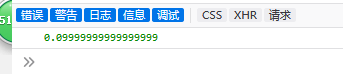
和java相似,浮点数相加会存在不精确的问题。
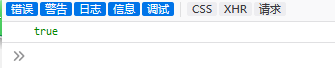
(6)判断是否为数字,是数字返回false,不是返回true:
<!DOCTYPE html>
<html>

    <head>
        <meta charset="UTF-8">
        <title>Java Script</title>
        <script type="text/javascript">
            function welcome() {
            console.log(isNaN("as"));
            }
        </script>
    </head>
    <body onload="welcome()" bgcolor="aquamarine">
        <center>
            <h1>你好</h1>
        </center>
    </body>

</html>
(7) 函数的运用
<!DOCTYPE html>
<html>

    <head>
        <meta charset="UTF-8">
        <title>Java Script</title>
        <script type="text/javascript">
            function test() {
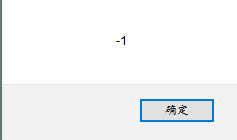
                alert(Math.cos(Math.PI));
            }
        </script>
    </head>

    <body bgcolor="aquamarine">
        <center>
            <button onclick="test()">点击这里</button>
        </center>
    </body>

</html>
(8)类型判断
        <script>
            var num=12;
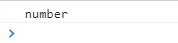
            console.log(typeof num);
        </script>
2、字符串型
(1)类型检测与定义
        <script>
            var string1="12333";
            console.log(typeof string1);
            var string2='hello';
            console.log(typeof string1);
        </script>
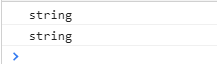
可以用单引号也可以用双引号
(2)字符串的拼接
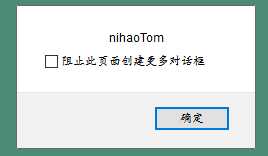
与java类似在字符串中“+”具有连接作用,但是要保证有字符串,如果是两个数值型的数据则进行的是相加操作
<!DOCTYPE html>
<html>

    <head>
        <meta charset="UTF-8">
        <title>Java Script</title>
        <script type="text/javascript">
            function test() {
                var String1="nihao"+"Tom";
                alert(String1);

            }
        </script>
    </head>

    <body bgcolor="aquamarine">
        <center>
            <button onclick="test()">点击这里</button>
        </center>
    </body>

</html>
(3)基本函数的使用
length属性:
<!DOCTYPE html>
<html>

    <head>
        <meta charset="UTF-8">
        <title>Java Script</title>
        <script type="text/javascript">
            function test() {
                var String1="nihao";
                alert(String1.length);

            }
        </script>
    </head>

    <body bgcolor="aquamarine">
        <center>
            <button onclick="test()">点击这里</button>
        </center>
    </body>

</html>
获取字符串中的某个字符:
<!DOCTYPE html>
<html>

    <head>
        <meta charset="UTF-8">
        <title>Java Script</title>
        <script type="text/javascript">
            function test() {
                var String1="nihao";
                alert(String1.charAt(1));

            }
        </script>
    </head>

    <body bgcolor="aquamarine">
        <center>
            <button onclick="test()">点击这里</button>
        </center>
    </body>

</html>
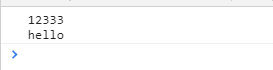
(4)字符串转义字符
        <script>
            var string1="12333
hello";
            console.log(string1);
        </script>
3、布尔型
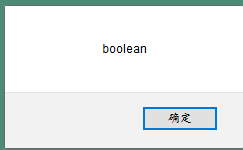
(1)类型测试
<!DOCTYPE html>
<html>

    <head>
        <meta charset="UTF-8">
        <title>Java Script</title>
        <script type="text/javascript">
            function test() {
                var String1=true;
                alert(typeof String1);

            }
        </script>
    </head>

    <body bgcolor="aquamarine">
        <center>
            <button onclick="test()">点击这里</button>
        </center>
    </body>

</html>
(2)数学运算
        <script>
            var flag=true;
            console.log(flag+1);
        </script>

在进行数学运算的时候true的值为1
        <script>
            var flag=false;
            console.log(flag+1);
        </script>
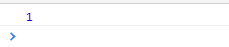
false的默认值为0
4、undefined类型
(1)类型测试
<!DOCTYPE html>
<html>

    <head>
        <meta charset="UTF-8">
        <title>Java Script</title>
        <script type="text/javascript">
            function test() {
                var String1;
                alert(typeof String1);

            }
        </script>
    </head>

    <body bgcolor="aquamarine">
        <center>
            <button onclick="test()">点击这里</button>
        </center>
    </body>

</html>
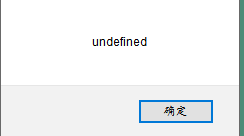
即定义了但未赋值
5、null类型
(1)类型测试
<!DOCTYPE html>
<html>

    <head>
        <meta charset="UTF-8">
        <title>Java Script</title>
        <script type="text/javascript">
            function test() {
                num=null;
                alert(typeof(num));

            }
        </script>
    </head>

    <body bgcolor="aquamarine">
        <center>
            <button onclick="test()">点击这里</button>
        </center>
    </body>

</html>
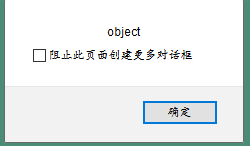
访问的对象不存在(未声明)。
(2)与数字和字符串的运算
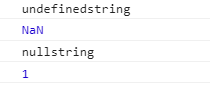
       <script>
            var num;
            console.log(num+'string');
            console.log(num+1);
            var str=null;
            console.log(str+'string');
            console.log(str+1);
        </script>
6、数据类型间的转换
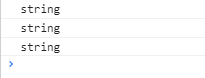
(1)数字转换为字符串:
     <script>
            var num=123;
            console.log(typeof num.toString());
            console.log(typeof String(num));
            console.log(typeof (num+ ''));
        </script>
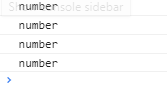
(2)转换为数字型
         <script>
            var num='123';
            console.log(typeof parseInt(num));
            console.log(typeof parseFloat(num));
            console.log(typeof Number(num));
            console.log(typeof (num-0));
        </script>
(3)转换为布尔型
         <script>
            console.log(typeof Boolean(0));
            console.log(typeof Boolean(NaN));
            console.log(typeof Boolean(null));
            console.log(typeof Boolean(undefined));
            console.log(Boolean(0));
            console.log(Boolean(NaN));
            console.log(Boolean(null));
            console.log(Boolean(undefined));
            console.log('---------------');
            console.log(typeof Boolean(12));
            console.log(typeof Boolean('str'));
            console.log( Boolean(12));
            console.log( Boolean('str'));
        </script>
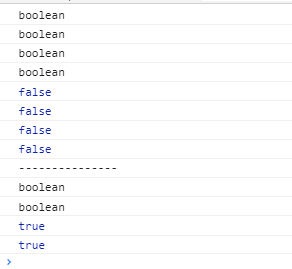
代表空、否定的值会转换为false,其他的转化为true
总结:
- 声明变量用var+变量名即可,var是varible的缩写,声明之后会自动为该变量分配内存空间
- 不同的数据所占的存储空间是不同的,为了便于把数据分成所需内存大小不同的数据,充分利用存储空间,定义了不同的数据类型
- js是一种弱类型的语言,不用提前声明变量的类型,在程序运行中会根据值来自动确定,例如:java语言有byte、short、int、long、float、double等,在声明变量的时候必须指定变量的类型,但是在js中一律用var指定
    <script>
            var uname="zhai";
            console.log(uname);
            var uname=123;
            console.log(uname);
        </script>

- typeof可以检测变量的数据类型