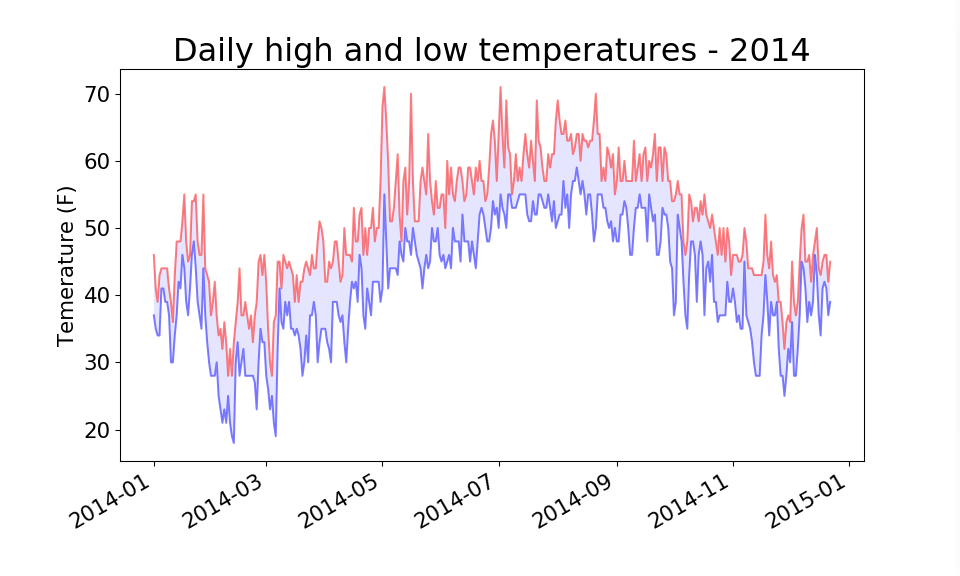
代码中数据从 www.wunderground.com/history/ 下载
#coding=utf-8
import csv
from datetime import datetime

from matplotlib import pyplot as plt

# 从文件中获取日期和最高气温
filename = 'sitka_weather_2014.csv'
with open(filename) as f:
    reader = csv.reader(f)
    header_row = next(reader)

    # 打印文件头及其位置
    # print header_row
    # for index, column_header in enumerate(header_row):
    #     print index,  column_header

    dates, highs, lows = [], [], []
    for row in reader:
        current_date = datetime.strptime(row[0], "%Y-%m-%d")
        dates.append(current_date)

        high = int(row[1])
        highs.append(high)

        low = int(row[3])
        lows.append(low)

# 根据数据绘制图形
fig = plt.figure(dpi=96, figsize=(10, 6))
plt.plot(dates, highs, c='red', alpha=0.5)
plt.plot(dates, lows, c='blue', alpha=0.5)
plt.fill_between(dates, highs, lows, facecolor='blue', alpha=0.1)
# 设置图形的格式
plt.title("Daily high and low temperatures - 2014", fontsize=24)
plt.xlabel('', fontsize=16)
fig.autofmt_xdate()
plt.ylabel("Temerature (F)", fontsize=16)
plt.tick_params(axis='both', which='major', labelsize=16)

plt.show()