Centos6.8 yum 安装 nginx
1:使用yum安装nginx,安装nginx库
[root@hadoop110 //]# rpm -Uvh http://nginx.org/packages/centos/6/noarch/RPMS/nginx-release-centos-6-0.el6.ngx.noarch.rpm
[root@hadoop110 //]# rpm -Uvh http://nginx.org/packages/centos/6/noarch/RPMS/nginx-release-centos-6-0.el6.ngx.noarch.rpm
Retrieving http://nginx.org/packages/centos/6/noarch/RPMS/nginx-release-centos-6-0.el6.ngx.noarch.rpm
warning: /var/tmp/rpm-tmp.vs8gI4: Header V4 RSA/SHA1 Signature, key ID 7bd9bf62: NOKEY
Preparing...                ########################################### [100%]
   1:nginx-release-centos   ########################################### [100%]
2.使用下面命令安装nginx
[root@hadoop110 //]# yum -y install nginx
[root@hadoop110 //]# yum -y install nginx
已加载插件:fastestmirror, refresh-packagekit, security
设置安装进程
Loading mirror speeds from cached hostfile
 * base: mirror.bit.edu.cn
 * extras: mirror.bit.edu.cn
 * updates: mirrors.aliyun.com
base                                                                                              | 3.7 kB     00:00
extras                                                                                            | 3.4 kB     00:00
nginx                                                                                             | 2.9 kB     00:00
nginx/primary_db                                                                                  |  45 kB     00:00
updates                                                                                           | 3.4 kB     00:00
解决依赖关系
--> 执行事务检查
---> Package nginx.x86_64 0:1.14.2-1.el6.ngx will be 安装
--> 完成依赖关系计算

依赖关系解决

=========================================================================================================================
 软件包                   架构                      版本                                  仓库                      大小
=========================================================================================================================
正在安装:
 nginx                    x86_64                    1.14.2-1.el6.ngx                      nginx                    957 k

事务概要
=========================================================================================================================
Install       1 Package(s)

总下载量:957 k
Installed size: 2.6 M
下载软件包:
nginx-1.14.2-1.el6.ngx.x86_64.rpm                                                                 | 957 kB     02:17
运行 rpm_check_debug
执行事务测试
事务测试成功
执行事务
Warning: RPMDB altered outside of yum.
  正在安装   : nginx-1.14.2-1.el6.ngx.x86_64                                                                         1/1
----------------------------------------------------------------------

Thanks for using nginx!

Please find the official documentation for nginx here:
* http://nginx.org/en/docs/

Please subscribe to nginx-announce mailing list to get
the most important news about nginx:
* http://nginx.org/en/support.html

Commercial subscriptions for nginx are available on:
* http://nginx.com/products/

----------------------------------------------------------------------
  Verifying  : nginx-1.14.2-1.el6.ngx.x86_64                                                                         1/1

已安装:
  nginx.x86_64 0:1.14.2-1.el6.ngx

完毕!
3:启动nginx
[root@hadoop110 //]# service nginx start
正在启动 nginx:                                           [确定]
[root@hadoop110 //]#
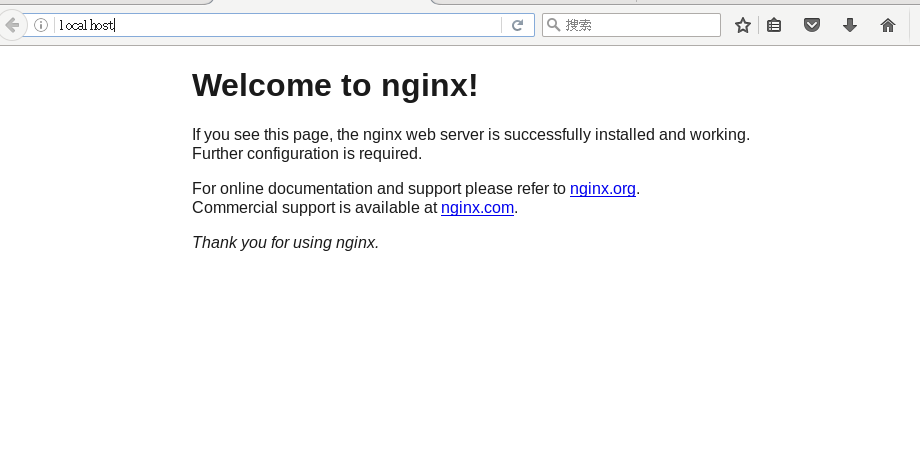
4.浏览器查看一下
http://localhost/