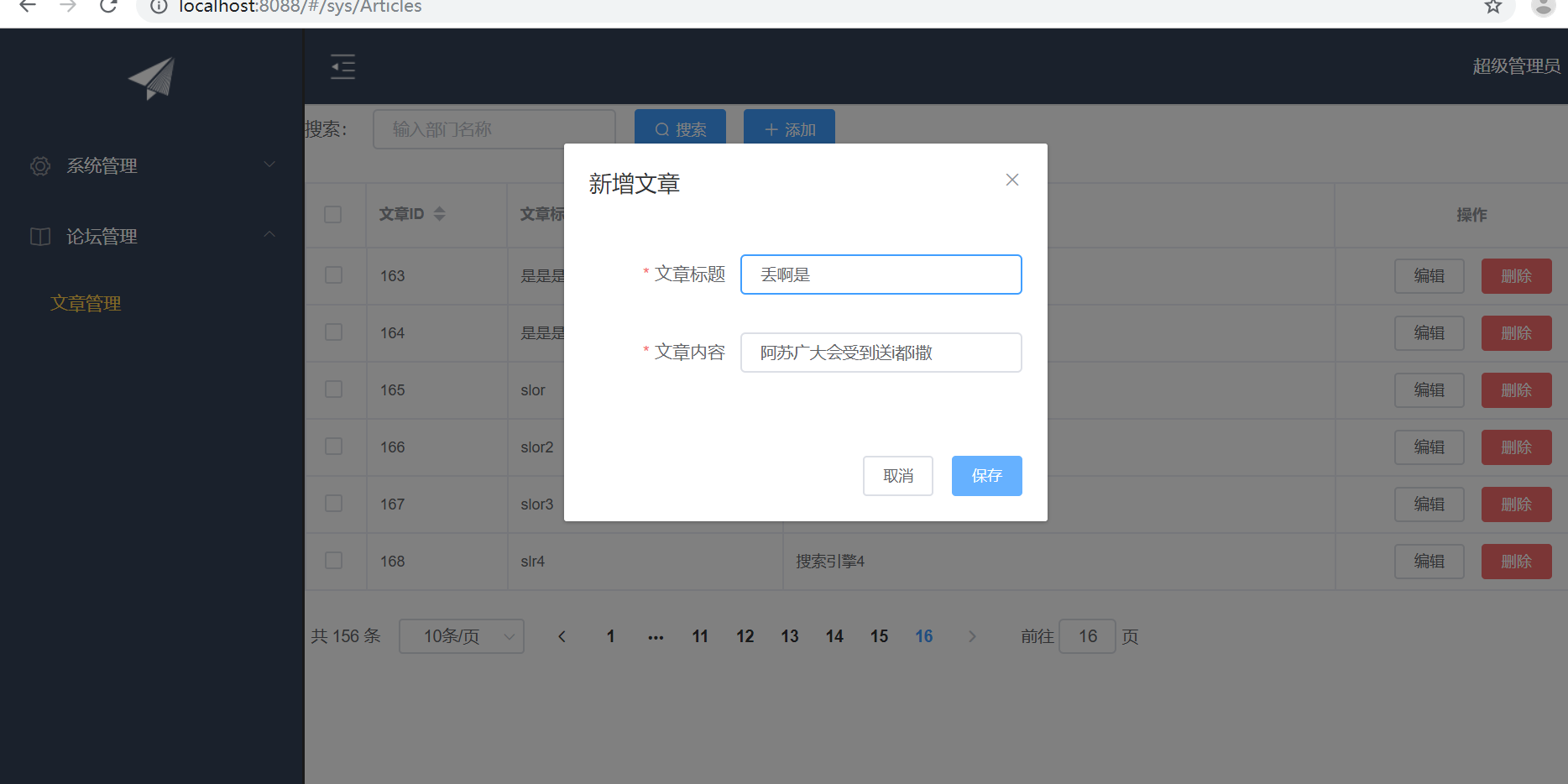
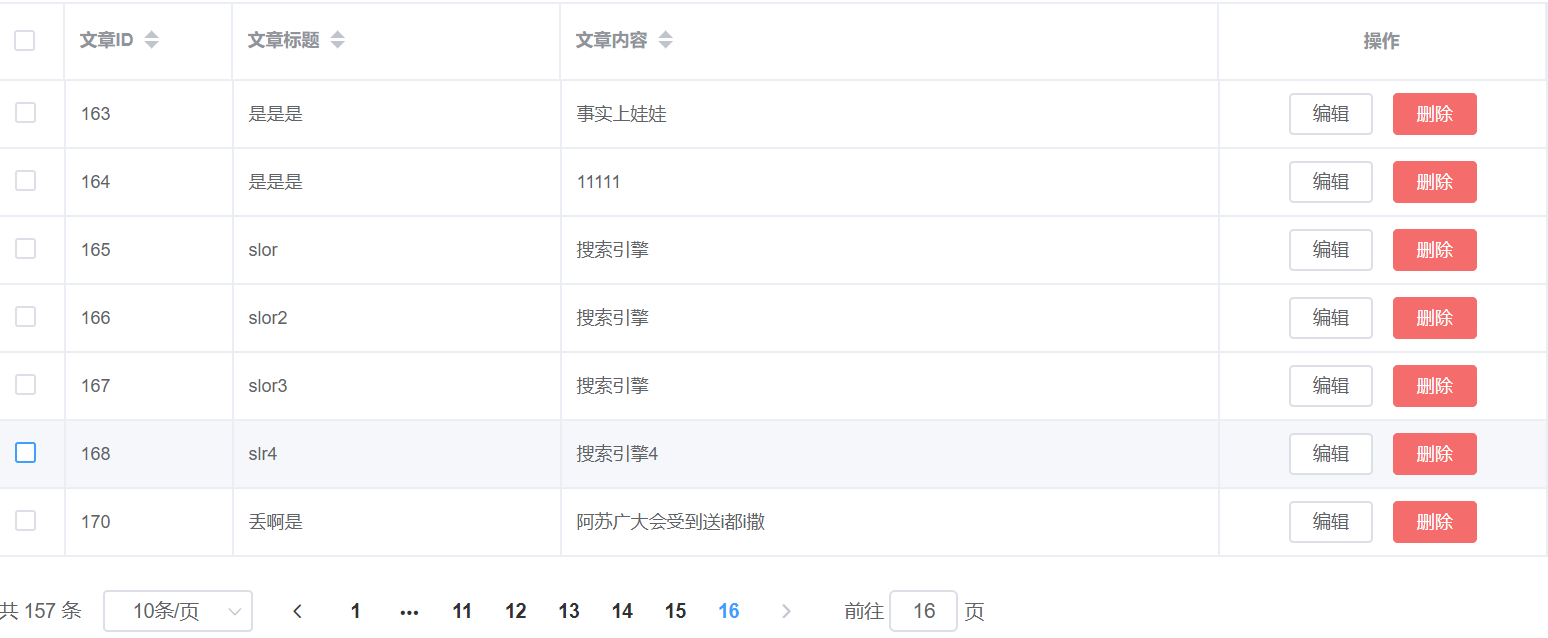
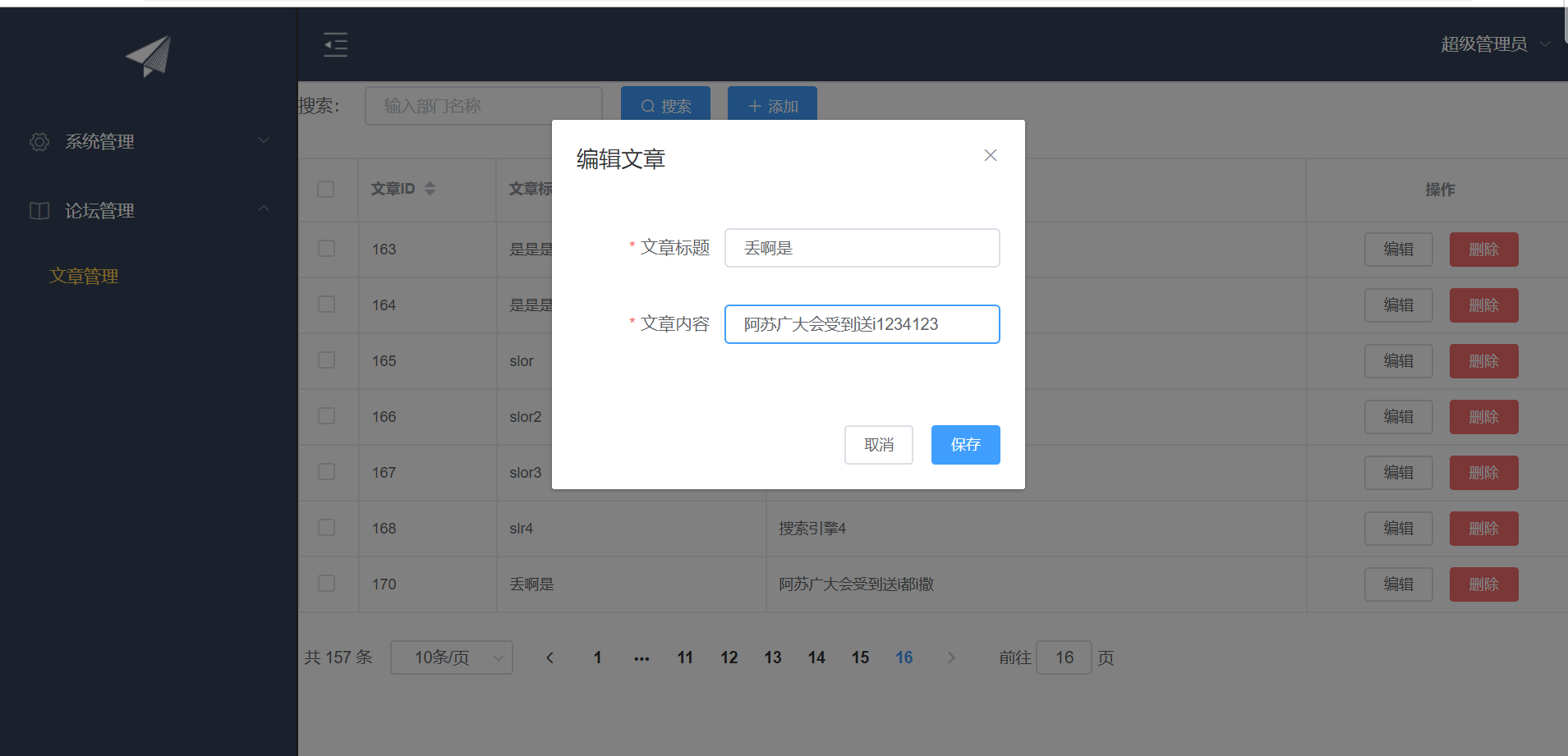
1. 表单验证
Form组件提供了表单验证的功能,只需要通过 rules 属性传入约定的验证规则,
并将Form-Item的prop属性设置为需校验的字段名即可
<el-dialog :title="title" :visible.sync="editFormVisible" width="30%" @click="closeDialog">
            <el-form label-width="120px" :model="editForm" :rules="rules" ref="editForm">
                <el-form-item label="文章标题" prop="title">
                    <el-input size="small" v-model="editForm.title" auto-complete="off" placeholder="请输入文章标题"></el-input>
                </el-form-item>
                <el-form-item label="文章内容" prop="body">
                    <el-input size="small" v-model="editForm.body" auto-complete="off" placeholder="请输入文章内容"></el-input>
                </el-form-item>
            </el-form>
            <div slot="footer" class="dialog-footer">
                <el-button size="small" @click="closeDialog">取消</el-button>
                <el-button size="small" type="primary" class="title" @click="submitForm('editForm')">保存</el-button>
            </div>
        </el-dialog>
rules表单验证
rules: {
                    title: [{
                            required: true,
                            message: '请输入文章标题',
                            trigger: 'blur'
                        },
                        {
                            min: 3,
                            max: 5,
                            message: '文章标题长度在 3 到 5 个字符',
                            trigger: 'blur'
                        }
                    ],
                    body: [{
                        required: true,
                        message: '请输入文章内容',
                        trigger: 'blur'
                    }]
2. CUD
<template>
    <div>
        <el-form :inline="true" :model="formInline" class="user-search">
            <el-form-item label="搜索:">
                <el-input size="small" v-model="formInline.title" placeholder="输入部门名称"></el-input>
            </el-form-item>
            <el-form-item>
                <el-button size="small" type="primary" icon="el-icon-search" @click="search">搜索</el-button>
                <el-button size="small" type="primary" icon="el-icon-plus" @click="handleAdd()">添加</el-button>
            </el-form-item>
        </el-form>
        <el-table size="small" :data="listData" border element-loading-text="拼命加载中" style=" 100%;">
            <el-table-column align="center" type="selection" min-width="1">
            </el-table-column>
            <el-table-column sortable prop="id" label="文章ID" min-width="1">
            </el-table-column>
            <el-table-column sortable prop="title" label="文章标题" min-width="2">
            </el-table-column>
            <el-table-column sortable prop="body" label="文章内容" min-width="4">
            </el-table-column>
            </el-table-column>
                    <el-table-column align="center" label="操作" min-width="2">
                <template slot-scope="scope">
                    <el-button size="mini" @click="handleEdit(scope.$index, scope.row)">编辑</el-button>
                    <el-button size="mini" type="danger" @click="deleteUser(scope.$index, scope.row)">删除</el-button>
                </template>
            </el-table-column>
        </el-table>
        <el-pagination style="margin-top: 20px;" @size-change="handleSizeChange" @current-change="handleCurrentChange"
         :current-page="formInline.page" :page-sizes="[10, 20, 30, 50]" :page-size="100" layout="total, sizes, prev, pager, next, jumper"
         :total="total">
        </el-pagination>

        <el-dialog :title="title" :visible.sync="editFormVisible" width="30%" @click="closeDialog">
            <el-form label-width="120px" :model="editForm" :rules="rules" ref="editForm">
                <el-form-item label="文章标题" prop="title">
                    <el-input size="small" v-model="editForm.title" auto-complete="off" placeholder="请输入文章标题"></el-input>
                </el-form-item>
                <el-form-item label="文章内容" prop="body">
                    <el-input size="small" v-model="editForm.body" auto-complete="off" placeholder="请输入文章内容"></el-input>
                </el-form-item>
            </el-form>
            <div slot="footer" class="dialog-footer">
                <el-button size="small" @click="closeDialog">取消</el-button>
                <el-button size="small" type="primary" class="title" @click="submitForm('editForm')">保存</el-button>
            </div>
        </el-dialog>

    </div>
</template>

<script>
    export default {
        data() {
            return {
                listData: [],
                formInline: {
                    page: 1,
                    rows: 10,
                    title: ''
                },
                total: 0,
                editForm: {
                    id: 0,
                    title: '',
                    body: ''
                },
                editFormVisible: false,
                title: '',
                rules: {
                    title: [{
                            required: true,
                            message: '请输入文章标题',
                            trigger: 'blur'
                        },
                        {
                            min: 3,
                            max: 5,
                            message: '文章标题长度在 3 到 5 个字符',
                            trigger: 'blur'
                        }
                    ],
                    body: [{
                        required: true,
                        message: '请输入文章内容',
                        trigger: 'blur'
                    }]
                }
            };
        },
        methods: {
            doSearch(params) {
                let url = this.axios.urls.SYSTEM_ARTICLE_LIST;
                this.axios.post(url, params).then((response) => {
                    this.listData = response.data.result;
                    this.total = response.data.pageBean.total;
                    console.log(response);

                }).catch(function(error) {
                    console.log(error);
                });
            },
            handleSizeChange(rows) {
                this.formInline.page = 1;
                this.formInline.rows = rows;
                this.search();
            },
            handleCurrentChange(page) {
                this.formInline.page = page;
                this.search();
            },
            search() {
                this.doSearch(this.formInline);
            },
            closeDialog() {

            },
            submitForm(formName) {
                this.$refs[formName].validate((valid) => {
                    if (valid) {
                        let url;
                        if(this.editForm.id == 0){
                             url = this.axios.urls.SYSTEM_ARTICLE_ADD;
                        }else{
                            url = this.axios.urls.SYSTEM_ARTICLE_EDIT;
                        }
                        this.axios.post(url,this.editForm).then((response) => {
                            console.log(response);
                            this.clearData();
                            this.search();
                        }).catch(function(error) {
                            console.log(error);
                        });
                    } else {
                        console.log('error submit!!');
                        return false;
                    }
                });
            },
            handleAdd() {
                this.clearData();
                this.editFormVisible = true;
                this.title = '新增文章';

            },
            handleEdit(index,row){
                this.editFormVisible = true;
                this.title = '编辑文章';
                this.editForm.id = row.id;
                this.editForm.title = row.title;
                this.editForm.body = row.body;
            },
            deleteUser(index,row){
                let url = this.axios.urls.SYSTEM_ARTICLE_DEL;
                this.axios.post(url,{id:row.id}).then((response) => {
                    console.log(response);
                    this.clearData();
                    this.search();
                }).catch(function(error) {
                    console.log(error);
                });
            },
            clearData(){
                this.editFormVisible = false;
                this.title='';
                this.editForm.id=0;
                this.editForm.title='';
                this.editForm.body='';
            }
        },
        created() {
            this.doSearch({});
        }
    }
</script>

<style>

</style>