.NET Core MVC3 数据模型验证的使用
这里我先粘贴一个已经加了数据验证的实体类PeopleModel,然后一一介绍。
using System;
using System.Collections.Generic;
using System.ComponentModel.DataAnnotations;
using System.Linq;
using System.Threading.Tasks;

namespace Model实体数据验证.Model
{
    /// <summary>
    /// 这里将指定PeopleModel自身的Required、StringLength等验证通过后,再进行PeopleModelVaildation中的CheckModel验证
    /// </summary>
    [CustomValidation(typeof(PeopleModelVaildation), "CheckModel")]
    public class PeopleModel
    {
        /// <summary>
        /// 姓名
        /// </summary>
        [Required(ErrorMessage = "姓名不能为空")]
        [StringLength(5, MinimumLength = 2, ErrorMessage = "姓名的长度为{2}至{1}个字符")]
        public string Name { get; set; }

        /// <summary>
        /// 年龄
        /// </summary>
        [Required(ErrorMessage = "年龄不能为空")]
        [Range(18, 60, ErrorMessage = "年龄的范围在{1}至{2}之间")]
        public string Age { get; set; }

        /// <summary>
        /// 性别
        /// </summary>
        [Required(ErrorMessage = "性别不能为空")]
        public string Gender { get; set; }

        /// <summary>
        /// 生日
        /// </summary>
        [Required(ErrorMessage = "生日不能为空")]
        public DateTime Brithday { get; set; }
    }
    /// <summary>
    /// 这个验证在实体内部的验证通过后,才会执行
    /// </summary>
    public class PeopleModelVaildation
    {
        public static ValidationResult CheckModel(object value, ValidationContext validationContext)
        {
            ///如果value是PeopleModel的实体类型,则验证value中指定的数据类型。
            if (value is PeopleModel item) {
                ///验证生日
                if (item.Brithday>DateTime.Now) {
                    return new ValidationResult("生日信息错误");
                }
            }
            //验证成功
            return ValidationResult.Success;
        }
    }
}
我们需要在实体类中引入命名空间:using System.ComponentModel.DataAnnotations
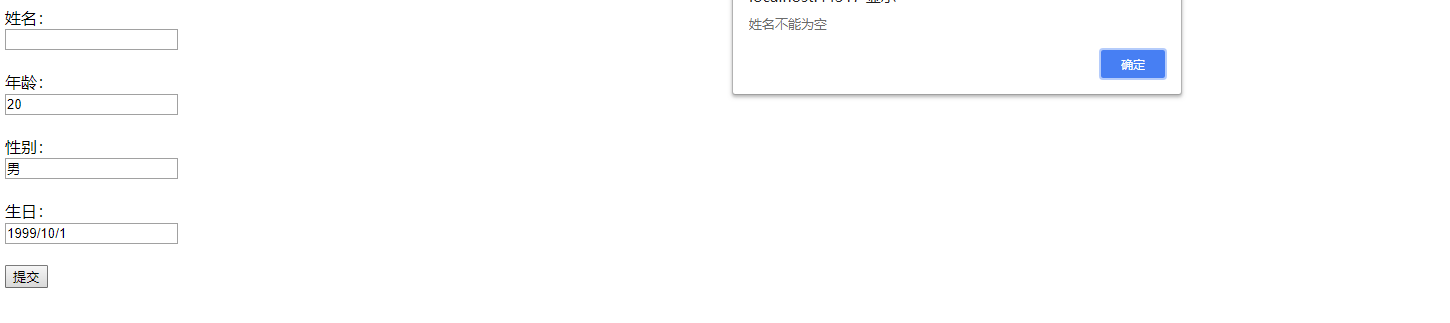
验证Name字段不能为空:[Required(ErrorMessage = "姓名不能为空")]
/// <summary>
/// 姓名
/// </summary>
[Required(ErrorMessage = "姓名不能为空")]
public string Name { get; set; }
Required:非空验证,ErrorMessage:是自定义错误提示信息
效果如下:
验证Name字段字符长度:[StringLength(5, MinimumLength = 2, ErrorMessage = "姓名的长度为{2}至{1}个字符")]
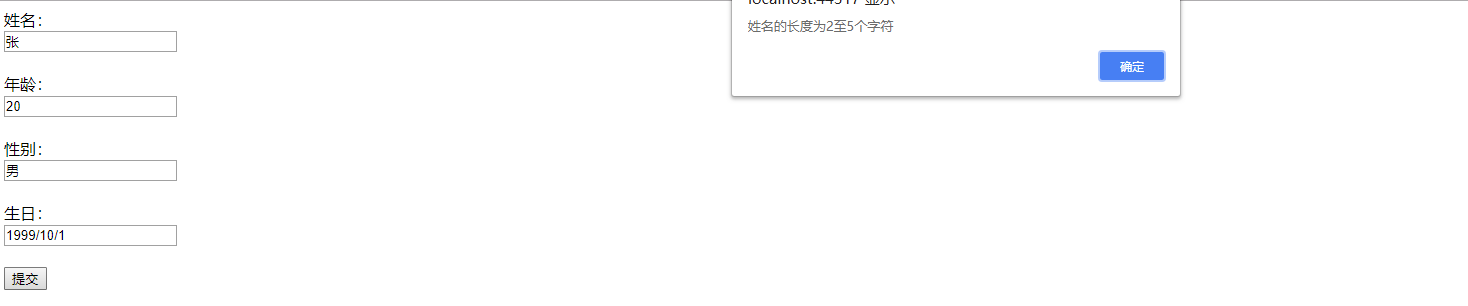
[StringLength(5, MinimumLength = 2, ErrorMessage = "姓名的长度为{2}至{1}个字符")]
public string Name { get; set; }
StringLength:字符长度验证,5:表示字符串的最大长度,MinimumLength:表示字符串的最小长度,ErrorMessage:是自定义错误提示信息
效果如下:
验证Age字段值范围:[Range(18, 60, ErrorMessage = "年龄的范围在{1}至{2}之间")]
[Range(18, 60, ErrorMessage = "年龄的范围在{1}至{2}之间")]
public string Age { get; set; }
Range:验证字符取值范围,18:表示最小年龄,60:表示最大年龄,ErrorMessage:是自定义错误提示信息
效果如下:


验证两次密码输入是否相同(比如用户修改密码时,需要验证用户两次输入的新密码是否一致):[Compare("PwdOne", ErrorMessage = "两次密码输入不一致")]
/// <summary>
/// 第一次输入的密码
/// </summary>
public string PwdOne { get; set; }
/// <summary>
/// 第二次输入的密码
/// </summary>
[Compare("PwdOne", ErrorMessage = "两次密码输入不一致")]
public string PwdTwo { get; set; }
Compare:验证两个字段内容是否相同,"PwdOne":需要数据对比的字段名,ErrorMessage:是自定义错误提示信息
下面我们新建一个ModelFilter过滤器并继承ActionFilterAttribute,用来接收实体类中的ErrorMessage信息,并返回给客服端
using Microsoft.AspNetCore.Mvc;
using Microsoft.AspNetCore.Mvc.Filters;
using System;
using System.Collections.Generic;
using System.Linq;
using System.Threading.Tasks;

namespace Model实体数据验证.Common
{
    /// <summary>
    /// 实体验证过滤器
    /// 需要在Starup.cs中的ConfigureServices中注册
    /// </summary>
    public class ModelFilter:ActionFilterAttribute
    {
        public override void OnActionExecuting(ActionExecutingContext context)
        {
            if (!context.ModelState.IsValid) {
                ///实体验证未通过
                string ErrorMsg = string.Empty;
                var ErrorsModel = context.ModelState.Values.Where(item => { return item.Errors.Count > 0; }).ToList().FirstOrDefault();
                if (ErrorsModel != null)
                {
                    ErrorMsg = ErrorsModel.Errors[0].ErrorMessage;
                }
                context.Result = new JsonResult(ErrorMsg);
                return;
            }
        }
    }
}
这里还需要给ModelFilter过滤器类在Startup.cs类中注入服务,具体代码如下:
using System;
using System.Collections.Generic;
using System.Linq;
using System.Threading.Tasks;
using Microsoft.AspNetCore.Builder;
using Microsoft.AspNetCore.Hosting;
using Microsoft.AspNetCore.Http;
using Microsoft.Extensions.DependencyInjection;
using Model实体数据验证.Common;

namespace Model实体数据验证
{
    public class Startup
    {
        // This method gets called by the runtime. Use this method to add services to the container.
        // For more information on how to configure your application, visit https://go.microsoft.com/fwlink/?LinkID=398940
        public void ConfigureServices(IServiceCollection services)
        {
            services.AddMvc();
            //给ModelFilter注入服务
            services.AddMvc(filter=>filter.Filters.Add<ModelFilter>());
        }

        // This method gets called by the runtime. Use this method to configure the HTTP request pipeline.
        public void Configure(IApplicationBuilder app, IHostingEnvironment env)
        {
            if (env.IsDevelopment())
            {
                app.UseDeveloperExceptionPage();
            }

            app.UseMvc(routes=> {
                routes.MapRoute(
                    name:"default",
                    template:"{controller=Home}/{action=Index}/{id?}"
                    );
            });
        }
    }
}
HomeController代码:
using System;
using System.Collections.Generic;
using System.Linq;
using System.Threading.Tasks;
using Microsoft.AspNetCore.Mvc;
using Model实体数据验证.Model;

namespace Model实体数据验证.Controllers
{
    public class HomeController : Controller
    {
        public IActionResult Index()
        {
            return View();
        }
        [HttpPost]
        public IActionResult Add(PeopleModel model)
        {
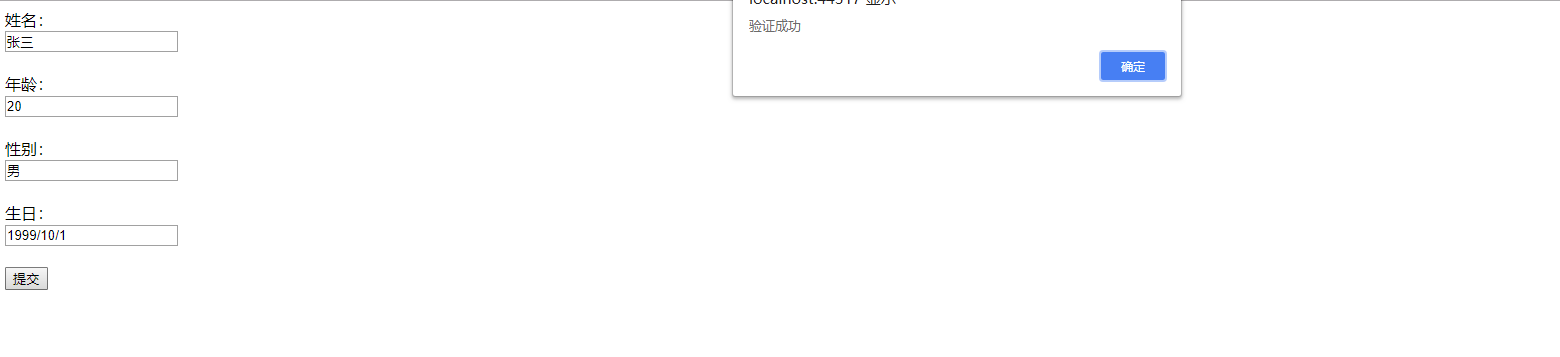
            return Json("验证成功");
        }
    }
}
Html代码:
@{
    Layout = null;
}

<!DOCTYPE html>

<html>
<head>
    <meta name="viewport" content="width=device-width" />
    <title>Index</title>
</head>
<body>
    <div>
        <label>姓名:</label>
        <br />
        <input type="text" id="Name"/>
        <br />
        <br />
        <label>年龄:</label>
        <br />
        <input type="text" id="Age"/>
        <br />
        <br />
        <label>性别:</label>
        <br />
        <input type="text" id="Gender"/>
        <br />
        <br />
        <label>生日:</label>
        <br />
        <input type="text" id="Brithday"/>
        <br />
        <br />
        <button type="button" id="submit">提交</button>
    </div>
    <script src="https://cdn.staticfile.org/jquery/2.1.1/jquery.min.js"></script>
    <script type="text/javascript">
        $("#submit").click(function () {
            $(function () {
                var data = {};
                data.Name = $("#Name").val();
                data.Age = $("#Age").val();
                data.Gender = $("#Gender").val();
                data.Brithday = $("#Brithday").val();
                $.ajax({
                    type: "POST",
                    url: "/Home/Add",
                    dataType: "JSON",
                    data: data,
                    success: function (obj) {
                        alert(obj);
                    },
                    error: function (er) {
                        console.log(er);
                    }
                });
            });
        });
    </script>
</body>
</html>
现在来看下效果:
Demo下载地址:https://pan.baidu.com/s/1NZ68edipDOvNKmMWXb0rgg
密码:072d