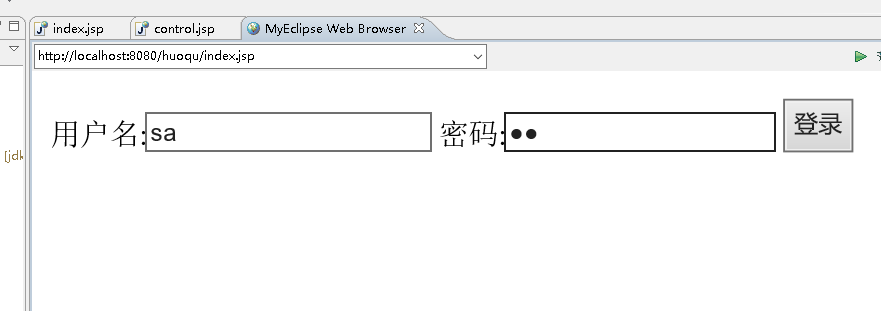
index.jsp

<%@ page language="java" import="java.util.*" pageEncoding="utf-8"%>
<%
String path = request.getContextPath();
String basePath = request.getScheme()+"://"+request.getServerName()+":"+request.getServerPort()+path+"/";
%>

<!DOCTYPE HTML PUBLIC "-//W3C//DTD HTML 4.01 Transitional//EN">
<html>
  <head>
    <base href="<%=basePath%>">

    <title>My JSP 'index.jsp' starting page</title>
    <meta http-equiv="pragma" content="no-cache">
    <meta http-equiv="cache-control" content="no-cache">
    <meta http-equiv="expires" content="0">
    <meta http-equiv="keywords" content="keyword1,keyword2,keyword3">
    <meta http-equiv="description" content="This is my page">
    <!--
    <link rel="stylesheet" type="text/css" href="styles.css">
    -->
  </head>

  <body>
  <form  name="form1"  method=post action="control.jsp">
  用户名:<input type="text" name="userName">
  密码:<input type="password" name="pwd">
  <input type="submit" value="登录">


  </form>
  </body>
</html>
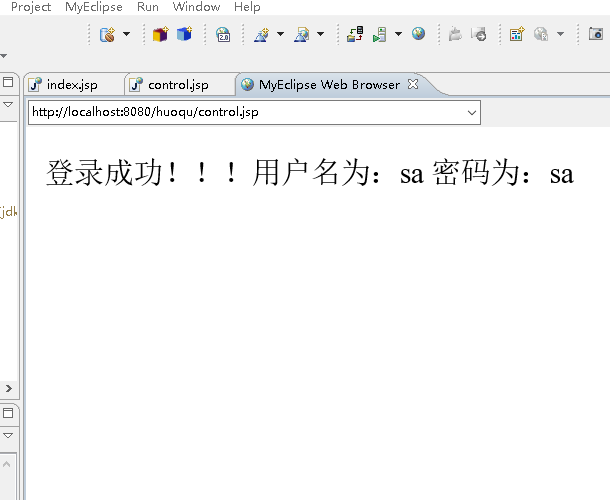
control.jsp

<%@ page language="java" import="java.util.*" pageEncoding="utf-8"%>

  </head>
  <title>显示输入信息</title>
  <body>
  <%
         request.setCharacterEncoding("utf-8");
         String name=request.getParameter("userName");
          String pwd=request.getParameter("pwd");
          if("sa".equals(name)&&"sa".equals(pwd)){
                     out.println("登录成功!!!");
                     }
                   out.println("用户名为:"+name);
                    out.println("密码为:"+pwd);
                 //  response.sendRedirect("welcome.jsp");


   %>


  </body>
</html>