结对编程1 —— 基于GUI和Swing的四则运算题目生成器
合作伙伴 201421123089 周迪 201421123069 黄睿
代码地址:https://git.coding.net/H1159650478/sizeyunsuanjiaqiang.git
题目描述
我们在个人作业1中,用各种语言实现了一个命令行的四则运算小程序。进一步,本次要求把这个程序做成GUI(可以是Windows PC 上的,也可以是Mac、Linux,web,手机上的),成为一个有基本功能、一定价值的程序。在下面的功能需求中实现两个:
记录用户的对错总数,程序退出再启动的时候,能把以前的对错数量保存并在此基础上增量计算。
有计时功能,能显示用户开始答题后的消耗时间。
界面支持中文简体/中文繁体/英语,用户可以选择一种。
实现功能:
1、题目数量选择;
2、难度等级选择;
3、记录用户的对错总数,程序退出再启动的时候,能把以前的对错数量保存并在此基础上增量计算;
4、有计时功能,能显示用户开始答题后的消耗时间;
5、限定用户输入(不允许非数字)
思维导图
题目生成与计算方法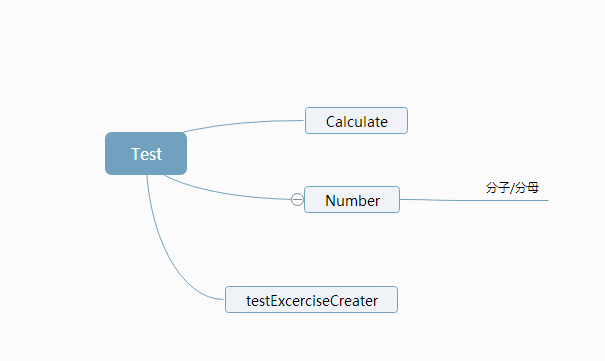
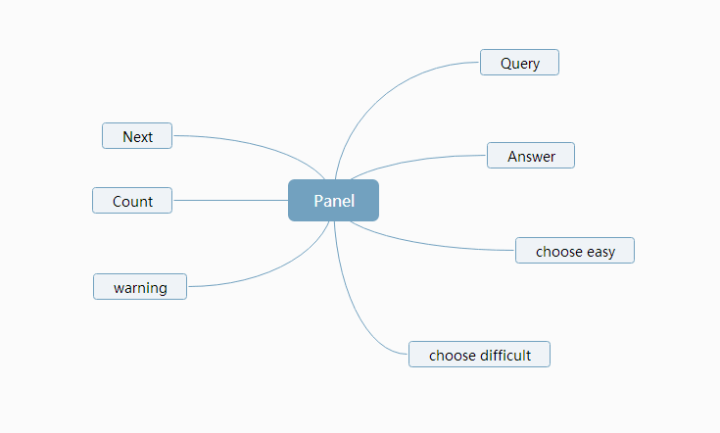
关键代码
public void panelRepaint(JPanel a,JPanel b,JPanel c){
             a.remove(b);
             a.add(c);
             a.revalidate();
             a.repaint();
      }
以testJFrame为顶级容器,panel为二级容器,panel下面七个面板作为三级容器放置各种组件。该函数实现了panel面板的重绘以便在各个三级面板之间切换。
if(e.getActionCommand().equals("sure")){
             this.questNum=quesNumJTA.getText();
             if(!questNum.matches("[0-9]*[1-9][0-9]*")){
                 panelRepaint(panel,quseNumJP,warningJP);
             }
             else{
                 panelRepaint(panel,quseNumJP,difficultyChooseJP);
             }
         }
程序中当用户输入题目数量时可能会出现输入的数为0,输入字符,输入小数,输入分数及输入负数的情况。在用户输入之后点击确定,这段代码会使用正则表达式对用户的输入进行匹配,若匹配不到大于0的整数界面将切换到warningJP提示用户重新输入。
if(e.getActionCommand().equals("easy")){
             startTime=System.currentTimeMillis();
             this.easyOrDifficult=1;
             pMaker.creatExecercise(easyOrDifficult);
             showQuestionJL.setText(pMaker.quesStr);
             panelRepaint(panel,difficultyChooseJP,answerJP);
         }
         if(e.getActionCommand().equals("difficult")){
             startTime=System.currentTimeMillis();
             this.easyOrDifficult=2;
             pMaker.creatExecercise(easyOrDifficult);
             showQuestionJL.setText(pMaker.quesStr);
             panelRepaint(panel,difficultyChooseJP,answerJP);
         }
         if(e.getActionCommand().equals("next")){
             if(i<Integer.parseInt(questNum)){
                 panelRepaint(panel,nextJP,answerJP);
                 i++;
             }
             else{
                endTime=System.currentTimeMillis();
                File file=new File("D:/count.txt");
                BufferedReader reader=null;
                try {
                    reader=new BufferedReader(new FileReader(file));
                } catch (FileNotFoundException e1) {
                    e1.printStackTrace();
                }
                String i=null;
                String i1=null;
                try {
                    i=reader.readLine();
                } catch (IOException e1) {
                    e1.printStackTrace();
                }
                try {
                    i1=reader.readLine();
                } catch (IOException e1) {
                    e1.printStackTrace();
                }
                PrintWriter writer=null;
                try {
                    writer =new PrintWriter(new FileOutputStream(file));
                } catch (FileNotFoundException e1) {
                    e1.printStackTrace();
                }
                writer.println((Integer.parseInt(i)+trueCount));
                writer.println((Integer.parseInt(i1)+(Integer.parseInt(questNum)-trueCount)));
                writer.flush();
                try {
                    reader=new BufferedReader(new FileReader(file));
                } catch (FileNotFoundException e1) {
                    e1.printStackTrace();
                }
                try {
                    i=reader.readLine();
                } catch (IOException e1) {
                    e1.printStackTrace();
                }
                try {
                    i1=reader.readLine();
                } catch (IOException e1) {
                    e1.printStackTrace();
                }
                if(chineseOrEnglish==0){
                    showCountJL.setText("正确:"+trueCount+" 错误:"+(Integer.parseInt(questNum)-trueCount)+" 耗时: "+((endTime-startTime)/1000)+" s"+" 总计正确: "+i+" 总计错误: "+i1);
                }
                else{
                    showCountJL.setText("true:"+trueCount+" false:"+(Integer.parseInt(questNum)-trueCount)+" time: "+((endTime-startTime)/1000)+" s"+" totaltrue: "+i+" totalfalse: "+i1);
                }
                panelRepaint(panel,nextJP,countJP);
             }
         }
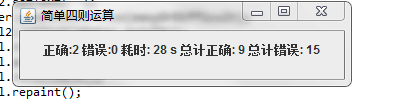
这段代码实现了计时功能,用户选择完难度后计录系统时间作为开始时间,做完最后一题后用户按next记录系统时间作为结束时间。结束时间减去开始时间为做题时间。同时实现了对历史记录的写入读出功能。在D盘创建里count.txt文件第一行作为总的做对的题数,第二行作为总错题数。执行时先读入文件记录在将本次记录加上并写入。
最后读出并显示。
if(e.getActionCommand().equals("chinese")){
             chineseOrEnglish=0;
             numQuizJL.setText("请问你要做几道题目?");
             difficultyQuizJL.setText("初级or高级?");
             warningJL.setText("请输入一个大于0的整数!!");
             sureJB.setText("确定");
             easyJB.setText("初级");
             difficultJB.setText(高级");
             nextJB.setText("下一题");
             submitJB.setText("提交");
             reenterJB.setText("重新输入");
             panelRepaint(panel,languageChoJP,quseNumJP);
         }
         if(e.getActionCommand().equals("english")){
             chineseOrEnglish=1;
             numQuizJL.setText("how many questions u want test?");
             difficultyQuizJL.setText("easy or difficult?");
             warningJL.setText("please enter a number greater than 0!!");
             sureJB.setText("sure");
             easyJB.setText("easy");
             difficultJB.setText("difficult");
             nextJB.setText("next");
             submitJB.setText("subnit");
             reenterJB.setText("reenter");
             panelRepaint(panel,languageChoJP,quseNumJP);
         }
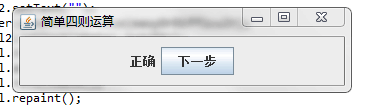
实现功能截图
1

2
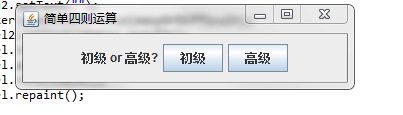
3
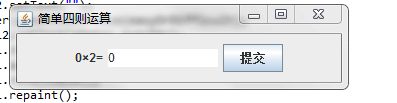
4
5
实验总结
1、对于本次结对编程是否真的能够带来1+1>2的效果,我现在有了深刻的体会,两个人一起编程可以相互激励、共同进步;
2、在结对编程中会发现队友在编程中的许多好的习惯和方法,也提高了自己的编程能力;
3、结对编程更适用于解决方向性的问题;
4、结对编程中双方的互动可以利于思维的开启,收获颇多。
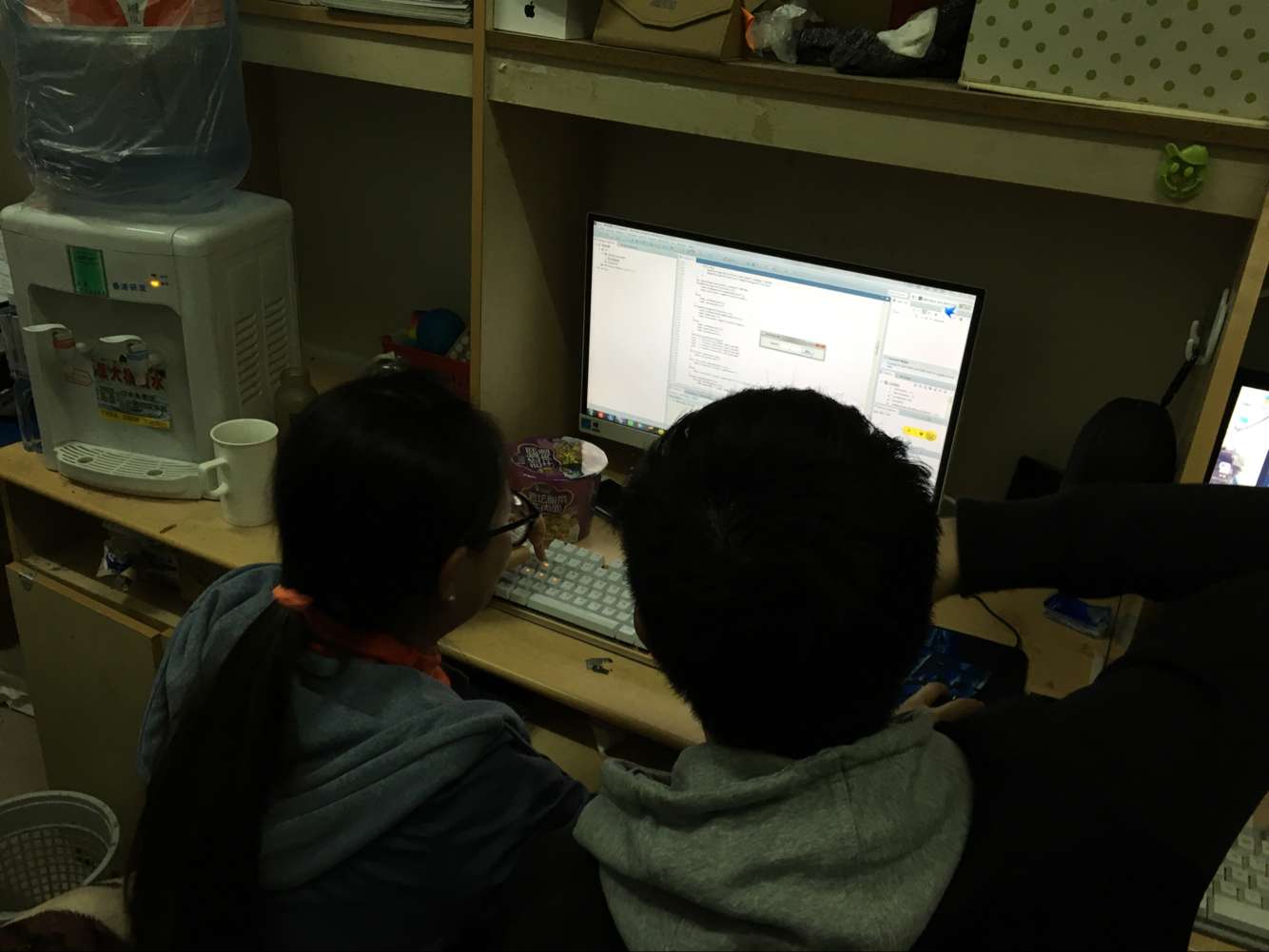
结对展示
PSP展示
| PSP2.1 | Personal Software Process Stages | Time Senior Student | Time |
| Planning | 计划 | 5 | 6 |
| · Estimate | 估计这个任务需要多少时间 | 7 | 6 |
| Development | 开发 | 80 | 77 |
| · Analysis | 需求分析 (包括学习新技术) | 3 | 5 |
| · Design Spec | 生成设计文档 | 5 | 6 |
| · Design Review | 设计复审 | 5 | 9 |
| · Coding Standard | 代码规范 | 4 | 3 |
| · Design | 具体设计 | 23 | 24 |
| · Coding | 具体编码 | 35 | 30 |
| · Code Review | 代码复审 | 7 | 9 |
| · Test | 测试(自我测试,修改代码,提交修改) | 15 | 25 |
| Reporting | 报告 | 10 | 7 |
| · | 测试报告 | 5 | 4 |
| · | 计算工作量 | 5 | 4 |
| · | 并提出过程改进计划 | 2 | 3 |