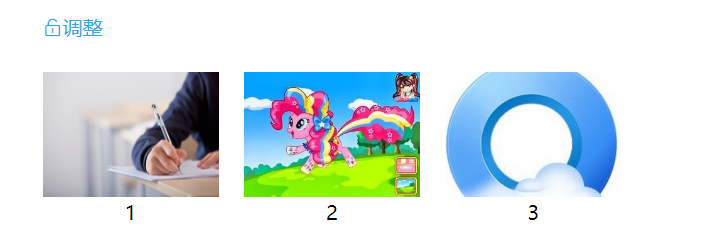
第一步、导入
npm i vuedraggable
第二步、组件引入
import draggable from 'vuedraggable';
第三步、定义组件
components: { draggable},
第四步、页面中使用
<template>
  <div class="app-container">
      <div :class="canEdit? 'dargBtn-lock el-icon-unlock': 'dargBtn-lock el-icon-lock' " @click="removeEvent()">{{canEdit? '调整':'锁定'}}</div>
      <ul class="projset-content">
        <draggable
          :move="onMove"
          :list="imgList"
          handle=".dargBtn"
          :animation="200"
          filter=".undraggable"
        >
          <li v-for="(item, index) in imgList" :key="index" :class="canEdit ? 'draggable' : 'undraggable'">
            <div class="dargBtn">
              <svg-icon icon-class="drag" />
            </div>
            <img :src="item.path" alt="">
            <span>{{item.name}}</span>
          </li>
        </draggable>
      </ul>
  </div>
</template>

<script>
  import draggable from 'vuedraggable';
  export default {
    components: { draggable},
    data(){
      return{
        canEdit:true,
        imgList: [
          {
            path: 'https://lupic.cdn.bcebos.com/20210629/3000005161_14.jpg',
            name: '1',
          },
          {
            path: 'https://lupic.cdn.bcebos.com/20210629/26202931_14.jpg',
            name: '2',
          },
          {
            path: 'https://lupic.cdn.bcebos.com/20210629/27788166_14.jpg',
            name: '3',
          }
        ]
      }
    },
    created() {
    },
    mounted(){},
    methods:{
      onMove(relatedContext, draggedContext){
        console.log(relatedContext.relatedContext.list);
      },
      removeEvent (item) {
        if(this.canEdit){
          this.canEdit = false;
        }else{
          this.canEdit = true;
        }
        console.log(this.canEdit);
      }
    }
  }
</script>

<style scoped lang="scss">
  .app-container{
    background: #ffffff;
    height: 100%;
    .dargBtn-lock{
      margin: 0px 50px;
      color: #2ea9df;
    }
    .projset-content{
      list-style-type: none;
      position: relative;
      li{
        display: inline-block;
        margin: 10px;
      }
      img{
         141px;
        height: 100px;
      }
      span{
        justify-content: center;
        display: flex;
      }
      .dargBtn{
        position: absolute;
        line-height: 100px;
        text-align: center;
         141px;
        height: 100px;
        display: none;
        color: white;
        background: rgba(101, 101, 101, 0.6);
      }
      .draggable{
        cursor: pointer;
         141px;
        height: 100px;
      }
      .draggable:hover .dargBtn{
        display: block;
      }
    }
  }
</style>