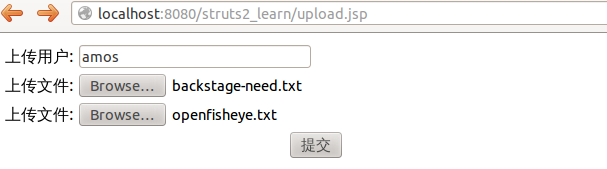
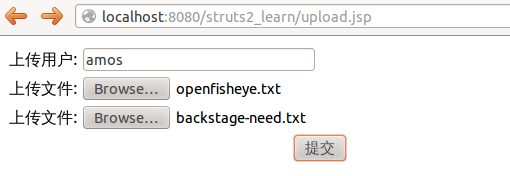
转发: https://www.cnblogs.com/amosli/p/3521872.html
一、拦截器,拦截器栈
1、拦截器的作用
拦截器本质上和servlet的过滤器是一样的。在struts2中,拦截器能够对Action前后进行拦截,拦截器是一个可插拨的,你可以选择使用拦截器,也可以卸载拦截器。
2、拦截器执行顺序
在struts.xml文件中,<intercepto-ref/>中先引用的先执行,后引用的后执行。如果某个拦截器出错或不允许通过,那么下一个拦截器是不允许执行的。
需要拦截哪个Action,就在哪个Action对应的<action>标签中配置即可。
在部署web应用时,拦截器的空参构造方法和init()方法各执行一次,每次请求时intercept()方法都会执行一次。
3、自定义拦截器
1) 声明一个拦截器

<pacakge >

<interceptors>
            <interceptor name="LoginInterceptor" class="interceptor.LoginInterceptor">
            </interceptor>
</interceptors>

<action ></action>
</package>
注意:这里interceptors与action标签同级。其中class对应拦截器的全路径。name对应拦截器的名称,这个可以自己随便定义,建议与类名相同,此名称要唯一。
2)引用一个拦截器:
<action>
<!-- 引用自定义的拦截器 -->
<interceptor-ref name="LoginInterceptor"></interceptor-ref>
<action>
注意:如何引用一个拦截器?即在Action中<action>标签下配置即可。这里name名称与自定义的名称要一致。
4、自定义拦截器栈
1)声明一个拦截器栈
interceptor-stack标签中进行配置需要引用的拦截器,如下:
<interceptors>
            <interceptor name="LoginInterceptor" class="interceptor.LoginInterceptor"></interceptor>

            <interceptor-stack name="amosStack">
                <interceptor-ref name="LoginInterceptor"></interceptor-ref>
                <interceptor-ref name="defaultStack"></interceptor-ref>
            </interceptor-stack>

        </interceptors>
2)引用一个拦截器栈:
<!-- 引用自定义的拦截器栈 -->
<interceptor-ref name="amosStack"></interceptor-ref>
二、需求分析
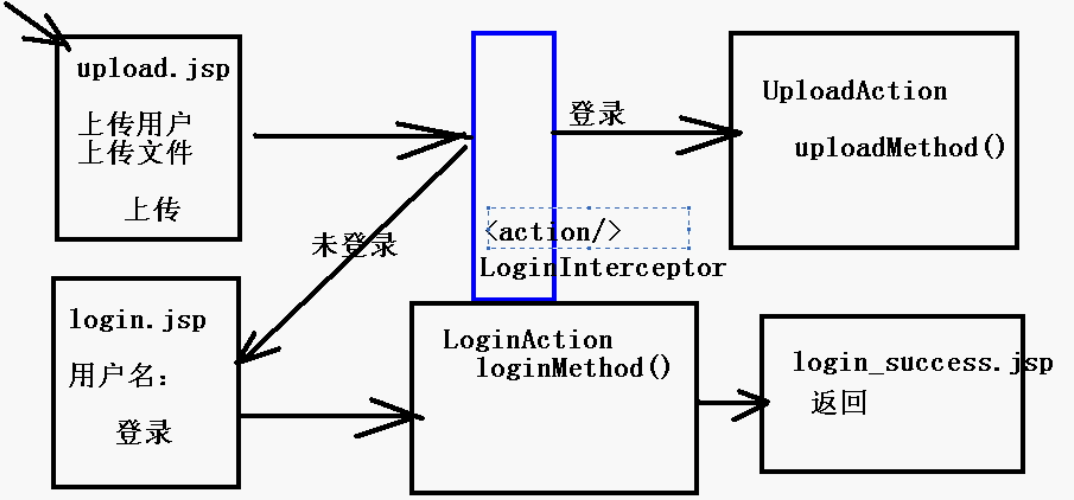
如图所示,访问upload.jsp进行上传文件--》LoginInterceptor拦截器进行拦截---》
1、未登录,那么跳转页面到登录页面---》进行登录页面--》登录成功---》可以点击返回到上传文件页面;
2、已登录,登录直接开始上传文件。
三、代码分析:
upload.jsp
 View Code
upload_success.jsp
View Codelogin.jsp
View Codelogin_success.jsp
View Codesturts.xml
View Codeupload-sturts.xml
View CodeLoginAction.java
View CodeLoginInterceptor.java
View CodeUploadAction.java
View Code其中文件上传的代码主要引用上一篇文章中的,所以这里主要讲LoginInterceptor.java拦截器的代码分析:
实现Interceptor接口,重写其方法,这里主要注意intercept()方法。这里通过ActionInvocation类型的参数获取session值判断用户是否已经登录。
1)如果没有登录返回值为"toLoginJsp",这里对应upload-interceptor.xml中的result name,将其转发到login.jsp页面;
2)如果已经登录,那么执行上传,但这里需要注意的是, 如果返回值为"success"那么将会匹配到配置文件中为result属性为"success"的内容,如果返回值为invocation.invoke(),那么将会执行UploadAction方法,所以这里切记要return invocation.invoke();否则文件上传失败。
其中upload-sturts.xml的配置也是细节问题,主要可以参考文章开头的内容。
四、执行效果: