问题1:
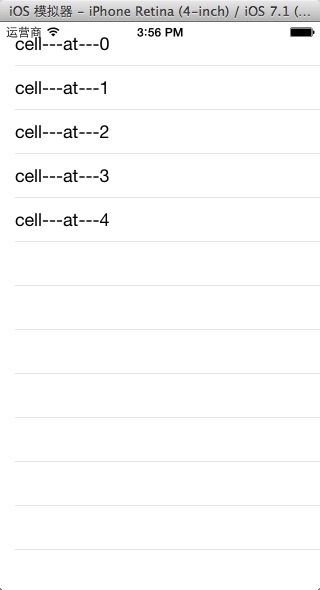
在ios中使用UITableView时,当行数较少是,可能一屏幕能显示完全所有行,这时候会出现下面的问题,显示多余的分隔线
图如下:
解决方案:
//解决方案1

//添加如下代码
-(CGFloat)tableView:(UITableView *)tableView heightForFooterInSection:(NSInteger)section{
    return 0.1;
}


//解决方案2
//添加如下代码

    UIView* v = [[UIView alloc]init];
    //    v.backgroundColor = [UIColor clearColor];
    //    _tableview.tableFooterView = v;
    self.myTableView.tableFooterView = v;
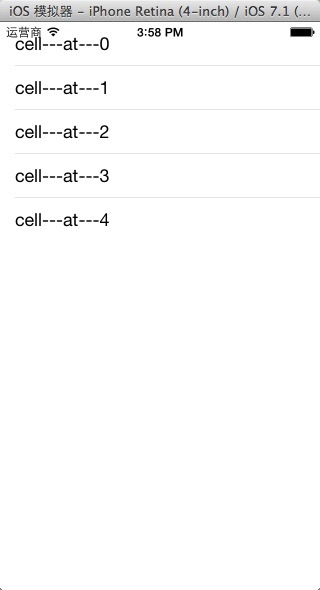
效果如下
在实现了上面的功能后,我发现在ios7中,分隔符不能完全填充整个UITableView,有了以下解决方案:
    UIEdgeInsets edgeInset = self.myTableView.separatorInset;
    self.myTableView.separatorInset = UIEdgeInsetsMake(edgeInset.top, 0, edgeInset.bottom, edgeInset.right);//修改分隔线长度
    self.myTableView.separatorStyle = UITableViewCellSeparatorStyleSingleLine;
效果如下:

希望能帮助到遇到同样问题的朋友。
如果你有更好的解决方案,欢迎分享。