为什么异常处理选择中间件?
传统的ASP.NET可以采用异常过滤器的方式处理异常,在ASP.NET CORE中,是以多个中间件连接而成的管道形式处理请求的,不过常用的五大过滤器得以保留,同样可以采用异常过滤器处理异常,但是异常过滤器不能处理MVC中间件以外的异常,为了全局统一考虑,采用中间件处理异常更为合适
为什么选择自定义异常中间件?
先来看看ASP.NET CORE 内置的三个异常处理中间件 DeveloperExceptionPageMiddleware , ExceptionHandlerMiddleware, StatusCodePagesMiddleware
1.DeveloperExceptionPageMiddleware
能给出详细的请求/返回/错误信息,因为包含敏感信息,所以仅适合开发环境
2.ExceptionHandlerMiddleware (蒋神博客 http://www.cnblogs.com/artech/p/error-handling-in-asp-net-core-3.html)
仅处理500错误
3.StatusCodePagesMiddleware (蒋神博客 http://www.cnblogs.com/artech/p/error-handling-in-asp-net-core-4.html)
能处理400-599之间的错误,但需要Response中不能包含内容(ContentLength=0 && ContentType=null,经实验不能响应mvc里未捕获异常)
由于ExceptionHandlerMiddleware和StatusCodePagesMiddleware的各自的限制条件,两者需要搭配使用。相比之下自定义中间件更加灵活,既能对各种错误状态进行统一处理,也能按照配置决定处理方式。
CustomExceptionMiddleWare
首先声明异常中间件的配置类
 1     /// <summary>
 2     /// 异常中间件配置对象
 3     /// </summary>
 4     public class CustomExceptionMiddleWareOption
 5     {
 6         public CustomExceptionMiddleWareOption(
 7             CustomExceptionHandleType handleType = CustomExceptionHandleType.JsonHandle,
 8             IList<PathString> jsonHandleUrlKeys = null,
 9             string errorHandingPath = "")
10         {
11             HandleType = handleType;
12             JsonHandleUrlKeys = jsonHandleUrlKeys;
13             ErrorHandingPath = errorHandingPath;
14         }
15
16         /// <summary>
17         /// 异常处理方式
18         /// </summary>
19         public CustomExceptionHandleType HandleType { get; set; }
20
21         /// <summary>
22         /// Json处理方式的Url关键字
23         /// <para>仅HandleType=Both时生效</para>
24         /// </summary>
25         public IList<PathString> JsonHandleUrlKeys { get; set; }
26
27         /// <summary>
28         /// 错误跳转页面
29         /// </summary>
30         public PathString ErrorHandingPath { get; set; }
31     }
32
33     /// <summary>
34     /// 错误处理方式
35     /// </summary>
36     public enum CustomExceptionHandleType
37     {
38         JsonHandle = 0,   //Json形式处理
39         PageHandle = 1,   //跳转网页处理
40         Both = 2          //根据Url关键字自动处理
41     }
声明异常中间件的成员
        /// <summary>
        /// 管道请求委托
        /// </summary>
        private RequestDelegate _next;

        /// <summary>
        /// 配置对象
        /// </summary>
        private CustomExceptionMiddleWareOption _option;

        /// <summary>
        /// 需要处理的状态码字典
        /// </summary>
        private IDictionary<int, string> exceptionStatusCodeDic;

        public CustomExceptionMiddleWare(RequestDelegate next, CustomExceptionMiddleWareOption option)
        {
            _next = next;
            _option = option;
            exceptionStatusCodeDic = new Dictionary<int, string>
            {
                { 401, "未授权的请求" },
                { 404, "找不到该页面" },
                { 403, "访问被拒绝" },
                { 500, "服务器发生意外的错误" }
                //其余状态自行扩展
            };
        }
异常中间件主要逻辑
 1         public async Task Invoke(HttpContext context)
 2         {
 3             Exception exception = null;
 4             try
 5             {
 6                 await _next(context);   //调用管道执行下一个中间件
 7             }
 8             catch (Exception ex)
 9             {
10                 context.Response.Clear();
11                 context.Response.StatusCode = 500;   //发生未捕获的异常,手动设置状态码
12                 exception = ex;
13             }
14             finally
15             {
16                 if (exceptionStatusCodeDic.ContainsKey(context.Response.StatusCode) &&
17                     !context.Items.ContainsKey("ExceptionHandled"))  //预处理标记
18                 {
19                     var errorMsg = string.Empty;
20                     if (context.Response.StatusCode == 500 && exception != null)
21                     {
22                         errorMsg = $"{exceptionStatusCodeDic[context.Response.StatusCode]}
{(exception.InnerException != null ? exception.InnerException.Message : exception.Message)}";
23                     }
24                     else
25                     {
26                         errorMsg = exceptionStatusCodeDic[context.Response.StatusCode];
27                     }
28                     exception = new Exception(errorMsg);
29                 }
30
31                 if (exception != null)
32                 {
33                     var handleType = _option.HandleType;
34                     if (handleType == CustomExceptionHandleType.Both)   //根据Url关键字决定异常处理方式
35                     {
36                         var requestPath = context.Request.Path;
37                         handleType = _option.JsonHandleUrlKeys != null && _option.JsonHandleUrlKeys.Count(
38                             k => requestPath.StartsWithSegments(k, StringComparison.CurrentCultureIgnoreCase)) > 0 ?
39                             CustomExceptionHandleType.JsonHandle :
40                             CustomExceptionHandleType.PageHandle;
41                     }
42
43                     if (handleType == CustomExceptionHandleType.JsonHandle)
44                         await JsonHandle(context, exception);
45                     else
46                         await PageHandle(context, exception, _option.ErrorHandingPath);
47                 }
48             }
49         }
50
51         /// <summary>
52         /// 统一格式响应类
53         /// </summary>
54         /// <param name="ex"></param>
55         /// <returns></returns>
56         private ApiResponse GetApiResponse(Exception ex)
57         {
58             return new ApiResponse() { IsSuccess = false, Message = ex.Message };
59         }
60
61         /// <summary>
62         /// 处理方式:返回Json格式
63         /// </summary>
64         /// <param name="context"></param>
65         /// <param name="ex"></param>
66         /// <returns></returns>
67         private async Task JsonHandle(HttpContext context, Exception ex)
68         {
69             var apiResponse = GetApiResponse(ex);
70             var serialzeStr = JsonConvert.SerializeObject(apiResponse);
71             context.Response.ContentType = "application/json";
72             await context.Response.WriteAsync(serialzeStr, Encoding.UTF8);
73         }
74
75         /// <summary>
76         /// 处理方式:跳转网页
77         /// </summary>
78         /// <param name="context"></param>
79         /// <param name="ex"></param>
80         /// <param name="path"></param>
81         /// <returns></returns>
82         private async Task PageHandle(HttpContext context, Exception ex, PathString path)
83         {
84             context.Items.Add("Exception", ex);
85             var originPath = context.Request.Path;
86             context.Request.Path = path;   //设置请求页面为错误跳转页面
87             try
88             {
89                 await _next(context);
90             }
91             catch { }
92             finally
93             {
94                 context.Request.Path = originPath;   //恢复原始请求页面
95             }
96         }
使用扩展类进行中间件注册
1  public static class CustomExceptionMiddleWareExtensions
2     {
3
4         public static IApplicationBuilder UseCustomException(this IApplicationBuilder app, CustomExceptionMiddleWareOption option)
5         {
6             return app.UseMiddleware<CustomExceptionMiddleWare>(option);
7         }
8     }
在Startup.cs的Configuref方法中注册异常中间件
1   app.UseCustomException(new CustomExceptionMiddleWareOption(
2                     handleType: CustomExceptionHandleType.Both,  //根据url关键字决定处理方式
3                     jsonHandleUrlKeys: new PathString[] { "/api" },
4                     errorHandingPath: "/home/error"));
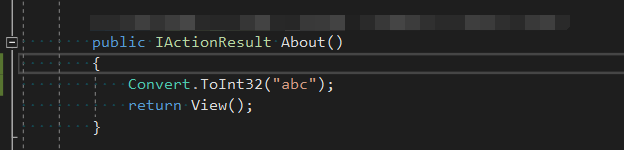
接下来我们来进行测试,首先模拟一个将会进行页面跳转的未经捕获的异常
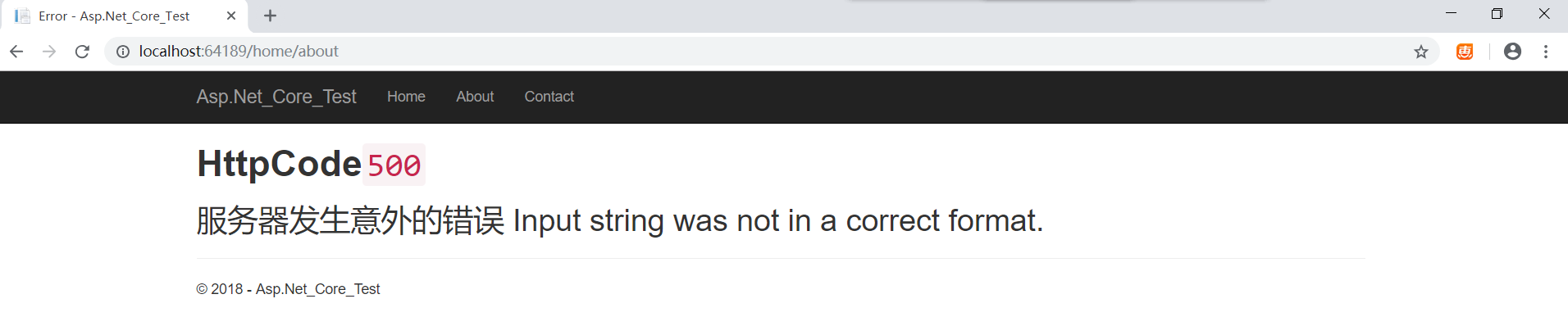
访问/home/about的结果
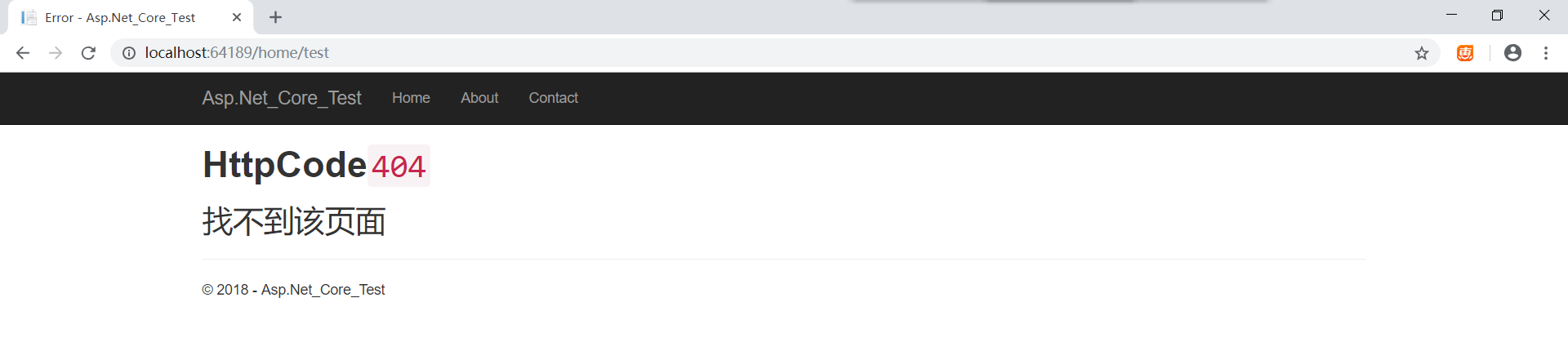
访问/home/test的结果 (该地址不存在)
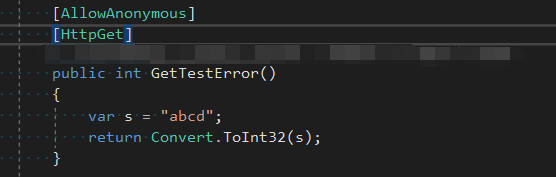
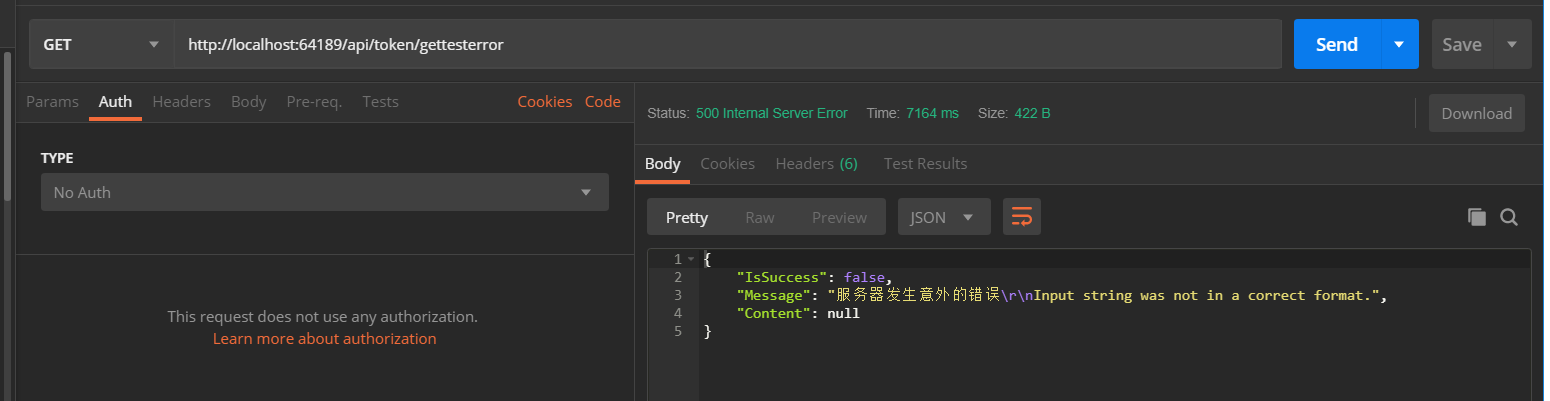
OK异常跳转页面的方式测试完成,接下来我们测试返回统一格式(json)的异常处理,同样先模拟一个未经捕获的异常
访问/api/token/gettesterror的结果
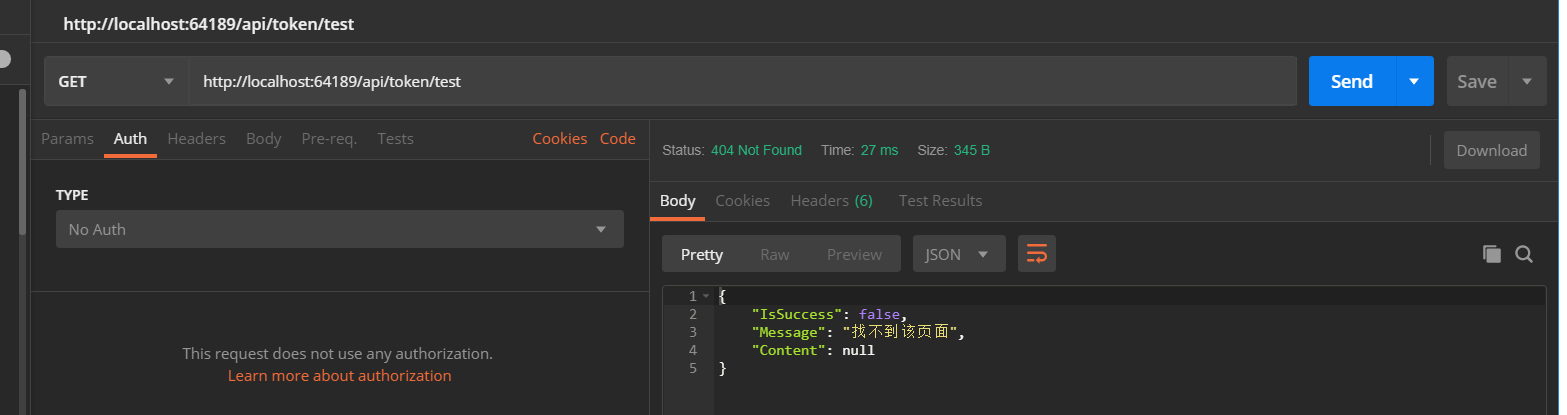
访问/api/token/test的结果 (该地址不存在)
访问/api/token/getvalue的结果 (该接口需要身份验证)

测试完成,页面跳转和统一格式返回都没有问题,自定义异常中间件已按预期工作
需要注意的是,自定义中间件会响应每个HTTP请求,所以处理逻辑一定要精简,防止发生不必要的性能问题