密码加密处理后登录验证
主要知识点:
- 文件处理
- 面向对象编程
- hmac加密
- Python基本数据类型使用
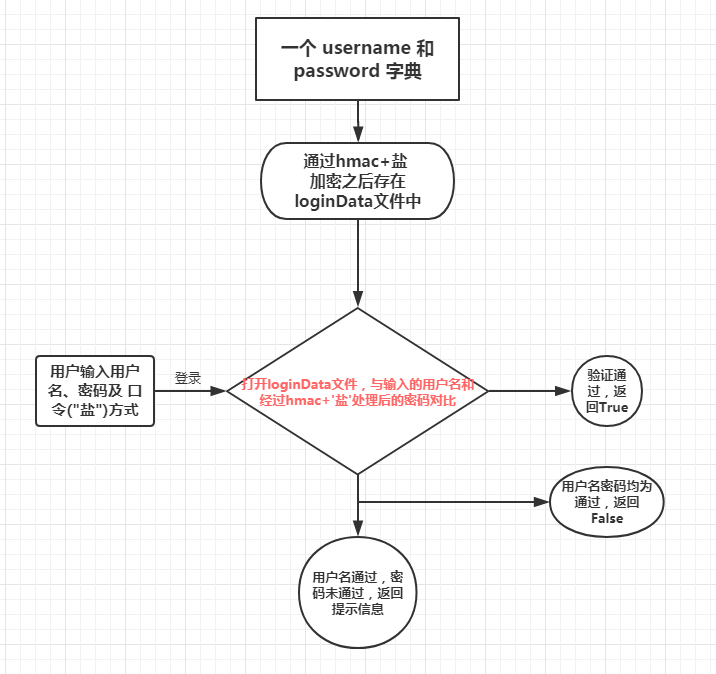
思路流程图:
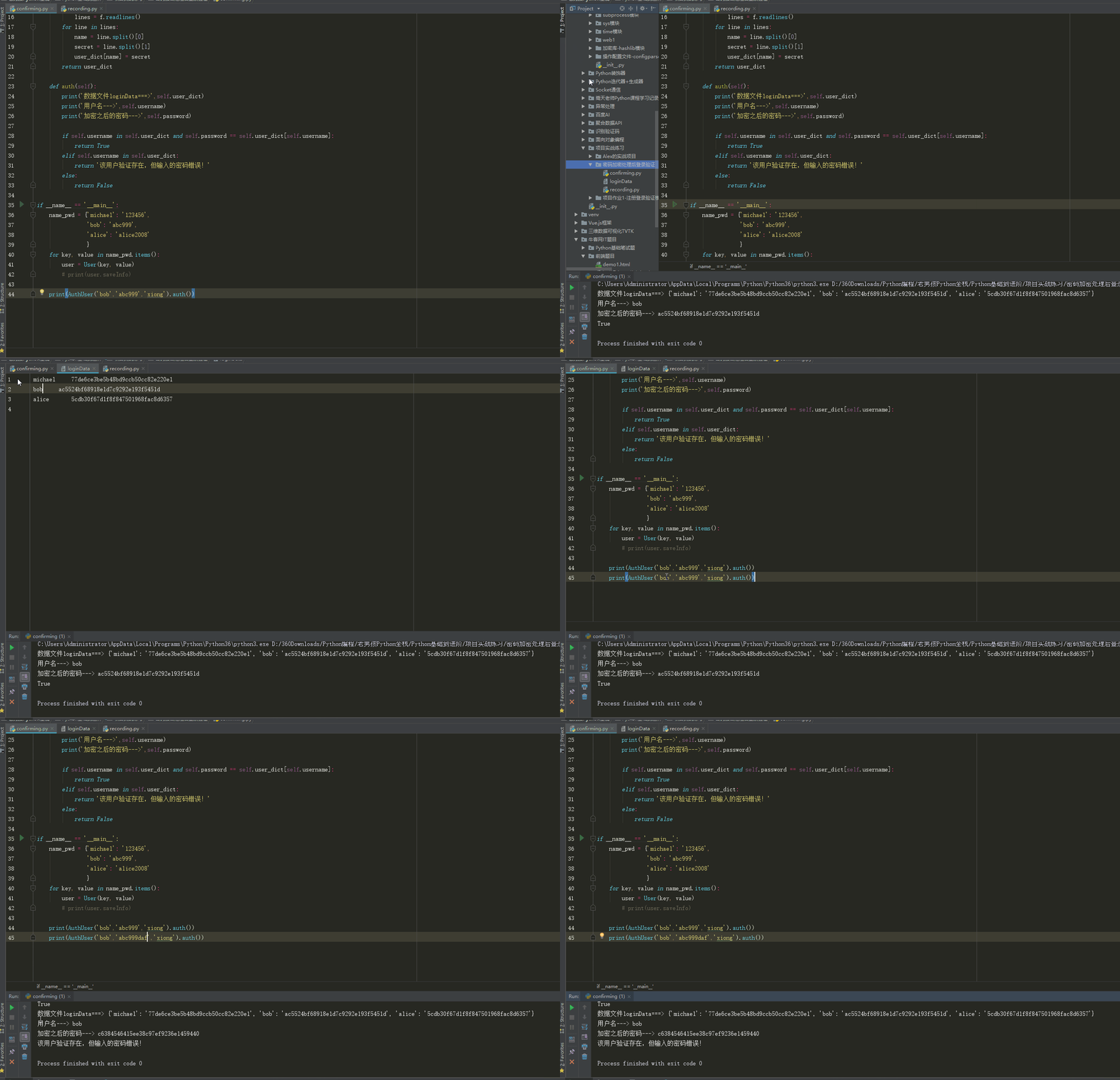
效果动画:
源文件:


__author__ = 'Justin Xiong'

import hmac

class User(object):
    def __init__(self, username, password,filepath='loginData'):
        self.username = username
        self.key = 'xiong'
        self.password = self.hmac_md5(self.key, password)        #self.key, password 传入的都是字符串
        self.saveInfo = self.saveInfo(filepath)

    def hmac_md5(self,key, message):
        return hmac.new(key.encode('utf-8'), message.encode('utf-8'), 'MD5').hexdigest()

    def saveInfo(self,filepath):
        userInfo = self.username + "		" + self.password + "
"
        with open(filepath,'a+',encoding='utf-8') as f:
            f.write(userInfo)
        return  userInfo.split()


if __name__ == '__main__':
    name_pwd = {'michael':'123456',
                'bob': 'abc999',
                'alice': 'alice2008'
                }
    for key,value in name_pwd.items():
        user = User(key, value)
        print(user.saveInfo)
__author__ = 'Justin Xiong'

import hmac
from recording import User

class AuthUser(object):
    def __init__(self,username,password,key):
        self.username = username
        self.password = self.hmac_md5(key,password)
        self.user_dict = self.getUserDict()

    def hmac_md5(self,key, message):
        return hmac.new(key.encode('utf-8'), message.encode('utf-8'), 'MD5').hexdigest()

    def getUserDict(self):
        user_dict = {}
        with open('loginData', 'r', encoding='utf-8') as f:
            lines = f.readlines()
        for line in lines:
            name = line.split()[0]
            secret = line.split()[1]
            user_dict[name] = secret
        return user_dict

    def auth(self):
        print('数据文件loginData===>',self.user_dict)
        print('用户名--->',self.username)
        print('加密之后的密码--->',self.password)

        if self.username in self.user_dict and self.password == self.user_dict[self.username]:
            return True
        elif self.username in self.user_dict:
            return '该用户验证存在,但输入的密码错误!'
        else:
            return False

if __name__ == '__main__':
    name_pwd = {'michael': '123456',
                'bob': 'abc999',
                'alice': 'alice2008'
                }
    for key, value in name_pwd.items():
        user = User(key, value)
        # print(user.saveInfo)

    print(AuthUser('bob','abc999','xiong').auth())
    print(AuthUser('bob','abc999daf','xiong').auth())
github链接: