使用64位TestStand调用32位LabVIEW代码模块
Software
- TestStand
- LabVIEW
- LabWindows/CVI
- How can I call 32-bit LabVIEW VIs from 64-bit TestStand?
- How can I configure my code modules to execute on separate processes from my TestStand process?
The steps below show you how to configure LabVIEW and LabWindows™/CVI™ code adapters to execute code modules out-of-process. This is accomplished by configuring the adapter to use the LabVIEW Development System or the LabWindows/CVI development environment to execute code modules, which allows the code modules to access a separate memory space from the TestStand process itself.
Since the LabVIEW Development System is a separate process from TestStand, it is also possible to use a 32-bit version of the LabVIEW Development System to execute 32-bit VIs from 64-bit TestStand.
The Adaptor Configuration dialog box appears, in which you can change settings that apply to each adapter.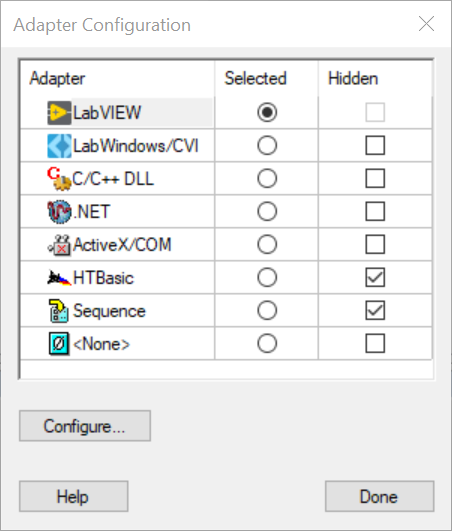
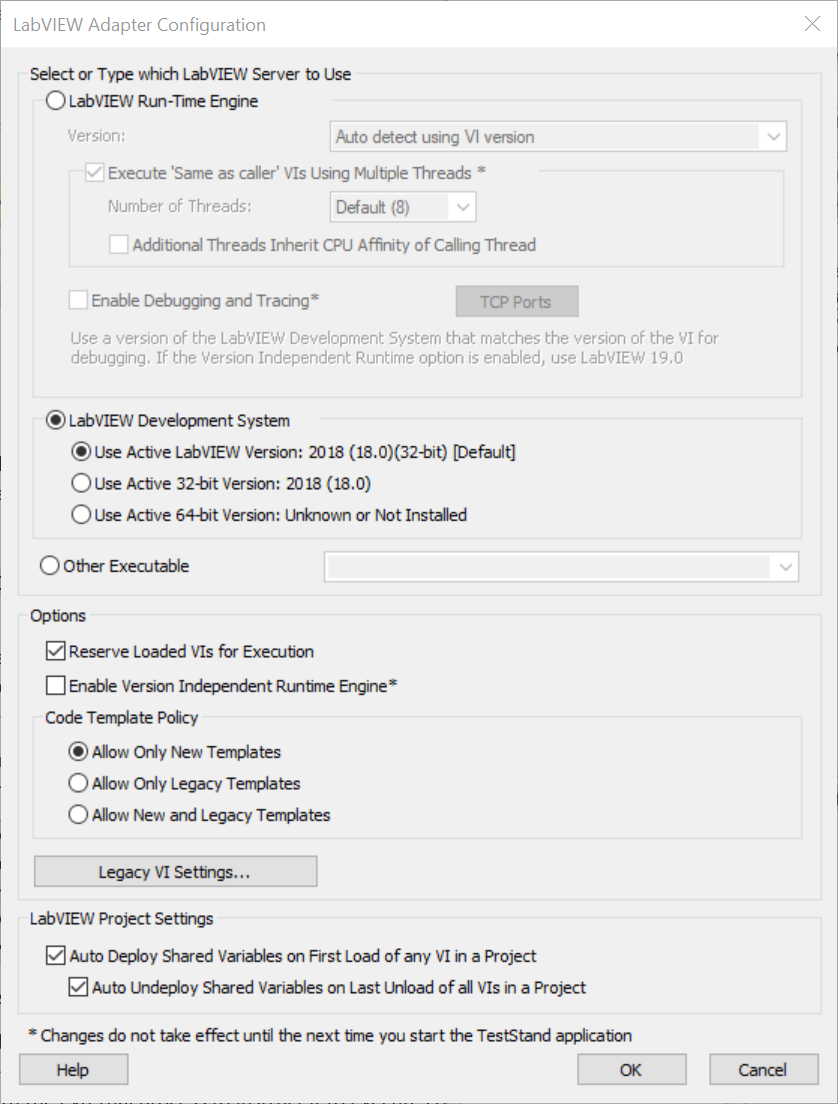
The Configuration dialog box for the adapter appears.
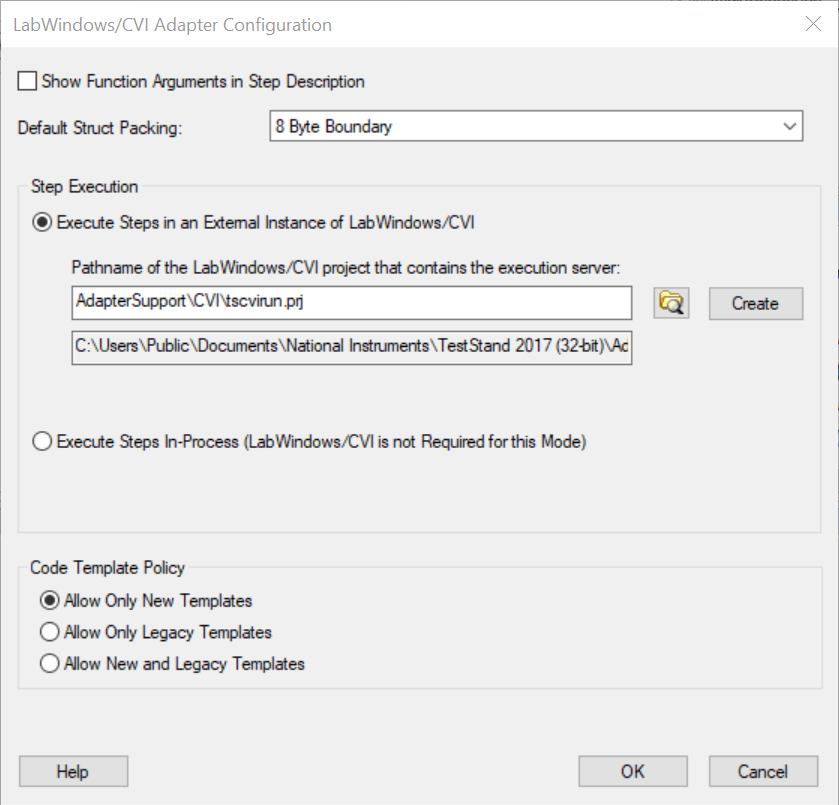
For LabWindows/CVI, select Execute Steps in an External Instance of LabWindows/CVI.
Since the LabVIEW Development System is a separate process from TestStand, it is also possible to use a 32-bit version of the LabVIEW Development System to execute 32-bit VIs from 64-bit TestStand.
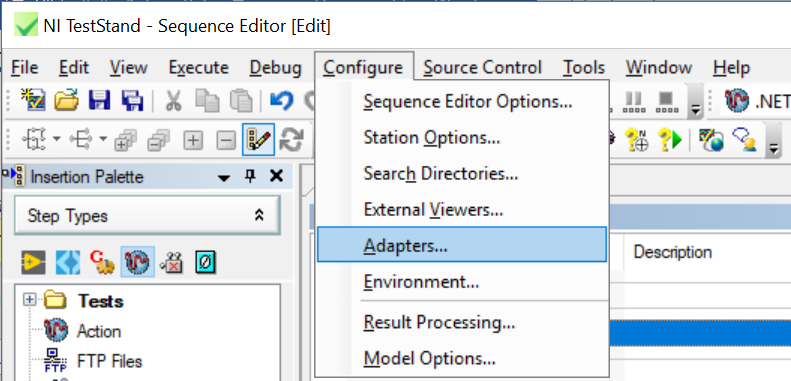
- In TestStand, select Configure»Adapters...
The Adaptor Configuration dialog box appears, in which you can change settings that apply to each adapter.
- Enable the Selected button next to the adapter you want to configure. Click the Configure… button.
The Configuration dialog box for the adapter appears.
- For LabVIEW, select LabVIEW Development System and specify which version. If you want to execute 32-bit VIs, select Use Active 32-bit Version.
For LabWindows/CVI, select Execute Steps in an External Instance of LabWindows/CVI.
- Click OK. You have now configured the Adapter to execute out-of-process.
如果你不想改变适配器配置,参考如下:
软件
- TestStand
- LabVIEW
问题详述
我已经在64位 TestStand 中创建了一个序列,并尝试用其调用32位 LabVIEW 代码模块。将适配器设置为32位 LabVIEW 运行引擎时,我无法运行序列,也无法更改代码模块的版本。解决方案
最好能事先计划好,确保使用的代码模块和测试管理软件的位数相同,但这并不是每次都可能。使用32位的 NI TestStand 可以运行一个保存为64位的序列。
因此,如果您的应用程序允许,可以使用32位 TestStand 运行保存为64位的 TestStand 序列。这将使您能够使用32位 TestStand 的运行时引擎适配器运行任何代码模块。
参考:https://knowledge.ni.com/KnowledgeArticleDetails?id=kA03q000000YGjoCAG&l=zh-CN