-
Stack Overflow上说是iOS11 获取不到键盘的frame不过我试了试真机可以,可能是测试版的xcode9?
-
添加通知
-
相关宏定义:
#define KScreen_Bounds [UIScreen mainScreen].bounds
#define KScreen_Size [UIScreen mainScreen].bounds.size
#define KScreen_Width [UIScreen mainScreen].bounds.size.width
#define KScreen_Height [UIScreen mainScreen].bounds.size.height
- (void)viewDidLoad {
    [super viewDidLoad];
    //添加通知
    [[NSNotificationCenter defaultCenter] addObserver:self selector:@selector(keyboardShow:) name:UIKeyboardWillShowNotification object:nil];
    [[NSNotificationCenter defaultCenter] addObserver:self selector:@selector(keyboardMiss:) name:UIKeyboardWillHideNotification object:nil];
}
- 实现通知方法:
//回收键盘改变控制器view
-(void)keyboardMiss:(NSNotification *)noti{
    self.view.frame = CGRectMake(0, 0, KScreen_Width, KScreen_Height);
}
// 弹出键盘改变控制器view
-(void)keyboardShow:(NSNotification *)noti{
    CGRect keyboardRect = [[noti.userInfo objectForKey:UIKeyboardFrameEndUserInfoKey] CGRectValue];
    self.view.frame = CGRectMake(0, -keyboardRect.size.height, KScreen_Width, KScreen_Height);
}
- 点击屏幕回收键盘:
-(void)touchesBegan:(NSSet<UITouch *> *)touches withEvent:(UIEvent *)event{
    [[[UIApplication sharedApplication] keyWindow] endEditing:YES];
}
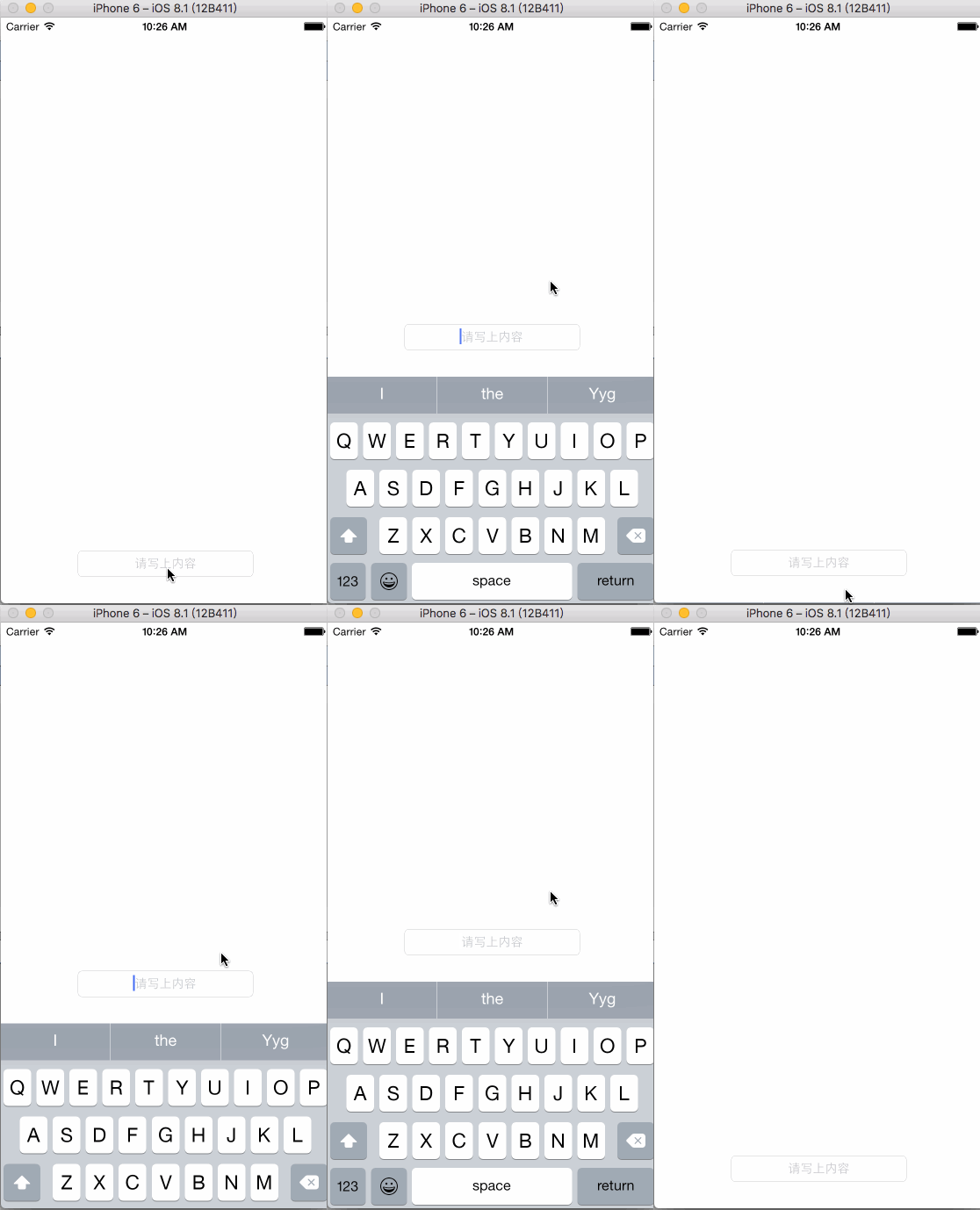
- 最后效果没有做任何动画处理,感觉这样也挺线性的: