varnish实现缓存加速
一、采用varnish为nginx实现缓存加速
1、实验环境:
(1)一台varnish缓存服务器,一台nginx服务器
(2)关闭防火墙和selinux
2.配置varnish
(1)修改varnish配置文件: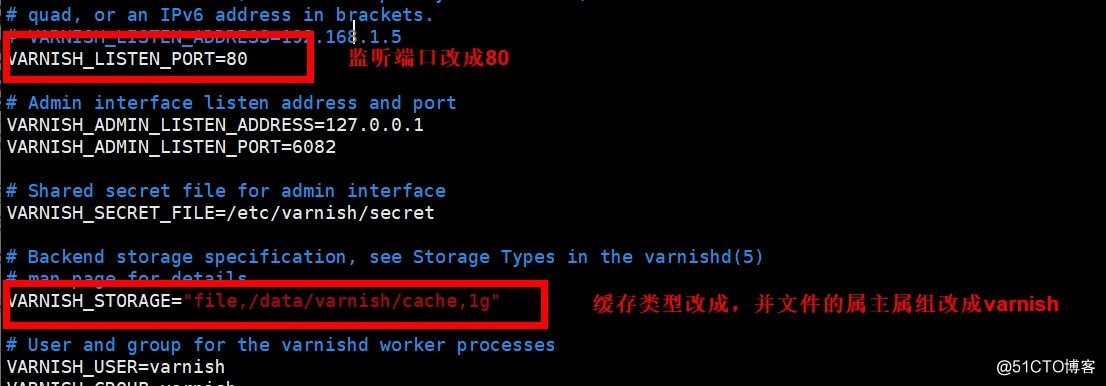
创建目录:mkdir -pv /data/varnish/cache
修改属主:chown varnish.varnish /data/varnish/cache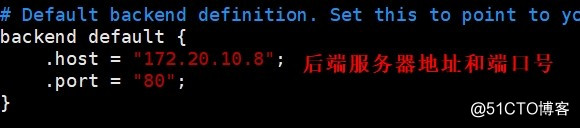
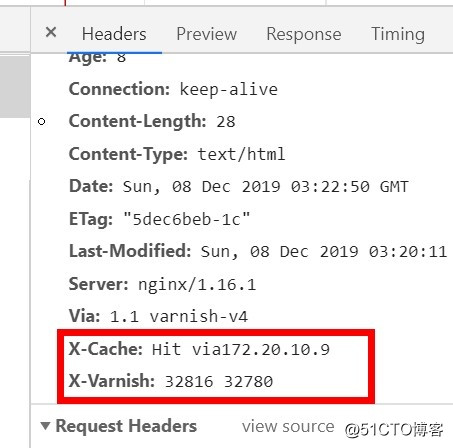
(2)测试: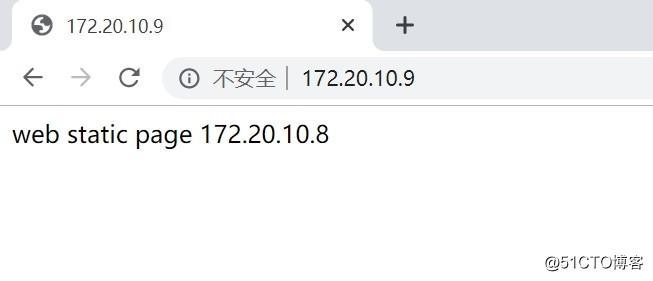
二、varnish实现动静分离
(1)varnish配置: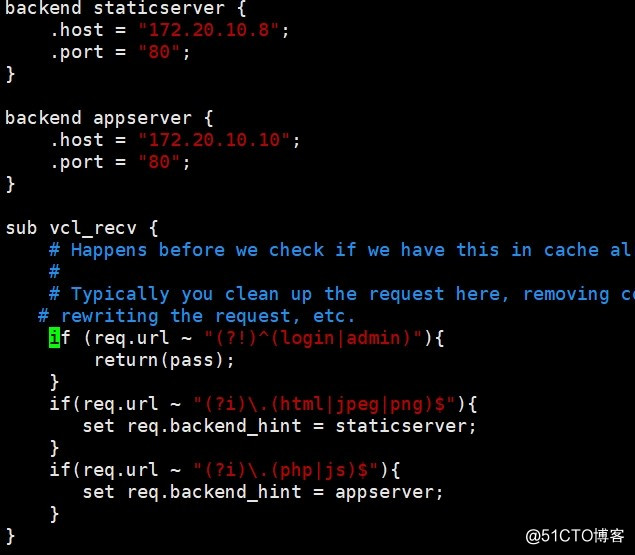
(2)测试: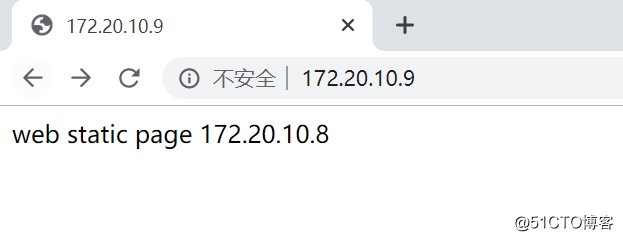
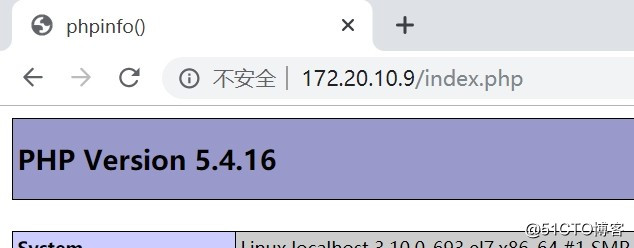
(3)附件内容设置多个组,并做负载:
示例:
    import directors

    backend imgsrv1 {
        .host = "192.168.10.11";
        .port = "80";
    }

    backend imgsrv2 {
        .host = "192.168.10.12";
        .port = "80";
    }

    backend appsrv1 {
        .host = "192.168.10.21";
        .port = "80";
    }

    backend appsrv2 {
        .host = "192.168.10.22";
        .port = "80";
    }

    sub vcl_init {
        new imgsrvs = directors.random();
        imgsrvs.add_backend(imgsrv1,10);
        imgsrvs.add_backend(imgsrv2,20);

        new staticsrvs = directors.round_robin();
        appsrvs.add_backend(appsrv1);
        appsrvs.add_backend(appsrv2);

        new appsrvs = directors.hash();
        appsrvs.add_backend(appsrv1,1);
        appsrvs.add_backend(appsrv2,1);
    }

    sub vcl_recv {
        if (req.url ~ "(?i).(css|js)$" {
            set req.backend_hint = staticsrvs.backend();
        }
        if (req.url ~ "(?i).(jpg|jpeg|png|gif)$" {
            set req.backend_hint = imgsrvs.backend();
        } else {
            set req.backend_hint = appsrvs.backend(req.http.cookie);
        }
    }
安全检测:
.probe:定义健康状态检测方法;
                .url:检测时要请求的URL,默认为”/";
                  .request:发出的具体请求;
                    .request =
                        "GET /.healthtest.html HTTP/1.1"
                        "Host: www.ww.com"
                        "Connection: close"
                .window:基于最近的多少次检查来判断其健康状态;
                .threshold:最近.window中定义的这么次检查中至有.threshhold定义的次数是成功的;成功阈值;
                .interval:检测频度;
                .timeout:超时时长;
                .expected_response:期望的响应码,默认为200;

            健康状态检测的配置方式:
                probe PB_NAME  { }
                     backend NAME = {
                    .probe = PB_NAME;
                    ...
                     }