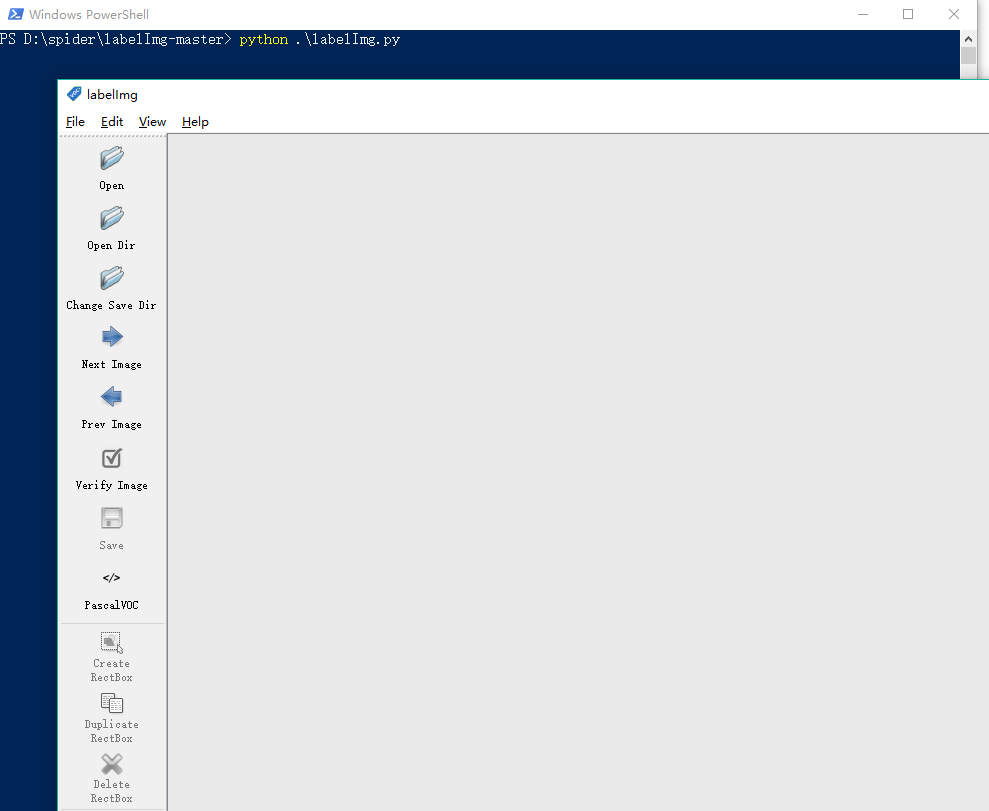
【引言】在目标检测中,需要用图像标注工具标注图像,如Labelme 、 labelImg等,本文使用的是LabelImg ,LabelImg在Ubuntu下很好部署,
在win10中有些地方要注意下,本文做简单总结
【安装过程】
一、安装python环境
python3.5 3.6都可以,可以用Python原生或Anaconda,记得 Add Python 3.5 to PATH
二、安装PyQt5
pip安装 pip install PyQt5
或conda安装 conda install -c inso pyqt5
三、安装lxml
pip安装 pip install lxml
或conda安装 conda install -c conda-forge lxml
【提示】 conda.anaconda.org 可查找安装不同工具包的命令
四、安装LabelImg
下载LabelImg 并解压到指定目录,进入LabelImg-master文件夹,((先按)shift + 右键(后按) ),选择在此处打开powershell窗口,进入shell后,依次输入下列命令:
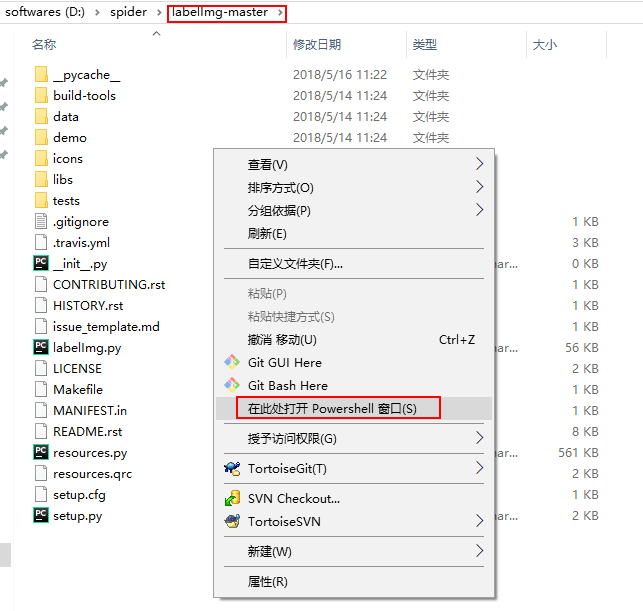
pyrcc5 -o resources.py resources.qrc
上行若无报错,则运行下面代码运行labelImg(还是在powershell中哦,系统默认python环境是3.5或3.6)
python labelImg.py