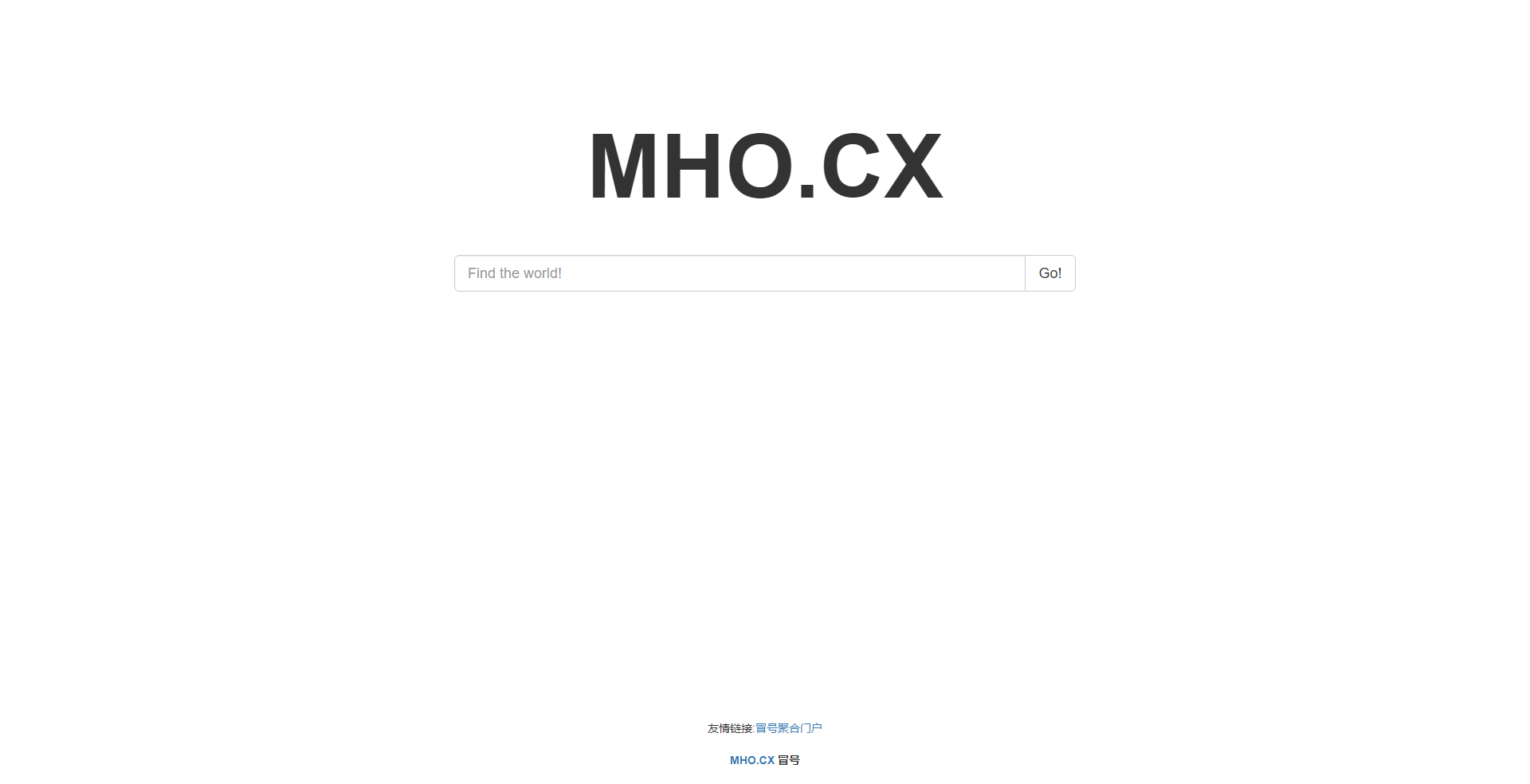
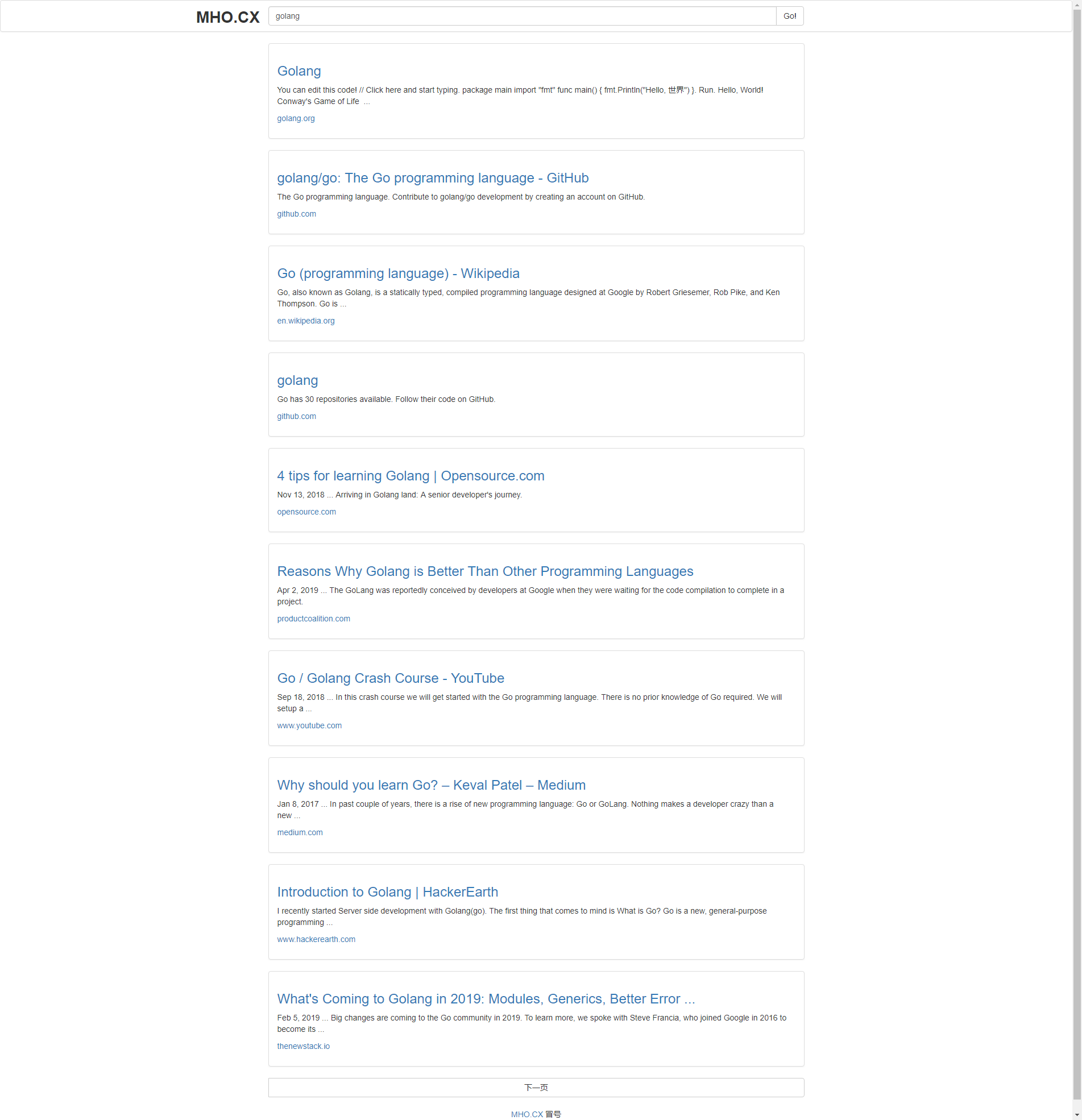
Golang 谷歌搜索api 实现搜索引擎(前端 bootstrap + jquery)
体验 冒号搜索
1. 获取谷歌搜索api
2. 后台调用
程序入口 main.go
// goSearch project main.go
package main

import (
    "fmt"
    "net/http"
)

func main() {
    Api()
    ReadApi("./api.txt")
    go TimeTo()

    http.HandleFunc("/", Home)
    http.HandleFunc("/search", Search)
    http.Handle("/static", http.FileServer(http.Dir("./static")))

    fmt.Print("server is running
")
    http.ListenAndServe(":80", nil)
}
处理函数 route.go
// route
package main

import (
    "fmt"
    "io"
    "net/http"
    "strconv"
)

func Home(w http.ResponseWriter, r *http.Request) {
    fmt.Println("go")
    fmt.Println(GetBest())
    w.Write([]byte("hi"))
}

func Search(w http.ResponseWriter, r *http.Request) {
    url := "https://www.googleapis.com/customsearch/v1?cx=项目id&safe=是否开启安全模式(active)&key=" + GetBest()
    r.ParseForm()
    q := r.Form["q"][0]
    var p string
    var t string
    if r.Form["p"] != nil {
        p = r.Form["p"][0]
    } else {
        p = ""
    }
    if r.Form["t"] != nil {
        t = r.Form["t"][0]
    } else {
        t = ""
    }

    if q == "" {
        w.Write([]byte("null"))
        return
    } else {
        url = url + "&q=" + q
    }
    if p == "" {
        p = "1"
    } else {
        i, _ := strconv.Atoi(p)
        p = strconv.Itoa(i*10 + 1)
    }
    url = url + "&start=" + p

    if t != "" {
        url = url + "&siteSearch=" + t
    }

    fmt.Println("q= ", q, " p= ", p, " t= ", t)
    client := http.Client{}
    resp, err := client.Get(url)
    if err != nil {
        fmt.Println(err.Error())
        return
    }
    defer resp.Body.Close()
    w.Header().Set("Access-Control-Allow-Origin", "*")
    io.Copy(w, resp.Body)
}
多个api 获取使用次数最少api,从文件获取apis
api.go
// api
package main

import (
    "bufio"
    "errors"
    "fmt"
    "os"
    "time"
)

type SeaApi struct {
    apis []api
    time time.Time
}

type api struct {
    apiCode string
    count   int
}

var apii *SeaApi
//初始化
func Api() {
    apii = &SeaApi{time: time.Now()}
}

func NewApi() *SeaApi {
    return &SeaApi{time: time.Now()}
}
//添加api
func AddApi(a string) {
    newApi := api{a, 0}
    apii.apis = append(apii.apis, newApi)
}

func (s *SeaApi) AddApi(a string) {
    newApi := api{a, 0}
    s.apis = append(s.apis, newApi)
}
//删除指定api
func DelApi(n int) {
    apii.apis = append(apii.apis[:n], apii.apis[n+1:]...)
}

func (s *SeaApi) DelApi(n int) {
    s.apis = append(s.apis[:n], s.apis[n+1:]...)
}
//获取指定api
func GetApi(n int) (api, error) {
    if n > len(apii.apis) {
        return api{}, errors.New("fault index")
    }
    return apii.apis[n], nil
}

func (s *SeaApi) GetApi(n int) (api, error) {
    if n > len(s.apis) {
        return api{}, errors.New("fault index")
    }
    return s.apis[n], nil
}
//获取所有api
func GetAllApi() *SeaApi {
    return apii
}

func (s *SeaApi) GetAllApi() *SeaApi {
    return s
}
//从文件读取api,每行一个,文件名api.txt
func ReadApi(file string) interface{} {
    f, err := os.Open(file)
    if err != nil {
        fmt.Print(err.Error())
        return nil
    }
    defer f.Close()
    Clear()
    scan := bufio.NewScanner(f)
    count := 0
    for scan.Scan() {
        str := scan.Text()
        apii.AddApi(str)
        count = count + 1
    }
    return count
}

func (s *SeaApi) ReadApi(file string) interface{} {
    f, err := os.Open(file)
    if err != nil {
        fmt.Print(err.Error())
        return nil
    }
    defer f.Close()
    Clear()
    scan := bufio.NewScanner(f)
    count := 0
    for scan.Scan() {
        str := scan.Text()
        s.AddApi(str)
        count = count + 1
    }
    return count
}
//清理所有api
func Clear() {
    apii.apis = apii.apis[0:0]
}

func (s *SeaApi) Clear() {
    s.apis = s.apis[0:0]
}

func TimeTo() {
    for {
        time.Sleep(time.Duration(1) * time.Hour)
        now := time.Now()
        if now.Sub(apii.time).Hours() > 24 {
            apii.time = now
            for _, a := range apii.apis {
                a.count = 0
            }
        }
    }
}
//轮询,满24小时更新使用次数为0
func (s *SeaApi) TimeTo() {
    for {
        time.Sleep(time.Duration(1) * time.Hour)
        now := time.Now()
        if now.Sub(s.time).Hours() > 24 {
            s.time = now
            for _, a := range s.apis {
                a.count = 0
            }
        }
    }
}

func GetBest() string {
    n := 0
    for i, a := range apii.apis {
        if apii.apis[n].count >= a.count {
            n = i
        }
    }
    apii.apis[n].count = apii.apis[n].count + 1
    return apii.apis[n].apiCode
}
//获取使用次数最少的api
func (s *SeaApi) GetBest() string {
    n := 0
    for i, a := range s.apis {
        if s.apis[n].count >= a.count {
            n = i
        }
    }
    s.apis[n].count = s.apis[n].count + 1
    return s.apis[n].apiCode
}
3. 前端页面
html可以自己设计
主要js代码:
index.js
$(document).ready(function () {
    //文本输入框监听
    $("#text").keydown(function (e) {
        var curKey = e.which;
        if (curKey == 13) {
            $("#go").click();
            return false;
        }
    });
    //搜索按钮监听
    $("#go").click(function () {
        var str = $("#text").val();
        console.log(str);
        if (str != '') window.location.href = 'search.html?q=' + str;
    });

    //判断是否是手机端
    function IsMobile() {
        var isMobile = {
            Android: function () {
                return navigator.userAgent.match(/Android/i) ? true : false;
            },
            BlackBerry: function () {
                return navigator.userAgent.match(/BlackBerry/i) ? true : false;
            },
            iOS: function () {
                return navigator.userAgent.match(/iPhone|iPad|iPod/i) ? true : false;
            },
            Windows: function () {
                return navigator.userAgent.match(/IEMobile/i) ? true : false;
            },
            any: function () {
                return (isMobile.Android() || isMobile.BlackBerry() || isMobile.iOS() || isMobile.Windows());
            }
        };

        return isMobile.any(); //是移动设备
    }

    var mobile_flag = IsMobile();

    if (mobile_flag) {
        $("#mho").attr("style","font-size: 3em;");
        $("#pc1").hide();
    }
})
search.js
$(document).ready(function () {
    var str = GetUrlPara();
    var nowPage = 0;
    $("#up").hide();
    $("#down").hide();
    //获取请求参数
    function GetUrlPara() {
        var url = document.location.toString();
        var arrUrl = url.split("?");
        var para = arrUrl[1];
        para = para.split("&");
        var p0 = para[0].split("=");
        return p0[1];
    }
    //ajax获取搜索值
    function Search(query, page, type) {
        query = decodeURIComponent(query);
        var urls = "后台服务器ip或域名/search?q=" + query + "&p=" + page + "&t=" + type;
        $("#tit").html("冒号--> " + decodeURIComponent(query));
        $("#text").attr("value", decodeURIComponent(query));
        urls = urls.replace(/[ ]/g,'_');
        console.log(urls);
        $.ajax({
            type: "GET",
            url: urls,
            dataType: "json",
            success: function (data) {
                $("#loading").hide();
                var str1 = '<div class="row"><div class="panel panel-default"><div class="panel-body"><p><h3><a href="';
                var str2 = '">';
                var str3 = '</a></h3></p><p>';
                var str4 = '</p><p><a href="';
                var str5 = '">';
                var str6 = '</a></p></div></div></div>';
                var all = '';
                for (var j = 0; j < data["items"].length; j++) {
                    all = all + str1 + data["items"][j]["link"] + str2 + data["items"][j]["title"] + str3 + data["items"][j]["snippet"] + str4 + data["items"][j]["link"] + str5 + data["items"][j]["displayLink"] + str6;
                }
                $("#cont").html(all);
                if (data["queries"]["nextPage"] != null) {
                    $("#down").show();
                } else {
                    $("#down").hide();
                }
                if (nowPage != 0) {
                    $("#up").show();
                } else {
                    $("#up").hide();
                }
            }
        });
    }

    Search(str, 0, "");

    $("#text").keydown(function (e) {
        var curKey = e.which;
        if (curKey == 13) {
            $("#go").click();
            return false;
        }
    });

    $("#go").click(function () {
        var strText = $("#text").val();
        if (strText == "") {
            window.location.href = 'index.html';
        }
        else {
            window.location.href = 'search.html?q=' + strText;
        }
        //Search(strText,0,"");
    });

    $("#logo").click(function () {
        window.location.href = 'index.html';
    });
    //回到顶部
    function pageScroll() {
        $('html,body').animate({
            scrollTop: 0
        }, 1000);
    }

    $("#up").click(function () {
        $("#loading").show();
        nowPage--;
        Search(str, nowPage, "");
        pageScroll();
    });

    $("#down").click(function () {
        $("#loading").show();
        nowPage++;
        Search(str, nowPage, "");
        pageScroll();
    });


    function IsMobile() {
        var isMobile = {
            Android: function () {
                return navigator.userAgent.match(/Android/i) ? true : false;
            },
            BlackBerry: function () {
                return navigator.userAgent.match(/BlackBerry/i) ? true : false;
            },
            iOS: function () {
                return navigator.userAgent.match(/iPhone|iPad|iPod/i) ? true : false;
            },
            Windows: function () {
                return navigator.userAgent.match(/IEMobile/i) ? true : false;
            },
            any: function () {
                return (isMobile.Android() || isMobile.BlackBerry() || isMobile.iOS() || isMobile.Windows());
            }
        };

        return isMobile.any(); //是移动设备
    }

    var mobile_flag = IsMobile();

    if (mobile_flag) {
        $("#mho").attr("style", "font-size: 2em;text-align: center;");
    }
})
4. 程序上线
我将html、js托管在coding pages上,go程序发布到美国服务器ubuntu18上,服务器开启了bbr加速,域名全部使用cloudflare,并开启了cdn功能(有缓存,调试的话先关了)。
小结
golang程序的编写,使用了许多go官方库,也踩了许多坑,但是对go 的库使用更加熟练。前端页面的编写主要用bootstrap和jquery框架,开发速度快很多,相较于以前,对这两个框架使用更加灵活,官方文档认真的看下来会发现以前没认真看真的走了好多弯路。
效果图