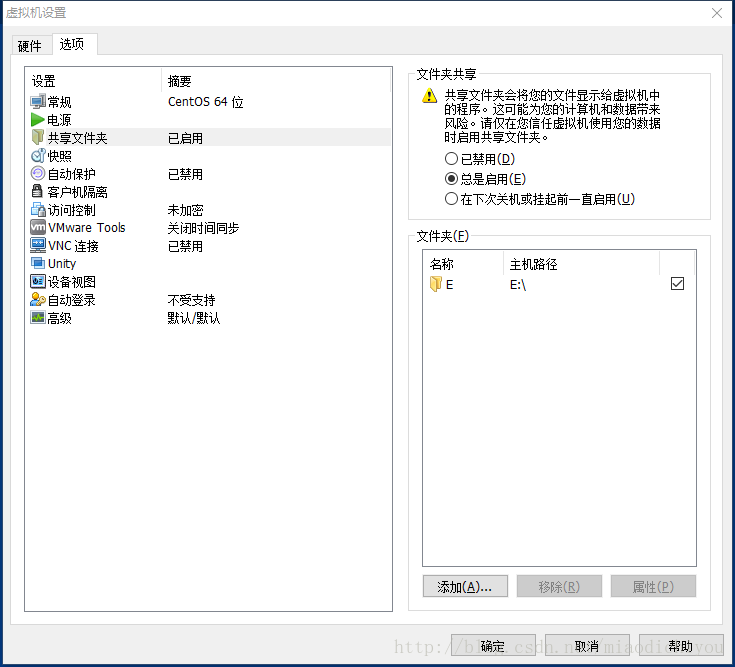
1、设置共享权限
2、安装VMware tools
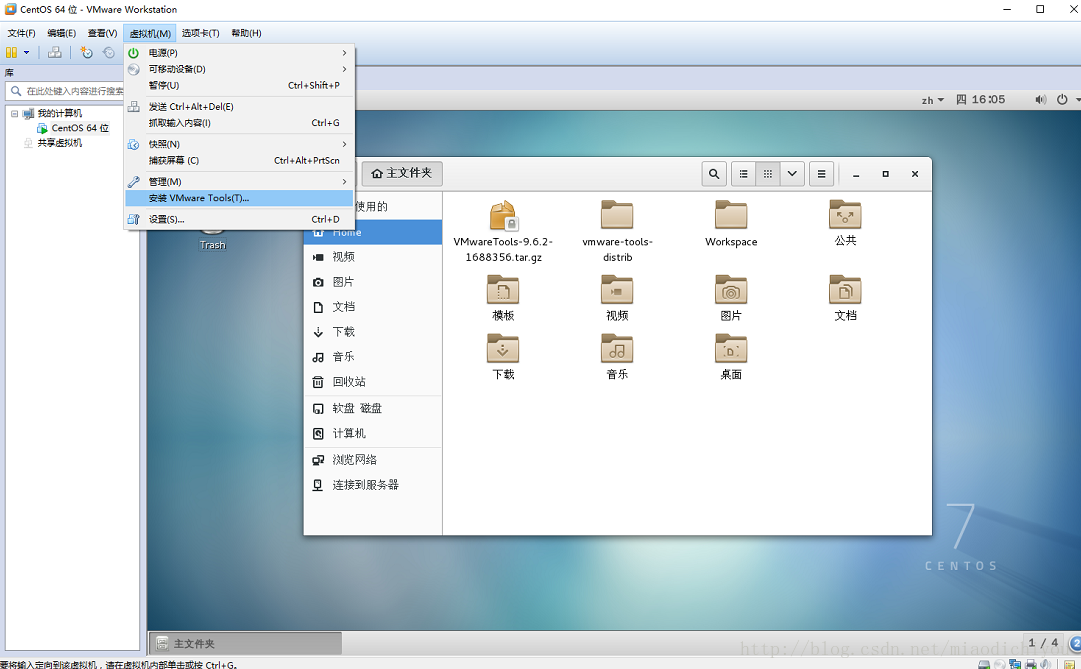
- 点击虚拟机
- 点击安装 VMware tools
- 将/run/media/zhaojq/VMware Tools 目录下的VMwareTools-9.6.2-1688356.tar.gz拷贝到家目录下
- 解压后生成vmware-tools-distrib
-
[zhaojq@localhost vmware-tools-distrib]$ ls
-
bin doc etc FILES INSTALL installer lib vmware-install.pl
运行./vmware-install.pl
[zhaojq@localhost vmware-tools-distrib]$ ./vmware-install.pl 一直enter
-
The path "" is not valid path to the gcc binary.
-
Would you like to change it? [yes] no
-
输入 no
-
The path "" is not a valid path to the 3.10.0-514.26.2.el7.x86_64 kernel
-
headers.
-
Would you like to change it? [yes] no
-
输入 no
安装成功后返回
-
Enjoy,
-
-
--the VMware team
2、挂载Windows主机的共享文件夹
mnt/hgfs 目录
-
[zhaojq
-
[zhaojq
-
/mnt/hgfs
vmware-hgfsclient 命令查看当前共享的目录
-
[zhaojq@localhost hgfs]$ vmware-hgfsclient
-
E
mount报错
-
[zhaojq@localhost hgfs]$ sudo mount -t vmhgfs .host:/E /mnt/hgfs
-
Error: cannot mount filesystem: No such device
vmhgfs-fuse,需要安装工具包
-
[zhaojq@localhost hgfs]$ yum install open-vm-tools-devel -y
-
[zhaojq@localhost hgfs]$ vmhgfs-fuse .host:/E /mnt/hgfs
3、查看挂载
注意:需要root权限查看。
Windows 主机的E盘情况
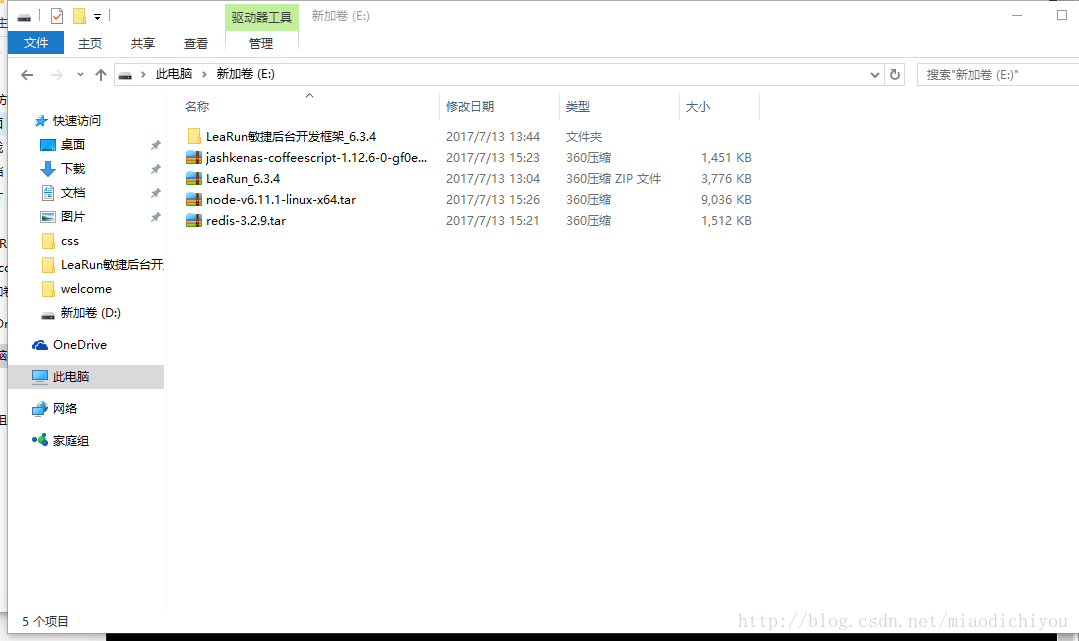
Centos虚拟机下的挂载情况
-
[root@localhost hgfs]# ls
-
jashkenas-coffeescript-1.12.6-0-gf0e9837.tar.gz LeaRun敏捷后台开发框架_6.3.4 $RECYCLE.BIN System Volume Information
-
LeaRun_6.3.4.zip node-v6.11.1-linux-x64.tar.xz redis-3.2.9.tar.gz
挂载成功