注意:
1.手机必须root
2.shell脚本需要有执行权限
流程:
1.编写shell脚本
#!/system/bin/sh

i=1
while [ $i -le 100 ]
do
  let i++
  sleep 2
  input swipe 100 950 200 300 150
done
解释:每隔2秒滑屏一次,一共滑动100次(这个脚本比较简单,明白流程后可自行优化)

2.把shell脚本传到/data/目录(/system目录也可以)
3.进入adb shell的root模式
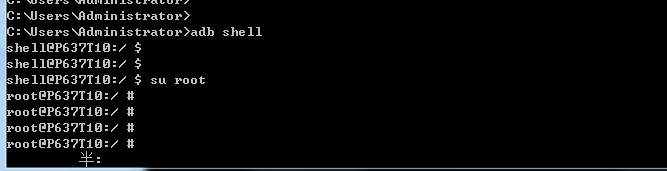
备注:#表示root模式
4.对shell脚本授权
1.进入/data/
2.chmod 777 test.sh
5.使用后台执行shell脚本
nohup ./test.sh &
备注:
1.有的手机文件管理器不显示system目录,可以第三方的REguanliqi来查看系统目录
2.运行脚本后会有一个进程id
#——————————————————下面是补充——————————————
shell中查看android进程及处理:
jobs -l................查看运行的后台进程(拔掉usb就查看不到)
ps "进程id".................筛选进程器(ps|grep "/system/bin/sh" |grep "root".............查看匹配进程)
kill -s 9 “进程id”................杀掉进程(shell脚本就不会在后台运行了)
参考教程:
https://blog.csdn.net/wdz306ling/article/details/79602739.................shell
https://blog.51cto.com/11193863/2319105..............................shell
https://blog.csdn.net/MzTestor/article/details/79206427..............Android脱离USB执行Shell脚本