HTML5约束验证API:
willValidate 表示如果元素的约束没有被符合则值为 false
validity
validationMessage 用于描述与元素相关约束的失败信息。
checkValidity() 表示如果元素没有满足它的任意约束,返回false,其他情况返回 true
setCustomValidity() 设置自定义验证信息。
HTML5新增特性:
id===document.getElementById
但是不推荐直接使用id,因为兼容性不太好,而且容易与其他变量混淆,后期不易维护
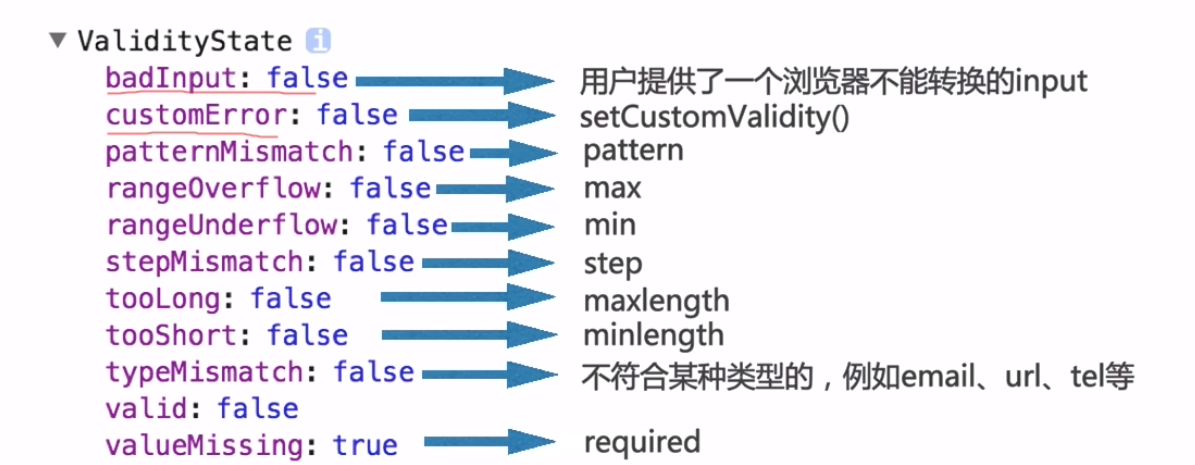
validity对象:
<!DOCTYPE html>
<html lang="en">
<head>
    <meta charset="UTF-8">
    <title>form</title>
</head>
<body>
    <form action="" enctype="multipart/form-data">

        <input type="text" name="username" id="username" placeholder="请输入" required pattern="/d{4}^$/">

        <input type="submit" value="提交">
    </form>

    <script>
        console.log(username.validity);
    </script>
</body>
</html>

各属性解释:
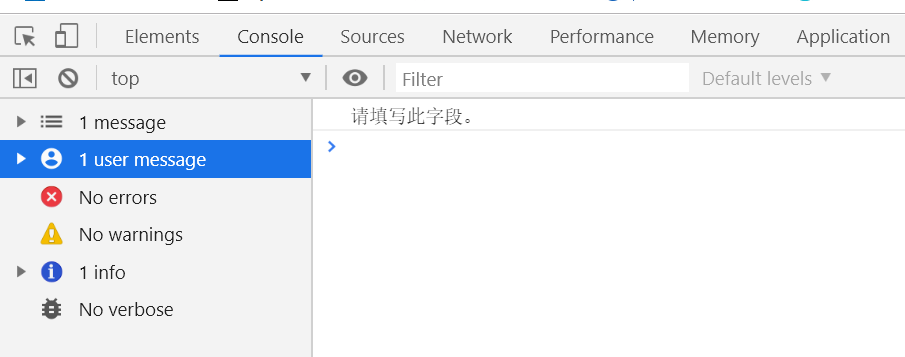
(1)获取描述与元素相关约束的失败信息,用validationMessage。在提交表单时,设置约束验证条件。
(2)获取表单和提交按钮。设置监听事件,监听表单提交按钮的点击事件!当按钮点击时,获取表单中所有不符合验证条件的元素,然后通过for循环,把这些元素的validationMessage错误信息打印出来!
<!DOCTYPE html>

<html lang="en">

    <head>

        <meta charset="UTF-8" />

        <title>Document</title>

    </head>

    <body>

        <form action="" method="get" id="forms">

            <input type="text" id="username" required>

            <input type="submit" value="提交" id="submitBtn">

        </form>

        <script>

            var form = document.getElementById("forms"),

                submitBtn = document.getElementById("submitBtn");

            submitBtn.addEventListener("click", function() {

                var invalidFields = form.querySelectorAll(":invalid");

                for(var i=0; i<invalidFields.length; i++){

                    console.log(invalidFields[i].validationMessage);

                }

            });

        </script>

    </body>

</html>
<!DOCTYPE html>
<html lang="en">
<head>
    <meta charset="UTF-8">
    <title>form</title>
</head>
<body>
    <form action="" enctype="multipart/form-data">

        <input type="text" name="username" id="username" placeholder="请输入" required pattern="/d{4}^$/" maxlength="5">

        <input type="email" name="email" id="email">
        <!-- 如果输入的邮箱格式不对,那么typeMismatch就会是true -->

        <input type="search" name="search" id="search">

        <input type="submit" value="提交">
    </form>

    <script>
        console.log(document.getElementById("username")===username);//true
        console.log(username.validity);
        console.log(email.validity);
    </script>
</body>
</html>
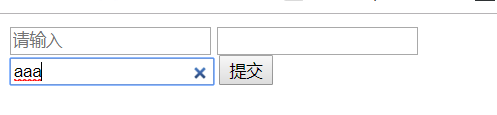
search框右边有个叉叉,如果想要去掉,可以用谷歌浏览器的伪类
<!DOCTYPE html>
<html lang="en">
<head>
    <meta charset="UTF-8">
    <title>form</title>
    <style>
        /*这种方式在safari中可能会出问题,因此移动端不推荐*/
        input[type="search"]::-webkit-search-cancel-button{
            -webkit-appearance:none;/*去掉右侧叉叉*/
            height:15px;
            width:15px;
            background-color: #abcdef;/*可以换成自己的背景图url*/
        }
    </style>
</head>
<body>
    <form action="" enctype="multipart/form-data">

        <input type="text" name="username" id="username" placeholder="请输入" required pattern="/d{4}^$/" maxlength="5">

        <input type="email" name="email" id="email">
        <!-- 如果输入的邮箱格式不对,那么typeMismatch就会是true -->

        <input type="search" name="search" id="search">

        <input type="submit" value="提交">
    </form>

    <script>
        console.log(document.getElementById("username")===username);//true
        console.log(username.validity);
        console.log(email.validity);
    </script>
</body>
</html>

但是这种方式在safari浏览器中会有点击问题,不建议在移动端使用
建议使用div元素,绝对定位,再添加点击事件
<input type="number" name="number" id="number" min="3" max="5" value="2">
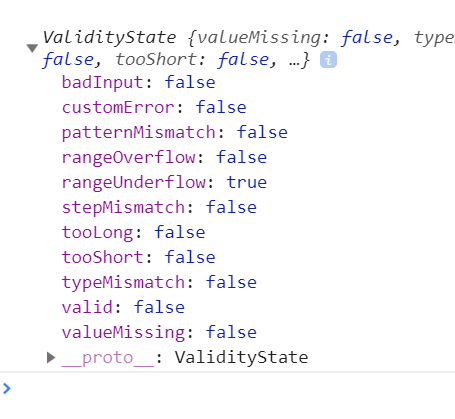
如果要设置number中只能输入5位,用max或者maxlength都不好使
需要使用js
<input type="number" name="number" id="number" oninput="checkLength(this,5)">
function checkLength(obj,len){
            if(obj.value.length>len){
                obj.value=obj.value.substr(0,len);
            }
        }
据说如果number中提交的数据是2位小数,提交到后台会自动舍去小数
(教程里这样说来着,我自己没试过没发现==)
解决方法是添加step
<input type="number" name="number" id="number" oninput="checkLength(this,5)" value="0.02" step="0.01">
如果不想要number中自带的上下箭头,解决如下:
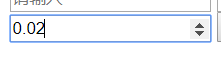
input[type=number]::-webkit-inner-spin-button,
        input[type=number]::-webkit-outer-spin-button{
            -webkit-appearance:none;
            margin:0;
        }
checkvalidity
全部满足返回true,有一个不满足就返回false
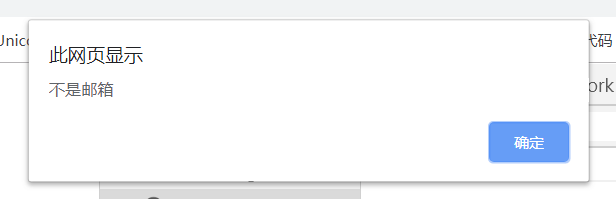
<input type="email" name="email" id="email" value="cyy">
if(email.checkValidity()){
            alert("是邮箱");
        }else{
            alert("不是邮箱");
        }
<input type="text" name="username" id="username" placeholder="请输入" pattern="/d{4}^$/" maxlength="5" required>
if(username.checkValidity()){
            alert("符合");
        }else{
            alert("不符合");
        }

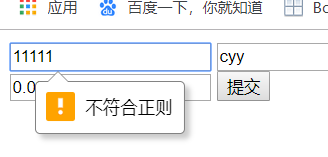
setCustomValidity()
<input type="text" name="username" id="username" placeholder="请输入" pattern="/d{4}^$/" maxlength="5" required oninput="checkit(this)">
function checkit(obj){
            var validity=obj.validity;
            console.log(validity);
            if(validity.patternMismatch===true){
                obj.setCustomValidity("不符合正则");
            }else{
                obj.setCustomValidity("");
            }
        }