阿里云提供的yum镜像地址为:https://opsx.alibaba.com/mirror
找到自己的使用系统,点击帮助,可以查看更换说明
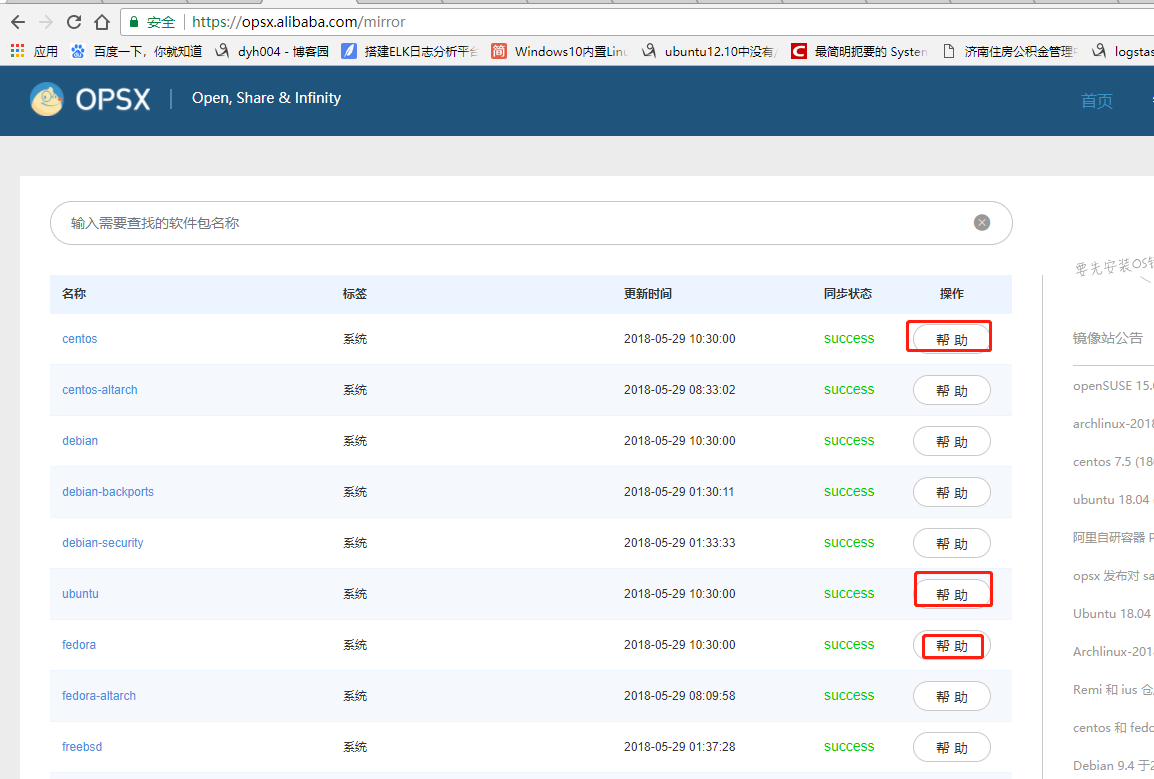
替换centOS的yum源,如下图
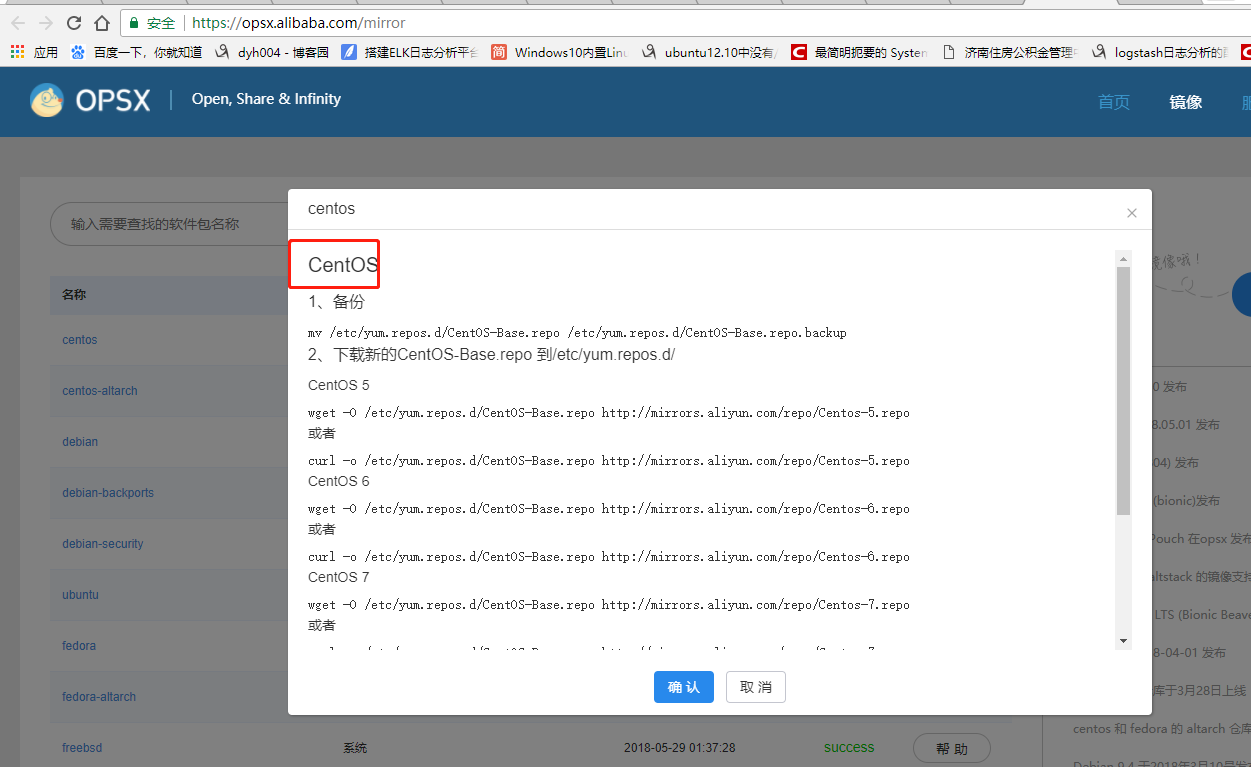
具体操作:
CentOS
1、备份
mv /etc/yum.repos.d/CentOS-Base.repo /etc/yum.repos.d/CentOS-Base.repo.backup
2、下载新的CentOS-Base.repo 到/etc/yum.repos.d/
CentOS 5
wget -O /etc/yum.repos.d/CentOS-Base.repo http://mirrors.aliyun.com/repo/Centos-5.repo
或者
curl -o /etc/yum.repos.d/CentOS-Base.repo http://mirrors.aliyun.com/repo/Centos-5.repo
CentOS 6
wget -O /etc/yum.repos.d/CentOS-Base.repo http://mirrors.aliyun.com/repo/Centos-6.repo
或者
curl -o /etc/yum.repos.d/CentOS-Base.repo http://mirrors.aliyun.com/repo/Centos-6.repo
CentOS 7
wget -O /etc/yum.repos.d/CentOS-Base.repo http://mirrors.aliyun.com/repo/Centos-7.repo
或者
curl -o /etc/yum.repos.d/CentOS-Base.repo http://mirrors.aliyun.com/repo/Centos-7.repo
3、之后运行yum makecache生成缓存
相关链接
官方主页: http://www.centos.org/
邮件列表: http://www.centos.org/modules/tinycontent/index.php?id=16
论坛: http://www.centos.org/modules/newbb/
文档: http://www.centos.org/docs/
Wiki: http://wiki.centos.org/
替换fedora的yum源
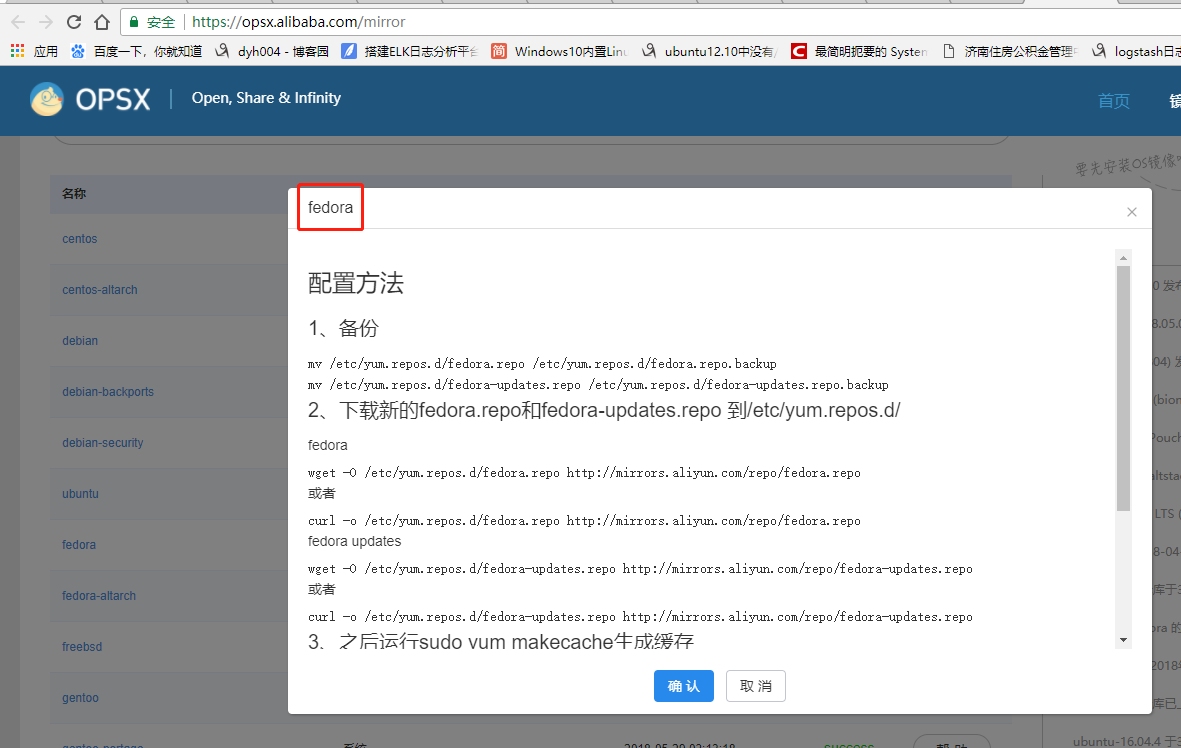
具体操作,如下:
配置方法
1、备份
mv /etc/yum.repos.d/fedora.repo /etc/yum.repos.d/fedora.repo.backup
mv /etc/yum.repos.d/fedora-updates.repo /etc/yum.repos.d/fedora-updates.repo.backup
2、下载新的fedora.repo和fedora-updates.repo 到/etc/yum.repos.d/
fedora
wget -O /etc/yum.repos.d/fedora.repo http://mirrors.aliyun.com/repo/fedora.repo
或者
curl -o /etc/yum.repos.d/fedora.repo http://mirrors.aliyun.com/repo/fedora.repo
fedora updates
wget -O /etc/yum.repos.d/fedora-updates.repo http://mirrors.aliyun.com/repo/fedora-updates.repo
或者
curl -o /etc/yum.repos.d/fedora-updates.repo http://mirrors.aliyun.com/repo/fedora-updates.repo
3、之后运行sudo yum makecache生成缓存
相关链接
官方主页: http://fedoraproject.org/
邮件列表: http://fedoraproject.org/wiki/Communicate
论坛: http://forums.fedoraforum.org/
文档: http://docs.fedoraproject.org/
Wiki: http://fedoraproject.org/wiki/
镜像列表: http://mirrors.fedoraproject.org/publiclist
替换ubunt的yum源:
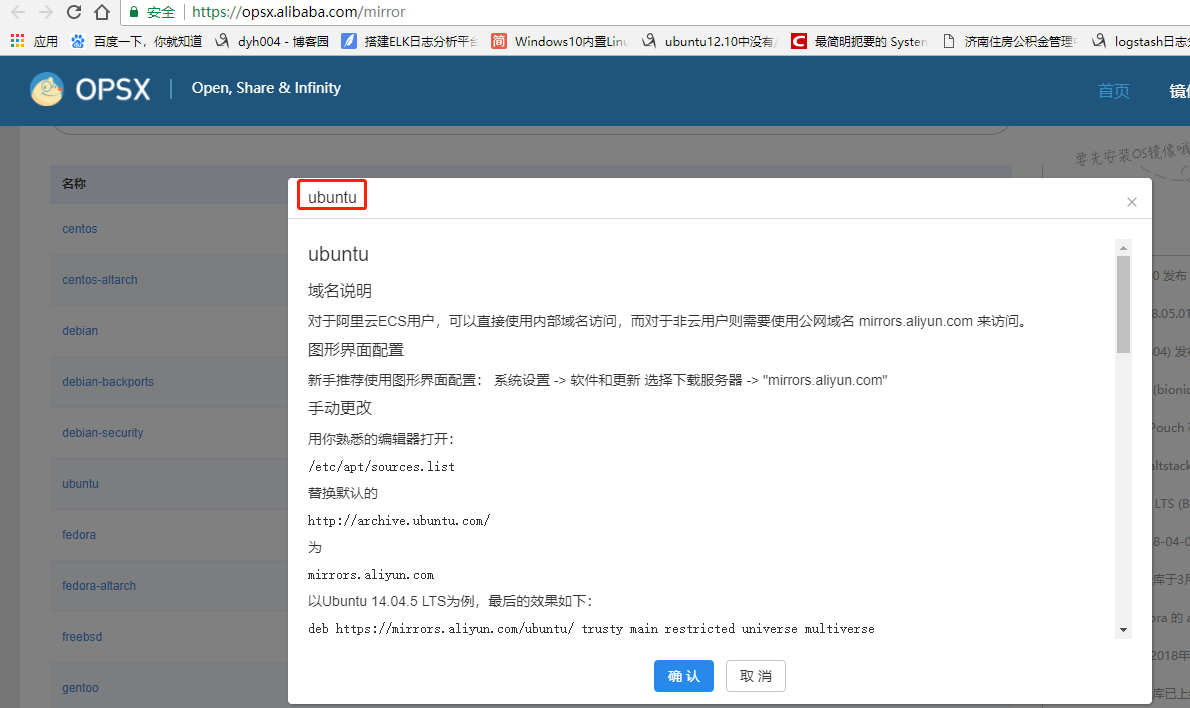
具体操作:
ubuntu
域名说明
对于阿里云ECS用户,可以直接使用内部域名访问,而对于非云用户则需要使用公网域名 mirrors.aliyun.com 来访问。
图形界面配置
新手推荐使用图形界面配置: 系统设置 -> 软件和更新 选择下载服务器 -> "mirrors.aliyun.com"
手动更改
用你熟悉的编辑器打开:
/etc/apt/sources.list

替换默认的
http://archive.ubuntu.com/

为
mirrors.aliyun.com

以Ubuntu 14.04.5 LTS为例,最后的效果如下:
deb https://mirrors.aliyun.com/ubuntu/ trusty main restricted universe multiverse
deb-src https://mirrors.aliyun.com/ubuntu/ trusty main restricted universe multiverse
deb https://mirrors.aliyun.com/ubuntu/ trusty-security main restricted universe multiverse
deb-src https://mirrors.aliyun.com/ubuntu/ trusty-security main restricted universe multiverse

deb https://mirrors.aliyun.com/ubuntu/ trusty-updates main restricted universe multiverse
deb-src https://mirrors.aliyun.com/ubuntu/ trusty-updates main restricted universe multiverse

deb https://mirrors.aliyun.com/ubuntu/ trusty-backports main restricted universe multiverse
deb-src https://mirrors.aliyun.com/ubuntu/ trusty-backports main restricted universe multiverse

## Not recommended
# deb https://mirrors.aliyun.com/ubuntu/ trusty-proposed main restricted universe multiverse
# deb-src https://mirrors.aliyun.com/ubuntu/ trusty-proposed main restricted universe multiverse
ubuntu 16.04 配置如下
deb http://mirrors.aliyun.com/ubuntu/ xenial main
deb-src http://mirrors.aliyun.com/ubuntu/ xenial main

deb http://mirrors.aliyun.com/ubuntu/ xenial-updates main
deb-src http://mirrors.aliyun.com/ubuntu/ xenial-updates main

deb http://mirrors.aliyun.com/ubuntu/ xenial universe
deb-src http://mirrors.aliyun.com/ubuntu/ xenial universe
deb http://mirrors.aliyun.com/ubuntu/ xenial-updates universe
deb-src http://mirrors.aliyun.com/ubuntu/ xenial-updates universe

deb http://mirrors.aliyun.com/ubuntu/ xenial-security main
deb-src http://mirrors.aliyun.com/ubuntu/ xenial-security main
deb http://mirrors.aliyun.com/ubuntu/ xenial-security universe
deb-src http://mirrors.aliyun.com/ubuntu/ xenial-security universe
ubuntu 18.04(bionic) 配置如下
deb http://mirrors.aliyun.com/ubuntu/ bionic main restricted universe multiverse
deb-src http://mirrors.aliyun.com/ubuntu/ bionic main restricted universe multiverse

deb http://mirrors.aliyun.com/ubuntu/ bionic-security main restricted universe multiverse
deb-src http://mirrors.aliyun.com/ubuntu/ bionic-security main restricted universe multiverse

deb http://mirrors.aliyun.com/ubuntu/ bionic-updates main restricted universe multiverse
deb-src http://mirrors.aliyun.com/ubuntu/ bionic-updates main restricted universe multiverse

deb http://mirrors.aliyun.com/ubuntu/ bionic-proposed main restricted universe multiverse
deb-src http://mirrors.aliyun.com/ubuntu/ bionic-proposed main restricted universe multiverse

deb http://mirrors.aliyun.com/ubuntu/ bionic-backports main restricted universe multiverse
deb-src http://mirrors.aliyun.com/ubuntu/ bionic-backports main restricted universe multiverse
参考链接
官方主页: http://www.ubuntu.com/
邮件列表: http://www.ubuntu.com/support/community/mailinglists
论坛: http://ubuntuforums.org/
中文论坛: http://forum.ubuntu.org.cn/
Wiki: https://wiki.ubuntu.com/
帮助: https://help.ubuntu.com/
同样的道理,替换其他系统yum源(阿里作为yum源的操作)