tmux
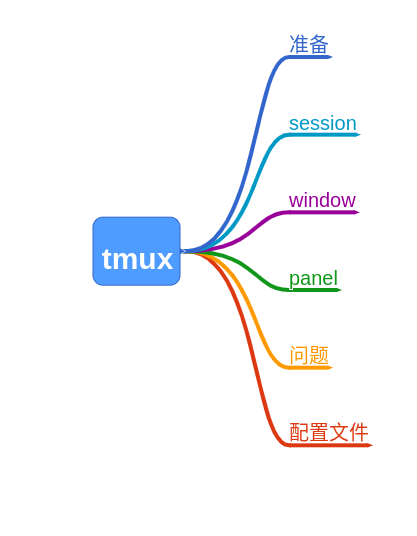
准备
tmux既可以进行远程session的管理,即使ssh断开,程序还会继续运行,以前跑实验要跑半个月的时候都是使用screen,可以防止网络断了程序跑一半的情况,现在发现tmux更强大。
和许多软件一样,需要在快捷键前加上前缀,习惯把默认的Ctrl+b 改为 Ctrl+a。
session
新建session,如果没有-s,会以数字0, 1, 2...命名:
$ tmux new -s test列出当前可用的session:
$ tmux ls
test: 1 windows (created Fri May 10 10:05:32 2019) [158x32]
zsh: 1 windows (created Fri May 10 09:50:32 2019) [158x32]
detach, 使用命令detach-client(可以简写为detach或det),直接关掉gnome-terminial也会自动detach:
prefix + d
tmux detach # detach当前tmux session
tmux detach -s test
连接session, 命令是attach-session(可以简写为attach或a):
tmux a -t test如果session在其它地方被使用,可以使用-d在连接的同时,detach掉其它地方的连接,如果不detach掉的话,这边的修改同时也会同步到其它地方:
tmux a -d -t test列表显示所有session:
prefix + a重命令session:
tmux rename-session -t 4 nnjobwindow
新建window
prefix + c切换到下一个window:
prefix + n切换到上一个window:
prefix + p切换到指定window:
prefix + window的编号(如第0个窗口就是0)关闭当前window
prefix + x列表显示当前window:
prefix + w修改当前窗口名称,以方便记住:
prefix + ,panel
panel是tmux最具特色的功能,它可以在一个界面中显示多个shell操作界面。
左右分屏:
prefix + |上下分屏:
prefix + -切换到下一个分屏:
prefix + o切换:
prefix + ijlk最大化显示当前panel,很好用,再操作一次返回以前状态:
prefix + z问题
tmux有个痛点,也是我一度抛弃tmux的原因。那就是鼠标滚屏与鼠标选中中键复制功能不能兼得。
-
如果不开启鼠标滚屏,可以使用选中复制。但是无法滚屏查看上面的信息,只能通过
prefix + PageUp这样的操作去查看。 -
如果开启鼠标滚屏,那么就无法使用选中复制的功能,需要使用tmux提供的复制功能,一套新的复制系统,操作起来很别扭,即使改成vi的快捷键,实际上感觉并不好用。现在发现可以在选中和复制时分别按住Shift键来进行,感觉这样的妥协还是可以接受的。
set -g mouse on
配置文件
tmux配置文件位置~/.tmux.conf:
    set -g prefix ^a
	unbind ^b
	bind a send-prefix
	setw -g mode-keys vi

	set -g base-index 1

	#水平或垂直分割窗口
	unbind '"'
	bind - splitw -v -c "#{pane_current_path}" # 分割成上下两个窗口
	unbind %
	bind | splitw -h -c "#{pane_current_path}" # 分割成左右两个窗口'"'
	bind c new-window -c "#{pane_current_path}"

	# 开启鼠标模式
	set-option -g mouse on
	# 允许鼠标选择窗格
	setw -g mouse on
	#set -g mouse-select-pane on
	# 如果喜欢给窗口自定义命名,那么需要关闭窗口的自动命名
	#set-option -g allow-rename off
	# Scroll History
	set -g history-limit 30000

	# Set ability to capture on start and restore on exit window data when running an application
	setw -g alternate-screen on

	# Lower escape timing from 500ms to 50ms for quicker response to scroll-buffer access.
	set -s escape-time 50

	# 如果对 vim 比较熟悉,可以将 copy mode 的快捷键换成 vi 模式
	set-window-option -g mode-keys vi
	bind Escape copy-mode
	bind -t vi-copy v begin-selection
	bind -t vi-copy y copy-selection
	unbind [
	#unbind p
	#bind p paste-buffer

	#选择分割的窗格
	bind k selectp -U # 选择上窗格
	bind j selectp -D # 选择下窗格
	bind h selectp -L # 选择左窗格
	bind l selectp -R # 选择右窗格

	#重新调整窗格的大小
	bind ^k resizep -U 10 # 跟选择窗格的设置相同,只是多加 Ctrl(Ctrl-k)
	bind ^j resizep -D 10 # 同上
	bind ^h resizep -L 10 # ...
	bind ^l resizep -R 10 # ...

	#交换两个窗格
	bind ^u swapp -U # 与上窗格交换 Ctrl-u
	bind ^d swapp -D # 与下窗格交换 Ctrl-d

	# 状态栏设置
	# status bar with load and time
	set -g status-bg blue
	set -g status-fg '#bbbbbb'
	set -g status-left-fg green
	set -g status-left-bg blue
	set -g status-right-fg green
	set -g status-right-bg blue
	set -g status-left-length 90
	set -g status-right-length 90
	set -g status-left '[#(whoami)]'
	set -g status-right '[#(date +" %m-%d %H:%M ")]'
	#set -g status-justify "centre"
	set -g window-status-format '#I #W'
	set -g window-status-current-format ' #I #W '
	setw -g window-status-current-bg blue
	setw -g window-status-current-fg green
	set -g default-terminal "screen-256color"