最近有接触到关于visual studio 2017 扩展的开发,特此记录,也是为了督促自己去深入了解其原理。
开始开发Visual Studio 扩展,在这里我安装了visual studio 2017, 在安装的时候记得勾选上visual studio 扩展开发。
创建一个项目
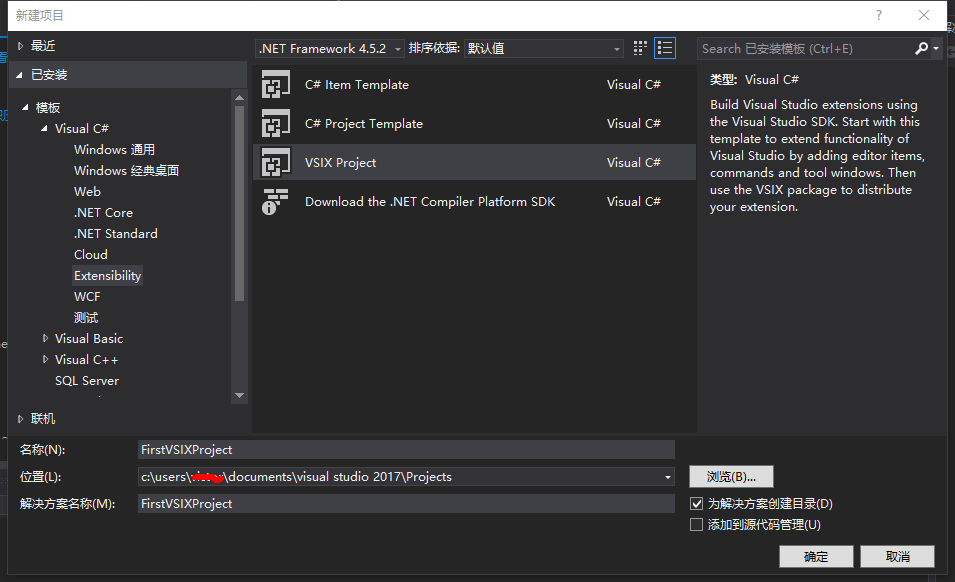
我们打开编译器,文件→新建项目,模板→Visual C#→Extensibility 选择 VSIX Project.创建一个项目。
添加自定义命令
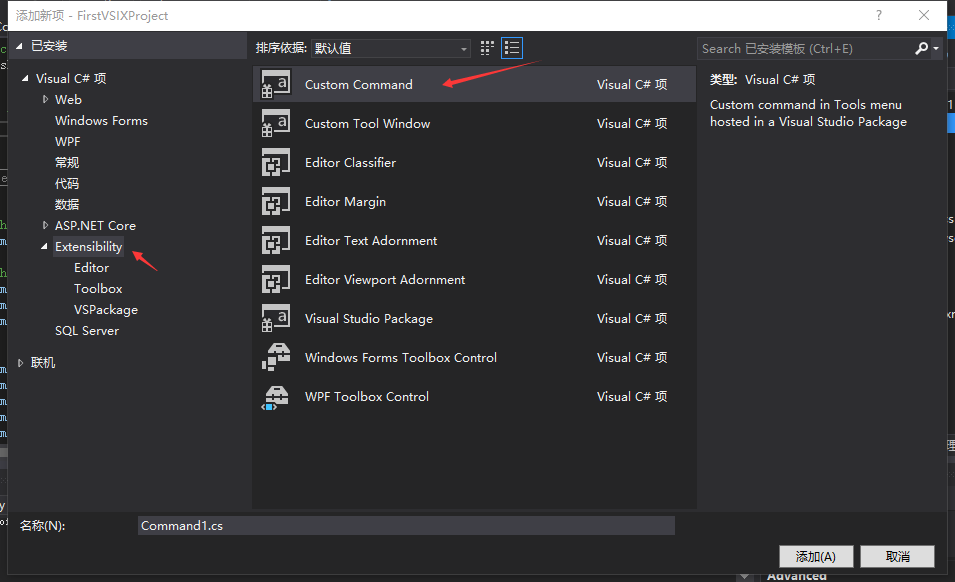
右键项目,添加新项。Visual C#项→Extensibility→Custom Command
我们找到CommandPackage.vsct文件 修改菜单名。
在Commands节点下的Buttons。
<Buttons>
      <!--To define a menu group you have to specify its ID, the parent menu and its display priority.
          The command is visible and enabled by default. If you need to change the visibility, status, etc, you can use
          the CommandFlag node.
          You can add more than one CommandFlag node e.g.:
              <CommandFlag>DefaultInvisible</CommandFlag>
              <CommandFlag>DynamicVisibility</CommandFlag>
          If you do not want an image next to your command, remove the Icon node /> -->
      <Button guid="guidCommandPackageCmdSet" id="CommandId" priority="0x0100" type="Button">
        <Parent guid="guidCommandPackageCmdSet" id="MyMenuGroup" />
        <Icon guid="guidImages" id="bmpPic1" />
        <Strings>
          <ButtonText>测试菜单</ButtonText>
        </Strings>
      </Button>
    </Buttons>
再打开Command.cs文件。下拉到最后。
        private void MenuItemCallback(object sender, EventArgs e)
        {
            string message = "Hello Word";
            string title = "测试";

            // Show a message box to prove we were here
            VsShellUtilities.ShowMessageBox(
                this.ServiceProvider,
                message,
                title,
                OLEMSGICON.OLEMSGICON_INFO,
                OLEMSGBUTTON.OLEMSGBUTTON_OK,
                OLEMSGDEFBUTTON.OLEMSGDEFBUTTON_FIRST);
        }
结果
运行,会打开一个新的Visual Studio,这是调试模式。
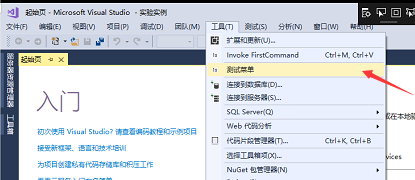
点开工具 我们可以看到我们扩展的那个菜单。
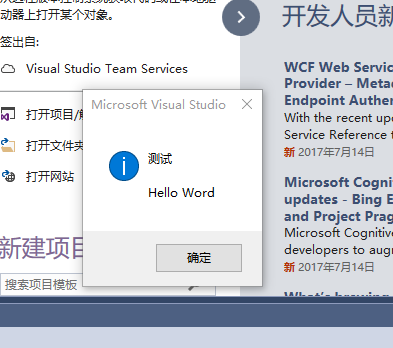
点击测试菜单
此随笔仅是本人学习记录,后续应该会继续写,如果对你有帮助,动动你的鼠标,右下方给我来个赞。你的支持是我最大的动力。