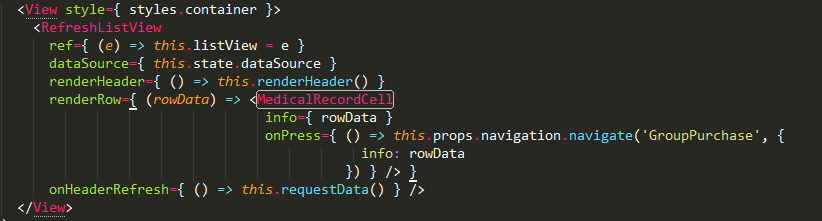
插件名是:
SUBLIME JSFMT .
github地址是:
https://github.com/royriojas/esformatter-jsx/wiki/Usage-with-jsfmt
设置Setting user:
// add to your
{
  "autoformat": true,
  "extensions": [
    "js",
    "jsx",
    "sublime-settings"
  ],
  "options": {
    "plugins": [
      "esformatter-jsx",
    ],
    "jsx": {
      "formatJSX": true,
      // change these to your preferred values
      // refer to https://github.com/royriojas/esformatter-jsx#best-configuration for more options
      "attrsOnSameLineAsTag": false,
      "maxAttrsOnTag": 1,
      "firstAttributeOnSameLine": false,
      "alignWithFirstAttribute": true,
      "formatJSXExpressions": true
    }
  // other esformatter options
  }
}
默认设置是组件的属性如果换行,则会缩进至组件长度后,不是很美观,如下:
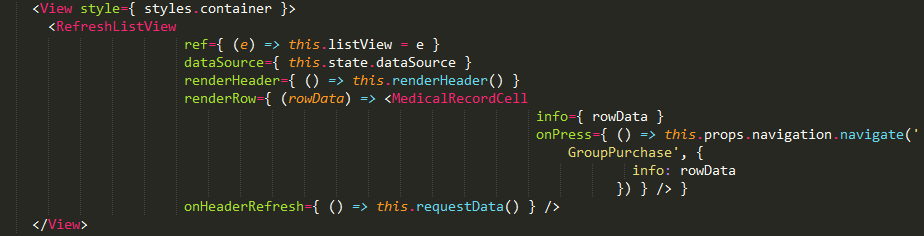
修改 ~AppDataRoamingSublime Text 3Packagesjsfmt ode_modulesesformatter-jsxlibformat-jsx.js
将原代码
var alignWith = me.jsxOptions.alignWithFirstAttribute ? first.loc.start.column : node.loc.start.column + indentSize;
修改为
var attrLen = first.parent.name.name.length;
var alignWith = me.jsxOptions.alignWithFirstAttribute ? (first.loc.start.column - attrLen) : node.loc.start.column - attrLen + indentSize;
如图