import  tensorflow as tf

w = tf.constant(1.)
x = tf.constant(2.)

y = x*w

with tf.GradientTape() as tape:
    tape.watch([w])
    y2 = x*w
grad1 = tape.gradient(y,[w])

print(grad1)


结果为[None]
因为 y= x* w 没有放在 with tf.GradientTape() as tape:中。所以无法计算.如果w 已经是tf.Variable类型,就不需要放在GradientType中了
import  tensorflow as tf

w = tf.constant(1.)
x = tf.constant(2.)

y = x*w
with tf.GradientTape() as tape:
    tape.watch([w])
    y2 = x*w
grad2 = tape.gradient(y2,[w])

print(grad2)
结果 为:[<tf.Tensor: id=6, shape=(), dtype=float32, numpy=2.0>].
注意 [w] 中的w必须放在tape.watch()中.因为这个w不是tf.Variable型。
import  tensorflow as tf

x = tf.random.normal([2,4])
w = tf.random.normal([4,3])

b = tf.zeros([3])
y = tf.constant([2,0])

with tf.GradientTape() as tape:
    tape.watch([w,b])
    logits = x@w + b
    loss = tf.reduce_mean(tf.losses.categorical_crossentropy(tf.one_hot(y,depth=3),logits,from_logits = True))

grads = tape.gradient(loss,[w,b])

print(grads)


x =tf.random.normal([2,4])
w = tf.Variable(tf.random.normal([4,3]))

b = tf.Variable(tf.zeros([3]))
y = tf.constant([2,0])

with tf.GradientTape() as tape:
    # tape.watch([w,b]) 注意 w,b 已经是 tf.Variable类型了。就不需要watch了。
    logits = x@w + b
    loss = tf.reduce_mean(tf.losses.categorical_crossentropy(tf.one_hot(y,depth=3),logits,from_logits = True))

grads = tape.gradient(loss,[w,b])

print(grads)
第三点:Persistent 参数.为True才可以连续求梯度.否则会报错.
with tf.GradientTape( persistent = True) as tape:

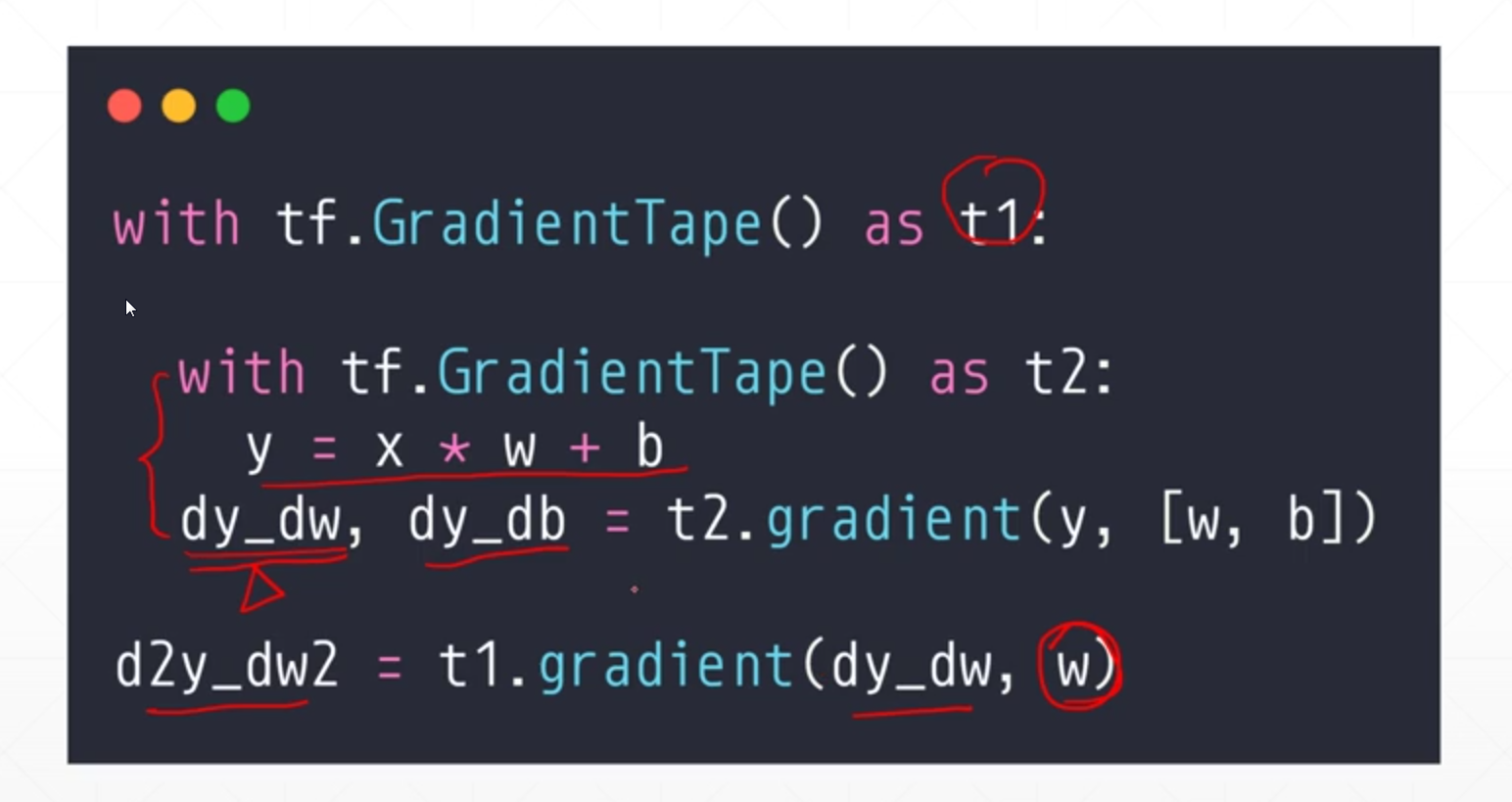
第4点。二阶求导:DMEO.一般很少用到。