一、Cookie介绍
通过Set-Cookie设置
下次请求会自动带上
键值对,可以设置多个
二、Cookie属性
max-age和expires设置过期时间
Secure只在https的时候发送
HttpOnly无法通过document.cookie访问
三、Cookie的使用方式
Server.js
const http = require('http');
const fs = require('fs')

http.createServer(function(request, response){
    console.log('request com', request.url)
    if(request.url === "/"){
        const html = fs.readFileSync('test.html','utf8')
        response.writeHead(200,{
            'Content-Type':'text/html',
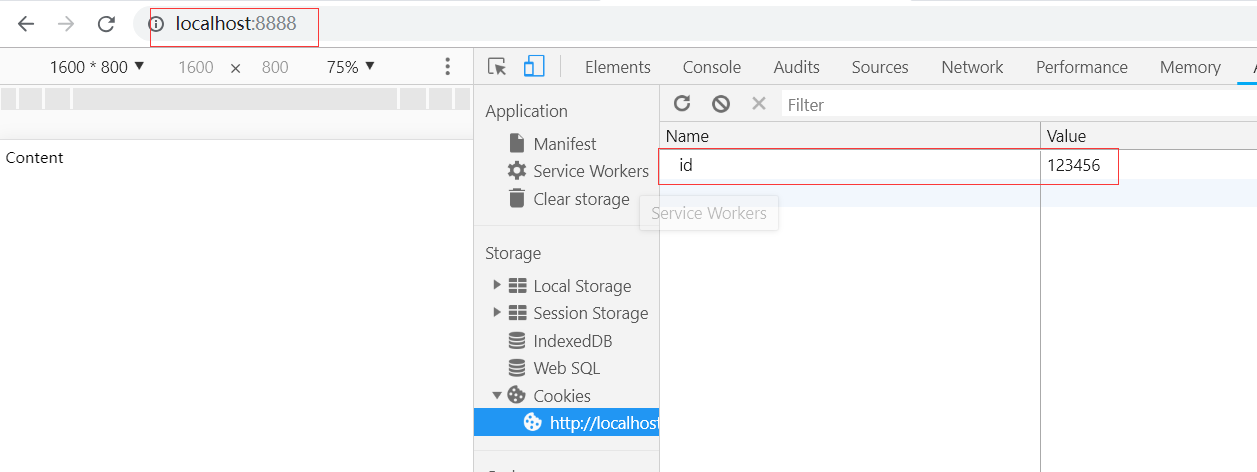
            'Set-Cookie':'id=123456'
        })
        response.end(html)
    }


}).listen(8888);

console.log('server listening on 8888')
设置HttpOnly,JS将无法访问abc这个Cookie值
'Set-Cookie':['id=123456; max-age=2', 'abc=456; HttpOnly']
test.html
<html>
    <head>
        <title>Document</title>
    </head>
    <body>
        <div>Content</div>
    </body>

    <script>
        console.log(document.cookie);
    </script>


</html>
访问,可以看到设置的Cookei